
1. Konec produktuview
The FURYCUBE IP98 is a wired gaming keyboard designed for both gaming and work environments. It features a compact 98-key layout, RGB backlighting, IPX8 water resistance, and durable side-printed PBT translucent keycaps. This manual provides detailed information on setting up, operating, maintaining, and troubleshooting your keyboard.
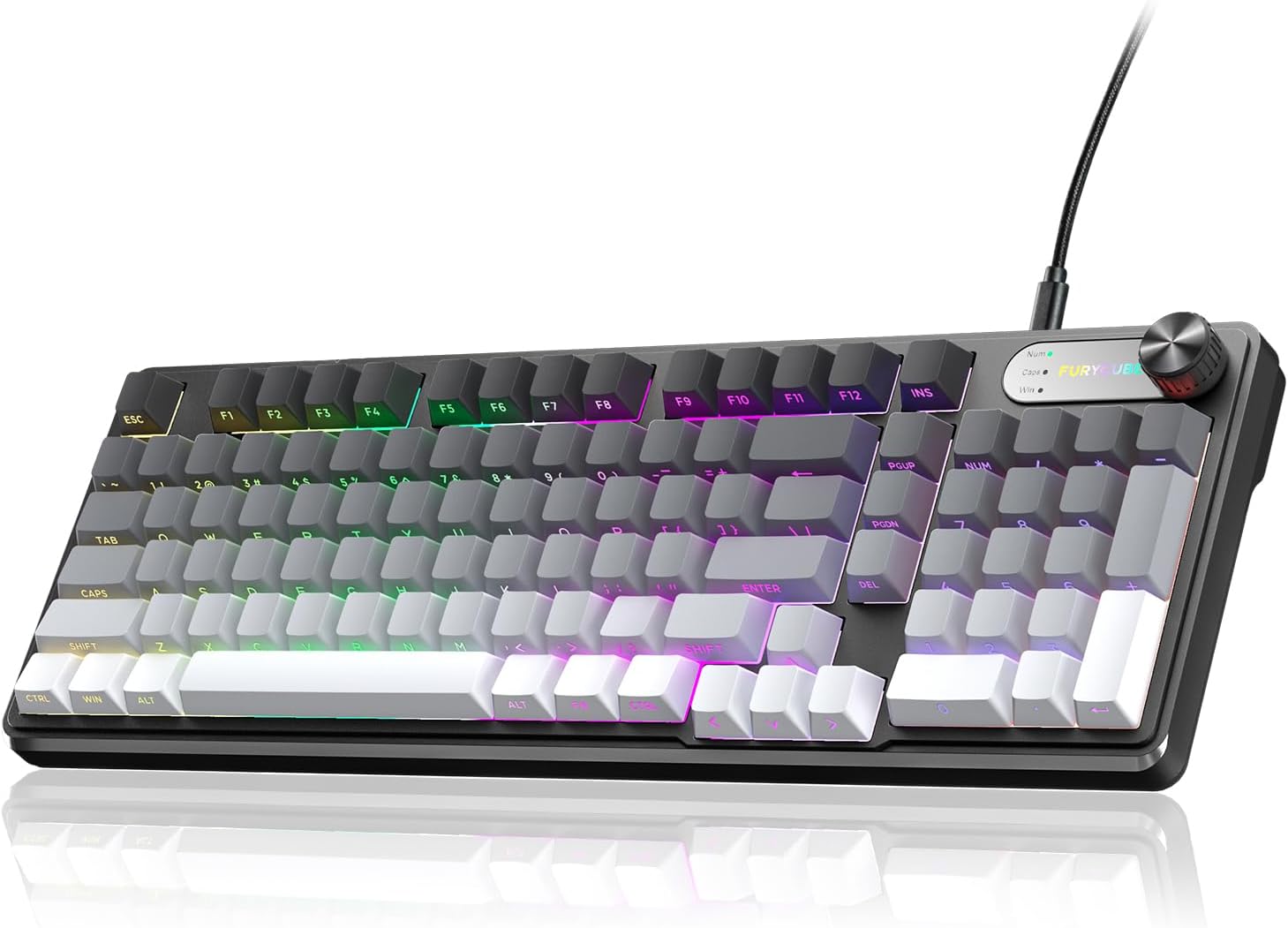
Image 1.1: FURYCUBE IP98 Wired Gaming Keyboard in Gray-White.
2. Obsah balení
Po vybalení se ujistěte, že jsou všechny položky přítomny:
- FURYCUBE IP98 Wired Gaming Keyboard
- USB-C kabel
- Uživatelská příručka
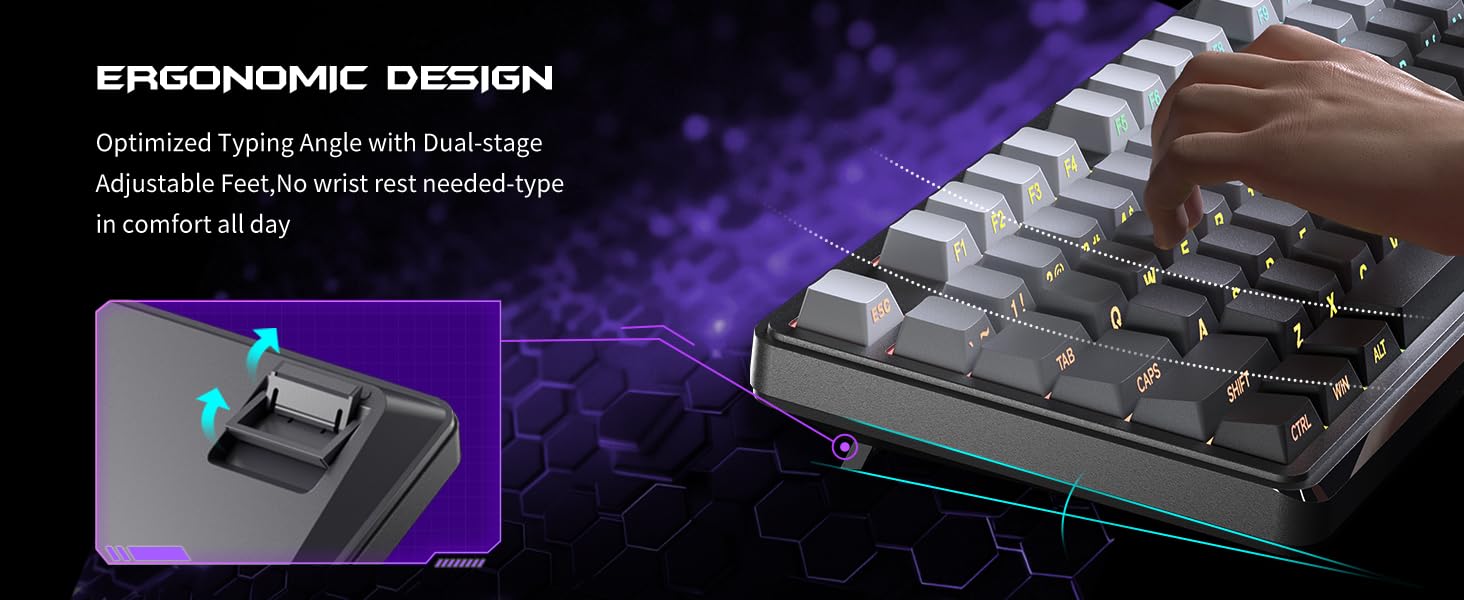
Image 2.1: Contents of the FURYCUBE IP98 Keyboard package, including the keyboard, USB-C cable, and manual.
3. Pokyny k nastavení
Follow these steps to set up your FURYCUBE IP98 keyboard:
- Připojení klávesnice: Zapojte konec USB-C dodaného kabelu do portu klávesnice a konec USB-A do volného portu USB v počítači.
- Kompatibilita systému: The keyboard is compatible with Windows and Mac operating systems. Use the Fn+A key combination to switch to Windows mode and Fn+W for Mac mode.
- Instalace ovladače: The keyboard is plug-and-play and typically does not require additional drivers. Your operating system should automatically recognize the device.
Video 3.1: An unboxing video demonstrating the FURYCUBE IP98 keyboard and its initial setup.
4. Ovládání klávesnice
4.1 RGB podsvícení
The FURYCUBE IP98 keyboard features 16.8 million RGB color options, 10 different logo color changes, 7 distinct RGB lighting modes and effects, 4 backlight brightness levels, and adjustable breathing speed. These settings can be customized to suit various preferences, from office work to gaming.
- Změna režimů osvětlení: Long press the multifunctional knob to cycle through different RGB lighting modes.
- Nastavení jasu: Use the multifunctional knob to adjust the backlight brightness (4 levels available).
- Logo Color Changes: The keyboard supports 10 different logo color changes.

Image 4.1: The FURYCUBE IP98 keyboard showcasing its 16.8 million RGB backlighting capabilities.
Video 4.2: A demonstration of the FURYCUBE IP98 keyboard's RGB lighting effects.
4.2 Klávesy
The keyboard features side-printed PBT translucent keycaps. PBT material is known for its durability and resistance to oil, ensuring the keycaps maintain their delicate feel and matte texture over long-term use without fading or blurring.
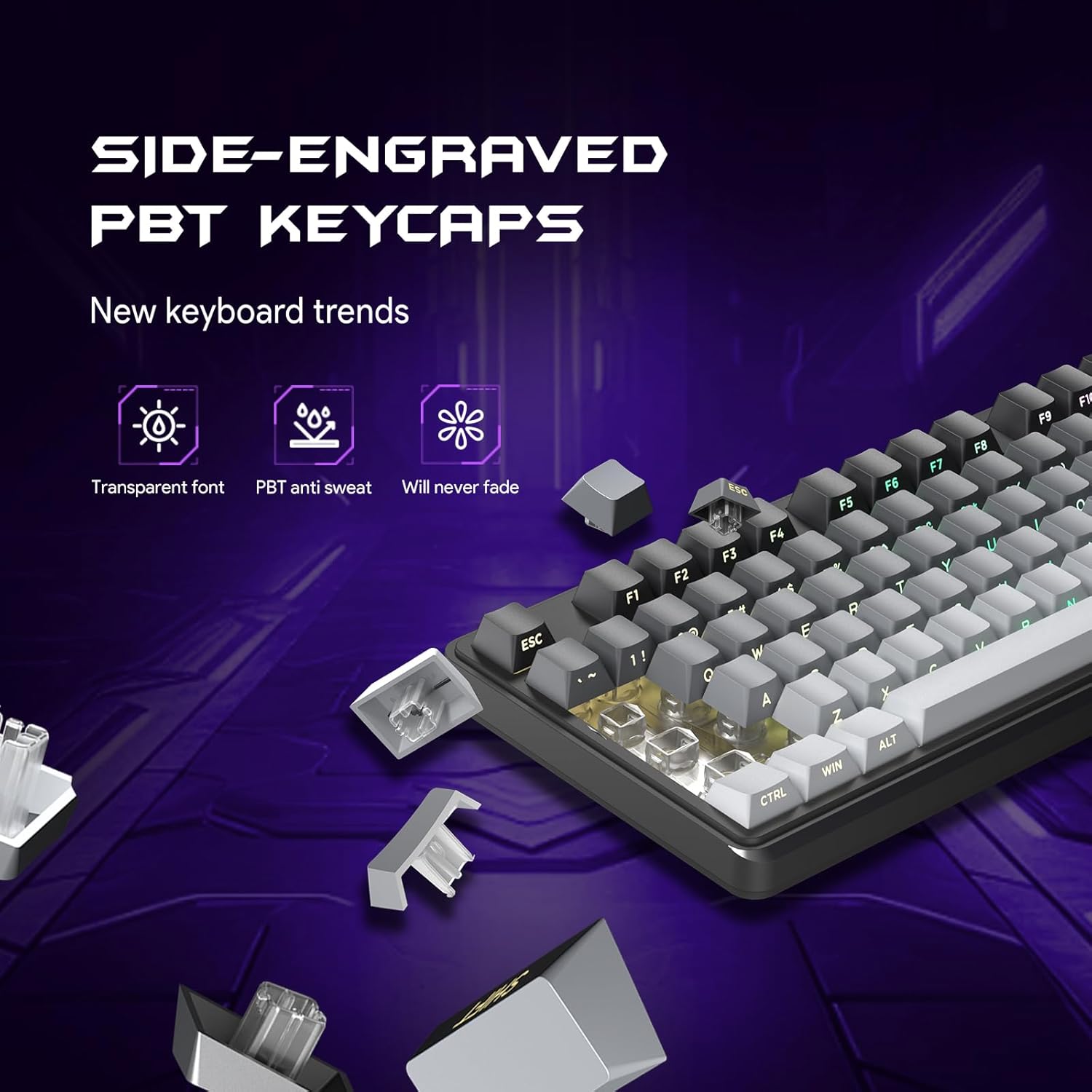
Obrázek 4.3: Detail view of the FURYCUBE IP98's side-printed PBT keycaps.
4.3 Multifunction Knob
The integrated multifunctional knob allows for easy control of volume and backlight modes. Rotate the knob to adjust volume, and long press it to switch between different lighting modes.

Image 4.4: The FURYCUBE IP98's multifunction knob for volume and lighting control.
4.4 Anti-Key Conflict (Anti-Ghosting)
Advanced matrix scanning technology ensures that up to 19 keys can be pressed simultaneously without loss or mispress. This feature is particularly beneficial for gaming, where multiple key combinations are frequently used.

Image 4.5: Illustration of the FURYCUBE IP98's 19-key anti-conflict feature.
4.5 Ergonomický design
The keyboard features an ergonomic angle with silent gaming switches, designed to reduce wrist pressure and keystroke noise. It includes foldable kickstands for adjustable typing angles, enhancing comfort during extended use.

Image 4.6: The FURYCUBE IP98 highlighting its ergonomic design and adjustable kickstands.
5. Údržba
To ensure the longevity and optimal performance of your FURYCUBE IP98 keyboard, follow these maintenance guidelines:
- Voděodolnost: The keyboard features an IPX8 waterproof casing, designed to resist daily splashes. While it can withstand accidental spills, it is recommended to clean any liquid spills promptly to prevent potential damage.
- Čištění: Použijte měkký, damp cloth to wipe the surface of the keyboard. For deeper cleaning, you may carefully remove keycaps and clean underneath with compressed air or a small brush. Ensure the keyboard is disconnected from your computer before cleaning.
- Skladování: Klávesnici skladujte na suchém a chladném místě mimo dosah přímého slunečního záření a extrémních teplot.

Image 5.1: The FURYCUBE IP98 demonstrating its IPX8 waterproof capabilities.
6. Řešení problémů
If you encounter issues with your FURYCUBE IP98 keyboard, refer to the following common solutions:
| Problém | Řešení |
|---|---|
| Klávesnice nereaguje |
|
| RGB podsvícení nefunguje nebo je nesprávné |
|
| Klávesy se zasekávají nebo nereagují |
|
If the issue persists after attempting these solutions, please contact FURYCUBE customer support for further assistance.
7. Specifikace
| Funkce | Detail |
|---|---|
| Rozměry produktu | 16.22 x 5.51 x 1.57 palce |
| Hmotnost položky | 2.12 libry |
| Výrobce | FURYCUBE |
| Číslo modelu položky | IP98 |
| Technologie připojení | Kabelové |
| Kompatibilní zařízení | Herní konzole, notebook, počítač, chytrý telefon, tablet |
| Speciální funkce | RGB backlight, volume wheel, compact design, wired connection, long lifespan, ergonomic, side-etched keycaps |
| Barva | IP98-Gradient Gray White |
| Materiál | Polybutylen tereftalát (PBT) |
8. Záruka a podpora
The FURYCUBE IP98 keyboard comes with a 3letý poprodejní servis. If you encounter any quality issues or have questions during use within this period, please contact FURYCUBE customer support. We are committed to resolving your issue within 24 hours.
For support, please refer to the contact information provided on the product packaging or the official FURYCUBE webmísto.