
1. Introduction
Thank you for choosing the MageGee V550 Wireless Keyboard and Mouse Combo. This manual provides detailed instructions for setting up, operating, and maintaining your new peripheral set. Please read this manual thoroughly before use to ensure optimal performance and longevity of your product.

An overview of the MageGee V550 wireless keyboard and mouse combo, featuring a full-sized keyboard with RGB backlighting and a matching white wireless mouse, alongside the USB receiver.
2. Package Contents
Ensure all items are present in your package:
- MageGee V550 Wireless Keyboard
- MageGee V550 Wireless Mouse
- USB Receiver (located in the mouse's bottom slot)
- USB Type-C Charging Cable
- User Manual (this document)
3. Setup Guide
- Locate the USB Receiver: The 2.4G USB receiver is stored in a dedicated slot on the bottom of the wireless mouse. Gently remove it.
- Connect the Receiver: Plug the USB receiver into an available USB port on your computer (laptop or PC).
- Power On Devices: Locate the power switch on the bottom of both the keyboard and the mouse. Slide the switches to the 'ON' position.
- Automatic Connection: The keyboard and mouse should automatically connect to your computer. No additional drivers are required.

Illustration demonstrating how the single USB receiver connects both the MageGee V550 wireless keyboard and mouse to a computer, highlighting the 2.4G wireless connection and 33ft range. The USB receiver is shown plugged into a laptop.

An image detailing the MageGee V550 mouse's features, including three tracking speed levels (1000-1200-1600 DPI), comfortable grip, and the location of the USB receiver within the mouse.
4. Operating Instructions - Keyboard
4.1 RGB Backlight Control
The V550 keyboard features dynamic RGB backlighting with multiple customization options:
- Light Modes: Cycle through 5 distinct light modes.
- Colors: Choose from 7 solid color backlights and 1 rainbow backlight.
- Brightness: Adjust between 3 brightness levels.
- Speed: Modify the lighting effect speed with 4 available settings.
- Turn Off: The backlight can be turned off at any time.
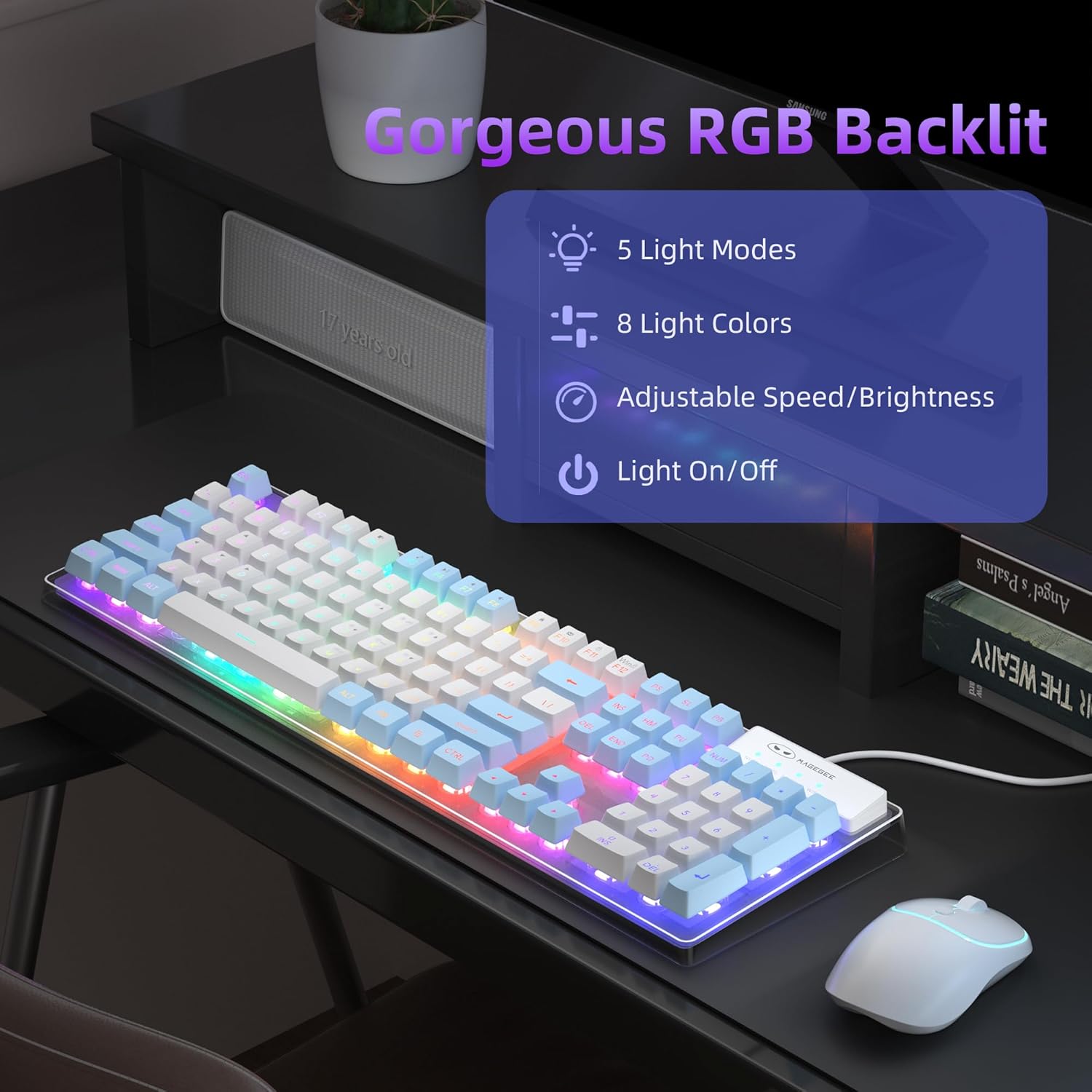
An image of the MageGee V550 keyboard displaying its RGB backlighting, with text indicating 5 light modes, 8 colors, adjustable speed/brightness, and light on/off functionality.

The MageGee V550 keyboard showcasing its switchable RGB backlighting with a spectrum of 7 light colors for varied visual experiences.
4.2 Multimedia Shortcuts
The keyboard features 12 multimedia shortcuts for quick access to common functions. Refer to the keycap legends for specific functions (e.g., volume control, media playback).
4.3 Anti-Ghosting
The V550 keyboard supports 19-key anti-ghosting, ensuring that multiple simultaneous key presses are registered accurately, which is beneficial for gaming and fast typing.

An image of the MageGee V550 keyboard highlighting its 19-key anti-ghosting capability, with visual cues indicating simultaneous key presses for gaming.
5. Operating Instructions - Mouse
5.1 Mouse Buttons and Functions
The wireless mouse features standard buttons and a tracking speed adjustment:
- Left Button: Primary click function.
- Right Button: Secondary click function (context menu).
- Scroll Wheel: For vertical scrolling.
- Tracking Speed Button: Adjusts the mouse's DPI (Dots Per Inch) sensitivity between 1000, 1200, and 1600 DPI. Press to cycle through settings.

A detailed view of the MageGee V550 wireless mouse, labeling its four buttons: scroll wheel, right button, left button, and tracking speed button (1000-1200-1600 DPI). Also highlights ergonomic design and silent clicking.
5.2 Ergonomic Design and Silent Clicking
The mouse is designed for a comfortable grip during extended use. Its silent clicking mechanism reduces operational noise.
6. Charging and Power Management
6.1 Rechargeable Battery
Both the keyboard and mouse are equipped with rechargeable batteries. Use the included USB Type-C cable to charge them. Connect the cable to the charging port on each device and a power source (e.g., computer USB port, USB wall adapter).

The MageGee V550 keyboard and mouse connected via USB-C cables for charging, illustrating the rechargeable feature that eliminates the need for frequent battery replacements.
6.2 Power Saving Function
To conserve battery life, both devices feature an auto-sleep mode. If inactive for a period, they will enter a low-power state. To wake them up, simply click any key on the keyboard or move/click the mouse.
6.3 Separate Power Switches
Each device (keyboard and mouse) has its own power switch. Turning off one device does not affect the other.

A diagram illustrating key components of the MageGee V550 keyboard and mouse, including anti-slip pads, on/off switches, charging ports, USB receiver location, and keyboard indicators (Win, Num, Caps).
7. Maintenance
To ensure the longevity and optimal performance of your MageGee V550 combo, follow these maintenance guidelines:
- Cleaning: Use a soft, dry cloth to wipe down the surfaces of the keyboard and mouse. For stubborn dirt, slightly dampen the cloth with water or a mild cleaning solution. Avoid harsh chemicals.
- Dust Removal: Use compressed air to clear dust and debris from between the keycaps and around the mouse sensor.
- Storage: When not in use for extended periods, turn off both devices and store them in a cool, dry place away from direct sunlight and extreme temperatures.
- Charging: Avoid overcharging. Disconnect the charging cable once the devices are fully charged.
8. Troubleshooting
If you encounter issues with your MageGee V550 combo, refer to the following common solutions:
| Problem | Possible Solution |
|---|---|
| Keyboard/Mouse not responding |
|
| RGB backlight not working |
|
| Mouse cursor erratic or unresponsive |
|
| Charging issues |
|
9. Specifications
| Feature | Detail |
|---|---|
| Brand | MageGee |
| Model | V550 |
| Connectivity Technology | 2.4G Wireless |
| Keyboard Layout | Full-sized, 104-key |
| Keyboard Backlight | Dynamic RGB (5 modes, 7 solid colors, 1 rainbow, 3 brightness, 4 speeds) |
| Keyboard Special Features | Backlit, Ergonomic, Rechargeable, Transparent Base, 12 Multimedia Shortcuts, 19-Key Anti-Ghosting |
| Mouse DPI | 1000-1200-1600 (Adjustable) |
| Mouse Features | Rechargeable, Quiet Cordless, RGB light strip, Ergonomic Design |
| Charging Port | USB Type-C |
| Compatible Devices | Laptop, Personal Computer |
| Item Weight | 2.16 pounds (combo) |
| Package Dimensions | 17.63 x 8.78 x 1.85 inches |
10. Warranty and Support
MageGee products are designed for reliability and performance. For warranty information, technical support, or any product-related inquiries, please refer to the contact information provided on the product packaging or visit the official MageGee website. Keep your purchase receipt as proof of purchase for warranty claims.


