
Samsung LS32FM902SNXZA
Uživatelská příručka k chytrému monitoru Samsung 32" OLED M9 (M90SF)
Model: LS32FM902SNXZA
Zavedení
Welcome to the user manual for your new Samsung 32" OLED M9 (M90SF) Smart Monitor. This monitor is designed to provide a superior visual and interactive experience, combining the vibrant display of 4K QD-OLED technology with smart TV functionalities and advanced AI features. This manual will guide you through the setup, operation, maintenance, and troubleshooting of your monitor to ensure optimal performance and longevity.
The Samsung M9 Smart Monitor features a 165Hz refresh rate and 0.03ms response time for fluid visuals, integrated Smart TV Apps for direct content access, and a Gaming Hub for cloud gaming without a PC or console. It also incorporates Samsung Vision AI, including 4K AI Upscaling, AI Picture Optimizer, and Active Voice Amplifier Pro, to enhance your viewing and audio experience. For your convenience, a 4K built-in camera is included for crystal-clear video calls.

Figure 1: Samsung 32" OLED M9 Smart Monitor showcasinjeho inteligentní rozhraní.
Co je v krabici
Zkontrolujte prosím, zda jsou v balení vašeho produktu obsaženy všechny následující položky:
- Samsung 32" OLED M9 Smart Monitor
- Napájecí kabel
- Dálkové ovládání
- Baterie (pro dálkové ovládání)
- Stand (Base and Neck)
- Uživatelská příručka (tento dokument)
If any items are missing or damaged, please contact Samsung customer support immediately.
Průvodce nastavením
1. Sestavení stojanu
- Opatrně vyjměte komponenty monitoru a stojanu z obalu.
- Připevněte krk stojanu k panelu monitoru. Ujistěte se, že bezpečně zacvakne na místo.
- Attach the stand base to the stand neck. Tighten any screws if provided, ensuring a stable connection.
- Sestavený monitor umístěte na stabilní, rovný povrch.

Obrázek 2: Zadní view of the monitor with the stand.
2. Propojovací kabely
Connect the necessary cables to the ports located on the rear of the monitor. Refer to Figure 3 for port identification.
- Moc: Připojte napájecí kabel k portu DC 24V (6) a poté do zásuvky ve zdi.
- HDMI: For connecting to a PC, game console, or other HDMI devices, use the HDMI IN port (3).
- DisplayPort: For connecting to a PC using DisplayPort, use the Display IN port (4).
- USB Type-C: For connecting to compatible devices for video, data, and power delivery, use the USB Type-C Upstream port (5).
- USB Type-A: For connecting peripherals like keyboards, mice, or USB drives, use the USB Type-A Downstream ports (1, 2).

Obrázek 3: Porty pro připojení na zadním panelu.
3. Počáteční zapnutí a nastavení
- Zapněte monitor stisknutím tlačítka napájení umístěného na monitoru.
- Follow the on-screen instructions to complete the initial setup, including language selection, network connection (Wi-Fi), and Samsung Account login. A Samsung Account is required for full access to smart features and streaming apps.
- The monitor may prompt you to update its firmware. It is recommended to perform these updates for optimal performance and security.
Obsluha monitoru
Pomocí dálkového ovládání
The included remote control provides full access to the monitor's smart features, settings, and input selection.
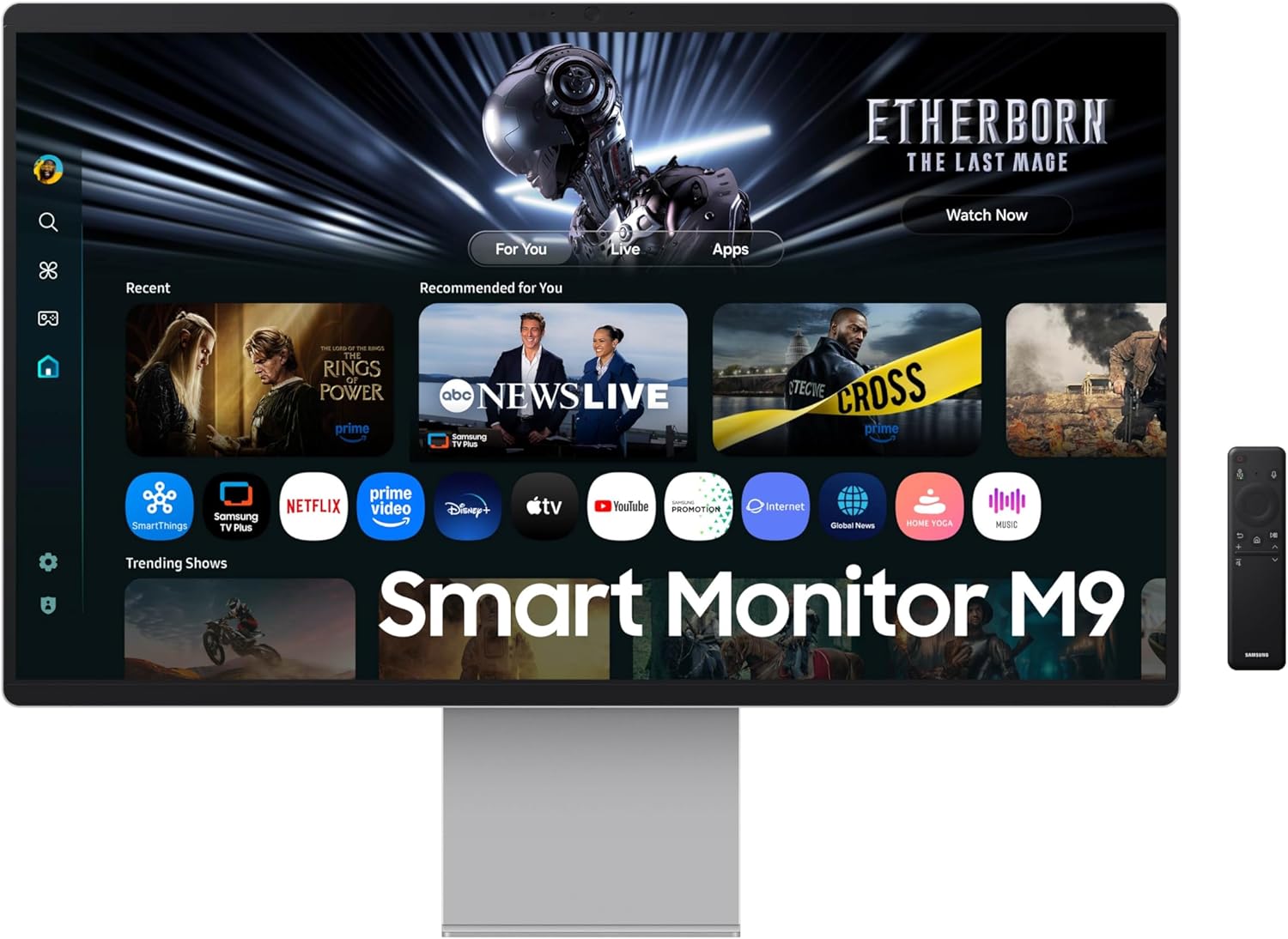
Figure 4: Monitor with remote control.
Smart TV Apps and Gaming Hub
Access a wide range of streaming services and applications directly from your monitor. The Gaming Hub allows you to play games from top streaming partners without needing a separate PC or console.
- Navigate through the Smart Hub interface using the remote control.
- Select desired apps or games from the home screen.
- For Gaming Hub, ensure a stable internet connection and a compatible controller (sold separately) for the best experience.

Obrázek 5: Rozhraní herního centra Samsung.
Picture and Sound Optimization (Samsung Vision AI)
The monitor utilizes Samsung Vision AI for enhanced picture and sound quality.
- 4K AI Upscaling Pro: Automatically upscales lower resolution content to near 4K quality.
- Optimalizátor obrazu s umělou inteligencí: Adapts visuals for optimal quality based on content (e.g., gaming, document, video). This feature is primarily available when using a PC connection.
- Aktivní hlas AmpProfesionální záchranář: Analyzes voices and background sounds to deliver clear dialogue.

Figure 6: AI Picture Optimizer modes.
Ergonomické úpravy
Stojan monitoru umožňuje různá nastavení pro optimalizaci viewpohodlí.
- Nastavení výšky: Adjust the monitor's vertical position.
- Náklon: Tilt the screen up or down to find the ideal viewúhel.
- Pivot: Otočení obrazovky o 90 stupňů pro zobrazení na výšku viewing, useful for documents or web procházení.

Figure 7: Ergonomic adjustments (Pivot, Tilt, HAS).
Údržba
Čištění monitoru
- Před čištěním vždy odpojte monitor od elektrické zásuvky.
- Použijte měkký hadřík, který nepouští vlákna dampvodou nebo specializovaným čisticím roztokem na obrazovky.
- Nestříkejte tekutinu přímo na obrazovku ani monitor casing.
- Avoid using abrasive cleaners, waxes, or solvents as they can damage the surface.
OLED Safeguard+ Features
Your Samsung OLED M9 monitor includes features designed to protect the OLED panel and prevent burn-in.
- Dynamický chladicí systém: A built-in pulsating heat pipe helps diffuse heat and reduce core temperature.
- Systém tepelné modulace: Algorithms automatically control brightness to prevent overheating.
- Detekce loga a panelu úloh: Automatically reduces brightness of static images to prevent burn-in.
- Spořič obrazovky: Dims the screen after 10 minutes of inactivity.

Figure 8: Dynamic Cooling System illustration.
Odstraňování problémů
If you encounter issues with your monitor, please refer to the following common problems and solutions before contacting customer support.
| Problém | Možná příčina / řešení |
|---|---|
| Žádné napájení / Monitor se nezapne. |
|
| No signal / Blank screen. |
|
| Picture is distorted or colors are incorrect. |
|
| Dálkové ovládání nefunguje. |
|
| Nelze se připojit k Wi-Fi. |
|
Specifikace
| Funkce | Detail |
|---|---|
| Číslo modelu | LS32FM902SNXZA |
| Velikost obrazovky | 32 palce |
| Technologie displeje | QD-OLED |
| Rezoluce | 3840x2160 (4K UHD) |
| Obnovovací frekvence | 165 Hz |
| Doba odezvy (GtG) | 0.03 ms |
| Poměr stran | 16:9 |
| Konektivita | HDMI, DisplayPort, USB Type-C, USB Type-A, Wi-Fi, Bluetooth |
| Speciální funkce | Built-In Speakers, Height Adjustment, High Dynamic Range, Multiple Voice Assistance, USB Hub, 4K Built-in Camera, Smart TV Apps, Gaming Hub, Samsung Vision AI |
| Rozměry produktu (se stojanem) | 7.9 x 28.2 x 23.7 palce |
| Hmotnost položky | 18.5 libry |

Obrázek 9: Rozměry monitoru.
Záruka a podpora
Informace o záruce
Your Samsung 32" OLED M9 Smart Monitor comes with a 3-year manufacturer's warranty. This warranty covers defects in materials and workmanship under normal use. Please retain your proof of purchase for warranty claims. For detailed warranty terms and conditions, please refer to the warranty card included with your product or visit the official Samsung support webmísto.
Protection plans are also available for extended coverage. For example, a 4-Year Protection Plan is available for purchase.
Zákaznická podpora
For technical assistance, troubleshooting beyond this manual, or warranty service, please contact Samsung Customer Support.
- Online podpora: Navštivte oficiální podporu Samsungu website for FAQs, drivers, software downloads, and online chat support.
- Telefonická podpora: Refer to the contact information provided in your product documentation or on the Samsung website for phone support numbers in your region.
- Uživatelská příručka (PDF): A downloadable PDF version of the user manual is available for more comprehensive details. You can find it at: Samsung M9 User Manual PDF
Ask a question about this manual
Ask about setup, troubleshooting, compatibility, parts, safety, or missing instructions. Manuals+ will review the question and use this page’s manual context to help answer it.