
1. Úvod
This manual provides essential information for setting up, operating, and maintaining your TCL 98Q7K 98-inch QLED 4K Google TV. This television features a stunning QLED 4K display with a 144 Hz panel for smooth motion, integrated Google TV for smart functionality, and advanced audio with Dolby Atmos. It also includes Google Assistant and Alexa compatibility for hands-free voice control, VisionHDR10+, and AiPQ™ processing for optimized picture quality.

2. Nastavení
2.1 Vybalení a úvodní kontrola
Carefully remove the television from its packaging. Inspect the TV and all included accessories for any signs of damage. Keep the packaging materials for future transport or service needs.
2.2 Instalace stojanu
If you plan to use the TV with its included stand, follow these steps:
- Umístěte televizor obrazovkou dolů na měkký, rovný povrch, abyste zabránili poškrábání.
- Zarovnejte součásti stojanu s určenými otvory na spodní straně televizoru.
- Secure the stand using the screws provided in the accessory kit. Ensure all screws are tightened firmly.

2.3 Montáž na stěnu (volitelné)
For wall mounting, a compatible VESA wall mount (not included) is required. Due to the size and weight of the 98-inch television, professional installation is highly recommended to ensure safety and proper mounting. Refer to the wall mount manufacturer's instructions for specific installation details.
2.4 Připojení periferních zařízení
Connect your external devices such as Blu-ray players, gaming consoles, sound systems, and cable/satellite boxes to the appropriate ports on the TV. The TCL 98Q7K features 4 HDMI ports and 2 USB ports for versatile connectivity.
3. Návod k obsluze
3.1 Zapnutí/vypnutí
Connect the power cord to the TV and a power outlet. Press the power button on the remote control or on the TV itself to turn the television on or off.
3.2 Initial Setup with Google TV
Upon first power-on, the TV will guide you through the initial setup process for Google TV. This includes selecting your language, connecting to a Wi-Fi network, signing in with your Google account, and configuring basic settings. Follow the on-screen prompts.

3.3 Funkce dálkového ovládání
The included remote control allows you to navigate the TV's interface, adjust volume, change channels, and access smart features. It supports voice control via Google Assistant and Alexa. Insert the provided batteries into the remote control before use.
3.4 Smart Features and Voice Control
- Google TV: Access a wide range of streaming apps, movies, and shows.
- Asistent Google a Alexa: Use voice commands for hands-free control of your TV, search for content, get information, and control smart home devices.
- Vestavěný Chromecast: Přenášejte obsah z kompatibilních mobilních zařízení přímo do televizoru.
3.5 Herní funkce
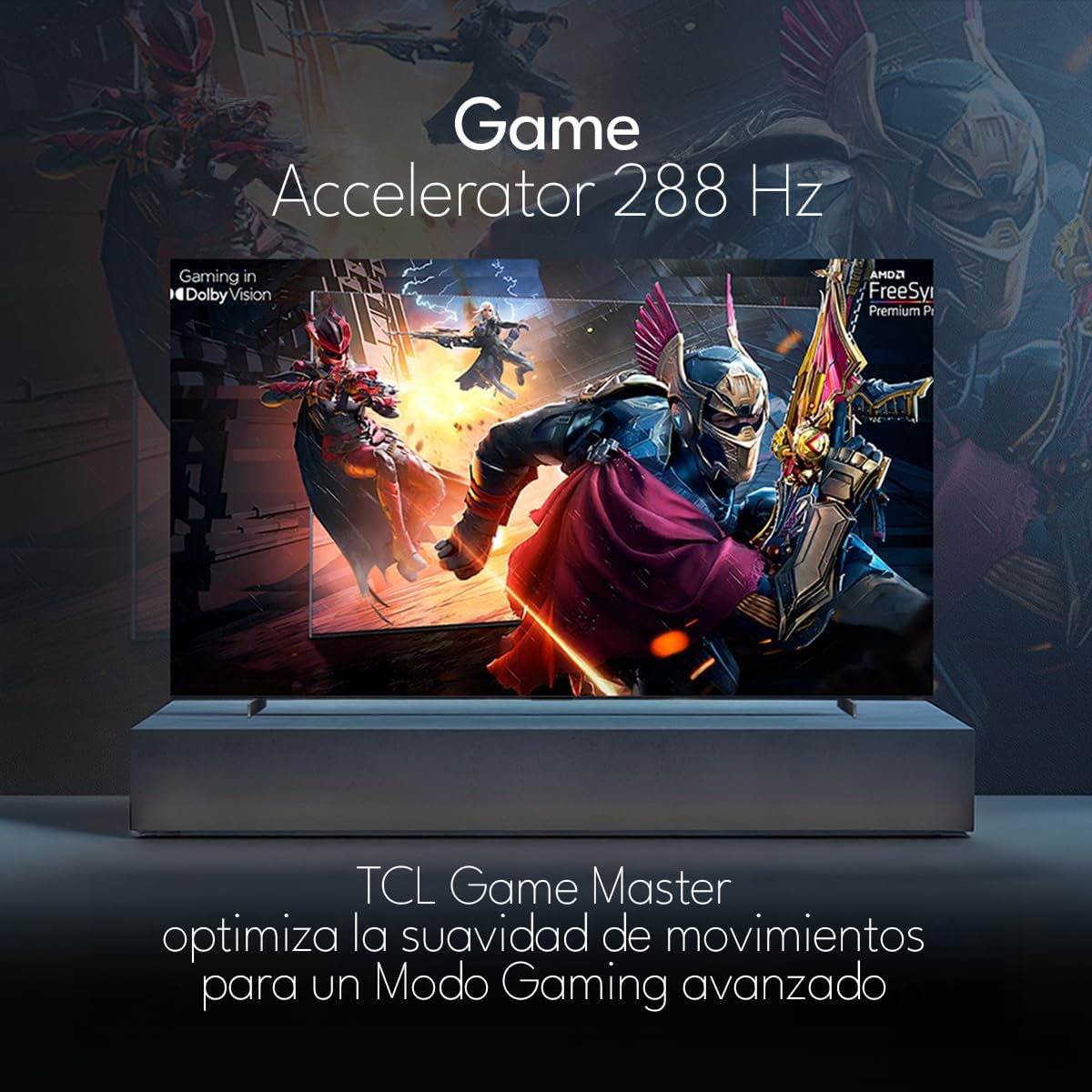
The TCL 98Q7K features a 144 Hz panel and Game Accelerator technology for an enhanced gaming experience with reduced latency and smoother motion.

3.6 Zvukové funkce
Experience immersive sound with Dolby Atmos and the integrated ONKYO Hi-Fi System 2.1 Channels, providing clear vocals and deep bass.

3.7 Konec produktuview Video
4. Údržba
4.1 Čištění obrazovky
Obrazovku jemně otřete měkkým hadříkem, který nepouští vlákna. V případě odolných skvrn ji lehce otřeteampOtřete hadřík vodou nebo specializovaným čističem obrazovek. Nepoužívejte agresivní chemikálie, abrazivní materiály ani nestříkejte tekutiny přímo na obrazovku.
4.2 Čištění těla televizoru
Wipe the TV body with a soft, dry cloth. Do not use liquid cleaners directly on the TV body.
4.3 Aktualizace softwaru
Your TCL Google TV may receive automatic software updates. To manually check for updates, navigate to the settings menu, then select System > About > System update. Ensure your TV is connected to the internet for updates.
5. Řešení problémů
Pokud narazíte na problémy s televizorem, podívejte se na následující běžná řešení:
- Bez napájení:
Ujistěte se, že je napájecí kabel bezpečně zapojený do televizoru i do funkční elektrické zásuvky. Zkuste do stejné zásuvky zapojit jiné zařízení, abyste se ujistili, že je pod napětím. - Žádný obraz ani zvuk:
Verify that the correct input source is selected (e.g., HDMI 1, AV). Check all cable connections between the TV and external devices. Ensure the volume is not muted or set to minimum. - Dálkové ovládání nefunguje:
Vyměňte baterie v dálkovém ovladači. Ujistěte se, že mezi dálkovým ovladačem a infračerveným senzorem televizoru nejsou žádné překážky. - Problémy s připojením k síti:
Check your Wi-Fi router and ensure it is powered on and functioning correctly. Restart the TV and your router. In the TV settings, verify the Wi-Fi connection status. - Problémy s kvalitou obrazu (např. rozmazaný, zkreslený):
Check the resolution settings of your input source. Ensure the cables are not damaged. Adjust picture settings (brightness, contrast, sharpness) in the TV menu.
For persistent issues, consult the full electronic manual available through the TV's help menu or contact TCL customer support.
6. Specifikace
| Funkce | Specifikace |
|---|---|
| Velikost obrazovky | 98 palce |
| Technologie displeje | QLED |
| Rezoluce | 4K (3840 x 2160) |
| Obnovovací frekvence | 144 Hz |
| Podpora formátu HDR | Dolby Vision, HDR10, HDR10+, HLG |
| Špičkový jas | 450 NITS |
| Zvukový systém | Dolby Atmos, Dolby Digital, ONKYO Hi-Fi System 2.1 Channels |
| Operační systém | Google TV |
| Hlasové ovládání | Asistent Google, Alexa |
| Konektivita | Wi-Fi, Ethernet, 4x HDMI, 2x USB |
| Rozměry (se stojanem) | 217.8 x 128.5 x 42 cm |
| Rozměry (bez podstavce) | 0.06prof. x 2.18an. x 1.25alt. Meters (approx. 6 cm depth) |
| Modelový rok | 2025 |
| Zahrnuté komponenty | Manual, Remote Control, Batteries |
7. Záruka a podpora
7.1 Záruka na produkt
The TCL 98Q7K television comes with a 2letá omezená záruka od data nákupu. Tato záruka se vztahuje na výrobní vady a poruchy při běžném používání. Uschovejte si prosím doklad o koupi pro případ uplatnění záruky.
7.2 Zákaznická podpora
For technical assistance, troubleshooting beyond this manual, or warranty inquiries, please contact TCL customer support. Refer to the contact information provided in the separate warranty card or visit the official TCL webstránky pro váš region.