
1. Úvod
This manual provides essential information for setting up, operating, maintaining, and troubleshooting your HP G9 Laptop. This device is equipped with an Procesor Intel Core i3-1315U, a 15.6-inch Full HD (FHD) LED display, and runs on Windows 11 Pro. It features comprehensive connectivity options including Wi-Fi 6, Bluetooth 5.3, USB Type-C, USB 3.2 Type-A, HDMI, RJ-45 Ethernet, and an SD card reader.
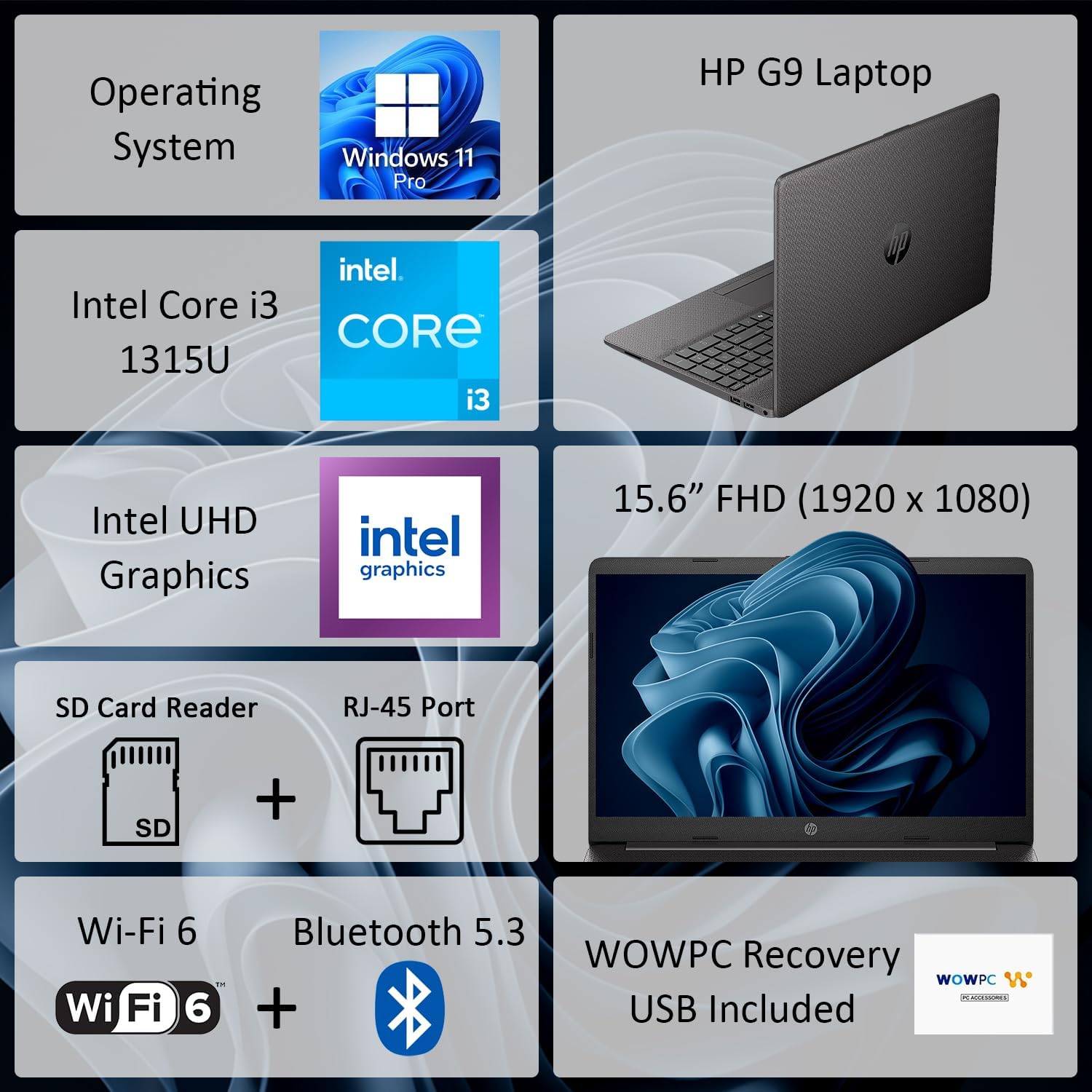
Obrázek 1: Přesview of HP G9 Laptop key features. This image highlights the operating system, processor, graphics, display size, and various connectivity options including Wi-Fi 6 and Bluetooth 5.3.
2. Nastavení
2.1 Rozbalení
Opatrně vyjměte notebook a veškeré příslušenství z obalu. Ujistěte se, že jsou přítomny následující položky:
- HP G9 Laptop
- Napájecí adaptér a napájecí kabel
- WOWPC Recovery USB
- Dokumentace (Stručná úvodní příručka, Záruční informace)
2.2 Připojení napájení
Connect the AC power adapter to the laptop's power port and then plug the power cord into a wall outlet. The laptop can be used while charging, and it is recommended to fully charge the battery before first use.
2.3 Počáteční spuštění a nastavení systému Windows
Press the power button located on the keyboard deck to turn on the laptop. Follow the on-screen instructions to complete the Windows 11 Pro initial setup, which includes selecting your region, language, connecting to a network, and creating a user account.
2.4 Připojení periferních zařízení
Utilize the available ports to connect external devices such as a mouse, keyboard, or external monitor. Refer to the image below for port locations.

Obrázek 2: Strana view illustrating the various connectivity ports on the HP G9 Laptop. This includes Ethernet, USB Type-C, HDMI, headset jack, SD card reader, USB Type-A ports, and the AC power input.
3. Návod k obsluze
3.1 Řízení spotřeby
- Zapnutí: Stiskněte tlačítko napájení.
- Režim spánku: Zavřete víko nebo v nabídce Start vyberte možnost „Spánek“.
- Vypnout: V nabídce Start vyberte možnost „Vypnout“.
3.2 Using the Touchpad and Keyboard
The laptop features a responsive touchpad for navigation and a full-size, island-style keyboard for typing. Familiarize yourself with common Windows gestures for the touchpad and function keys on the keyboard.
3.3 Síťové připojení
Your HP G9 Laptop supports Wi-Fi 6 a Bluetooth 5.3 pro bezdrátové připojení.
- Wi-Fi: Access network settings via the Windows taskbar icon to connect to available wireless networks.
- Bluetooth: Enable Bluetooth in Windows settings to pair with compatible devices such as headphones or mice.
- Ethernet: Pro kabelové připojení zapojte ethernetový kabel do portu RJ-45.

Figure 3: The HP G9 Laptop supports Wi-Fi 6 and Bluetooth 5.3 for robust wireless connections.
3.4 Používání externích zařízení
Notebook obsahuje několik portů pro připojení externích zařízení:
- USB Ports (Type-C, Type-A): For connecting USB drives, external hard drives, and other USB peripherals.
- HDMI: Připojení k externím displejům nebo projektorům.
- Čtečka SD karet: Vložte SD karty pro přenos dat.
- Jack pro sluchátka: Připojte sluchátka nebo headset s mikrofonem.
4. Údržba
4.1 Čištění notebooku
Pro udržení optimálního výkonu a vzhledu:
- Použijte měkký hadřík, který nepouští vlákna dampvodou nebo čističem obrazovek.
- K odstranění prachu z kláves a větracích otvorů klávesnice použijte stlačený vzduch.
- Vyhněte se agresivním chemikáliím nebo abrazivním materiálům.
4.2 Péče o baterii
Chcete -li prodloužit životnost baterie:
- Vyhněte se extrémním teplotám.
- Nenechávejte notebook delší dobu zapojenou do zásuvky se 100% nabitím, pokud jej nepoužíváte.
- Perform occasional full discharge and recharge cycles.
4.3 Aktualizace softwaru
Regularly update your Windows operating system and device drivers to ensure security, stability, and optimal performance. Access Windows Update through the Settings menu.
4.4 Použití obnovovacího USB disku WOWPC
V ceně WOWPC Recovery USB can be used to restore your system to its factory default state in case of severe software issues. Refer to the instructions provided with the USB for detailed steps.
5. Řešení problémů
This section addresses common issues you might encounter with your HP G9 Laptop.
5.1 No Power or Laptop Not Turning On
- Ujistěte se, že je síťový adaptér bezpečně připojen k notebooku i k funkční zásuvce.
- Ověřte funkčnost elektrické zásuvky zapojením jiného zařízení.
- Zkuste podržet tlačítko napájení po dobu 15-20 sekund, abyste provedli tvrdý reset.
5.2 Problémy se zobrazením
- If the screen is blank, try connecting an external monitor to the HDMI port to check if the issue is with the laptop's display.
- Adjust display brightness using the function keys (F2/F3 or similar, check keyboard icons).
- Ensure display drivers are up to date via Windows Update or HP's support webmísto.
5.3 Problémy s připojením k síti
- Wi-Fi: Restart your router and modem. Ensure Wi-Fi is enabled in Windows settings. Run the Windows Network Troubleshooter.
- Bluetooth: Ensure Bluetooth is enabled and the device is in pairing mode. Remove and re-pair the device.
- Ethernet: Check the cable connection. Verify network adapter settings in Windows Device Manager.
5.4 Pomalý výkon
- Zavřete nepotřebné aplikace běžící na pozadí.
- Check Task Manager for processes consuming high CPU, memory, or disk resources.
- Ujistěte se, že máte aktualizovaný systém Windows a ovladače.
- Spusťte čištění a defragmentaci disku (pro pevné disky, pro SSD disky není nutné).
- Consider running a malware scan.
6. Specifikace
Detailed technical specifications for the HP G9 Laptop.

Figure 4: The 15.6-inch Full HD (1920 x 1080) display provides clear visuals.
| Funkce | Specifikace |
|---|---|
| Značka | HP |
| Název modelu | HP G9 |
| Procesor | Intel Core i3-1315U (až 4.5 GHz, 6 jader, 8 vláken) |
| Grafika | Integrovaná grafika Intel UHD Graphics |
| Operační systém | Windows 11 Pro |
| Zobrazit | 15.6" FHD (1920 x 1080) LED |
| Paměť RAM | 16 GB DDR4-3200 MHz (expandable up to 64GB) |
| Skladování | 1 TB SSD M.2 PCIe NVMe (expandable up to 2TB) |
| Bezdrátové připojení | Realtek Wi-Fi 6 RTL8852BE (1x1) and Bluetooth 5.3 |
| Porty | 1x RJ-45 Ethernet, 1x SD Card Reader, 1x USB Type-C, 2x USB 3.2 Type-A, 1x HDMI, 1x AC Power, 1x Stereo Headphone/Microphone Combo Jack |
| Fotoaparát | 720p HD kamera |
| Zvuk | Dual stereo speakers, dual array microphones |
| Baterie | 3článkový, 41 Wh Li-ion |
| Rozměry (D x Š x V) | 14.09 x 9.52 x 0.78 palce |
| Hmotnost | Počínaje 3.84 lbs |
7. Záruka a podpora
7.1 Omezená záruka
Your HP G9 Laptop comes with a Omezená záruka. Please refer to the warranty documentation included in your product packaging for specific terms, conditions, and duration of coverage. This warranty typically covers manufacturing defects and hardware failures under normal use.
7.2 Technická podpora
Pro technickou pomoc, stažení ovladačů nebo další podporu navštivte oficiální stránky podpory HP. website. You will typically need your product's serial number or model number to access specific support resources.