
1. Úvod
Welcome to the TABWEE T80 Tablet user manual. This guide provides comprehensive instructions to help you get the most out of your new Android 15 tablet. The T80 is designed for a seamless and powerful user experience, featuring advanced AI capabilities, a vibrant display, and robust performance for both work and entertainment.
Klíčové vlastnosti:
- Operační systém Android 15: Experience the latest features and security enhancements.
- Umělá inteligence Gemini 2.0: Enhanced AI for smarter interactions and controls.
- 10.5palcový HD+ IPS displej: Enjoy clear and vibrant visuals with a wide viewúhel.
- Silný výkon: Equipped with a 2.0GHz CPU, 12GB RAM, and 64GB ROM (expandable up to 2TB via TF card).
- Baterie s dlouhou výdrží: 6000mAh mega battery for extended use.
- Pokročilé připojení: Supports 5G WiFi and Bluetooth 5.0.
- 5MP Google Lens Camera: For clear photos and smart scene recognition.

Figure 1.1: The TABWEE T80 Tablet, showcasinjeho elegantní design a displej.
2. Nastavení
2.1 Vybalení a počáteční platba
Carefully remove your TABWEE T80 Tablet from its packaging. Before first use, it is recommended to fully charge the device using the provided USB-C cable and power adapter. The charging port is located on the side of the tablet.
2.2 Zapnutí a počáteční konfigurace
- Press and hold the Power button (located on the side) until the TABWEE logo appears on the screen.
- Postupujte podle pokynů na obrazovce a vyberte jazyk, připojte se k síti Wi-Fi a nastavte si účet Google.
- Review a přijměte podmínky a dokončete proces nastavení.

Obrázek 2.1: Overview of the TABWEE T80's core specifications and features.
3. Ovládání tabletu
3.1 Funkce Androidu 15
Your TABWEE T80 runs on the latest Android 15, offering enhanced user experience, improved privacy, and smart features.
Split-Screen Combo
The split-screen feature allows you to run two applications simultaneously, enhancing multitasking and productivity. You can easily save app pairs for quick access.
Video 3.1: Demonstrates how to use the split-screen feature to run two applications concurrently on the TABWEE T80 tablet.
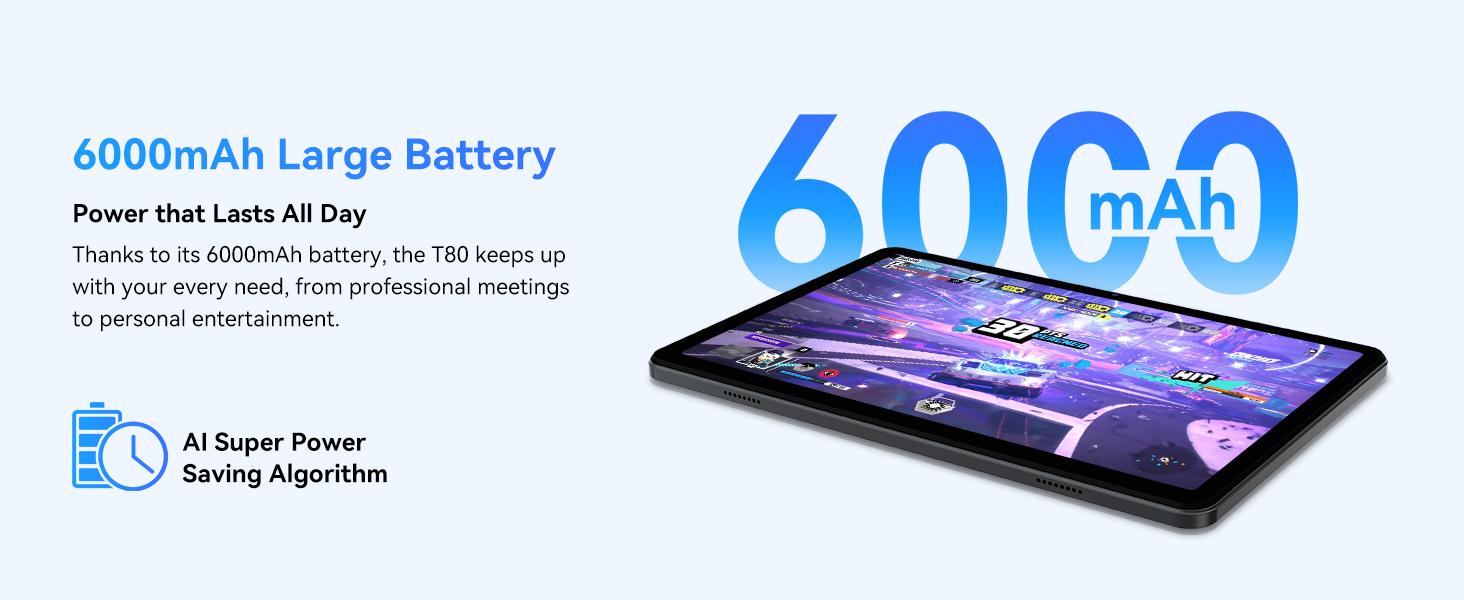
Figure 3.1: Visual representation of the split-screen functionality, allowing for efficient multitasking.
Desktop Customization and Widgets
Personalize your home screen by dragging and grouping apps freely. You can also add various widgets, such as the calendar, to quickly access information and tasks.
Video 3.2: Illustrates how to customize your desktop layout and add widgets for quick access to information.
Ochrana soukromí
Android 15 offers enhanced privacy controls, allowing you to manage app permissions and secure your data. You can block app access to sensitive information like location.
Video 3.3: Shows how to manage privacy settings and control app access to your data on the TABWEE T80.
Parental Controls with Gemini AI
Utilize Gemini AI parental controls to manage screen time, automatically lock games during homework, and ensure a safe digital environment for children.
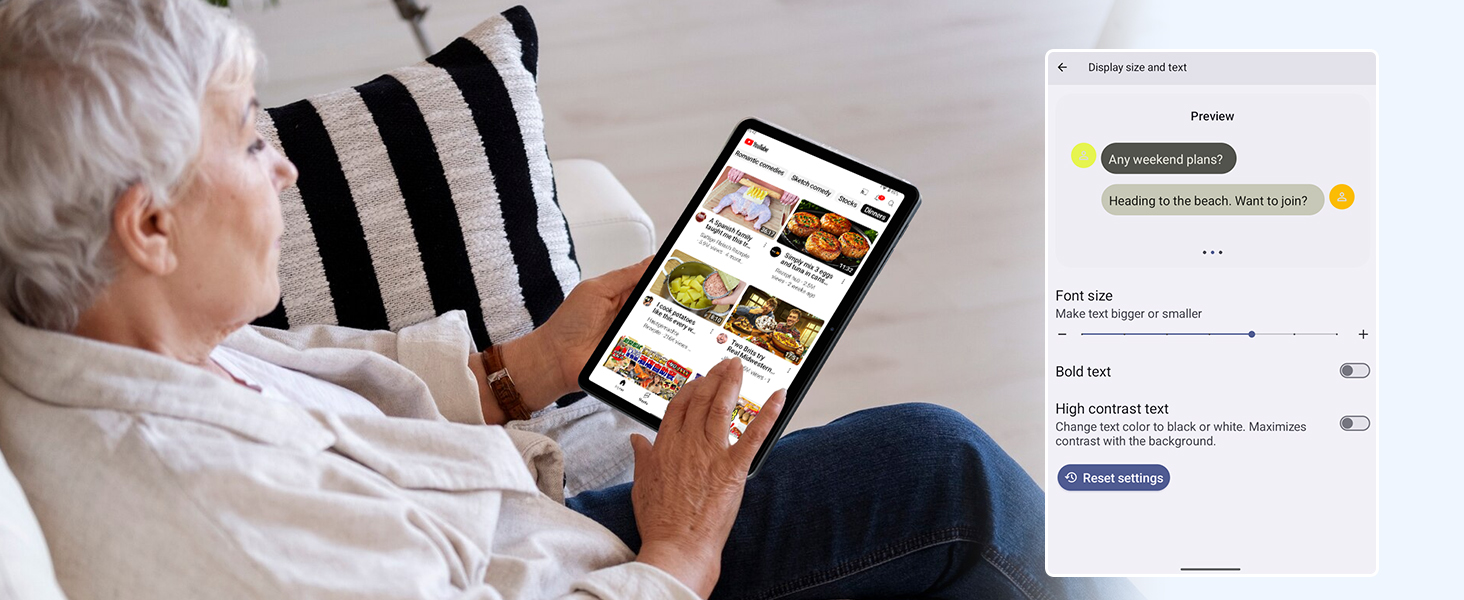
Figure 3.2: The Digital Wellbeing interface, demonstrating options for managing screen time and parental controls.
3.2 Zobrazení a vizuální prvky
The 10.5-inch HD+ IPS display provides a clear and immersive viewing experience with a 1280x800 resolution and 84.9% screen-to-body ratio. It's ideal for watching videos, browsing, and reading.

Figure 3.3: Details of the tablet's display, highlighting its resolution and IPS full view schopnosti.
3.3 Výkon a úložiště
Powered by a 2.0GHz Unisoc T310 CPU and 12GB RAM (expandable via software memory extension), the T80 ensures smooth multitasking and responsive performance. With 64GB of internal storage and support for up to 2TB TF cards, you have ampprostor pro všechny vaše files, aplikace a média.

Figure 3.4: Illustration of the tablet's processing power and memory, enabling seamless multitasking and productivity.
3.4 Životnost baterie
The 6000mAh mega battery provides extended usage, offering up to 8 hours of video streaming, 6 hours of gaming, or 30 hours of music playback. Smart power-saving modes further optimize battery longevity.

Figure 3.5: Depiction of the tablet's large 6000mAh battery and its USB-C charging port.
3.5 Funkce fotoaparátu
The T80 features a 5MP Google Lens enabled camera. This allows for scene recognition, night mode optimization, and useful functions like text translation and object identification.

Obrázek 3.6: Overview of the tablet's camera and its integration with Google Lens for smart functions.
4. Údržba
To ensure the longevity and optimal performance of your TABWEE T80 Tablet, follow these maintenance guidelines:
- Čištění: K čištění obrazovky a těla přístroje používejte měkký hadřík, který nepouští vlákna. Nepoužívejte abrazivní materiály ani agresivní chemikálie.
- Aktualizace softwaru: Pravidelně kontrolujte a instalujte aktualizace systému, abyste mohli využívat nejnovější funkce, bezpečnostní záplaty a vylepšení výkonu.
- Péče o baterie: Nevystavujte extrémním teplotám. Nenechávejte baterii často zcela vybíjet. Pro dlouhodobé skladování nabijte baterii přibližně na 50 %.
- Správa úložiště: Pravidelně odstraňujte nepotřebné filea aplikace pro uvolnění úložného prostoru a zajištění plynulého provozu.
- Ochrana: Zvažte použití ochranného pouzdra a chrániče obrazovky, abyste jej ochránili před pády a poškrábáním.
5. Řešení problémů
This section addresses common issues you might encounter with your TABWEE T80 Tablet.
5.1 Zařízení se nezapíná
- Zkontrolujte baterii: Ujistěte se, že je tablet dostatečně nabitý. Připojte jej k nabíječce a před opětovným zapnutím počkejte několik minut.
- Tvrdý reset: Stiskněte a podržte tlačítko napájení po dobu přibližně 10–15 sekund, dokud se zařízení nerestartuje.
5.2 Problémy s připojením k Wi-Fi
- Přepnout Wi-Fi: V Nastavení vypněte a znovu zapněte Wi-Fi.
- Restartujte router: Vypněte a znovu zapněte Wi-Fi router.
- Zapomeňte na síť: Go to Wi-Fi settings, forget the problematic network, and then reconnect.
5.3 Pomalý výkon
- Zavřít aplikace na pozadí: Zavřete nepoužívané aplikace běžící na pozadí.
- Vymazat mezipaměť: Regularly clear app caches in Settings > Apps.
- Uvolněte úložiště: Smazat nepotřebné files or uninstall rarely used apps.
- Restartovat zařízení: A simple restart can often resolve temporary slowdowns.
5.4 Aplikace padá nebo nereaguje
- Force Stop App: Go to Settings > Apps, select the problematic app, and choose 'Force Stop'.
- Clear App Data/Cache: In the same app settings, try clearing its cache or data (note: clearing data will reset the app to its default state).
- Přeinstalovat aplikaci: Uninstall and then reinstall the app from the Google Play Store.
6. Specifikace
Detailed technical specifications for the TABWEE T80 Tablet:
| Funkce | Specifikace |
|---|---|
| Značka | TABWEE |
| Název modelu | T80 |
| Operační systém | Android 15 |
| Velikost obrazovky | 10.5 palce |
| Rozlišení obrazovky | 1280 x 800 pixelů |
| Procesor | 2.0 GHz Unisoc T310 |
| Paměť (RAM) | 12 GB |
| Úložiště (ROM) | 64 GB |
| Rozšiřitelné úložiště | Paměťová karta s kapacitou až 2 TB |
| Zadní WebRozlišení vačky | 5 MP |
| Bezdrátový typ | 802.11n, 802.11b, 802.11a, 802.11ac, 802.11g (5G WiFi) |
| Bluetooth | Bluetooth 5.0 |
| Kapacita baterie | 6000 XNUMX mAh |
| Průměrná životnost baterie | 550 hodin (pohotovostní režim) |
| Hmotnost položky | 1.1 libry (přibližně 523 gramů) |
| Rozměry produktu | 9.5 x 6.4 x 0.3 palce |
| Barva | Šedá |
7. Záruka a podpora
TABWEE is committed to quality and customer satisfaction. Your T80 Tablet comes with comprehensive support to ensure a worry-free experience.
7.1 Informace o záruce
The TABWEE T80 Tablet is backed by a 2-letá záruka. This warranty covers manufacturing defects and ensures free repair service for eligible issues. Please retain your proof of purchase for warranty claims.
7.2 Zákaznická podpora
For any questions, technical assistance, or warranty claims, please contact our dedicated support team:
- 24/7 Online Call Support: K dispozici pro okamžitou pomoc.
- Doživotní technická podpora: Expert help whenever you need it.
- Hassle-Free Service: Assistance available through the TABWEE Official Flagship Store.
We are dedicated to providing prompt and effective solutions to all your inquiries.

Figure 7.1: Our dedicated customer support team is ready to assist you.