
1. Úvod
This user manual provides comprehensive instructions for the Headwolf WPad7 Tablet. It covers setup, operation, maintenance, and troubleshooting to ensure optimal performance and user experience. Please read this manual thoroughly before using your device.
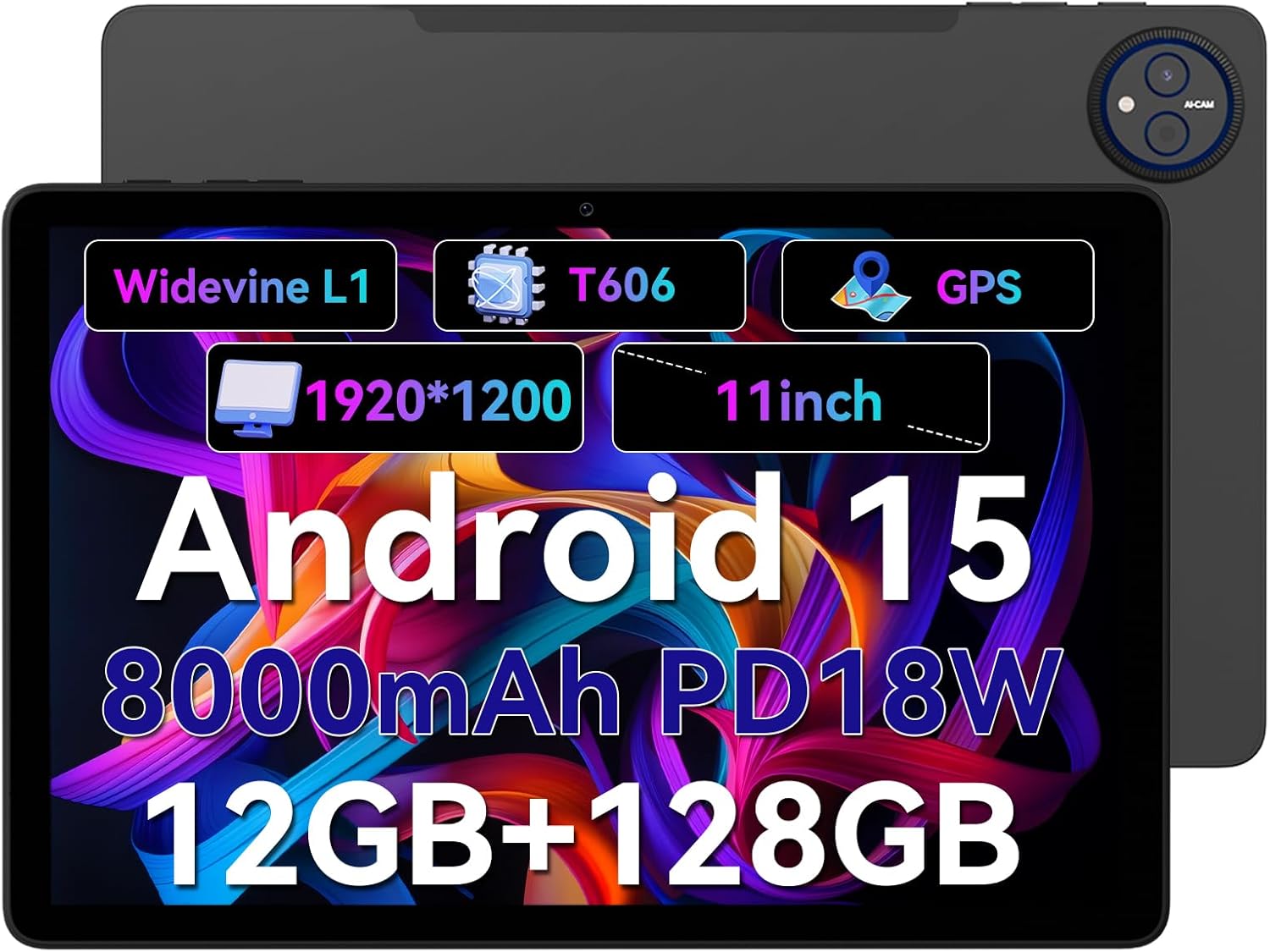
Figure 1.1: Headwolf WPad7 Tablet showcasing its 11-inch display, Android 15, 8000mAh battery, 12GB RAM, 128GB ROM, Widevine L1, T606 processor, and GPS capabilities.
2. Obsah balení
Po otevření balení ověřte, zda jsou všechny níže uvedené položky přítomny a v dobrém stavu:
- 1 x Headwolf WPad7 Tablet
- 1x Nabíječka
- 1 x kabel typu C
- 1 x Card Pin (for SIM/SD card tray)
- 1 x Uživatelská příručka
3. Konec produktuview
3.1 Fyzické vlastnosti
Familiarize yourself with the physical components of your Headwolf WPad7 Tablet:
- Zobrazit: 11-inch IPS In-Cell screen with 1920x1200 resolution.
- Přední kamera: 8MP, located on the top bezel when held horizontally.
- Zadní kamera: 13MP, umístěný na zadním panelu.
- Vypínač: Obvykle na boku, používá se k zapnutí/vypnutí nebo probuzení/uspání zařízení.
- Tlačítka hlasitosti: Nachází se poblíž tlačítka napájení, slouží k nastavení úrovně zvuku.
- Port USB Type-C: Pro nabíjení a přenos dat.
- 3.5mm konektor pro sluchátka: For connecting wired audio devices.
- Slot na kartu: For inserting a SIM card (if supported) and a microSD card for expandable storage.
- Obnovit otvor: A small pinhole for force restarting the device if unresponsive.

Figure 3.1: Physical aspects of the Headwolf WPad7 Tablet, showing its 8mm thickness, 495g weight, 13MP rear camera, 8MP front camera, and 3.5mm earphone jack.

Figure 3.2: Key features of the Headwolf WPad7 Tablet, including Android 15 OS, 12GB+128GB memory, T606-8 core processor, 8000mAh battery, GPS navigation, 1920x1200 FHD display, face recognition, dual cameras, 2.4G/5Ghz Wi-Fi, Widevine L1, and 300nit brightness.
4. Nastavení
4.1 Počáteční nabíjení
Before first use, fully charge the tablet. Connect the provided Type-C cable to the tablet's USB-C port and the charger to a power outlet. The battery indicator on the screen will show charging status. A full charge typically takes several hours.

Figure 4.1: The 8000mAh battery of the Headwolf WPad7 Tablet, highlighting its safety and stability features, and showing typical usage times for processing, video playback, reading, and music playback.
4.2 Zapnutí/vypnutí
- Zapnutí: Press and hold the Power button until the Headwolf logo appears on the screen.
- Vypnutí: Press and hold the Power button until a power-off menu appears. Select "Power off".
- Spánek/probuzení: Krátkým stisknutím tlačítka napájení tablet uspíte nebo probudíte.
4.3 Instalace karty MicroSD
The Headwolf WPad7 supports microSD card expansion up to 2TB. To install:
- Najděte slot pro kartu na boční straně tabletu.
- Vložte dodaný kolík karty do malého otvoru vedle přihrádky a vysuňte ji.
- Place the microSD card into the designated slot on the tray, ensuring correct orientation.
- Jemně zatlačte zásobník zpět do tabletu, dokud nezacvakne na místo.

Figure 4.2: Details of the Unisoc T606 Octa-core Processor and memory configuration, showing 12GB RAM (6GB physical + 6GB virtual) and 128GB ROM, expandable up to 2TB via SD card.
5. Ovládání tabletu
5.1 Funkce Androidu 15
Your Headwolf WPad7 Tablet runs on Android 15, offering enhanced AI capabilities, improved privacy, optimized performance, and a refined user interface. Explore features like:
- AI Dynamic Adjustment: Adapts to your usage patterns for optimized performance.
- Multilingual Real-time Translation: Facilitates communication across languages.
- AI Automatic Scene Recognition: Enhances camera performance.
- Intelligent Audio Switching: Seamlessly manages audio output.
- AI Battery Saving Optimization: Extends battery life based on usage.
- Screen Split: Use two apps simultaneously side-by-side.
- Rozpoznávání obličejů: Securely unlock your device with your face.

Obrázek 5.1: Přesview of Android 15's intelligent AI features, including dynamic adjustment, real-time translation, automatic scene recognition, portrait mode processing, intelligent audio switching, accurate speech recognition, battery saving, game mode, and document auto summary.
5.2 Konektivita
- Wi-Fi: Supports high-speed AC 2.4G/5G Wi-Fi for stable internet connection. Navigate to Settings > Network & internet > Wi-Fi to connect to available networks.
- Bluetooth: Connect to Bluetooth headphones, speakers, and other devices. Go to Settings > Connected devices > Bluetooth.
- GPS: The tablet supports GPS, GLONASS, BDS, and GALILEO satellite systems for precise location services and navigation.

Figure 5.2: The Headwolf WPad7 Tablet's 2.4G/5G Dual Band Wi-Fi and Bluetooth capabilities, demonstrating its versatility for work, presentations, and video calls.

Figure 5.3: The tablet's Four-In-One Satellite Positioning System, supporting GPS, Beidou, Galileo, and Glonass for accurate real-time location tracking and navigation.
5.3 Použití kamery
The tablet features an 8MP front camera and a 13MP rear camera. Open the Camera app to capture photos and videos. Utilize AI scene recognition for optimized shots.
5.4 Funkce displeje
The 11-inch IPS in-cell display provides vivid colors and deep contrasts. It features Widevine L1 certification, enabling secure streaming of high-definition content from platforms like Netflix, Prime Video, and Disney+.

Figure 5.4: The 11-inch Widevine L1-compatible FHD display, showcasing its 1920x1200 resolution, 224 PPI, IPS incell technology, 300 nit brightness, 1500:1 contrast, and 75% NTSC color gamut, ideal for streaming services.
6. Údržba
6.1 Čištění
K čištění tabletu použijte měkký hadřík, který nepouští vlákna. V případě odolných šmouh lehceampOtřete hadřík vodou nebo čističem obrazovek. Nepoužívejte agresivní chemikálie, abrazivní materiály ani nadměrnou vlhkost.
6.2 Péče o baterii
- Nevystavujte tablet extrémním teplotám (horkým ani nízkým).
- Nenechávejte baterii často úplně vybít.
- Use the original charger and cable for optimal charging and battery longevity.
- Pokud tablet skladujete delší dobu, nabijte jej před vypnutím přibližně na 50 %.
7. Řešení problémů
7.1 Tablet se nezapíná
- Ujistěte se, že je baterie nabitá. Připojte nabíječku a před zapnutím počkejte několik minut.
- Stiskněte a podržte tlačítko napájení po dobu alespoň 10–15 sekund, abyste vynutili restart.
7.2 Problémy s připojením k Wi-Fi
- Zapněte a vypněte Wi-Fi v Nastavení.
- Restartujte Wi-Fi router.
- Zapomeňte na síť a znovu se připojte, přičemž znovu zadejte heslo.
7.3 Pády nebo zamrzání aplikací
- Zavřete problematickou aplikaci a znovu ji otevřete.
- Vymažte mezipaměť aplikace (Nastavení > Aplikace > [Název aplikace] > Úložiště a mezipaměť > Vymazat mezipaměť).
- Restartujte tablet.
- Ensure the app and Android system are updated to the latest versions.
8. Specifikace
| Funkce | Specifikace |
|---|---|
| Značka | Headwolf |
| Název modelu | W7 |
| Operační systém | Android 15 |
| Velikost obrazovky | 11 palce |
| Rozlišení obrazovky | 1920x1200 Pixels (FHD In-Cell) |
| Procesor | Osmijádrový Unisoc T606 |
| BERAN | 12 GB (6 GB fyzické + 6 GB virtuální) |
| Interní úložiště | 128 GB |
| Rozšiřitelné úložiště | Až 2 TB přes kartu MicroSD |
| Zadní kamera | 13 MP |
| Přední kamera | 8 MP |
| Kapacita baterie | 8000 XNUMX mAh |
| Nabíjecí port | USB Type-C (supports 18W fast charge) |
| Bezdrátové připojení | 802.11a/b/g/n/ac/ax (2.4G/5G Wi-Fi), Bluetooth |
| Navigace | GPS, GLONASS, BDS, GALILEO (with A-GPS) |
| Audio Jack | 3.5 mm |
| Rozměry (DxŠxV) | 11 x 2 x 8 palce |
| Hmotnost položky | 1.98 libry (cca 495 g) |
| Barva | Šedá |
| Widevine Certification | L1 |
9. Záruka a podpora
Headwolf provides a standard warranty for the WPad7 Tablet. For detailed warranty terms and conditions, please refer to the warranty card included in your package or visit the official Headwolf webmísto.
For technical support, troubleshooting assistance, or service inquiries, please contact Headwolf customer support through their official channels. Keep your purchase receipt and product serial number handy when contacting support.
Online zdroje: