
1. Úvod
This manual provides detailed instructions for the proper setup, operation, and maintenance of your MageGee K2 Wired RGB Backlit 104-Key Ergonomic Keyboard. Please read this manual thoroughly before using the product to ensure optimal performance and longevity.
2. Obsah balení
The MageGee K2 Keyboard package includes the following items:
- MageGee K2 Wired RGB Backlit 104-Key Ergonomic Keyboard
- Uživatelská příručka (tento dokument)
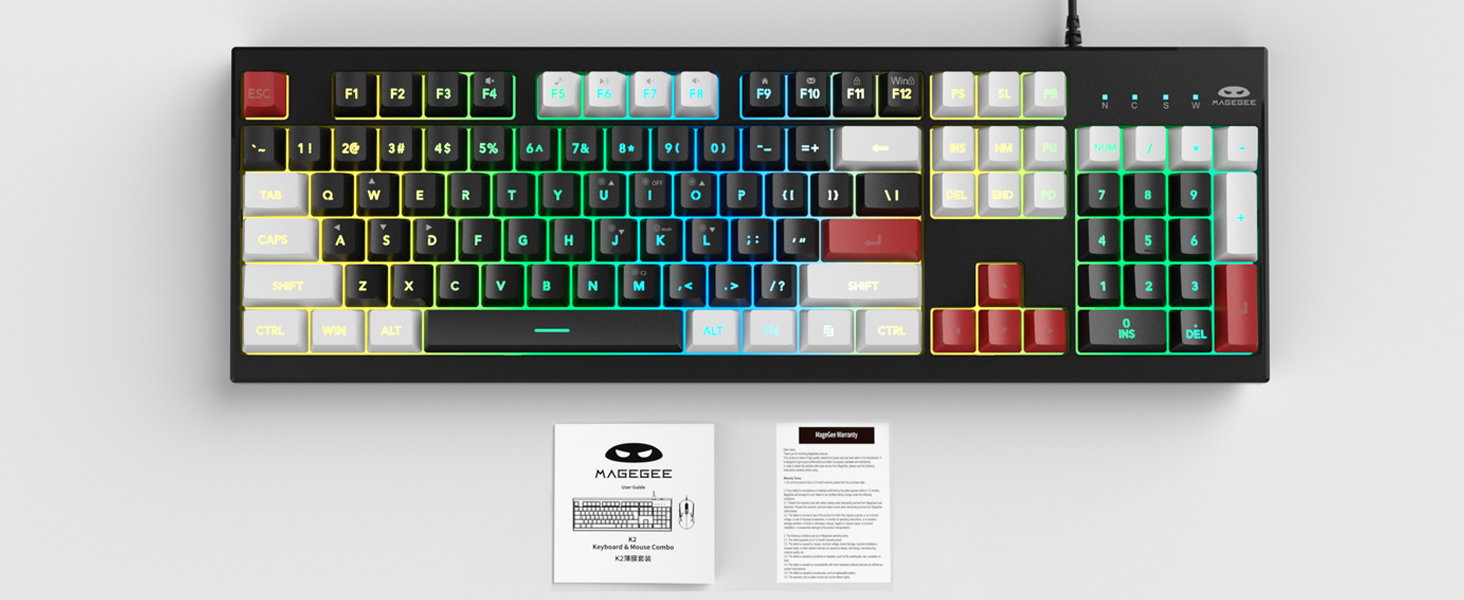
Image: MageGee K2 Keyboard shown with its accompanying user manual.
3. Pokyny k nastavení
3.1 Připojení klávesnice
- Locate an available USB port on your computer (PC, laptop, or Mac).
- Plug the USB connector of the MageGee K2 keyboard into the USB port.
- The keyboard is plug-and-play and should be automatically recognized by your operating system (Windows 2000/XP/ME/Vista/7/8/10, Android, Linux, Mac). No additional drivers are typically required.
3.2 Nastavení výšky klávesnice
The keyboard features a foldable bracket at the bottom, allowing you to adjust its height for a more comfortable typing angle.
- To raise the keyboard, gently pull out the foldable feet located on the underside of the keyboard.
- To lower the keyboard, fold the feet back into their recessed positions.

Image: The MageGee K2 Keyboard demonstrating its ergonomic design with adjustable feet.
4. Návod k obsluze
4.1 Ovládání RGB podsvícení
The MageGee K2 keyboard features vibrant RGB backlighting with multiple modes and brightness levels. Use the following key combinations to control the lighting:
- FN + L: Zvýšení jasu podsvícení.
- FN + J: Snížení jasu podsvícení.
- FN + K: Switch between different backlight modes.
- FN + M: Switch between constant color and multi-color backlight modes.
- FN + I: Zapnutí/vypnutí podsvícení.

Image: Visual guide to RGB backlight control keys on the MageGee K2 Keyboard.
4.2 Multimediální zkratky
Access common multimedia functions quickly using the FN key in combination with the F1-F12 keys:
- FN + F1–F12: Quickly switch between multimedia playback, volume adjustment, and other functions. Refer to the keycap legends for specific functions.
4.3 Anti-ghosting a N-Key Rollover
The MageGee K2 keyboard features advanced anti-ghosting technology, allowing up to 19 keys to be pressed simultaneously without conflicts. This ensures accurate and fast input, especially during gaming or rapid typing.
- 19-Key Rollover: Allows simultaneous pressing of multiple keys without issues.
- FN + W: Switch between the W, A, S, D keys and the arrow keys for enhanced gaming control.
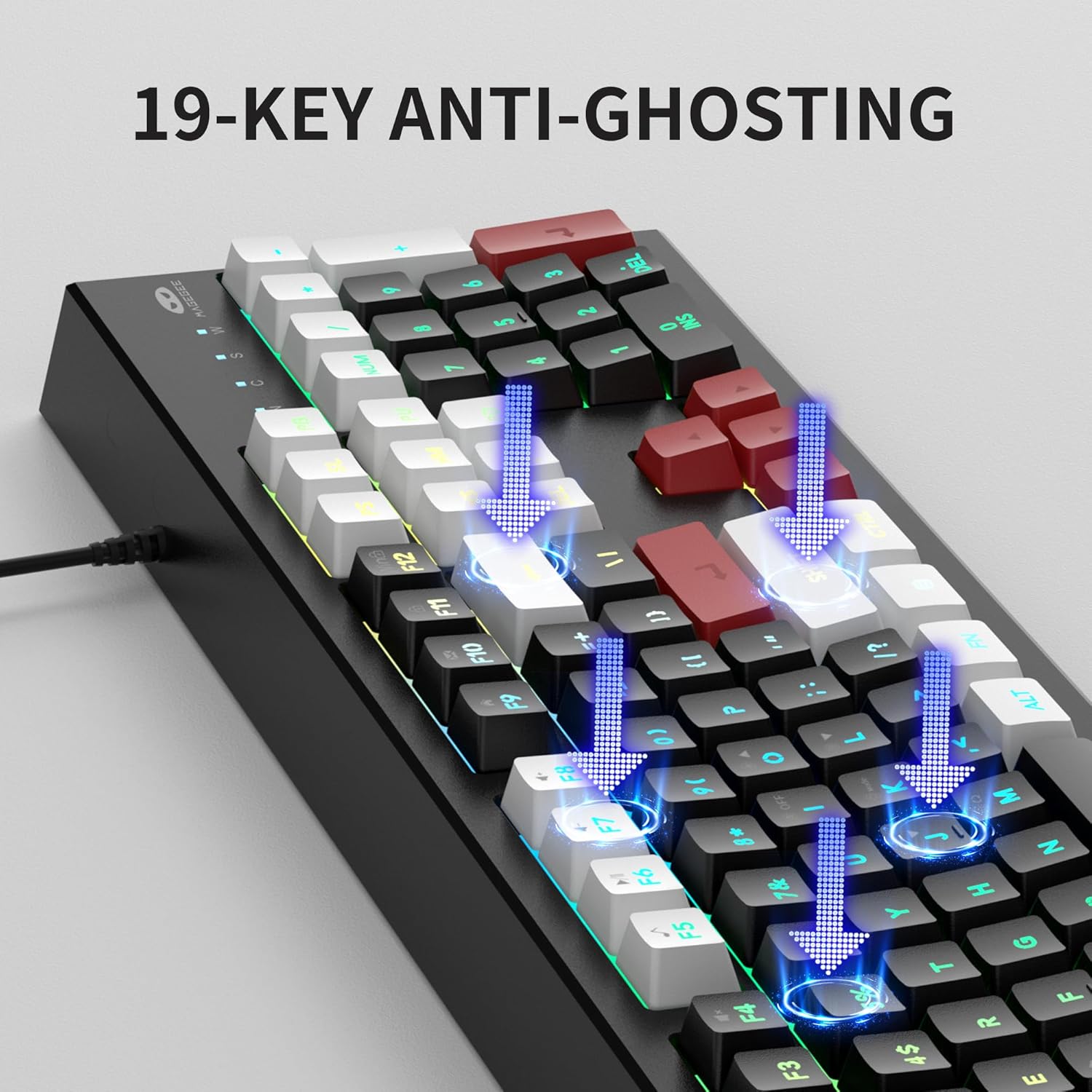
Image: Illustration of 19-key anti-ghosting functionality on the MageGee K2 Keyboard.
4.4 Ergonomický design
The keyboard is designed with carefully crafted high and low keys and a stepped layout to provide an ergonomic angle, reducing strain during long typing sessions and promoting comfortable finger movement.
5. Údržba
5.1 Čištění klávesnice
- Před čištěním odpojte klávesnici od počítače.
- Použijte měkký, damp cloth to wipe the surface of the keyboard. Avoid using harsh chemicals or abrasive materials.
- K čištění mezi klávesami použijte stlačený vzduch k odstranění prachu a nečistot.
5.2 Obecná péče
- Nevystavujte klávesnici extrémním teplotám, přímému slunečnímu záření nebo vysoké vlhkosti.
- While the keyboard is designed to be waterproof, avoid submerging it in liquids. In case of accidental spills, disconnect immediately and allow it to dry completely before reconnecting.
- Do not attempt to disassemble the keyboard, as this may void the warranty.
6. Řešení problémů
6.1 Klávesnice nereaguje
- Ujistěte se, že je kabel USB bezpečně zapojený do klávesnice i do počítače.
- Zkuste zapojit klávesnici do jiného USB portu na počítači.
- Restartujte počítač.
- Otestujte klávesnici na jiném počítači, abyste zjistili, zda je problém v klávesnici nebo v původním počítači.
6.2 Podsvícení nefunguje nebo je nesprávné
- Ujistěte se, že je podsvícení zapnuté pomocí FN + I.
- Adjust the brightness using FN + L (zvýšení) a FN + J (pokles).
- Cycle through different modes using FN + K a FN + M.
6.3 Klávesy se neregistrují nebo se píší dvakrát
- Clean the keyboard as described in the Maintenance section to remove any debris under the keycaps.
- Ensure the keyboard is connected directly to the computer and not through a USB hub, which can sometimes cause power or signal issues.
7. Specifikace
| Funkce | Detail |
|---|---|
| Značka | MageGee |
| Model | K2 |
| Barva | Knight Red |
| Technologie připojení | Kabel USB |
| Popis klávesnice | Ergonomic, 104 Keys |
| Speciální funkce | RGB Backlighting, Foldable Bracket, 19-Key Anti-Ghosting, Multimedia Shortcuts |
| Kompatibilní zařízení | Gaming Console, Laptop, PC (Win2000, XP, ME, Vista, Win7, Win8, Win10, Android, Linux, Mac) |
| Materiál | Plast |
| Hmotnost položky | 2.07 libry |
| Rozměry balení | 17.68 x 7.09 x 1.93 palce |
| Výrobce | MAGEGEE |

Image: Detailed dimensions of the MageGee K2 Keyboard.
8. Oficiální video produktu
Video: Oficiální video s produktemasing the MageGee K2 PC Gaming Keyboard features and RGB lighting.
9. Záruka a podpora
MageGee products are designed for reliability and performance. For any issues or inquiries, please refer to the following information:
- After-Sales System: The product is supported by MageGee's after-sales system. For specific warranty details or technical support, please contact the retailer or visit the official MageGee webmísto.
- Zásady vrácení: This product typically comes with a 30-day return policy. Please check with your point of purchase for exact return terms.


