
1. Úvod
The FREEWOLF A2 is a transparent wireless gaming mouse designed for versatility and performance. It features dual-mode connectivity (2.4G wireless and Bluetooth 5.0), a PixArt 3212 optical sensor with adjustable DPI, a built-in rechargeable battery with a digital display, and customizable RGB backlighting. Its ergonomic design ensures comfort during extended use across various operating systems like Windows, Mac, and Linux.

Image 1.1: The FREEWOLF A2 Transparent Wireless Gaming Mouse, showcasing its transparent shell and internal components.
2. Obsah balení
Prosím, ověřte, zda jsou v balení přítomny všechny položky:
- FREEWOLF A2 Wireless Gaming Mouse
- USB Receiver (2.4G dongle)
- Nabíjecí kabel USB-C
- Uživatelská příručka (tento dokument)
3. Konec produktuview
Familiarize yourself with the various components and features of your FREEWOLF A2 mouse.

Image 3.1: Exploded diagram illustrating the internal components of the FREEWOLF A2 mouse, including the transparent shell, battery, PCB board, and switches.

Obrázek 3.2: Shora dolů view of the FREEWOLF A2 mouse with key components labeled, including the 2.4G receiver storage, DPI switch, power switch, and dimensions.
Klíčové vlastnosti:
- Duální připojení: 2.4G Wireless and Bluetooth 5.0.
- PixArt 3212 Sensor: High sensitivity and accuracy.
- Nastavitelné DPI: 5 levels up to 4000 DPI.
- Dobíjecí baterie: Built-in 400 mAh battery with USB-C charging.
- Digitální obrazovka: Zobrazuje procento baterietage and DPI level.
- RGB podsvícení: Přizpůsobitelné světelné efekty.
- Ergonomický design: Comfortable for various grip styles.
4. Nastavení
4.1. Nabíjení myši
Before first use, it is recommended to fully charge the mouse. Connect the provided USB-C charging cable to the mouse's charging port and the other end to a USB power source (e.g., computer USB port, USB wall adapter). The digital screen will display the battery percentage během nabíjení.
Note: The USB-C cable is for charging only and does not provide a wired connection for mouse operation.

Image 4.1: Close-up of the FREEWOLF A2 mouse showing the digital screen displaying battery percentage.
4.2. Připojení přes bezdrátové připojení 2.4G
- Locate the USB receiver (dongle) stored in the compartment on the underside of the mouse.
- Zapojte USB přijímač do volného USB portu na vašem počítači.
- Slide the power switch on the underside of the mouse to the '2.4G' position.
- The mouse should connect automatically. Your computer will typically install the necessary drivers.
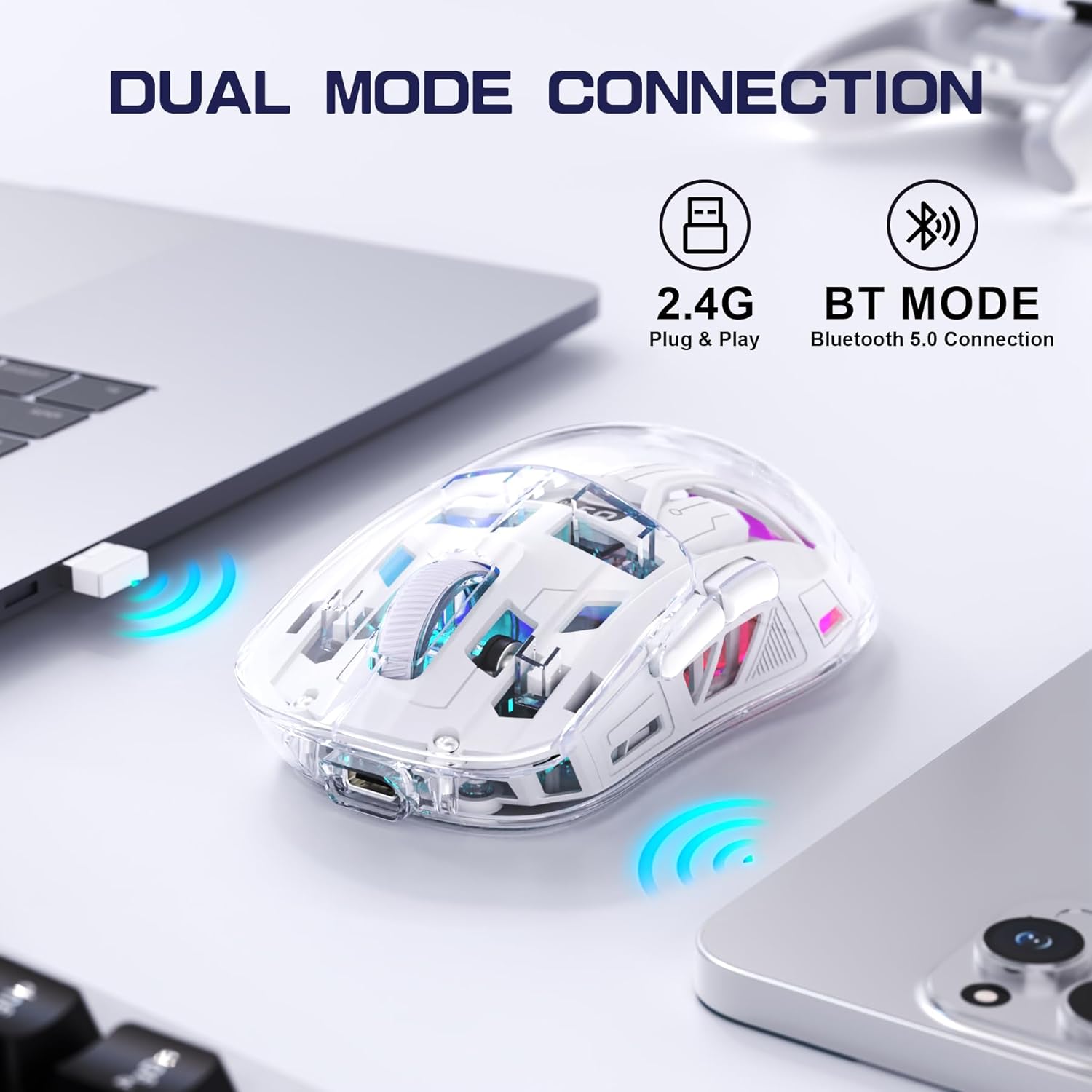
Image 4.2: The FREEWOLF A2 mouse connected to a laptop via its 2.4G wireless USB receiver.
4.3. Připojení přes Bluetooth 5.0
- Slide the power switch on the underside of the mouse to the 'BT' (Bluetooth) position.
- V počítači nebo zařízení otevřete nastavení Bluetooth.
- Hledat new devices. The mouse should appear as 'FREEWOLF A2' or similar.
- Vyberte myš, kterou chcete spárovat. Postupujte podle pokynů na obrazovce.
5. Návod k obsluze
5.1. Nastavení DPI
The mouse features 5 adjustable DPI levels (1200-4000 DPI) to suit different tasks and preferences. To change the DPI, press the DPI button located on the underside of the mouse. The digital screen will briefly display the current DPI setting.

Image 5.1: Diagram illustrating the 5 adjustable DPI levels (1200, 1600, 2000, 2400, 4000) available on the FREEWOLF A2 mouse.
5.2. Ovládání podsvícení RGB
The FREEWOLF A2 mouse features vibrant RGB backlighting. To cycle through different lighting effects or turn the backlight off, press and hold the scroll wheel button for a few seconds.

Image 5.2: Two FREEWOLF A2 mice on a desk, showcasing their cool RGB lighting effects in a low-light environment.
5.3. Displej baterie
The integrated digital screen on the mouse continuously displays the current battery percentage, což vám umožňuje sledovat úroveň energie a dobíjet ji podle potřeby.
5.4. Ergonomický design
The mouse is designed to conform to various hand grip styles (Palm Grip, Fingertip Grip, Claw Grip), reducing discomfort during prolonged use.
Image 5.3: A hand demonstrating a comfortable grip on the FREEWOLF A2 mouse, highlighting its ergonomic design.
6. Údržba
- Čištění: K čištění myši používejte měkký, suchý hadřík. Nepoužívejte agresivní chemikálie ani abrazivní materiály.
- Skladování: When not in use, store the mouse in a cool, dry place. If storing for an extended period, ensure the mouse is fully charged and turn off the power.
- Péče o baterie: To prolong battery life, avoid fully discharging the mouse frequently. Recharge when the battery level is low.
7. Řešení problémů
- Myš nereaguje:
- Ensure the mouse is powered on and the correct connection mode (2.4G or BT) is selected.
- Check battery level on the digital screen and recharge if necessary.
- V režimu 2.4G se ujistěte, že je USB přijímač bezpečně zapojený do funkčního USB portu. Zkuste jiný USB port.
- For Bluetooth mode, ensure Bluetooth is enabled on your device and the mouse is paired correctly. Try unpairing and re-pairing.
- Restartujte počítač nebo zařízení.
- Cursor movement is erratic or frozen:
- Vyčistěte optický senzor na spodní straně myši.
- Ujistěte se, že myš používáte na vhodném povrchu (není silně reflexní ani průhledný).
- Zkontrolujte, zda nedochází k rušení jinými bezdrátovými zařízeními.
- Adjust DPI settings to see if it resolves the issue.
- RGB podsvícení nefunguje:
- Ujistěte se, že myš má dostatečně nabitou baterii.
- Press and hold the scroll wheel button to cycle through lighting modes or turn the backlight on/off.
- Problémy s nabíjením:
- Ujistěte se, že je kabel USB-C správně připojen k myši i ke zdroji napájení.
- Zkuste jiný kabel USB-C nebo napájecí adaptér.
- Zkontrolujte, zda je zdroj napájení funkční.
8. Specifikace
| Funkce | Detail |
|---|---|
| Číslo modelu | A2 |
| Technologie připojení | Bezdrátové 2.4G, Bluetooth 5.0 |
| Technologie detekce pohybu | Optický (PixArt 3212) |
| Nastavitelný DPI | 1200-4000 (5 levels) |
| Kapacita baterie | 400 mAh (vestavěný) |
| Nabíjecí port | USB-C |
| Speciální funkce | Ergonomic Design, LED Lights (RGB), Portable, Rechargeable, Digital Battery Display |
| Rozměry produktu | 6.89 x 4.53 x 0.04 palce |
| Hmotnost položky | 4.9 unce |
| Výrobce | SVOBODNÝ VLK |
9. Záruka a podpora
Specific warranty information for the FREEWOLF A2 Transparent Wireless Gaming Mouse is not provided in the available product data. Please refer to the product packaging or the retailer's webpodrobnosti o záručním krytí naleznete na webu.
For technical support or further assistance, please contact the manufacturer or your point of purchase. Contact information may be available on the product packaging or the official FREEWOLF webmísto.