
1. Úvod
This manual provides detailed instructions for the installation, configuration, and operation of your SODOLA 12 Port 10Gb Managed Switch. This device is designed to enhance network performance with high-speed connectivity and advanced management features, suitable for home labs, small businesses, and professional network environments.
2. Konec produktuview
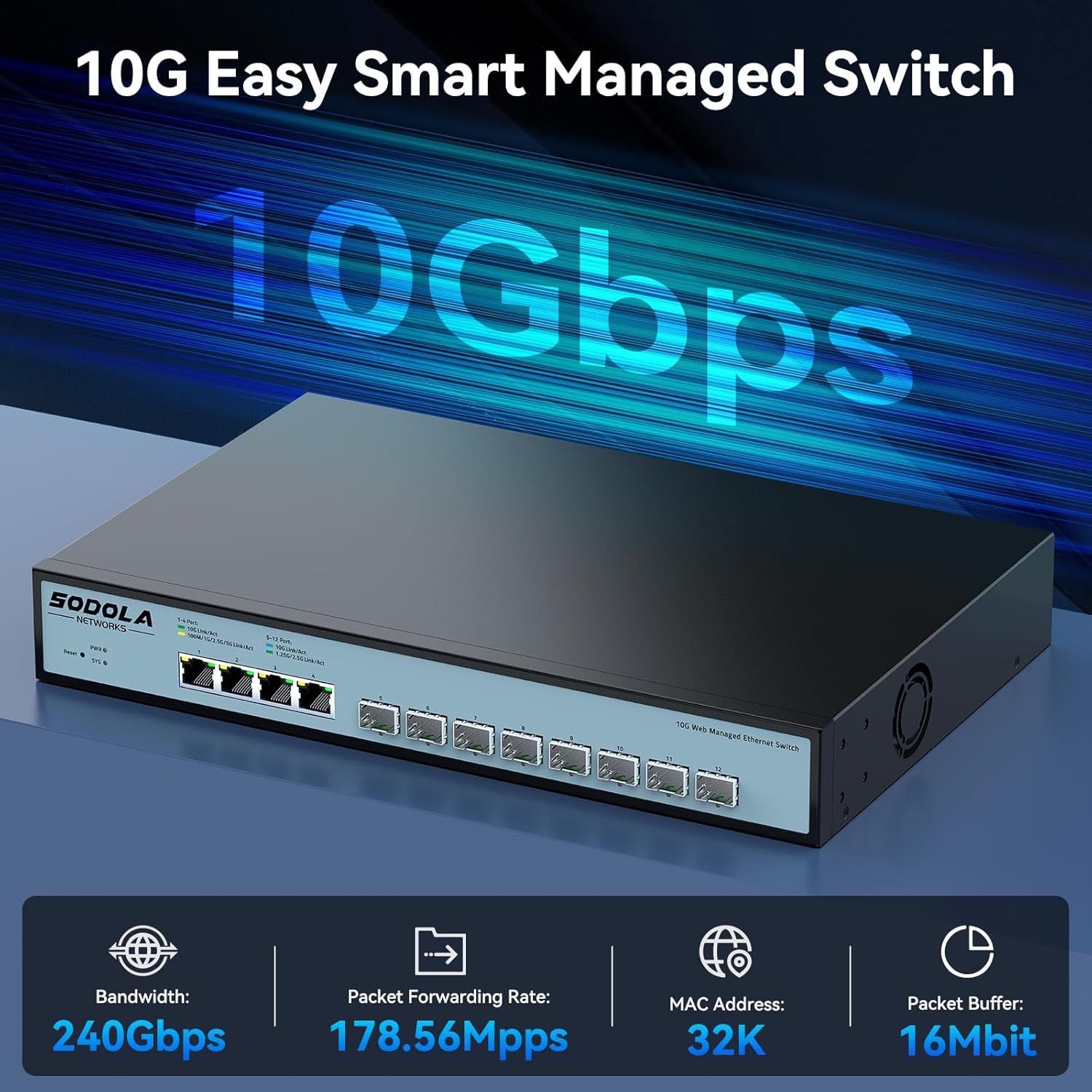
The SODOLA 12 Port 10Gb Managed Switch features a robust design with a combination of 10 Gigabit Ethernet ports to support diverse network requirements.
2.1 Klíčové vlastnosti
- Hybrid 10G Port Flexibility: 8x10G SFP+ ports for fiber/DAC and 4x10GBase-T RJ45 ports for versatile high-speed connections.
- Web Řízení: Uživatelsky přívětivý web GUI for configuring LACP, QoS, VLAN, SNMP, and other network management functions.
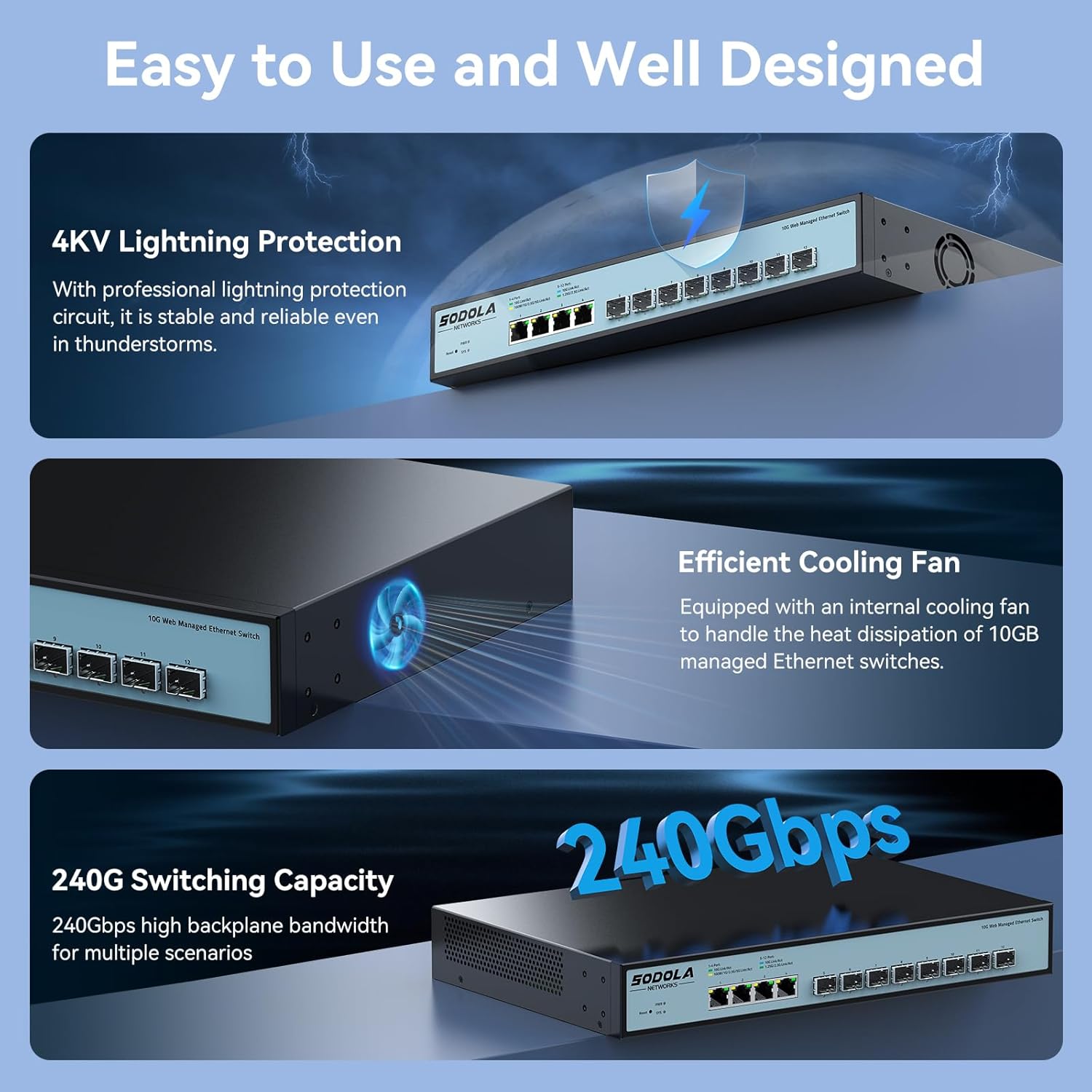
- Efektivní chlazení: Built-in fans dynamically adjust speed to maintain stable 10G performance and prevent overheating.
- Konstrukce pro montáž do racku: 1U compact design with included mounting brackets for easy installation in racks or cabinets.
- Široká kompatibilita: RJ45 ports support 10G/5G/2.5G/1G/100M speeds, ensuring backward compatibility with existing network devices.
2.2 Rozložení předního panelu

Obrázek 2.2.1: Přední panel view highlighting the Reset Button, Power Indicator, 4x10G RJ45 Ports, and 8x10G SFP+ Ports.
2.3 Konfigurace portu

Obrázek 2.3.1: Detailed port configuration, illustrating adaptive speed rates for RJ45 ports (1G/2.5G/5G/10G) and SFP+ ports (1G/2.5G/10G modules). Compatible cables include CAT5e, CAT6, and CAT7 for RJ45 connections.
3. Obsah balení
Verify the contents of your package upon unboxing. If any items are missing or damaged, please contact customer support.

Obrázek 3.1.1: Illustration of included accessories and the switch unit.
- SODOLA 12 Port 10G Managed Ethernet Switch (Model: SL-SWTGW2C48NS)
- Napájecí kabel
- Rack Ears (for 1U rack mounting)
- Uživatelská příručka
- Certificate of Inspection
4. Nastavení a instalace
4.1 Fyzická instalace
The switch can be installed on a desktop or mounted in a standard 1U rack.
- Umístění na počítači: Umístěte přepínač na rovný a stabilní povrch. Zajistěte dostatečné větrání kolem zařízení.
- Montáž do racku: Attach the included rack ears to the sides of the switch using the provided screws. Secure the switch into a standard 19-inch rack.
4.2 Připojení napájení
Connect the power cord to the AC input port on the rear of the switch and then to a suitable power outlet (AC 100-240V). The Power Indicator LED on the front panel will illuminate when the device receives power.
4.3 Síťová připojení
Connect your network devices (servers, workstations, NAS, routers, access points) to the RJ45 or SFP+ ports using appropriate Ethernet cables or SFP/SFP+ modules and fiber optic cables.
- Porty RJ45: Use CAT5e, CAT6, or CAT7 cables for optimal performance. These ports support auto-negotiation for speed (100M/1G/2.5G/5G/10G) and Auto-MDI/MDIX.
- Porty SFP+: Insert compatible 1G, 2.5G, or 10G SFP/SFP+ transceiver modules and connect with appropriate fiber optic or DAC cables.
5. Web Rozhraní pro správu
The SODOLA 12 Port 10Gb Managed Switch can be configured and monitored via a web-based graphical user interface (GUI).
5.1 Přístup k Web Rozhraní

Obrázek 5.1.1: Steps for accessing the web rozhraní pro správu.
- Vymazat mezipaměť prohlížeče: Ujistěte se, že vaše web browser's cache is cleared to prevent issues with loading the interface.
- Adjust Network Settings: Connect your computer directly to one of the switch's RJ45 ports.
- Set PC IP to Match Switch Subnet: Configure your computer's network adapter with a static IP address within the same subnet as the switch's default IP. For example, if the switch's default IP is 192.168.2.1, set your PC's IP to 192.168.2.100 s maskou podsítě 255.255.255.0.
- Přihlašovací stránka pro přístup: Otevřete a web prohlížeč a přejděte na výchozí IP adresu: http://192.168.2.1.
- Přihlášení: Zadejte výchozí přihlašovací údaje:
Uživatelské jméno: admin
Heslo: admin
5.2 Key Management Functions

Obrázek 5.2.1: Nadview z dostupných web funkce pro správu.
The web interface provides access to various advanced network management features, including:
- LACP (Protokol pro řízení agregace linek): Spojte více fyzických linek do jedné logické linky pro zvýšení šířky pásma a redundanci.
- QoS (Quality of Service): Upřednostněte síťový provoz, abyste zajistili dostatečnou šířku pásma pro kritické aplikace.
- VLAN (virtuální lokální síť): Pro lepší zabezpečení a výkon segmentujte svou síť do menších, izolovaných vysílacích domén.
- SNMP (jednoduchý protokol pro správu sítě): Monitor network devices and manage network performance.
- Vícesměrové vysílání: Efficiently send data to a group of recipients.
- DHCP: Configure DHCP server or relay functions.
- Nastavení IP: Configure the switch's IP address and related network parameters.
- Zrcadlení portů: Monitorujte síťový provoz odesíláním kopií paketů z jednoho portu na druhý.
6. Konfigurace Přamples
6.1 Nastavení portu
Obrázek 6.1.1: Example of port configuration in the web rozhraní.
V rámci web interface, navigate to the port settings section to configure individual port parameters such as speed, duplex mode, and flow control. Remember to click "Apply" after making changes and then "Save" to retain configurations after a reboot.
6.2 10G LAN Setup Case

Obrázek 6.2.1: Example network topology for a 10G LAN setup.
This diagram illustrates a common setup for a 10G Local Area Network (LAN) suitable for home or Small Office/Home Office (SOHO) environments. It demonstrates how the SODOLA switch can integrate with a router, Network Attached Storage (NAS) utilizing LACP for increased throughput, WiFi 7 Access Points, 10G-capable PCs, and segmented VLANs for different device groups like printers.
7. Údržba
7.1 Chladicí systém
Obrázek 7.1.1: Internal cooling fan for heat dissipation.
The switch is equipped with an efficient cooling fan to manage heat dissipation, ensuring stable operation, especially during high workloads. Ensure that the fan vents are not obstructed to allow for proper airflow.
7.2 Obecná péče
- Keep the device in a clean, dry environment, away from direct sunlight and heat sources.
- Nevystavujte spínač vlhkosti nebo extrémním teplotám.
- Vnější povrch spínače čistěte měkkým, suchým hadříkem. Nepoužívejte tekuté ani aerosolové čisticí prostředky.
- Pravidelně kontrolujte aktualizace firmwaru na stránkách výrobce webwebu, aby byl zajištěn optimální výkon a zabezpečení.
8. Řešení problémů
Tato část obsahuje řešení běžných problémů, se kterými se můžete setkat.
8.1 Bez napájení
- Ujistěte se, že je napájecí kabel bezpečně připojen k přepínači i k funkční zásuvce.
- Ověřte funkčnost elektrické zásuvky zapojením jiného zařízení.
- Check the Power Indicator LED on the front panel. If it is off, there may be a power supply issue.
8.2 Žádné síťové připojení
- Check the Link/Act LEDs for the connected ports. A solid green or amber light indicates a link, and blinking indicates activity. If the LED is off, check the cable connection and the connected device.
- Ensure that the Ethernet cables are properly seated and not damaged.
- Verify that the connected devices are powered on and configured correctly.
- If using SFP+ ports, ensure the SFP/SFP+ modules are correctly inserted and compatible with the connected device.
8.3 Nelze získat přístup Web Rozhraní
- Confirm your computer's IP address is within the same subnet as the switch's default IP (e.g., 192.168.2.x).
- Ujistěte se, že používáte správnou výchozí IP adresu (192.168.2.1) a přihlašovací údaje (admin/admin).
- Zkuste si vyčistit web mezipaměť prohlížeče nebo použití jiného prohlížeče.
- If the switch's IP address has been changed and forgotten, a factory reset may be necessary. Refer to the reset procedure in the full manual (if available) or contact support.
9. Specifikace
| Značka | Sodola |
| Číslo modelu | 4x10G RJ45+8x10G SFP+(Managed) |
| Typ rozhraní | 4x10G RJ45, 8x10G SFP+ |
| Počet portů | 12 |
| Rychlost přenosu dat | 10 Gigabit za sekundu |
| Materiál pouzdra | Kov |
| Hmotnost položky | 4.4 libry |
| Rozměry balení | 14.57 x 11.42 x 3.35 palce |
| Kompatibilní zařízení | Stolní počítač, notebook, server |
10. Bezpečnostní informace
- Před použitím zařízení si pečlivě přečtěte všechny pokyny.
- Neotevírejte zařízení casing. Uvnitř nejsou žádné součásti, které by mohl uživatel opravit.
- Používejte pouze napájecí adaptér dodaný se zařízením.
- Zajistěte správné uzemnění zařízení.
- Avoid installing the device in areas with high humidity, dust, or extreme temperatures.
- Před čištěním nebo přemisťováním zařízení odpojte napájení.
11. Záruka a podpora
SODOLA products are designed for reliability and performance. For warranty information or technical support, please refer to the official SODOLA webnebo se obraťte na místního distributora. Uschovejte si doklad o koupi pro případ reklamace.
Výrobce: Shenzhen hongyavision Technology Co.,Ltd.