
Acoyer SRP9232D
Acoyer Universal TV Remote Control User Manual
Model: SRP9232D
Zavedení
This manual provides detailed instructions for setting up and operating your new Acoyer Universal TV Remote Control. This remote is designed to simplify your home entertainment experience by controlling multiple devices with a single unit. Please read this manual carefully before use to ensure proper functionality and to maximize your remote's capabilities.

Obrázek: Přední a zadní strana view of the Acoyer Universal TV Remote Control.
Kompatibilní zařízení
Your Acoyer Universal Remote Control is compatible with a wide range of audio and video devices, including:
- TV brands: Samsung, LG, Vizio, Sony, Hisense, Onn, Sharp, RCA, Element, Westinghouse, Sanyo, Emerson, Philips, JVC, Sceptre, Sansui, Panasonic, Magnavox, Skyworth, and more.
- DVD/Blu-ray players
- Media Streaming Players
- Sound Bary
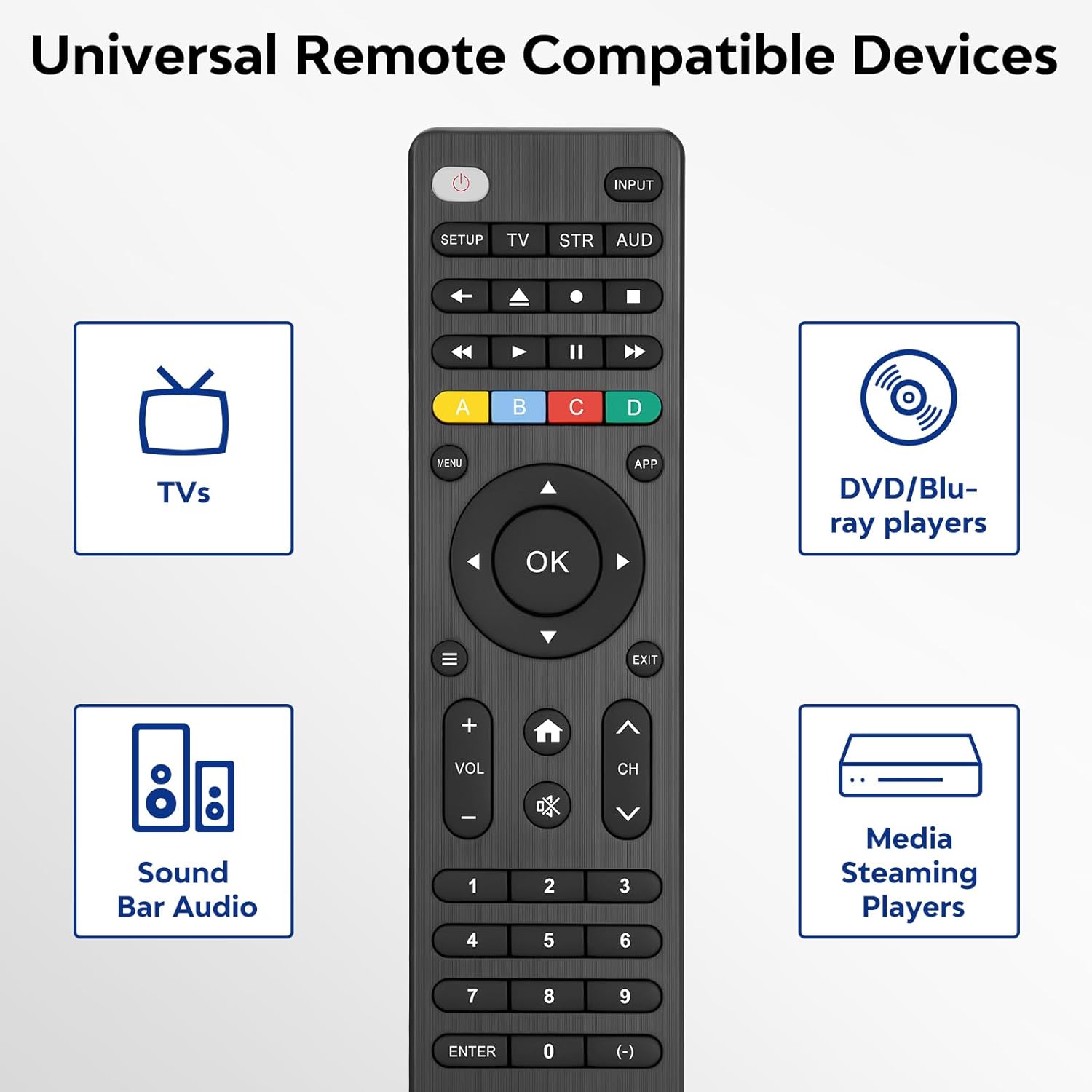
Image: Visual representation of compatible device types.

Image: List of compatible brands including Samsung, LG, Vizio, Sony, Hisense, Philips, and more.
Nekompatibilní zařízení
Please note that this universal remote is NE compatible with the following devices:
- Roku Streaming Sticks
- Roku Sound Bar
- Amazon Sound Bar
- Soundbar TCL
- Hisense Sound Bar
- Anker Sound Bar
- Klipsch Sound Bar
- Fire TV Sticks
- TCL Fire TV
- Fire TV odznak
- Fire TV Toshiba
- Amazon Fire Stick
- Fire TV Cube
This product connects and pairs via infrared only. If you are unsure about compatibility, please refer to the product's code list or contact customer support.

Image: Visual representation of devices not compatible with the remote.
Nastavení
Direct Code Entry Pairing
Follow these steps to program your universal remote using direct code entry:
- Krok 1: Find the device type you need in the provided code list (included in the package). Then, locate and circle all the codes for your specific brand.
- Krok 2: Stiskněte a podržte NASTAVENÍ button for 3 seconds until the red light on the remote turns on.
- Krok 3: Stiskněte a uvolněte TV/STR/AUD button on the remote. The red light will blink once and then remain on.
- Krok 4: Enter the first 4-digit code from your code list.
- Krok 5: Point the remote at your TV (or other device) and test the buttons to see if the device responds as expected. If the buttons do not control the device, repeat steps 2-4 and enter a different code from your list to test.
Note: If all codes in the program fail, please refer to the instructions on page 7 of your physical user manual for "Automatic Code Search" (including code table and usage instructions).

Image: Visual guide for the direct code entry pairing process.
Návod k obsluze
Funkce tlačítek
Familiarize yourself with the functions of each button on your universal remote control:

Image: Detailed layout of remote buttons and their corresponding functions.
| Tlačítko | Funkce |
|---|---|
| Moc | Turns devices ON / OFF |
| Nastavení | Slouží k programování dálkového ovládání |
| Vstup | Vybírá video vstupy |
| TV / STR / AUD | Selects the device to control (TV, Streaming Device, Audio Device) |
| Poslední kanál | Vrátí se na dříve vybraný kanál |
| Record / Stop / Fast Forward / Pause / Rewind | Controls media playback |
| ABCD Buttons | Získejte přístup k dalším funkcím pro DVR, kabelové a satelitní přijímače |
| Menu | Zobrazí nabídku na obrazovce |
| App Hotkey | Získejte přístup k nejlepším aplikacím, jako je Netflix, Amazon Prime, Hulu a další |
| OK | Vybírá položky nabídky pro ovládané zařízení |
| Up / Down / Left / Right Navigation | Prochází nabídkami a možnostmi |
| Info / Options | Zobrazuje informace o zobrazení/obsahu na obrazovce |
| Výstup | Exits on-screen menus |
| Home / Guide | Easily access features on today's streaming devices, or Guide on cable/satellite receivers |
| Zvýšení / snížení hlasitosti | Upravuje hlasitost |
| Kanál nahoru / dolů | Mění kanály |
| Ztlumit | Ztlumí zvuk |
| Čísla (0-9) | Zadejte čísla pro přímý výběr kanálu |
| Zadejte klíč | Confirms selection (some devices require Enter to be pressed after channel selection) |
| (-) Dash | Used to select digital channels (e.g., 4.1) |
The universal remote control utilizes infrared technology, providing a rapid response time of 0.2 seconds and an effective range of up to 30 feet.

Image: Features of the remote's infrared technology.
Údržba
Instalace baterie
The universal remote control requires two (2) AAA alkaline batteries for operation. Batteries are not included in the package.
- Otevřete kryt prostoru pro baterie na zadní straně dálkového ovladače.
- Vložte dvě baterie AAA a dbejte na správnou polaritu (+ a -) vyznačenou uvnitř přihrádky.
- Bezpečně zavřete kryt bateriového prostoru.
Warning: Do not mix old and new batteries, or mix different types of batteries together. This can lead to battery leakage or damage to the remote.

Image: Battery compartment and remote dimensions.
Odstraňování problémů
If you encounter issues with your universal remote, try the following troubleshooting steps:
- Dálkové ovládání nereaguje: Ensure fresh AAA batteries are correctly installed. Check if the red light on the remote illuminates when a button is pressed.
- Zařízení nereaguje: Verify that the remote is pointed directly at the device's infrared sensor. Ensure there are no obstructions between the remote and the device.
- Incorrect device control: Re-attempt the programming steps (Direct Code Entry) using a different code from the provided code list for your device brand.
- Omezená funkčnost: Some advanced functions may not be supported by all universal remotes or specific device models. Refer to your device's original manual for specific feature compatibility.
- Red light blinks continuously: This may indicate a programming error or low battery. Re-program the remote or replace the batteries.
Specifikace
| Funkce | Detail |
|---|---|
| Číslo modelu | SRP9232D |
| Rozměry balení | 6.89 x 3.27 x 0.75 palce |
| Hmotnost položky | 2.05 unce |
| Zdroj napájení | 2 * AAA alkaline batteries (not included) |
| Barva | Černý |
| Speciální funkce | Univerzální |
| Maximální počet podporovaných zařízení | 3 |
| Kompatibilní zařízení | Sound Bar, Television, VCR, Streaming Device, DVD/Blu-ray Player |
| Výrobce | Acoyer |
| Země původu | Čína |
Záruka a podpora
Acoyer is committed to providing safe, durable, and user-friendly remote control products. We value your experience with our products.
For any questions regarding your order or product, please do not hesitate to contact us. Our customer service team aims to respond to inquiries within 24 hours on working days.
Please refer to your purchase documentation for specific warranty details and terms.
Ask a question about this manual
Ask about setup, troubleshooting, compatibility, parts, safety, or missing instructions. Manuals+ will review the question and use this page’s manual context to help answer it.