
Zavedení
Thank you for choosing the TECKNET TK-MS317 Bluetooth Wireless Mouse. This manual provides detailed instructions for setting up, operating, and maintaining your mouse to ensure optimal performance. Please read this manual thoroughly before use and retain it for future reference.
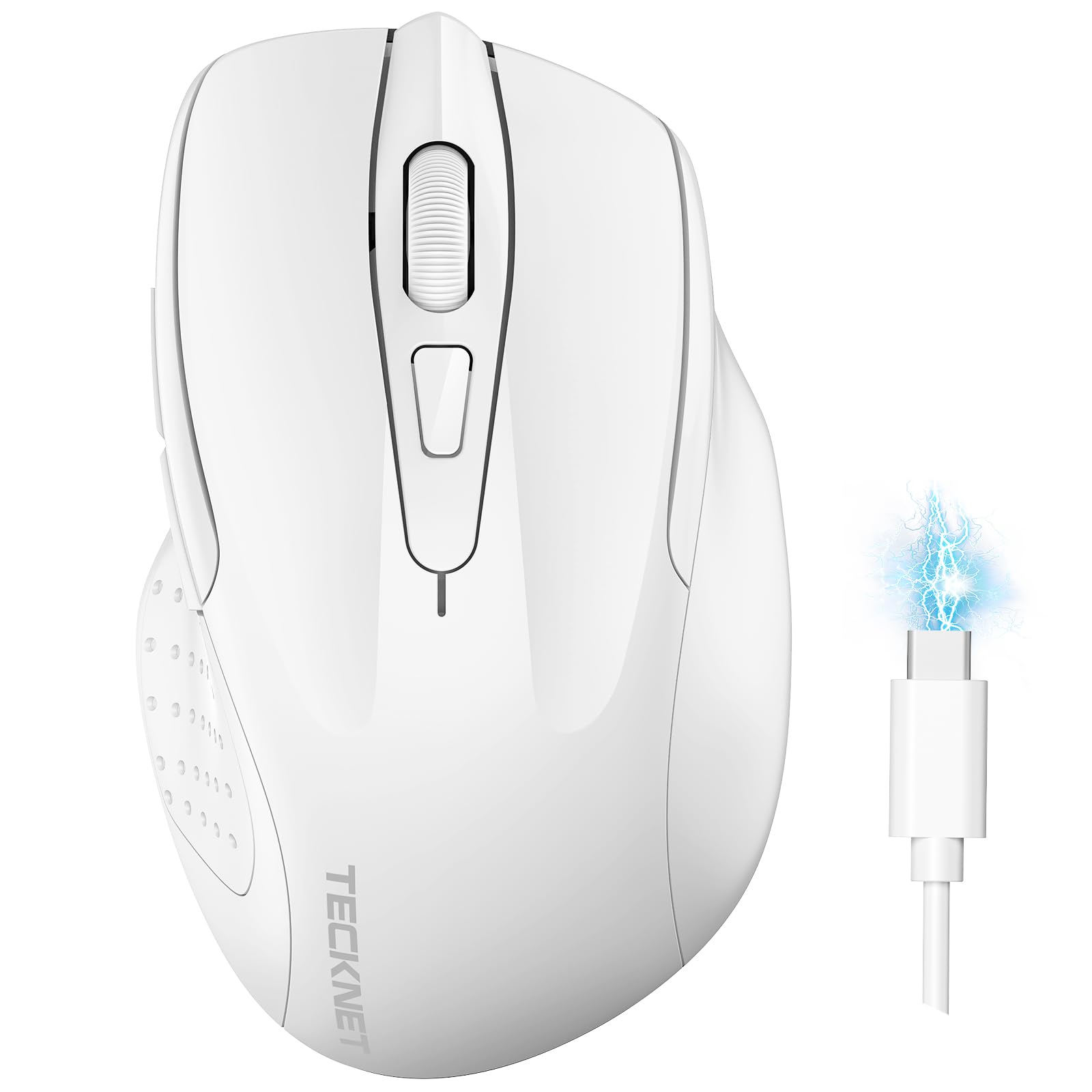
Image: The TECKNET TK-MS317 Bluetooth Wireless Mouse, showcasing its ergonomic design and sleek white finish.
Vlastnosti produktu
- Trojité režimy připojení: Supports Bluetooth 5.0, Bluetooth 3.0, and 2.4GHz wireless connectivity, allowing seamless switching between up to two devices.
- Nastavitelné DPI: Six adjustable DPI levels (800/1200/1600/2400/3200/4800) for precise control and adaptability to various tasks.
- Dobíjecí baterie: Equipped with a 700 mAh rechargeable battery, providing extended usage on a single charge. Can be used while charging via USB-C.
- Tiché kliknutí: Designed for quiet operation, reducing click noise by 90% for a focused work environment.
- Ergonomický design: Contoured shape fits comfortably in the palm, reducing hand fatigue during prolonged use.
- Úspora energie: Features a key-wake function and automatic sleep mode to conserve battery life.
- Univerzální kompatibilita: Compatible with Windows 11/10/8/7/XP/Vista, Mac OS, Linux, Android, and iOS (BT 5.0 for iOS 10.4+).

Image: Illustration highlighting the silent click feature of the mouse, showing a quiet work environment.

Image: Diagram illustrating the ergonomic curvature of the TECKNET TK-MS317 mouse, designed for comfortable hand fit.
Pokyny pro nastavení
1. Nabíjení myši
Before first use, or when the battery is low, connect the mouse to a power source using the provided USB-C cable. The charging indicator light will illuminate. A full charge typically takes about two hours and can last for 1 to 2 months of intensive use.

Image: The TECKNET TK-MS317 mouse connected via a USB-C cable for charging, highlighting its 700mAh battery capacity.
2. Připojení přes bezdrátové připojení 2.4 GHz
- Vyhledejte USB 2.4G přijímač, který je obvykle uložen v přihrádce na spodní straně myši.
- Zapojte USB přijímač do volného portu USB-A na vašem počítači.
- Switch the mode selector on the bottom of the mouse to the "2.4G" position.
- Myš by se měla automaticky připojit k počítači. Pokud ne, zkuste myš pohnout nebo restartovat počítač.
3. Připojení přes Bluetooth (BT5.0 / BT3.0)
- Switch the mode selector on the bottom of the mouse to either "BT5.0" or "BT3.0" position.
- Press and hold the Bluetooth pairing button (usually located near the mode switch) for 3-5 seconds until the indicator light starts flashing, indicating pairing mode.
- On your device (computer, laptop, tablet, smartphone), go to Bluetooth settings.
- Hledat new devices. You should see "TECKNET Mouse" or a similar name appear in the list.
- Select the mouse to pair. Once connected, the indicator light on the mouse will stop flashing.
- To switch between paired Bluetooth devices or to the 2.4G mode, simply use the mode selector switch on the bottom of the mouse.

Image: Diagram showing the three connection modes (2.4G, Bluetooth 5.0, Bluetooth 3.0) of the TECKNET TK-MS317 mouse, connecting to a laptop and a tablet.
Návod k obsluze
1. Nastavení DPI
The mouse features a DPI button, typically located behind the scroll wheel. Press this button to cycle through the six available DPI settings: 800, 1200, 1600, 2400, 3200, and 4800. Select the DPI that best suits your task and preference for cursor speed and precision.

Image: Visual representation of the TECKNET TK-MS317 mouse highlighting its 6 levels of adjustable DPI, up to 4800 DPI.
2. Přepínání režimů
Use the physical switch on the underside of the mouse to select your desired connection mode: 2.4G, BT5.0, or BT3.0. This allows you to quickly switch between different devices without re-pairing.
3. Režim úspory energie
The mouse will automatically enter sleep mode after a period of inactivity to conserve battery. To wake the mouse, simply move it or click any button.
Údržba
1. Čištění
K čištění myši použijte měkký, suchý hadřík. V případě odolných nečistot použijte lehceamp Lze použít hadřík s jemným mýdlem, ale dbejte na to, aby se do myši nedostala žádná tekutina. Nepoužívejte agresivní chemikálie ani abrazivní materiály.
2. Péče o baterie
- Vyhněte se častému úplnému vybíjení baterie.
- Pokud myš delší dobu nepoužíváte, skladujte ji na chladném a suchém místě.
- K nabíjení používejte pouze dodaný kabel USB-C nebo jeho certifikovaný ekvivalent.
Odstraňování problémů
- Myš nereaguje:
- Ujistěte se, že je myš nabitá.
- Check if the mode switch is set correctly (2.4G, BT5.0, or BT3.0).
- Pro režim 2.4G se ujistěte, že je USB přijímač bezpečně zapojený.
- For Bluetooth mode, ensure Bluetooth is enabled on your device and the mouse is paired. Try re-pairing if necessary.
- Zkuste připojit myš k jinému portu USB nebo zařízení, abyste vyloučili problémy s portem/zařízením.
- Přerušované připojení:
- Přesuňte myš blíže k přijímači/zařízení.
- Nepoužívejte myš na kovových površích, které mohou rušit bezdrátové signály.
- Ensure there are no other strong wireless interference sources nearby.
- Pohyb kurzoru je nepravidelný:
- Vyčistěte optický senzor na spodní straně myši.
- Zkuste použít myš na jiném povrchu nebo podložce pod myš.
- Adjust the DPI setting to a lower value.
Specifikace
| Číslo modelu | TK-MS317 |
| Značka | TECNET |
| Režimy připojení | Bezdrátové připojení 2.4 GHz, Bluetooth 5.0, Bluetooth 3.0 |
| Úrovně DPI | 800, 1200, 1600, 2400, 3200, 4800 |
| Počet tlačítek | 6 |
| Typ baterie | Built-in 700 mAh Rechargeable Lithium Battery |
| Nabíjecí port | USB-C |
| Hmotnost | 150 gramů |
| Kompatibilita | Windows 11/10/8/7/XP/Vista, Mac OS, Linux, Android, iOS (10.4+ for BT 5.0) |
Záruka a podpora
TECKNET offers a 36-month warranty for registered users of this product. If you encounter any issues with your TECKNET TK-MS317 Bluetooth Wireless Mouse, please do not hesitate to contact our professional customer service team for assistance.
For warranty claims or technical support, please visit the official TECKNET webwebu nebo se podívejte na kontaktní informace uvedené na obalu produktu.


