Zavedení
Děkuji za nákupasing the KODAK Detachable Soundbar with Wired Subwoofer, Model WSWRS-6501. This sound system is designed to enhance your audio experience for movies, music, and gaming with versatile connectivity and immersive sound. Please read this manual carefully before operating the device to ensure proper use and to maximize its performance.

Image: The KODAK Detachable Soundbar, its wired subwoofer, and the included remote control. The soundbar is shown as a single unit.
Klíčové vlastnosti:
- Versatile & Immersive Audio: Experience cinematic sound with deep bass from the wired subwoofer, perfect for movies, music, and gaming.
- Odnímatelný design: Enjoy the flexibility of a detachable soundbar that can be used as one unit or separated for wider sound dispersion.
- Více možností připojení: Connect with your Bluetooth enabled devices, connect directly with USB for audio playback, or use the HDMI-ARC for seamless TV integration.
- Elegantní a moderní: The soundbar's gloss finish and minimalist design complement any home décor.
- Snadné nastavení: Quickly connect and enjoy your upgraded audio experience with simple setup and user-friendly controls.
Obsah balení
Pečlivě zkontrolujte obsah balení. Pokud některé položky chybí nebo jsou poškozené, obraťte se na prodejce.
- Soundbar (WSWRS-6501)
- Kabelový subwoofer
- Dálkové ovládání
- Napájecí adaptér
- Uživatelská příručka (tento dokument)
- Wall Mount Brackets & Set Metal Base (for detachable configuration)
Nastavení
1. Možnosti umístění
The KODAK WSWRS-6501 soundbar offers flexible placement options:
- Single Unit Placement: Place the soundbar as a single horizontal unit below your television. Ensure it is on a stable, flat surface.
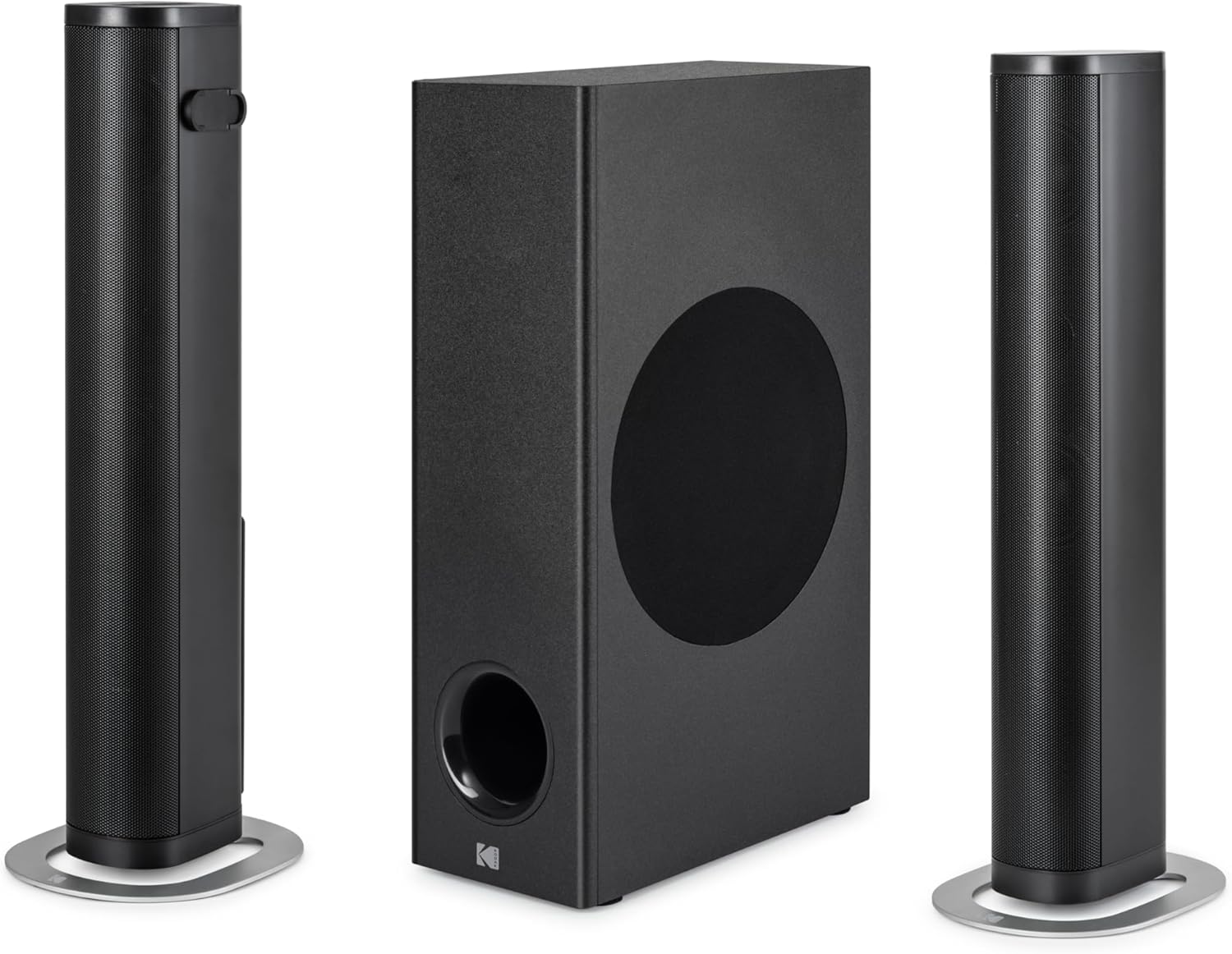
Image: The soundbar configured as a single, horizontal unit.
- Detached Vertical Placement: Separate the soundbar into two vertical speakers. Use the included metal bases for stability. These can be placed on either side of your television for wider sound dispersion.

Image: The soundbar detached into two vertical speakers, positioned with the subwoofer.

Image: The detached soundbar speakers and subwoofer, illustrating the wired connections between them.
- Umístění subwooferu: Position the wired subwoofer on the floor near the soundbar, ensuring it has adequate ventilation and is not obstructed.
2. Connecting the Soundbar and Subwoofer
If using the soundbar in its detached configuration, connect the two speaker units using the provided cables. Then, connect the soundbar unit to the wired subwoofer using the dedicated SUB OUT port.
3. Connecting to Audio Sources
The soundbar offers multiple connectivity options. Choose the one that best suits your device:

Image: Close-up of the soundbar's rear panel, displaying the HDMI, USB, Optical (OPT), Subwoofer Out (SUB OUT), and DC In ports.
- HDMI (ARC): For the best audio quality and control, connect an HDMI cable from the HDMI (ARC) port on the soundbar to the HDMI (ARC) port on your television. This allows your TV remote to control the soundbar's volume.
- Optický (OPT): Connect an optical cable from the OPT port on the soundbar to the optical audio output on your television or other audio device.
- USB: Insert a USB drive into the USB port for direct audio playback of compatible files.
- Bluetooth: For wireless connection, enable Bluetooth on your device and pair it with the soundbar. (Refer to the "Operating" section for detailed Bluetooth pairing instructions).
4. Připojení napájení
Connect the provided power adaptor to the DC IN port on the soundbar, then plug the adaptor into a wall outlet. The soundbar requires a 24 Volt input.
Návod k obsluze
1. Zapnutí/vypnutí
Stiskněte tlačítko Moc button on the remote control or on the soundbar unit to turn the system on or off.
2. Výběr vstupu
Stiskněte tlačítko Vstup or Zdroj button on the remote control to cycle through available input modes: HDMI (ARC), Optical, USB, and Bluetooth. The current input mode will typically be indicated by an LED on the soundbar.
3. Ovládání hlasitosti
Použijte Zvýšení hlasitosti (+) a Snížit hlasitost (-) buttons on the remote control or soundbar to adjust the master volume. Press the Ztlumit tlačítko pro dočasné ztlumení zvuku.
4. Párování Bluetooth
- Switch the soundbar to Bluetooth mode using the Input button.
- The soundbar will enter pairing mode, indicated by a flashing Bluetooth LED.
- Na zařízení s podporou Bluetooth (např. chytrý telefon, tablet) vyhledejte dostupná zařízení Bluetooth.
- Select "KODAK WSWRS-6501" (or similar name) from the list.
- Once paired, the Bluetooth LED on the soundbar will become solid, and you can play audio from your device.
Note: The soundbar will automatically attempt to reconnect to the last paired device when in Bluetooth mode.
5. Přehrávání z USB
Vložte USB flash disk obsahující zvuk files into the USB port. The soundbar will automatically switch to USB mode and begin playing the first compatible audio file. Use the remote control for playback functions such as Play/Pause, Next Track, and Previous Track.
Údržba
To ensure the longevity and optimal performance of your KODAK soundbar system, follow these maintenance guidelines:
- Čištění: Use a soft, dry cloth to wipe the surfaces of the soundbar and subwoofer. Do not use liquid cleaners, abrasive cloths, or chemical solvents, as these can damage the finish.
- Větrání: Ensure the subwoofer and soundbar have adequate ventilation. Do not block any vents or place the units in enclosed spaces that could lead to overheating.
- Skladování: Pokud budete přístroj skladovat delší dobu, odpojte jej od napájení a uložte jej na chladném a suchém místě mimo dosah přímého slunečního záření a extrémních teplot.
- Vyhněte se vlhkosti: Keep the soundbar and subwoofer away from water, humidity, and any liquids.
Odstraňování problémů
Pokud se se soundbarem setkáte s problémy, podívejte se na následující běžné problémy a jejich řešení:
| Problém | Možná příčina | Řešení |
|---|---|---|
| Žádná síla | Napájecí kabel není připojen; zásuvka není aktivní. | Ensure the power adaptor is securely connected to the soundbar and a working wall outlet. |
| Žádný zvuk | Nesprávně zvolený vstup; Příliš nízká hlasitost; Kabely nejsou správně připojeny. | Select the correct input source. Increase volume. Check all audio cables (HDMI, Optical) are securely connected. |
| Párování Bluetooth se nezdařilo | Soundbar není v režimu párování; Zařízení je příliš daleko; Rušení. | Ensure soundbar is in Bluetooth pairing mode. Move device closer to soundbar. Turn off other Bluetooth devices nearby. |
| Dálkové ovládání nefunguje | Vybité baterie; Překážka mezi dálkovým ovladačem a soundbarem. | Replace remote control batteries. Ensure no objects are blocking the remote's signal to the soundbar. |
| Zkreslený zvuk | Volume too high; Poor audio source quality; Incorrect cable type. | Reduce volume. Try a different audio source. Ensure high-quality audio cables are used. |
Specifikace
| Název modelu | KODAK Detachable Soundbar with Wired Subwoofer - WSWRS-6501 |
| Číslo modelu | WSWRS-6501 |
| Značka | KODAK |
| Typ reproduktoru | Soundbar |
| Technologie připojení | Bluetooth, USB, HDMI (ARC), Optical |
| Maximální výstupní výkon reproduktoru | 800 wattů |
| Frekvenční odezva | 15 kHz |
| Režim zvukového výstupu | Stereo |
| Vstupní objemtage | 24 voltů |
| Typ montáže | Table Mount (with wall mount brackets included) |
| Materiál | Plast |
| Barva | Černý |
| Rozměry produktu | 6.3 D x 81.3 Š x 9.2 V centimetrů |
| Hmotnost produktu | 5.75 kg |
| Komponenty v ceně | Adaptor, Remote control, Soundbar, User manual, Wall mount brackets & Set metal base |
| Kontrolní metoda | Dálkové ovládání |
| Výrobce | STAR GLORY LTD. |
Záruka a podpora
For warranty information, please refer to the warranty card included with your product or visit the official KODAK audio products webUschovejte si účtenku jako doklad o koupi pro případ reklamace.
For technical support, troubleshooting assistance beyond this manual, or service inquiries, please contact KODAK customer support through their official channels. Contact information can typically be found on the product packaging or the manufacturer's webmísto.