
1. Úvod
This manual provides detailed instructions for the Headwolf WPad5 Android 14 Tablet. Please read this guide thoroughly before using your device to ensure proper operation and to maximize its features. Keep this manual for future reference.
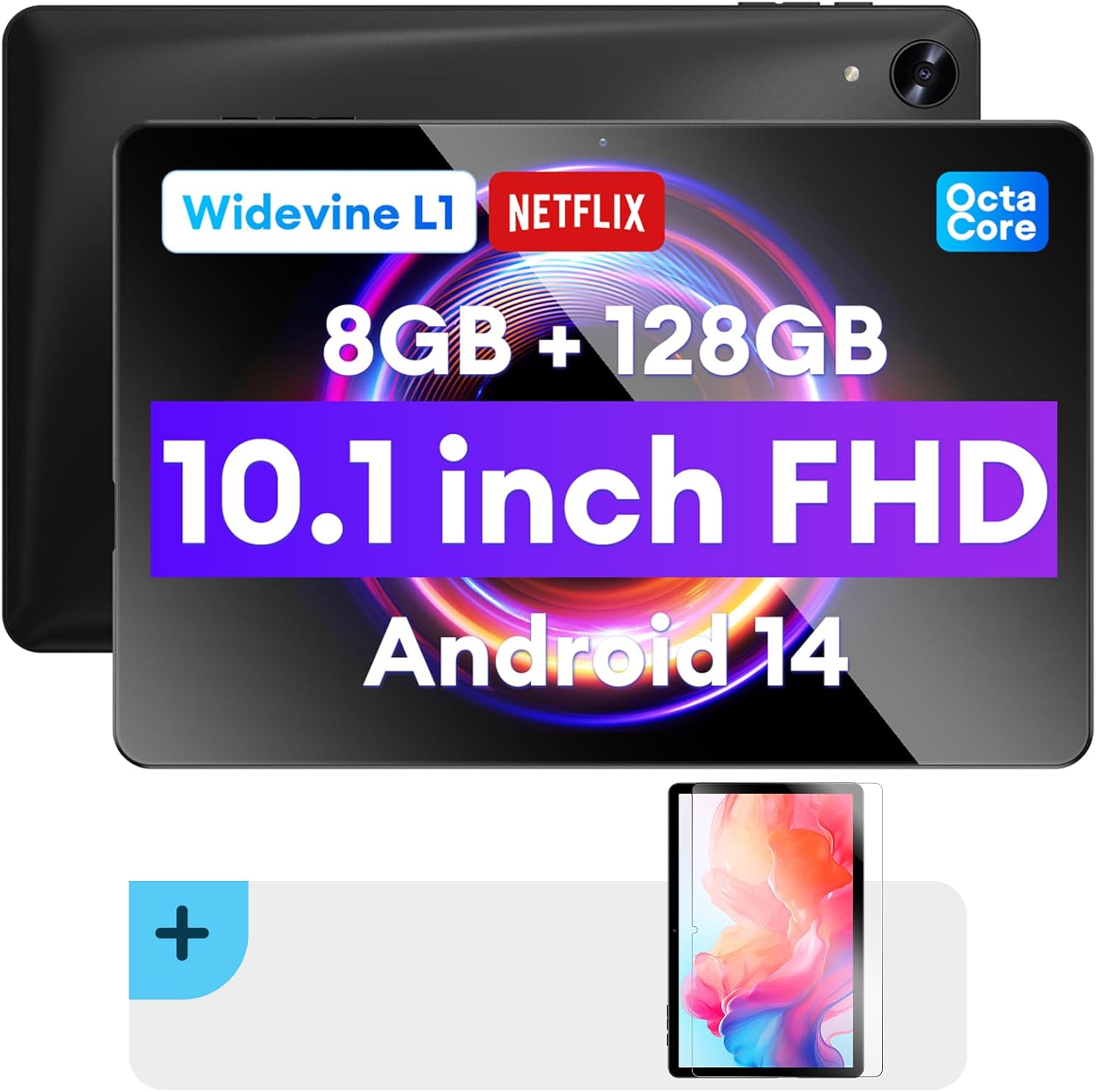
Obrázek: Přední a zadní strana view of the Headwolf WPad5 tablet, showcasing its 10.1-inch FHD display, 8GB RAM + 128GB ROM, Widevine L1 support, Octa-Core processor, and Android 14 operating system.

Obrázek: Overview of the Headwolf WPad5 tablet's main features, including its 10.1-inch 1920x1200 IPS FHD display, Unisoc T606 Octa-Core CPU, 8GB RAM + 128GB ROM, 5500mAh battery, 2.4G/5G WiFi, Android 14, dual stereo speakers, dual camera, and Widevine L1 support for Netflix.
2. Nastavení
2.1 Co je v krabici
Upon unboxing your Headwolf WPad5 tablet, please verify that all the following items are included:
- Headwolf WPad5 Tablet
- Kabel typu C
- AC adaptér
- Uživatelská příručka
- 2-pack Screen Protector

Image: A visual representation of the Headwolf WPad5 tablet and its accessories (manual, Type-C cable, AC adapter). It also highlights the tablet's physical features such as the 3.5mm headphone jack, rear camera, power button, volume buttons, TF card slot, and Type-C port.
2.2 Nabíjení tabletu
Before initial use, fully charge your tablet. Connect the Type-C cable to the tablet's Type-C port and the other end to the AC adapter. Plug the AC adapter into a power outlet. The battery indicator on the screen will show charging status.
2.3 Zapnutí/vypnutí
- Zapnutí: Press and hold the Power button located on the side of the tablet until the Headwolf logo appears on the screen.
- Vypnutí: Stiskněte a podržte tlačítko napájení, dokud se nezobrazí nabídka napájení. Z možností vyberte možnost „Vypnout“.
- Restartovat: V nabídce napájení vyberte „Restartovat“.
2.4 Instalace ochranné fólie na displej
Your tablet comes with two screen protectors. Follow these steps for installation:
- Clean the tablet screen thoroughly with a microfiber cloth to remove dust and smudges.
- Sloupněte ochrannou fólii z lepicí strany ochranné fólie obrazovky.
- Carefully align the screen protector with the tablet's screen, ensuring the cutouts for the camera and sensors match.
- Gently lay the protector onto the screen, starting from one edge and slowly lowering it.
- Use a soft card (e.g., a credit card wrapped in cloth) to smooth out any air bubbles, pushing them towards the edges.
- Remove the top protective film (if present).

Image: The Headwolf WPad5 tablet with an "Ultra Clear" advanced HD clarity tempered glass screen protector being shown, indicating its protective function and clear display.
3. Ovládání tabletu
Operační systém 3.1 Android 14
The Headwolf WPad5 runs on the latest Android 14 operating system, offering enhanced performance, improved privacy features, and a customizable user interface.
- GMS Free App Download: Access millions of applications through the Google Play Store.
- Funkce rozdělené obrazovky: Zvyšte produktivitu používáním dvou aplikací současně.
- Přizpůsobení uživatelského rozhraní: Personalize your interface with various themes, widgets, and settings.
- Ochrana soukromí: Advanced features to ensure your personal data remains secure and confidential.
- Personalized Screen Settings: Empower all users with enhanced usability options.

Image: A graphic illustrating the key features of the Android 14 system on the Headwolf WPad5, such as GMS free app download, UI customization, personalized screen settings, and privacy protection, enhancing user experience.
3.2 Display and Widevine L1 Certification
The tablet features a 10.1-inch FHD 1920x1200 IPS display, providing clear and vibrant visuals. With Widevine L1 certification, you can stream high-definition content from popular platforms like Netflix, Amazon Prime Video, Disney+, and YouTube without interruptions or quality degradation.

Image: A visual demonstrating the Widevine L1 certification on the Headwolf WPad5 tablet, showing high-quality streaming from services like YouTube, Netflix, Amazon Prime Video, Disney+, and Hulu, ensuring a premium viewzkušenosti.
3.3 Výkon a úložiště
Powered by an octa-core Unisoc T606 CPU, the WPad5 ensures smooth multitasking and gaming. It comes with 8GB RAM (achieved via 4GB physical RAM + 4GB expansion) and 128GB of internal storage. The storage can be expanded up to 2TB using a microSD card (not included).

Image: A diagram detailing the Unisoc T606 Octa-Core CPU with 2.0 GHz peak frequency and Mali-G57 GPU, highlighting its high performance, efficient processing, and low heat generation for gaming and high-quality display.

Image: A graphic illustrating the generous storage capacity of the Headwolf WPad5, featuring 8GB RAM (4+4GB) and 128GB ROM, expandable up to 2TB via TF card, suitable for storing software, photos, music, videos, and e-books.
3.4 Konektivita
The WPad5 offers versatile connectivity options:
- Wi-Fi: Dual-band (2.4GHz/5GHz) 802.11ac for fast and stable internet connection.
- Bluetooth: Verze 5.0 pro připojení bezdrátového příslušenství.
- 3.5mm konektor pro sluchátka: Pro kabelový audio výstup.
- GPS: 4-mode satellite positioning for precise location services. For offline navigation, download maps via Wi-Fi before traveling to areas without internet access.

Image: The Headwolf WPad5 tablet displaying a navigation map, illustrating its 4-mode satellite positioning capability for precise location services and route guidance.
3.5 Kamery
The tablet is equipped with dual cameras:
- Zadní kamera: 8MP pro pořizování fotografií a videí.
- Přední kamera: 5MP, ideal for video calls and online meetings.

Obrázek: Výstava kolážíasing the capabilities of the Headwolf WPad5's 8MP rear camera for capturing landscapes and moments, and the 5MP front camera for video conferencing and meetings, demonstrating its versatility.
3.6 Životnost baterie
The WPad5 is powered by a 5500mAh battery, providing approximately 6-8 hours of playtime per charge, depending on usage.
3.7 Další funkce
- Rozdělená obrazovka: Spouštějte dvě aplikace vedle sebe pro zvýšení produktivity.
- Odemknutí obličejem: Bezpečně odemkněte tablet pomocí rozpoznávání obličeje.
- Zrcadlení obrazovky: Cast your tablet's display to a larger screen wirelessly.
- Dual Box Stereo Speakers: Enjoy immersive audio with enhanced sound quality.
Obrázek: Grafická ukázkaasing various features of the Headwolf WPad5 tablet, including Split Screen functionality for multitasking, 2.4G/5G Dual Band WiFi for connectivity, Face Unlock for security, and Screen Mirroring for casting content to external displays.
4. Údržba
4.1 Péče o baterii
- Vyhněte se častému úplnému vybíjení baterie.
- Nevystavujte tablet extrémním teplotám.
- Používejte pouze dodanou nabíječku nebo certifikovanou kompatibilní nabíječku.
- The 5500mAh battery includes overcurrent, short circuit, over-discharge, and output protection for safety.

Image: A visual highlighting the 5500mAh battery of the Headwolf WPad5 and its built-in protection features: overcurrent protection, short circuit protection, over-discharge protection, and output protection, ensuring safe and reliable power.
4.2 Čištění tabletu
- K čištění obrazovky a těla tabletu použijte měkký hadřík, který nepouští vlákna.
- Na odolné šmouhy lehce otřeteampOtřete hadřík vodou nebo čističem obrazovek speciálně určeným pro elektroniku.
- Vyhněte se používání agresivních chemikálií, abrazivních materiálů nebo aerosolových sprejů.
4.3 Aktualizace softwaru
Pravidelně kontrolujte a instalujte aktualizace softwaru, abyste zajistili, že váš tablet má nejnovější funkce, bezpečnostní záplaty a vylepšení výkonu. Tuto možnost obvykle najdete v nabídce Nastavení tabletu v části „Systém“ nebo „O tabletu“.
5. Řešení problémů
5.1 Běžné problémy a řešení
| Problém | Možné řešení |
|---|---|
| Tablet se nezapne | Ujistěte se, že je baterie nabitá. Připojte nabíječku a před opětovným zapnutím počkejte několik minut. Pokud zařízení nereaguje, stiskněte a podržte tlačítko napájení po dobu 10–15 sekund, abyste vynutili restart. |
| Problémy s připojením Wi-Fi | Restart your Wi-Fi router and the tablet. Forget the Wi-Fi network on your tablet and reconnect. Ensure you are within range of the Wi-Fi signal. |
| Aplikace padá nebo zamrzávají | Vymažte mezipaměť a data aplikace v Nastavení > Aplikace. Aktualizujte aplikaci na nejnovější verzi. Pokud problém přetrvává, odinstalujte a znovu nainstalujte aplikaci. |
| Pomalý výkon | Close unnecessary background apps. Clear cache data regularly. Consider uninstalling unused apps. Ensure sufficient free storage space. |
| Obrazovka nereaguje | Restartujte tablet. Pokud problém přetrvává, proveďte obnovení továrního nastavení (data budou ztracena). |
5.2 Obnovení továrního nastavení
Obnovení továrního nastavení vymaže všechna data z tabletu a obnoví jeho původní tovární nastavení. Před pokračováním si zálohujte všechna důležitá data.
- Přejít na Nastavení.
- Přejděte na Systém > Obnovit možnosti.
- Vybrat Vymazat všechna data (obnovení továrního nastavení).
- Potvrďte svou volbu a postupujte podle pokynů na obrazovce.
6. Specifikace
| Funkce | Detail |
|---|---|
| Název modelu | WPad5 |
| Operační systém | Android 14 |
| Velikost obrazovky | 10.1 palce |
| Rozlišení obrazovky | 1920 1200 x XNUMX XNUMX (FHD) |
| Procesor | Osmijádrový Unisoc T606 |
| BERAN | 8 GB (4 GB + 4 GB rozšíření) |
| Interní úložiště | 128 GB |
| Rozšiřitelné úložiště | Až 2 TB přes microSD kartu |
| Zadní kamera | 8 MP |
| Přední kamera | 5 MP |
| Kapacita baterie | 5500 XNUMX mAh |
| Bezdrátové připojení | 802.11ac (Dual-band 2.4GHz/5GHz) |
| Bluetooth | Bluetooth 5.0 |
| Porty | Typ C, 3.5mm konektor pro sluchátka |
| Barva | Černý |
| Speciální funkce | Widevine L1, GPS, Face Unlock, Dual Stereo Speakers, Split Screen, Screen Mirroring |
7. Záruka a podpora
Headwolf provides a one-year repair and replacement warranty for your WPad5 tablet. For any technical assistance, product inquiries, or warranty claims, please contact our dedicated customer service and technical support team.
- Služby zákazníkům: Available 24 hours. Please refer to the contact information provided with your purchase or on the official Headwolf webmísto.
- Technická podpora: Available for assistance with setup, troubleshooting, and feature usage.
- Online zdroje: Navštivte Headwolf Store on Amazon pro další informace o produktu a podporu.