
CHUANYUE T2
CHUANYUE T2 Motorcycle Bluetooth Headset User Manual
Model: T2
1. Úvod
The CHUANYUE T2 Motorcycle Bluetooth Headset is designed to enhance communication and entertainment for motorcycle riders. This device features Bluetooth 5.0 technology, supporting two-rider intercom communication up to 1000 meters, music sharing, DSP and CVC noise cancellation for clear audio, FM radio, and one-click pairing. It is built with an IP67 waterproof rating and utilizes a Type-C charging port for convenience.

Image: Four CHUANYUE T2 Motorcycle Bluetooth Headsets, illustrating the product units.
2. Co je v krabici
Ensure all components are present before installation:
- Mainframe Equipment
- Headset Microphone Sets
- Fixed Installation Bracket
- Sticky Installation Bracket
- Nabíjecí kabel typu C.
- Uživatelská příručka

Obrázek: Overview of included components and a visual guide for installing the clip and paste brackets.
3. Instalace
3.1. Headset Unit Installation
- Příprava helmy: Carefully remove the inner padding of your helmet to access the ear areas.
- Umístění reproduktorů: Attach the headset speakers to the inside of the helmet using the provided adhesive pads. Ensure they are positioned directly over your ears for optimal audio quality. The short line speaker is for the left side, and the long line speaker is for the right side.
- Umístění mikrofonu: Secure the microphone inside the helmet, positioning it close to your mouth but away from direct wind.
- Správa kabelů: Route all cables neatly under the helmet padding to prevent discomfort and ensure they are not exposed.

Image: A motorcycle helmet with the T2 headset installed, connected to a GPS device, demonstrating integrated use.
3.2. Main Unit Mounting
Choose between the fixed clip bracket or the adhesive paste bracket:
3.2.1. Clip Bracket Installation
- Open the metal piece of the clip bracket.
- Slide the bracket onto the edge of the helmet shell, ensuring a secure fit.
- Insert the main unit into the clip bracket until it locks into place.
3.2.2. Paste Bracket Installation
- Clean the desired mounting area on the helmet surface thoroughly.
- Peel off the red protective film from the adhesive on the paste bracket.
- Firmly press the bracket onto the helmet surface for at least 30 seconds. Allow sufficient time for the adhesive to cure before use.
- Slide the main unit into the paste bracket until it clicks securely.
4. Návod k obsluze
4.1. Zapnutí/vypnutí
- Zapnutí: Press and hold the multi-function button for approximately 3 seconds until the indicator light illuminates.
- Vypnout: Press and hold the multi-function button for approximately 3 seconds until the indicator light turns off.
4.2. Bluetooth Pairing with Mobile Device
- Ujistěte se, že je náhlavní souprava T2 vypnutá.
- Press and hold the multi-function button for approximately 5-7 seconds until the red and blue indicator lights flash alternately, indicating pairing mode.
- Na svém mobilním telefonu povolte Bluetooth a vyhledejte dostupná zařízení.
- Select "T2" from the list of devices to connect. Once connected, the blue indicator light will flash slowly.
4.3. Párování interkomu (2 jezdci)
- Ujistěte se, že jsou obě náhlavní soupravy T2 vypnuté.
- On both headsets, press and hold the multi-function button for approximately 5-7 seconds until the red and blue indicator lights flash alternately.
- On one of the headsets, short press the intercom button. The headsets will search for each other and automatically pair.
- Once paired, the indicator lights on both headsets will turn solid blue, indicating a successful intercom connection.
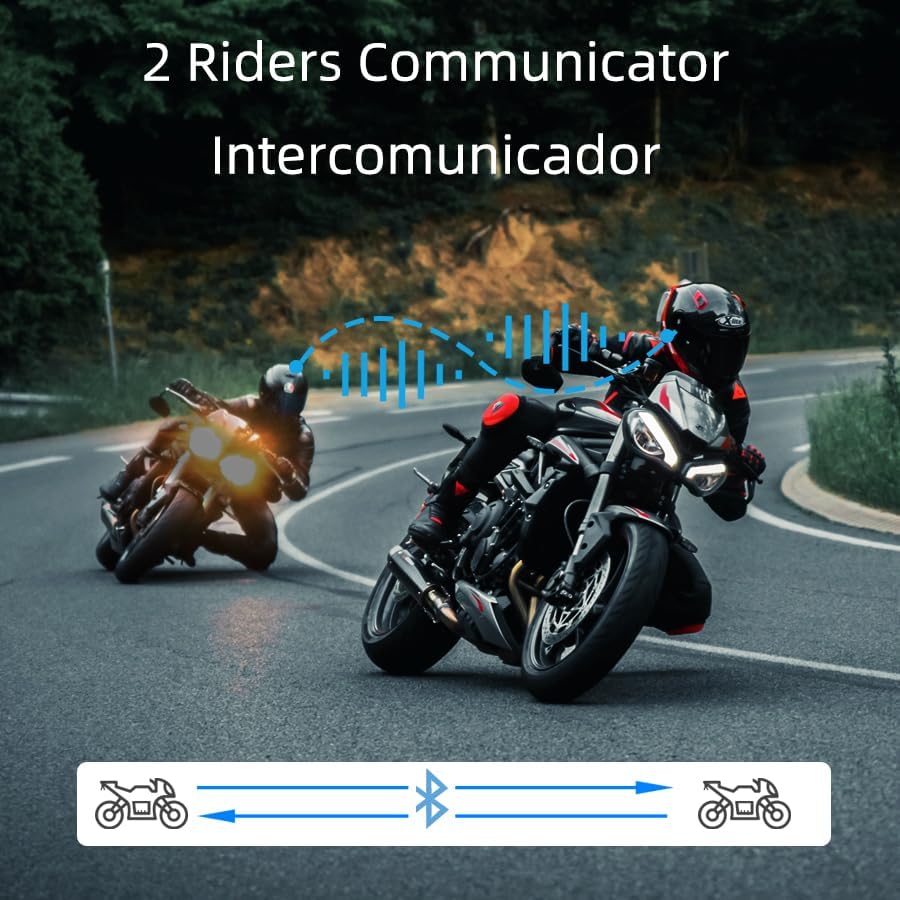
Image: Two riders on motorcycles, illustrating the two-way intercom communication feature.
4.4. Přehrávání a sdílení hudby
- Přehrát/pozastavit: Short press the multi-function button to play or pause music.
- Další skladba: Rotate the multi-function knob clockwise.
- Předchozí skladba: Rotate the multi-function knob counter-clockwise.
- Nastavení hlasitosti: Press and hold the volume up/down buttons.
- Sdílení hudby: (Specific instructions for music sharing between two T2 units would be here if available, but are not detailed in the provided data. Generally, this involves a specific button press on both devices after they are paired.)
4.5. Telefonní hovory
- Přijmout hovor: Short press the multi-function button when a call comes in.
- Ukončit hovor: Během hovoru krátce stiskněte multifunkční tlačítko.
- Odmítnout hovor: Při příchozím hovoru stiskněte a podržte multifunkční tlačítko po dobu 2 sekund.
- Hlasové vytáčení (Siri/Google Assistant): Long press the multi-function button for 2 seconds to activate your phone's voice assistant.

Image: A helmet with the T2 headset, showing a smartphone screen with voice assistant commands, highlighting the voice control feature.
4.6. FM rádio
- Zapnutí/vypnutí FM: Double-click the multi-function button to activate or deactivate the FM radio.
- Přestupní stanice: Rotate the multi-function knob clockwise or counter-clockwise to scan for stations.
5. Údržba
- Čištění: Použijte měkký, damp cloth to clean the exterior of the headset. Avoid harsh chemicals or abrasive materials.
- Voděodolnost: The T2 headset is IP67 waterproof. While it can withstand rain and splashes, avoid submerging it in water for extended periods.
- Nabíjení: Použijte dodaný nabíjecí kabel typu C. Před připojením kabelu se ujistěte, že je nabíjecí port suchý.
- Skladování: Pokud sluchátka nepoužíváte, skladujte je na chladném a suchém místě.

Image: The T2 headset shown with water splashing, highlighting its IP67 waterproof feature.
6. Řešení problémů
- Bez napájení: Ensure the battery is charged. Connect the headset to the charger and check the indicator light.
- Nelze spárovat: Make sure the headset is in pairing mode (red and blue lights flashing alternately). Ensure your phone's Bluetooth is on and visible. Try restarting both devices.
- Odpojení interkomu: If the intercom disconnects, try re-pairing the units. Ensure they are within the specified range.
- Špatná kvalita zvuku: Check speaker placement inside the helmet. Ensure the microphone is not obstructed. Verify that noise cancellation features (DSP & CVC) are active.
- Hlasový asistent nereaguje: Ensure your phone is connected via Bluetooth and the voice assistant is enabled on your device.
7. Specifikace
| Funkce | Detail |
|---|---|
| Název modelu | T2 |
| Značka | CHUANYUE |
| Technologie připojení | Bluetooth, bezdrátové připojení |
| Verze Bluetooth | 5.0 |
| Dosah Bluetooth | 30 Meters (device to phone) |
| Rozsah interkomu | Up to 1000M (2 riders) |
| Kontrola hluku | Active Noise Cancellation (DSP & CVC) |
| Úroveň odolnosti proti vodě | IP67 Vodotěsný |
| Životnost baterie | 15 hodin (použití) |
| Doba nabíjení | 2.5 hodiny |
| Jack pro sluchátka | Typ-C |
| Materiál | Akrylonitrilbutadienstyren (ABS) |
| Hmotnost položky | 6.7 unce |
| Rozměry produktu | 3.54 x 1.77 x 1.02 palce |
8. Záruka a podpora
For warranty information, technical support, or any inquiries regarding your CHUANYUE T2 Motorcycle Bluetooth Headset, please refer to the contact details provided in the packaging or visit the official CHUANYUE webmísto. Uschovejte si doklad o koupi pro případ záručních reklamací.
Ask a question about this manual
Ask about setup, troubleshooting, compatibility, parts, safety, or missing instructions. Manuals+ will review the question and use this page’s manual context to help answer it.