
1. Úvod a konecview
The Epson PowerLite 97H is a versatile XGA conference room projector designed for clear and vibrant presentations. Utilizing 3LCD technology, it delivers bright, true-to-life images with excellent color brightness and a wide color gamut. This projector offers a native resolution of 1024x768 (XGA) and a brightness of 2,700 ANSI Lumens, making it suitable for various environments.
Mezi klíčové vlastnosti patří:
- Jas: 2,700 ANSI Lumens
- Rezoluce: 1024x768 (XGA)
- Poměr stran: 4:3
- Kontrast: 10,000:1
- Technologie displeje: 3LCD for vibrant colors
- Konektivita: Multiple options including HDMI, USB, LAN, VGA, S-Video, Composite, and Audio inputs/outputs.
2. Bezpečnostní informace
Please read all safety instructions before using the projector to ensure safe operation and to prevent damage to the unit. Keep this manual for future reference.
- Varování před horkem: Projektor lamp and surrounding areas can become extremely hot during operation and immediately after shutdown. Avoid touching these areas.
- Větrání: Ensure adequate ventilation around the projector. Do not block ventilation openings, as this can lead to overheating and potential damage.
- Lamp Nahrazení: Always turn off the projector and allow the lamp to cool completely before attempting to replace it. Refer to the lamp replacement instructions in the Maintenance section.
- Zdroj napájení: Use only the specified power supply and cable. Do not overload power outlets.
- Tekutina a vlhkost: Nevystavujte projektor dešti, vlhkosti ani nadměrné vlhkosti. Neumisťujte na projektor ani do jeho blízkosti předměty naplněné tekutinami.
- Čištění: Před čištěním odpojte napájecí kabel. Použijte měkký, suchý hadřík. Nepoužívejte tekuté ani aerosolové čisticí prostředky.
3. Obsah balení
Ověřte, zda jsou v balení přítomny všechny položky:
- Epson PowerLite 97H Projector
- Dálkové ovládání
- Napájecí kabel
- HDMI kabel
4. Nastavení
4.1 Fyzické umístění
Place the projector on a stable, flat surface. Ensure there is sufficient space around the projector for proper ventilation. Avoid placing it in direct sunlight or near heat sources. The projector is designed to be portable and can be used for tabletop projection.
4.2 Připojení zařízení
The PowerLite 97H offers a wide range of connectivity options. Refer to the image below for port identification.

Figure 1: Rear panel of the Epson PowerLite 97H Projector showing various input and output ports.
- USB-A: Connect USB storage devices or a document camera.
- USB-B: Connect to a computer for USB display or control.
- LAN (RJ-45): Připojte se k síti pro ovládání a monitorování.
- HDMI 1 & HDMI 2/MHL: Connect to devices with HDMI output (e.g., laptops, Blu-ray players, gaming consoles). HDMI 2 also supports MHL for compatible mobile devices.
- Computer1 (VGA) & Computer2 (VGA): Connect to computers using a VGA cable.
- Audio1 (Mini Jack) & Audio2 (Mini Jack): Connect audio from computers or other devices.
- S-Video: Connect to devices with S-Video output.
- Video (RCA): Connect to devices with composite video output.
- Audio In (RCA R/L): Connect stereo audio from devices with RCA audio output.
- Mikrofon: Připojte mikrofon.
- RS-232C: Pro sériové ovládání projektoru.
- Výstup pro monitor (VGA): Connect an external monitor to display the projector's input signal.
- Audio Out (Mini Jack): Connect external speakers or an audio system.
4.3 Zapnutí
- Connect the power cable to the projector's AC inlet and then to a power outlet.
- Stiskněte tlačítko Moc button on the projector's control panel or the remote control. The power light will illuminate, and the projector will begin its startup sequence.
5. Provoz
5.1 Základní ovládací prvky
The projector can be operated using the control panel on the top of the unit or the included remote control. The top panel provides essential functions.

Figure 2: Top control panel of the Epson PowerLite 97H Projector.
- Vypínač: Slouží k zapnutí nebo vypnutí projektoru.
- Vyhledávání zdrojů: Cyklicky prochází dostupné vstupní zdroje.
- Menu: Opens the on-screen display (OSD) menu.
- H/V (Horizontal/Vertical Keystone): Adjusts image shape to correct trapezoidal distortion.
- Esc: Opustí aktuální nabídku nebo funkci.
- Zadejte: Potvrzuje výběr v nabídce.
- Tlačítka se šipkami: Procházejte možnostmi nabídky a upravujte nastavení.
- Tlačítka hlasitosti: Upravte úroveň zvukového výstupu.
- Pomoc: Poskytuje pomoc na obrazovce.
- Stavové světlo: Indicates projector status (e.g., power on, standby, error).
- Lamp Temp Light: Indicates lamp temperature status.
5.2 Úprava obrazu
To achieve a clear and properly sized image:
- Zaostřovací kroužek: Rotate the focus ring located near the lens to sharpen the image.
- Páčka zoomu: Use the zoom lever (if present, typically near the lens) to adjust the image size without moving the projector.
- Korekce lichoběžníkového zkreslení: If the image appears trapezoidal, use the H/V keystone buttons on the control panel or remote to correct the shape.

Figure 3: Front/side view showing the projector lens and ventilation.
5.3 Výběr vstupu
Stiskněte tlačítko Hledání zdroje button on the control panel or remote control to cycle through the connected input sources (e.g., HDMI 1, Computer1, USB-A). The projector will automatically detect and display the active input.
6. Údržba
Pravidelná údržba zajišťuje optimální výkon a prodlužuje životnost projektoru.
6.1 lamp Nahrazení
Projektor lamp má omezenou životnost. Když lamp dosáhne konce své životnosti, Lamp Temp indicator may light up, or the image brightness may decrease significantly. Always use genuine Epson replacement lamps.

Obrázek 4: Strana view of the projector, showing a caution label regarding hot surfaces.
WARNING: Turn off the projector and wait until the lamp has cooled down completely before attempting replacement. Failure to do so can result in severe burns or damage to the projector. Refer to the specific lamp replacement instructions provided in the full Epson service manual for your model.
6.2 Čištění/výměna vzduchového filtru
The air filter prevents dust from entering the projector and affecting performance. Clean the air filter regularly (e.g., every 100 hours of use) or when prompted by the projector. If the filter is damaged or excessively dirty, replace it.
- Turn off the projector and disconnect the power cable.
- Locate the air filter cover (refer to your full service manual for exact location).
- Remove the cover and carefully extract the filter.
- Use a small vacuum cleaner or soft brush to remove dust from the filter. If replacing, insert a new filter.
- Bezpečně nasaďte kryt filtru.
6.3 Obecná péče
- Čištění objektivu: Gently wipe the lens with a soft, non-abrasive lens cleaning cloth. Do not use harsh chemicals.
- Čištění exteriéru: Vnější povrch projektoru otřete měkkým, suchým hadříkem. Na odolné nečistoty použijte lehceamp hadříkem a jemným čisticím prostředkem, poté otřete dosucha.
- Skladování: Pokud projektor delší dobu nepoužíváte, skladujte jej na chladném a suchém místě, ideálně v originálním obalu nebo ochranném pouzdře.
7. Řešení problémů
If you encounter issues with your projector, try the following solutions:
- Bez obrázku:
- Ujistěte se, že je projektor zapnutý a že indikátor napájení svítí nepřetržitě.
- Check all cable connections (HDMI, VGA, etc.) are secure at both the projector and the source device.
- Stiskněte tlačítko Hledání zdroje tlačítko pro procházení vstupů.
- Ověřte, zda je zdrojové zařízení zapnuté a vydává signál.
- Adjust the focus and zoom.
- Žádný zvuk:
- Increase the projector's volume using the volume buttons.
- Check audio cable connections (if using separate audio cables).
- Ensure the audio output on your source device is enabled and turned up.
- Dálkové ovládání nefunguje:
- Ensure there are no obstructions between the remote and the projector's remote sensor.
- Vyměňte baterie v dálkovém ovladači.
- Upozornění na přehřátí:
- Ujistěte se, že všechny větrací otvory jsou volné a neblokované.
- Vyčistěte vzduchový filtr podle pokynů v části Údržba.
- Projektor používejte v dobře větraném prostoru.
8. Specifikace
| Funkce | Specifikace |
|---|---|
| Výrobce | Epson |
| Model | PowerLite 97H |
| Typ zobrazení | 3LCD |
| Nativní rozlišení | 1024 x 768 (XGA) |
| Jas | 2700 ANSI Lumens |
| Kontrastní poměr | 10000:1 |
| Poměr stran | 4:3 |
| Technologie připojení | HDMI, USB, LAN, VGA, S-Video, Composite |
| Audio vstupy | Mini Jack x 2, RCA (L/R), Mic |
| Zvukový výstup | Mini Jack |
| Ovládací port | RS-232C |
| Doporučená použití | podnikání |
| Speciální funkce | Přenosný |
| Hmotnost položky | 6 libry |
9. Informace o záruce
For specific warranty details regarding your Epson PowerLite 97H projector, please refer to the warranty card included with your product or contact the seller/manufacturer directly. Warranty terms typically cover manufacturing defects for a specified period from the date of purchase.
10. Podpora
For technical support, service, or additional assistance with your Epson PowerLite 97H projector, please use the contact information below:
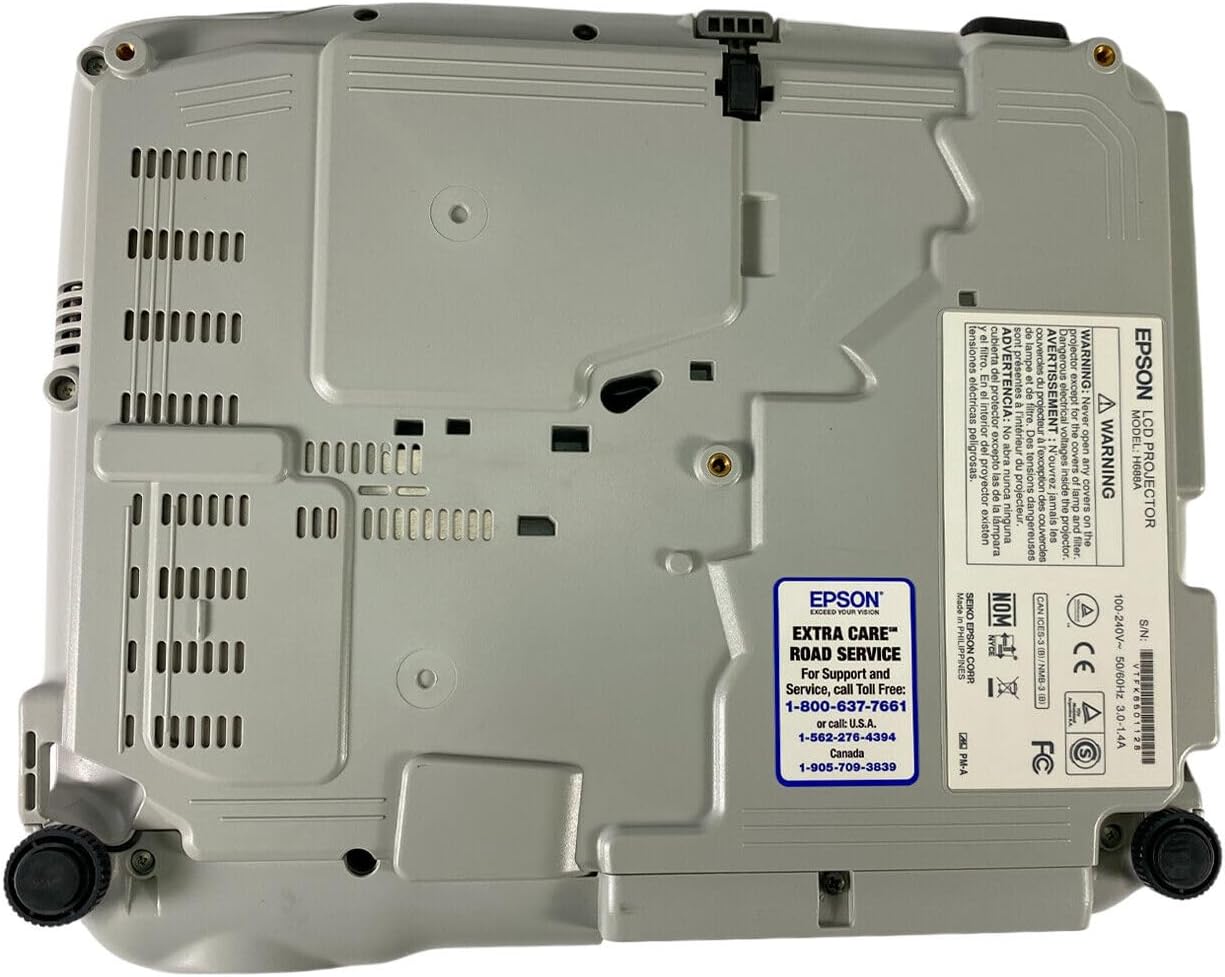
Figure 5: Bottom panel of the projector showing support contact details.
Epson Extra Care Road Service
- For support and service, call:
- USA: 1-800-637-7661
- USA: 1-866-276-4394
- Kanada: 1-905-709-3839