
ÚTOK ŽRALOKA X3
Uživatelská příručka k bezdrátové herní myši ATTACK SHARK X3
Model: X3
1. Konec produktuview
The ATTACK SHARK X3 is an ultra-lightweight wireless gaming mouse designed for high performance and versatility. It features a PixArt PAW3395 sensor, multi-mode connectivity (wired, 2.4G wireless, Bluetooth), and a long-lasting battery, making it suitable for various computing environments and gaming needs.
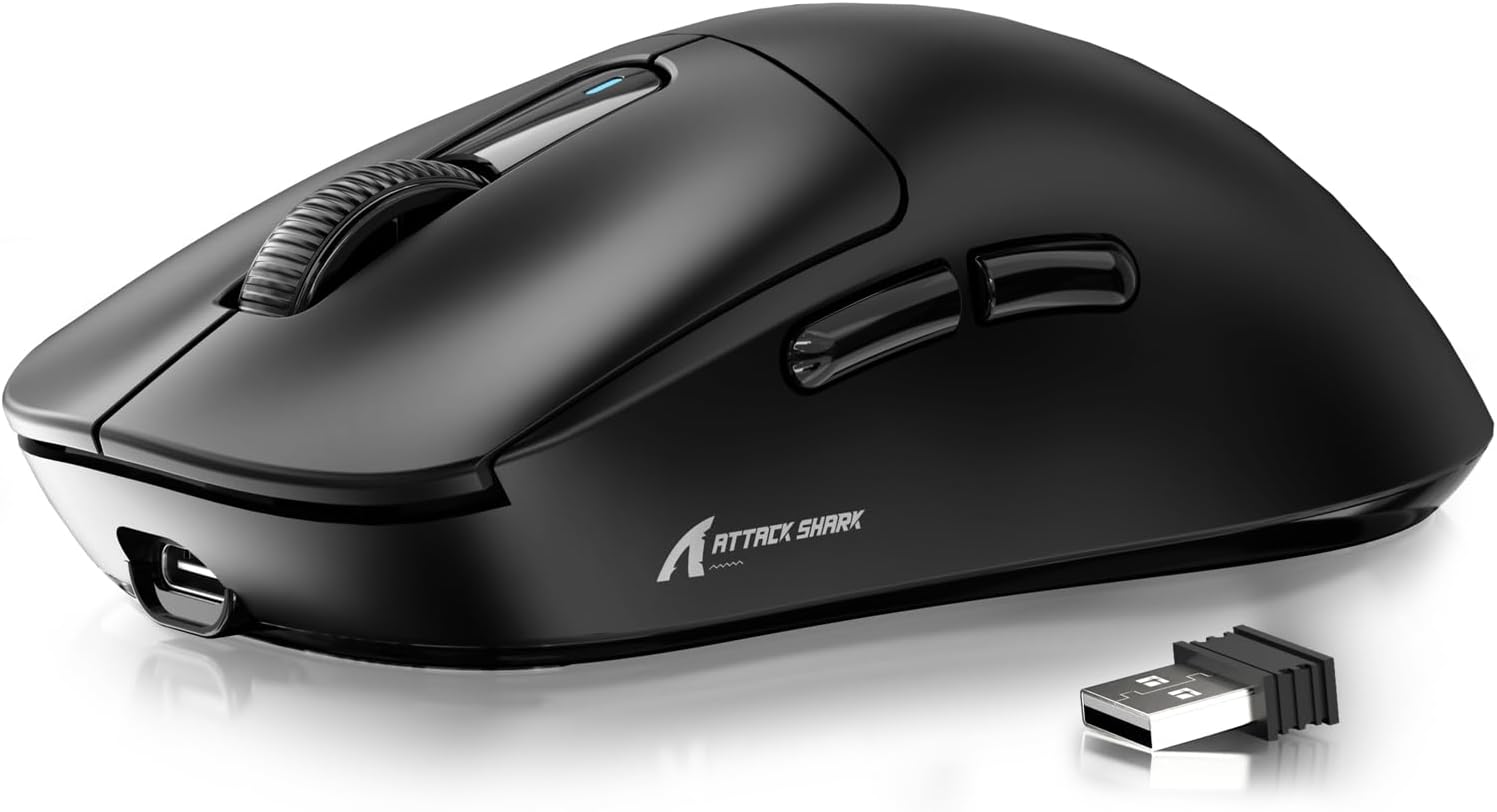
Figure 1: ATTACK SHARK X3 Wireless Gaming Mouse (Black)
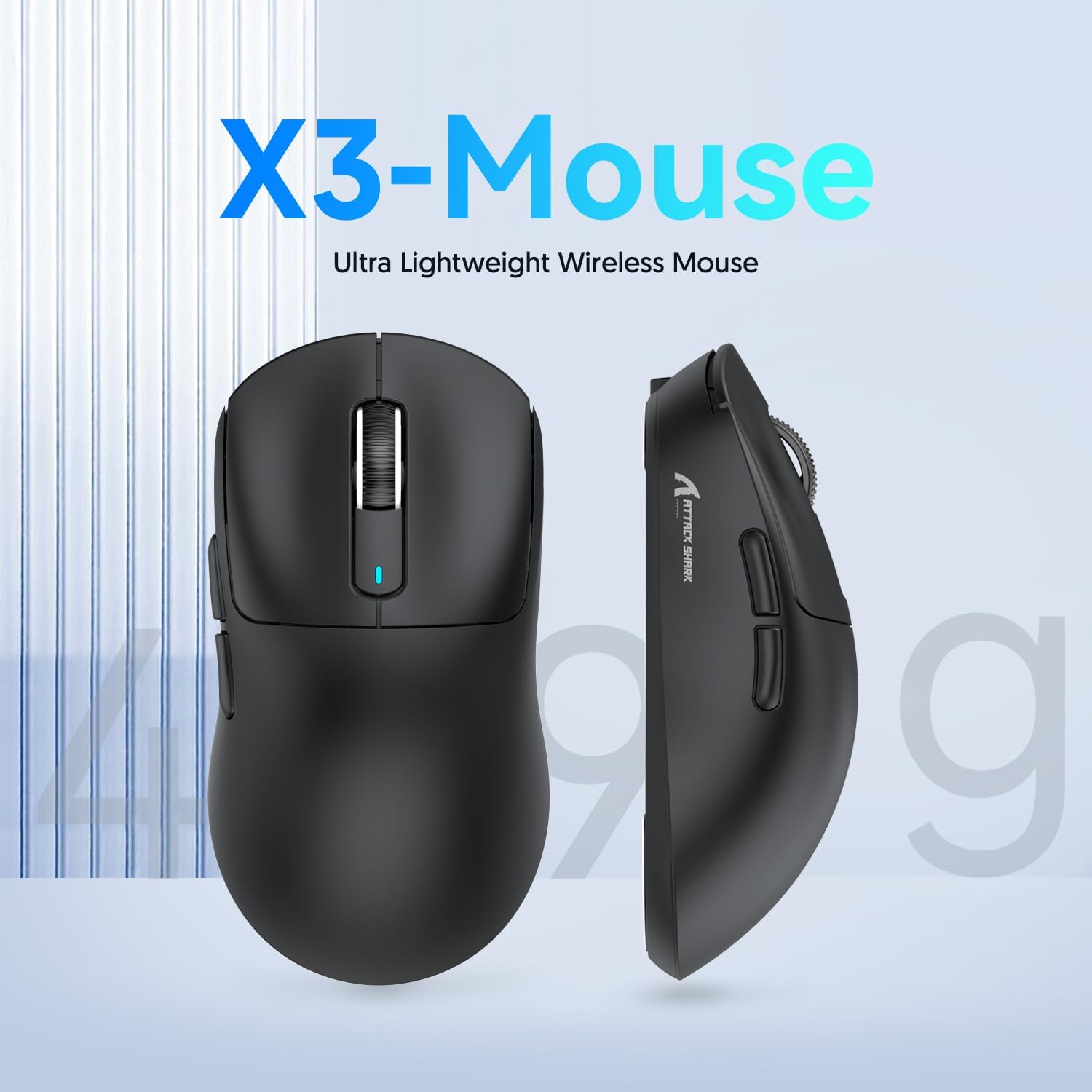
Figure 2: X3-Mouse Ultra Lightweight Design
2. Klíčové vlastnosti
- Ultralehký design: Weighing approximately 49g, designed for comfortable and agile movement.
- Snímač PixArt PAW3395: Flagship gaming sensor offering up to 26000 DPI for precise tracking.
- Třírežimové připojení: Supports wired (Type-C), 2.4G wireless, and Bluetooth (BT5.2) connections.
- Dlouhá výdrž baterie: Až 200 hodin nepřetržitého používání na jedno nabití.
- Odolné spínače: Equipped with Kailh GM8.0 switches, rated for 80 million clicks.
- Přizpůsobitelné DPI: 6 adjustable DPI levels.
- Macro Drivers: Software support for macro customization and button remapping.
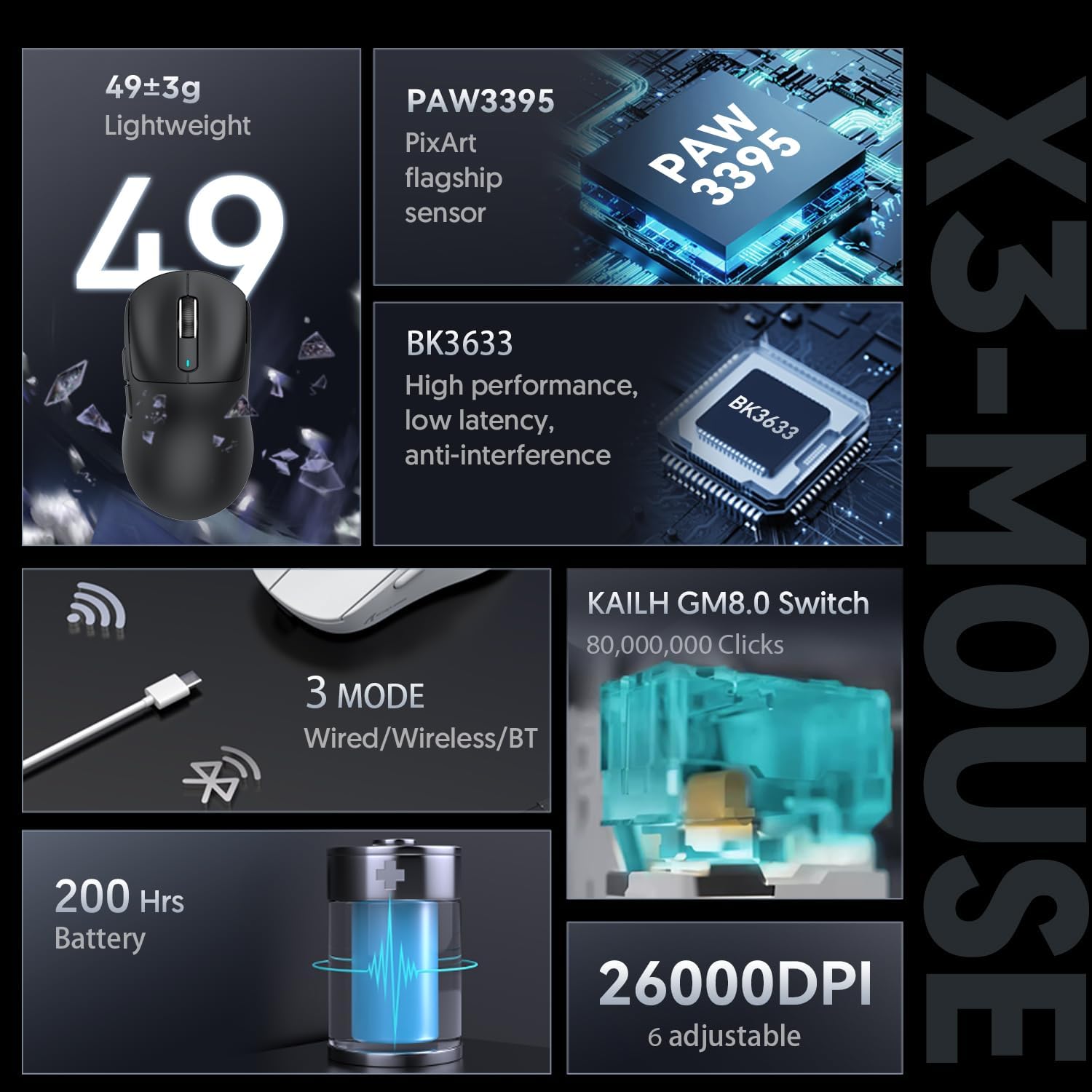
Figure 3: X3-Mouse Feature Overview

Figure 4: PixArt PAW3395 Flagship Sensor Details
3. Nastavení
3.1 Obsah balení
- ATTACK SHARK X3 Wireless Gaming Mouse
- Kabel USB typu C
- 2.4G USB přijímač
- Uživatelská příručka (tento dokument)
- Optional: Grip Tapes (may vary by package)
3.2 Počáteční nabíjení
Before first use, it is recommended to fully charge the mouse. Connect the provided USB Type-C cable to the mouse's front port and the other end to a USB power source (e.g., computer USB port, USB wall adapter). The DPI indicator light will show charging status.
3.3 Připojení myši
The X3 mouse supports three connection modes: Wired, 2.4G Wireless, and Bluetooth.
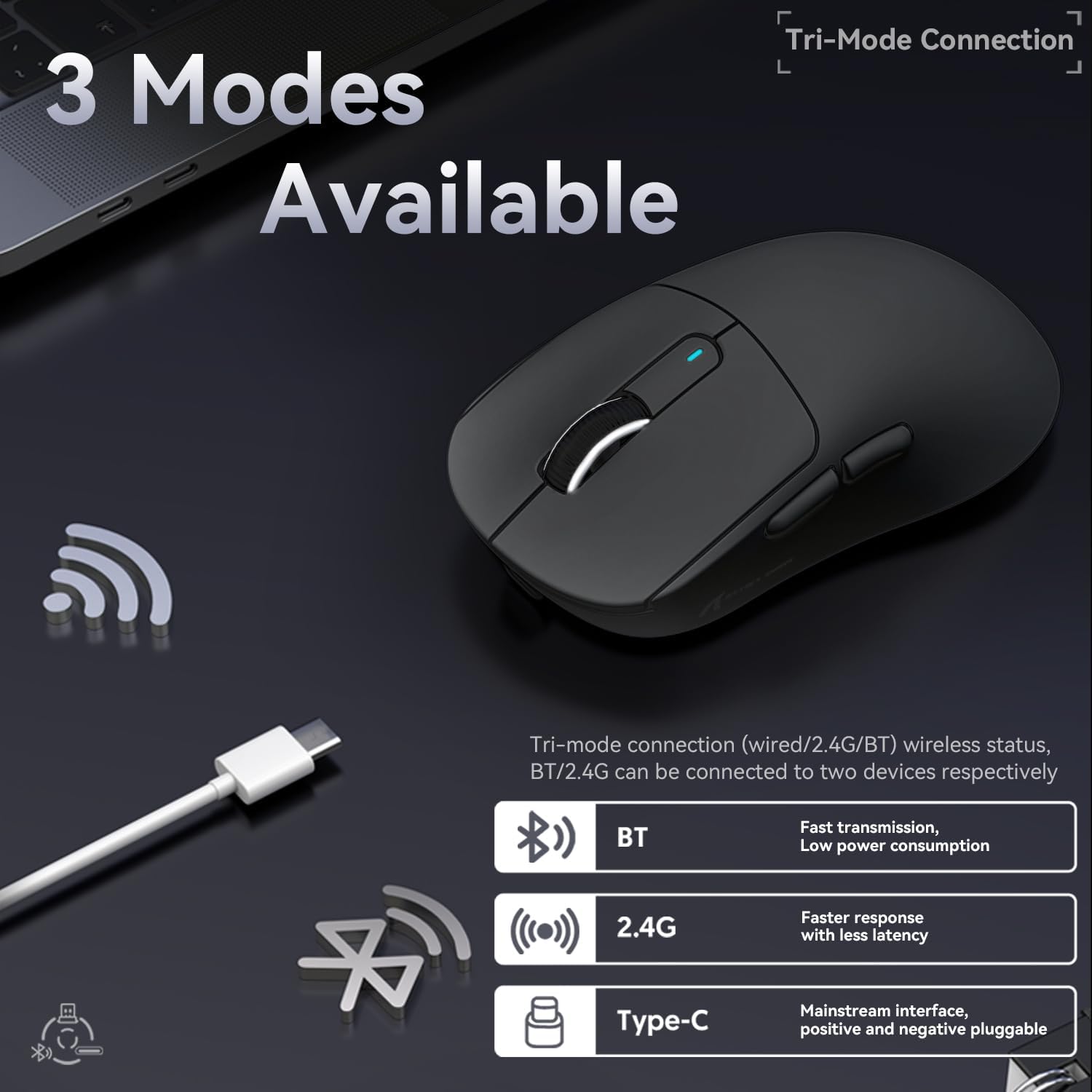
Obrázek 5: Možnosti třírežimového připojení
- Kabelový režim:
Connect the USB Type-C cable directly from the mouse to your computer. The mouse will automatically switch to wired mode and begin charging.
- 2.4G bezdrátový režim:
Locate the 2.4G USB receiver stored in the magnetic compartment on the bottom of the mouse. Plug the receiver into an available USB port on your computer. Slide the switch on the bottom of the mouse to the "2.4G" position. The mouse should connect automatically. If not, press and hold the mode switching key on the bottom for 3 seconds to initiate pairing.

Figure 6: Mouse Bottom Layout with Switch and Receiver Slot
- Režim Bluetooth:
Slide the switch on the bottom of the mouse to the "BT" position. On your computer or device, open Bluetooth settings and search for new devices. Select "ATTACK SHARK X3" from the list to pair. If pairing fails, press and hold the mode switching key on the bottom for 3 seconds to enter pairing mode.
4. Návod k obsluze
4.1 Nastavení DPI
The mouse features a dedicated DPI switch button on the bottom (or top, depending on model variant) to cycle through preset DPI levels. The DPI indicator light will change color to indicate the current DPI setting. You can customize these levels using the official software.
4.2 Macro Customization
For advanced customization, download the official ATTACK SHARK software from the manufacturer's webwebu. Tento software vám umožňuje:
- Remap mouse buttons.
- Create and assign macros for complex actions.
- Adjust DPI levels and polling rate.
- Sledujte stav baterie.
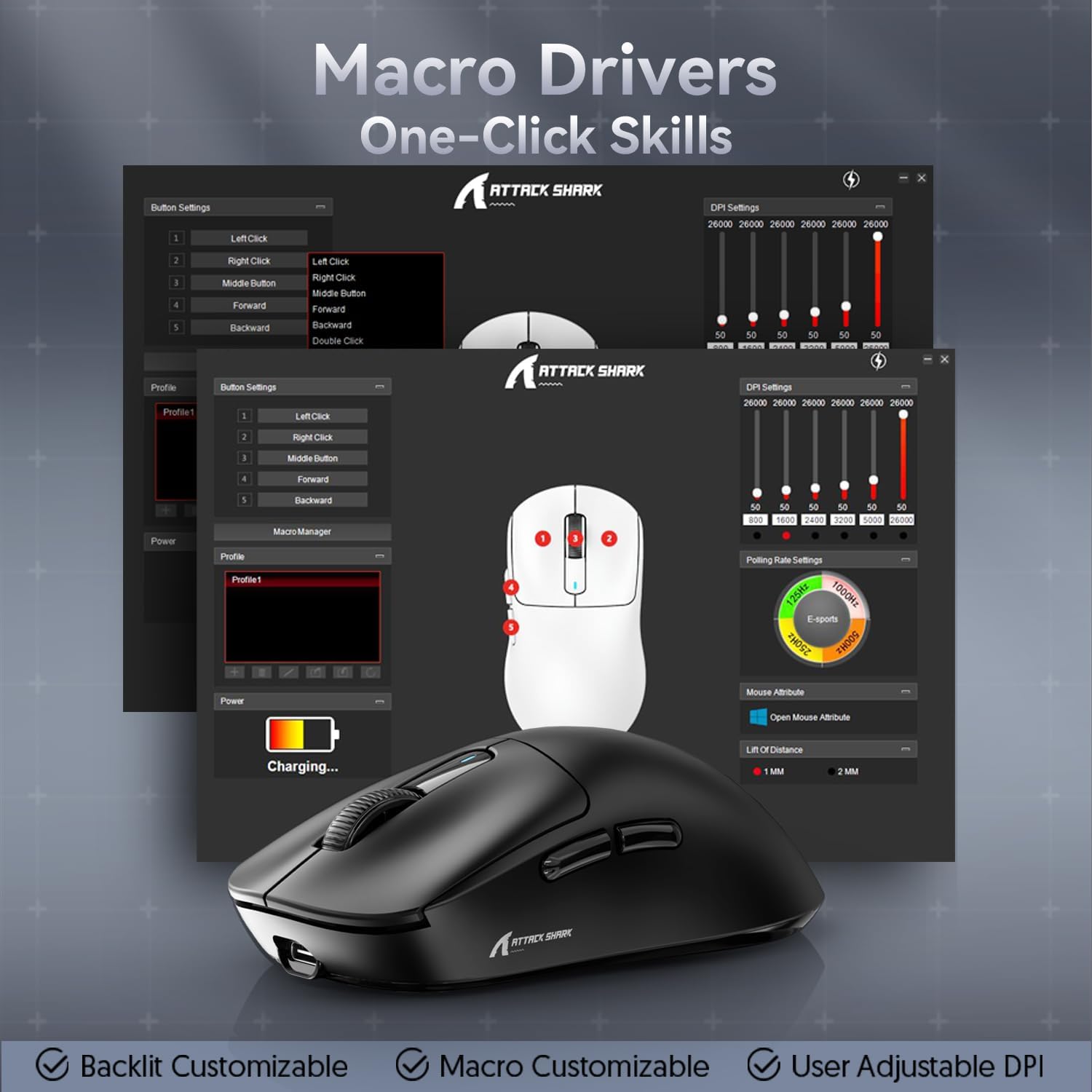
Figure 7: Macro Drivers and Software Interface
5. Správa baterií
The ATTACK SHARK X3 mouse is equipped with a high-capacity lithium battery providing up to 200 hours of usage. To preserve battery life:
- Turn off the mouse using the switch on the bottom when not in use for extended periods.
- Myš nabijte, když indikátor baterie ukazuje nízký stav nabití.
- Nevystavujte myš extrémním teplotám.
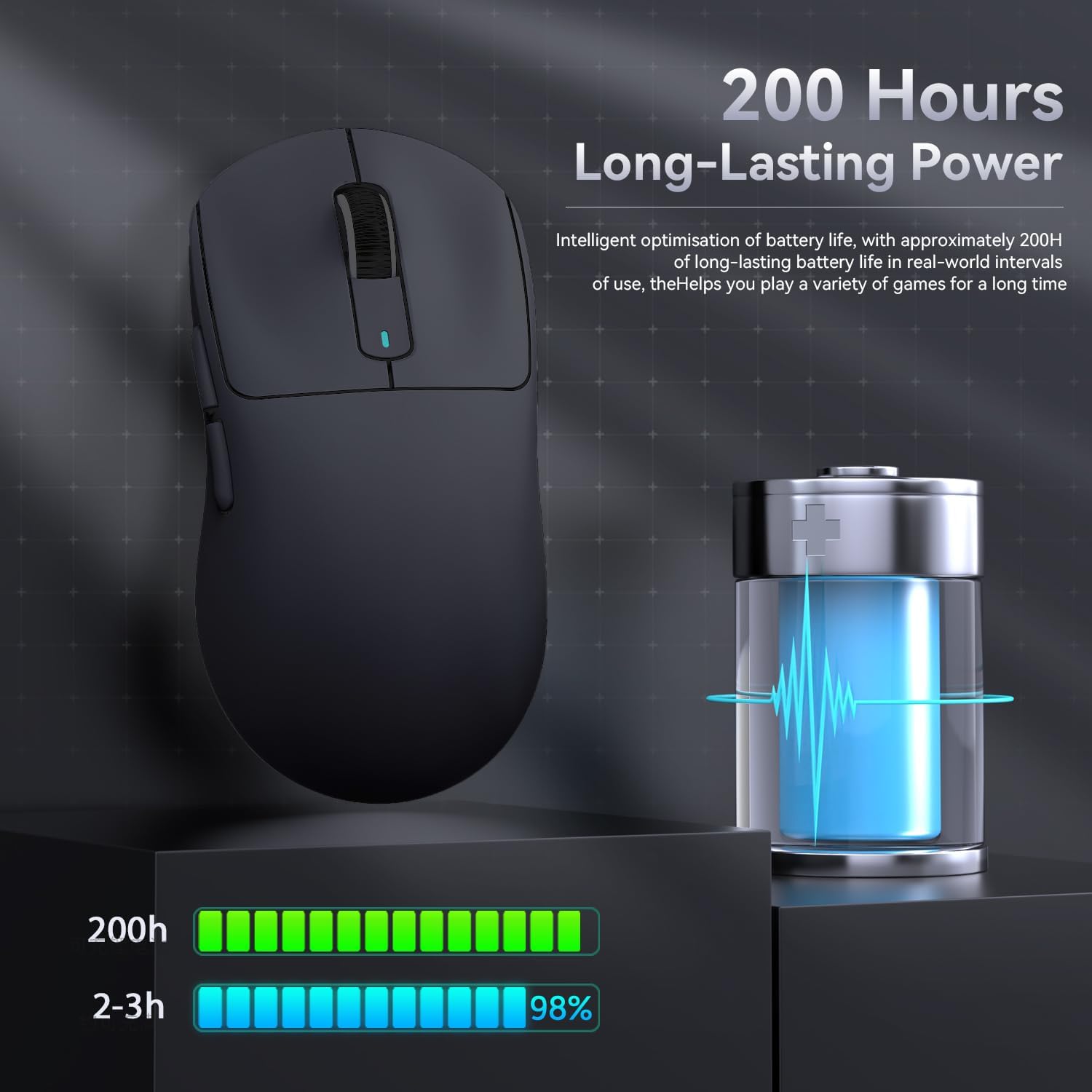
Obrázek 8: Indikace životnosti baterie
6. Údržba
- Čištění: K čištění myši používejte měkký, suchý hadřík. Nepoužívejte agresivní chemikálie ani abrazivní materiály.
- Skladování: Myš skladujte na chladném a suchém místě mimo dosah přímého slunečního záření a extrémních teplot.
- Péče o senzor: Pro optimální sledování udržujte optický senzor na spodní straně myši čistý a bez prachu a nečistot.
7. Řešení problémů
| Problém | Možná příčina | Řešení |
|---|---|---|
| Myš neodpovídá | Slabá baterie; Nesprávný režim připojení; USB přijímač není připojen (2.4 G); Bluetooth není spárován. | Charge the mouse; Ensure the switch on the bottom is in the correct mode (2.4G/BT); Re-insert USB receiver; Re-pair Bluetooth. |
| Zpoždění nebo přerušované připojení | Rušení; Vzdálenost od přijímače/zařízení; Slabá baterie. | Move closer to the receiver/device; Ensure no strong interference sources nearby; Charge the mouse. |
| DPI se nemění | DPI button malfunction; Software conflict. | Ensure the DPI button is pressed correctly; Restart the mouse and computer; Reinstall mouse software. |
| Software nerozpoznává myš | Driver issue; Connection problem. | Ensure mouse is connected via wired or 2.4G mode (Bluetooth might not be supported by all software features); Reinstall drivers/software. |
8. Specifikace
| Funkce | Detail |
|---|---|
| Model | X3 |
| Senzor | PixArt PAW3395 |
| DPI | Až 26000 (nastavitelné) |
| Rychlost sledování | 650 IPS |
| Akcelerace | 50G |
| Míra hlasování | 1000Hz (Adjustable via software) |
| Konektivita | Kabelové (typu C), bezdrátové 2.4G, Bluetooth 5.2 |
| Spínače | Kailh GM8.0 (80 Million Clicks) |
| Životnost baterie | Přibl. 200 hodin |
| Hmotnost | Přibl. 49 g |
| Rozměry | 118.5 mm x 61 mm x 39.7 mm (přibližně) |
| Kompatibilní OS | Windows 11, Xbox, PS, Mac (functionality may vary) |

Figure 9: ATTACK SHARK X3 Super Light Mouse Overview

Figure 10: X3MAX Exploded Diagram (Illustrative of X3 series internal components)
9. Oficiální video produktu
Video 1: ATTACK SHARK X3 Mouse Product Overview. This video provides a visual demonstration of the mouse's features, unboxing, and usage scenarios.
10. Záruka a podpora
For warranty information, technical support, or to download the latest software and drivers, please visit the official ATTACK SHARK webnebo se obraťte na jejich zákaznický servis. Uschovejte si doklad o koupi pro případ reklamace.
Oficiální prodejna značky: ATTACK SHARK Store