
Zavedení
This manual provides detailed instructions for the setup, operation, maintenance, and troubleshooting of your MageGee Star98 Wired Mechanical Gaming Keyboard. This keyboard features a 98-key layout, Red mechanical switches, and customizable backlighting, designed for an enhanced typing and gaming experience.
Co je v krabici
- MageGee Star98 Mechanical Keyboard
- USB kabel
- Additional Red Keycaps (quantity may vary)
Pokyny pro nastavení
- Připojení klávesnice: Plug the provided USB cable into the USB port on the keyboard and then into an available USB port on your computer.
- Instalace ovladače: The keyboard is plug-and-play and does not require additional driver installation for basic functionality. Your operating system (Windows, Mac, Linux, Android) will automatically recognize the device.
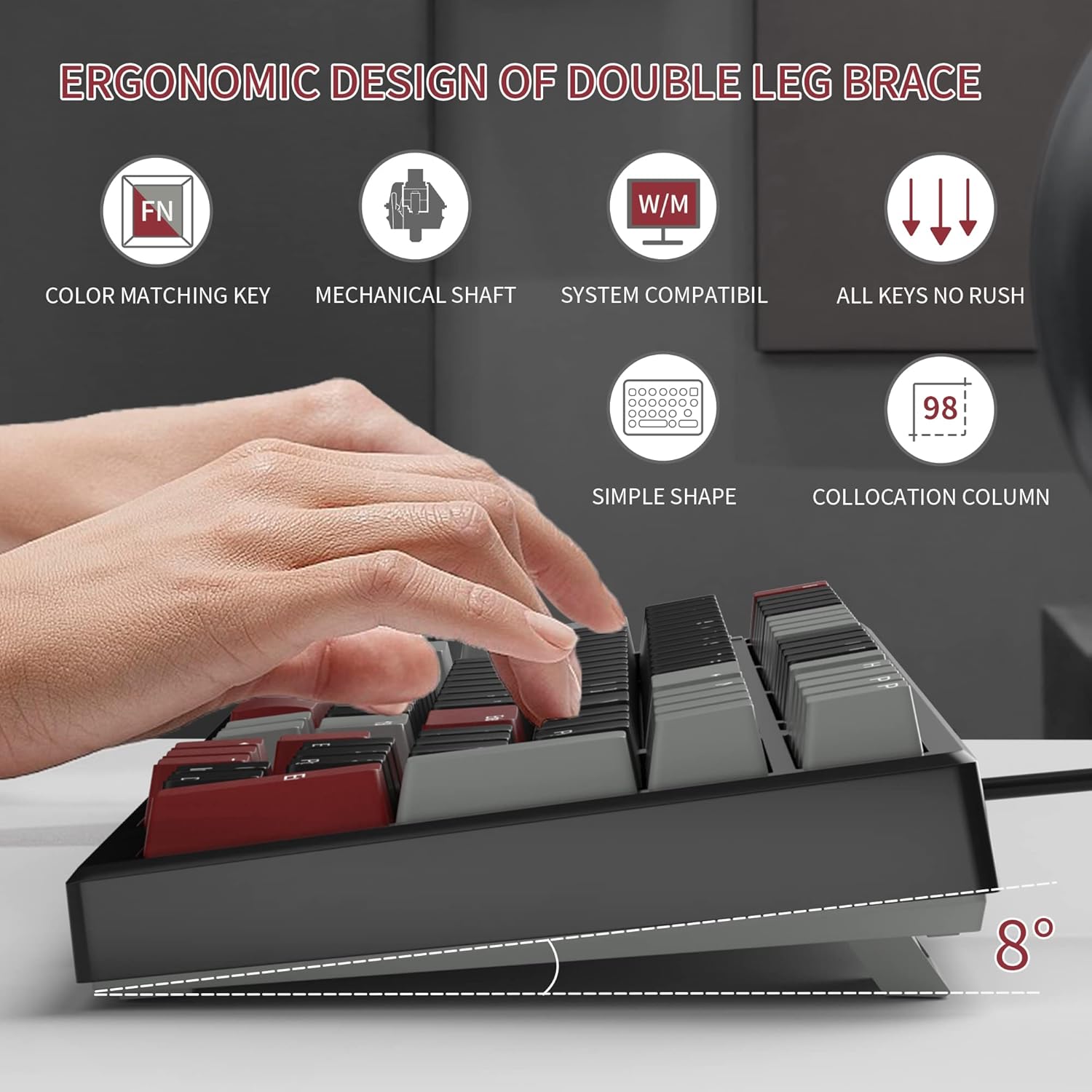
- Adjust Tilt Legs: For ergonomic comfort, you can extend the adjustable tilt legs located on the underside of the keyboard.
Návod k obsluze
Klíčové vlastnosti
- Rozložení 98 kláves: This compact layout retains most standard keyboard functionality while saving desk space.
- Červené mechanické spínače: Provides a fast response with tactile feedback for typing and gaming.
- Anti-Ghosting: All 98 keys support anti-ghosting for simultaneous key presses.
- Design s možností výměny za provozu: Compatible with most 3-pin and 5-pin mechanical switches, allowing for customization.
- Podsvícení: Features solid sea blue backlighting with multiple operational modes.
- Zámek klávesy WIN: Function to prevent accidental presses of the Windows key during gaming.
Režimy podsvícení
The keyboard's backlight has multiple operational modes. Refer to the keyboard's function key combinations (usually Fn + specific keys) for cycling through modes or turning the backlight off. Specific key combinations are typically printed on the keycaps or detailed in a quick start guide.
Přepínače vyměnitelné za provozu
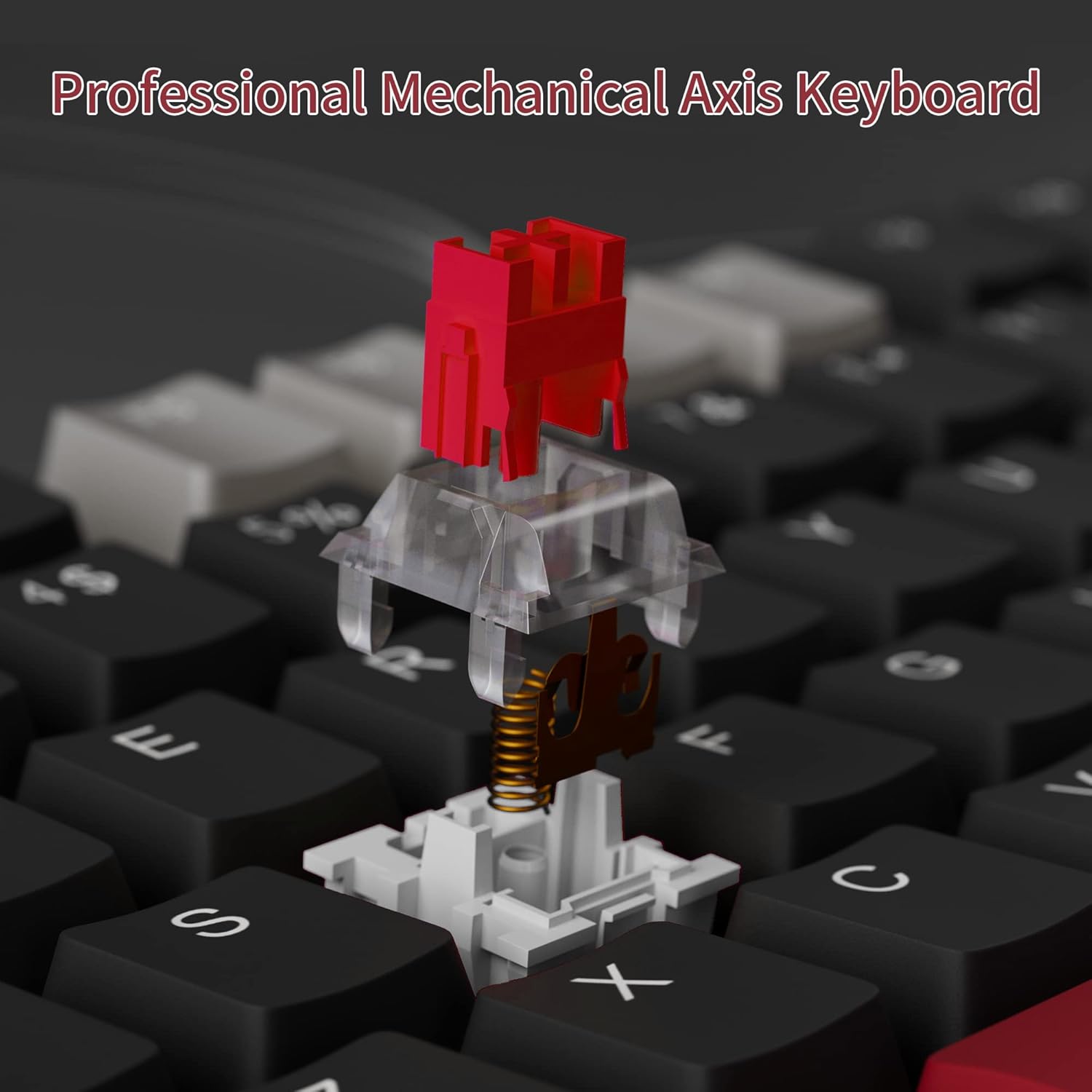
The MageGee Star98 keyboard features a hot-swappable design, allowing users to change mechanical switches without soldering. This feature supports most 3-pin and 5-pin switches available on the market.
- Odstranění krytky kláves: Pomocí stahováku na klávesy jemně odstraňte požadovanou klávesu.
- Odstraňte přepínač: Use a switch puller to carefully extract the mechanical switch from its socket.
- Vložit nový přepínač: Zarovnejte piny nového spínače s otvory na desce plošných spojů a pevně zatlačte, dokud nezacvakne. Ujistěte se, že piny nejsou ohnuté.
- Výměna krytky kláves: Nasaďte krytku kláves zpět na nový dřík spínače.


Údržba
- Čištění kláves: Použijte měkký, damp cloth to wipe down keycaps. For deeper cleaning, keycaps can be removed using a keycap puller and washed with mild soap and water, then thoroughly dried before reattaching.
- Čištění prostoru pod klávesami: Use compressed air to remove dust and debris from between the switches and under the keycaps.
- Péče o kabely: Abyste předešli poškození, vyhněte se ostrým ohybům nebo nadměrnému tahání za kabel USB.
Odstraňování problémů
- Klávesnice nereaguje:
- Ujistěte se, že je kabel USB bezpečně připojen k klávesnici i k počítači.
- Zkuste zapojit klávesnici do jiného USB portu na počítači.
- Otestujte klávesnici na jiném počítači, abyste vyloučili problémy specifické pro systém.
- Klávesy se neregistrují nebo se píší dvakrát:
- Remove the keycap and switch for the affected key. Inspect for any debris or bent pins on the switch.
- If the switch is damaged, replace it with a new one (utilizing the hot-swappable feature).
- Ujistěte se, že je spínač zcela zasunut do své zásuvky.
- Backlight not working or incorrect mode:
- Refer to the keyboard's function key combinations to cycle through backlight modes or turn it on/off.
- Ujistěte se, že klávesnice je z portu USB dostatečně napájena.
Specifikace
| Funkce | Detail |
|---|---|
| Značka | MageGee |
| Model | Hvězda 98 |
| Technologie připojení | Kabelové (USB) |
| Popis klávesnice | Mechanické |
| Typ přepínače | Červené přepínače |
| Počet klíčů | 98 kláves |
| Podsvícení | Solid Sea Blue (Single Color) |
| Kompatibilita | Win2000, Win XP, Win ME, Vista, Win7, Win8, Win10, Android, Linux, Mac |
| Materiál | Akrylonitrilbutadienstyren (ABS) |
| Hmotnost položky | 2.16 libry |
| Rozměry balení | 16.14 x 6.97 x 1.77 palce |
Záruka a podpora
For warranty information and customer support, please refer to the official MageGee webnebo se obraťte přímo na jejich zákaznický servis. Podrobnosti jsou obvykle uvedeny na obalu produktu nebo na etiketě výrobce. webmísto.