
1. Úvod a konecview
This manual provides instructions for the safe and efficient use of your CJP-Geek AC-DC Adapter, model CJP-Geek-PSA-20221025-CA227. This adapter is specifically designed to power and charge the RP-PB054 RAVPower 20100mAh Portable Powerstation.
Key features of this adapter include a wide input voltage range of 100-240V AC, ensuring compatibility with various power outlets worldwide. It is designed for portability and includes multiple safety protections to ensure reliable operation.

Image 1: The CJP-Geek AC-DC Adapter, showing the main power brick, detachable AC input cable, and DC output cable with connector.
2. Obsah balení
Ověřte, zda váš balíček obsahuje následující položky:
- 1 x AC / DC Power Supply Charger (CJP-Geek AC-DC Adapter)
3. Pokyny k nastavení
- Ověřte kompatibilitu: Ensure that the output specifications of this CJP-Geek AC-DC Adapter match the power input requirements of your RP-PB054 RAVPower 20100mAh Portable Powerstation. Refer to your power station's manual for specific input voltage a aktuální požadavky.
- Připojit k zařízení: Insert the DC output plug of the adapter firmly into the charging port of your RP-PB054 RAVPower 20100mAh Portable Powerstation.
- Připojte k elektrické zásuvce: Plug the AC input cable into a standard 100-240V AC wall outlet.
- Potvrzení nabíjení: Observe your power station's charging indicator to confirm that it has begun charging.
4. Návod k obsluze
- The adapter is designed for continuous use when charging compatible devices.
- Always operate the adapter in a well-ventilated area to prevent excessive heat buildup.
- Do not cover the adapter with cloths or other materials during operation, as this can impede heat dissipation.
- Disconnect the adapter from the power outlet and your device when it is not in use for extended periods.
5. Údržba
- Čištění: Keep the adapter clean and free from dust. Use a dry, soft cloth for cleaning. Do not use liquid cleaners or solvents.
- Skladování: Pokud adaptér nepoužíváte, skladujte jej na chladném a suchém místě mimo dosah přímého slunečního záření a vlhkosti.
- Kontrola kabelů: Regularly inspect the power cables for any signs of damage, such as fraying, cuts, or exposed wires. If any damage is observed, discontinue use immediately and replace the adapter.
- Podmínky prostředí: Avoid exposing the adapter to extreme temperatures, high humidity, or corrosive environments.
6. Bezpečnostní informace
Důležité bezpečnostní upozornění: Before connecting, always double-check that the adapter's output specifications (voltage and current) are compatible with your device's input requirements. Using an incompatible adapter can damage your device or the adapter itself.
This CJP-Geek AC-DC Adapter is CE certified and incorporates multiple protection features to ensure safe operation:
- Ochrana proti zkratu: Zabraňuje poškození způsobenému elektrickými zkraty.
- Nadproudová ochrana: Ochranné prvky proti nadměrnému toku proudu.
- Over-Voltage ochrana: Chrání před volným prouděnímtage přepětí.
- Ochrana proti přetížení: Zabraňuje poškození způsobenému příliš velkým odběrem energie.
- Ochrana proti přebití: Helps prevent overcharging of connected devices.
- Ochrana proti teplotě: Sleduje a reguluje vnitřní teplotu.
Obecná bezpečnostní opatření:
- Adaptér nerozebírejte ani neupravujte.
- Udržujte adaptér mimo dosah dětí.
- Pouze k použití v interiéru. Nevystavujte dešti ani vlhkosti.
- Do not use the adapter if it has been dropped or damaged.
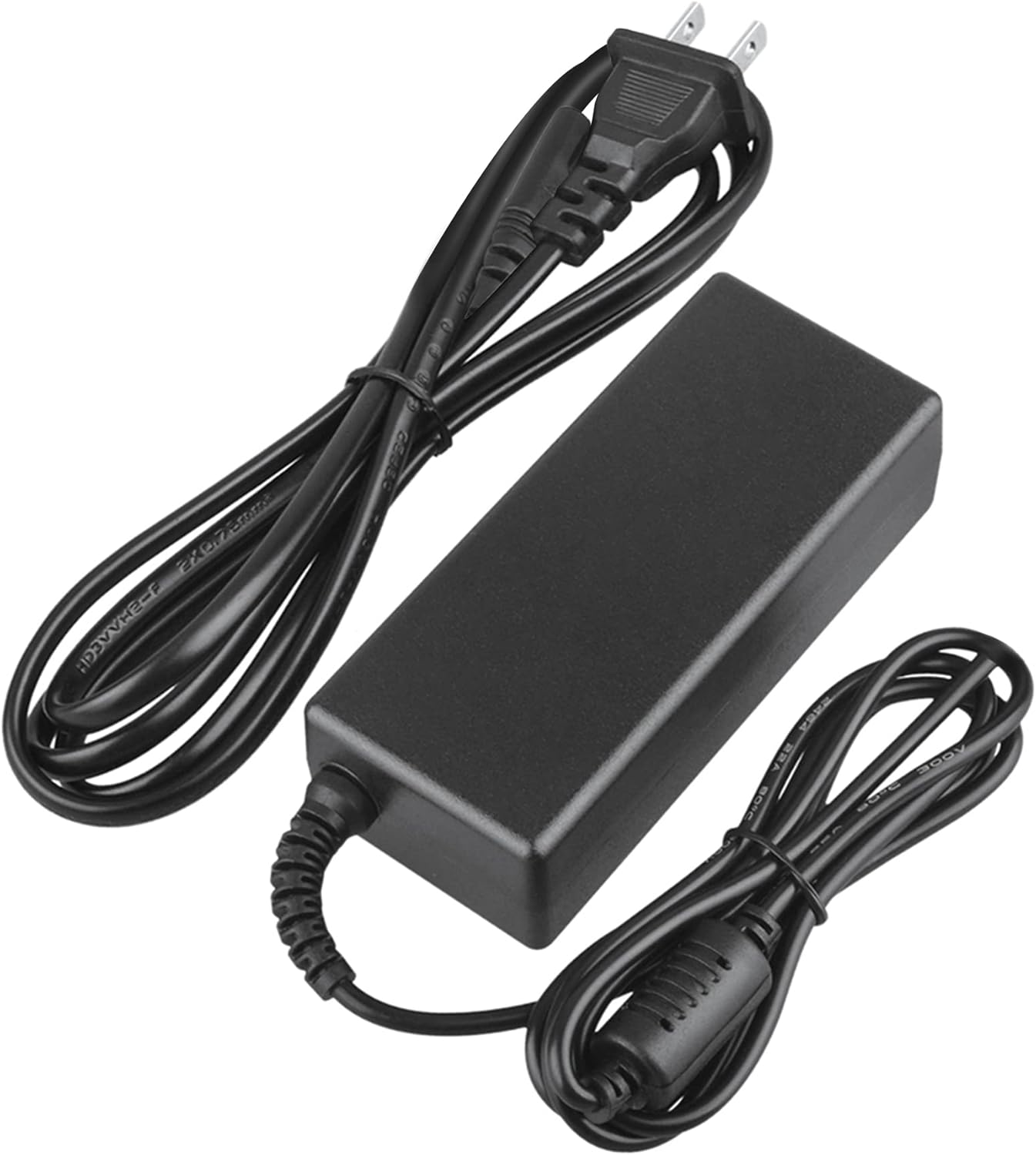
Image 2: Visual representation of the safety features, including overload, over voltage, over charge, over current, short circuit, and temperature protection.
7. Řešení problémů
- Zařízení se nenabíjí:
- Ujistěte se, že je adaptér bezpečně zapojený do zásuvky i do zařízení.
- Zkontrolujte, zda je zásuvka funkční, zapojením jiného spotřebiče.
- Verify that the adapter's output specifications are correct for your device.
- Inspect the adapter and cables for any visible damage.
- Přehřátí adaptéru:
- Ujistěte se, že adaptér je v dobře větraném prostoru a není zakrytý.
- Disconnect the adapter and allow it to cool down before resuming use.
- Pokud přehřívání přetrvává, přestaňte zařízení používat a kontaktujte zákaznickou podporu.
- Žádný indikátor napájení na zařízení:
- Ověřte, zda jsou všechna připojení bezpečná.
- Vyzkoušejte s jinou zásuvkou.
- If possible, test the device with another compatible power source to rule out a device issue.
8. Specifikace
| Atribut | Specifikace |
|---|---|
| Číslo modelu | CJP-Geek-PSA-20221025-CA227 |
| Vstupní objemtage | 100-240V AC, 50/60Hz |
| Výstup | Refer to device requirements for RP-PB054 RAVPower 20100mAh Portable Powerstation |
| Rozměry produktu (D x Š x V) | 5 x 3 x 8 palce |
| Hmotnost položky | 9 unce |
| Délka AC kabelu | Přibližně 47 palců (1.2 metru) |
| Délka DC kabelu | Přibližně 47 palců (1.2 metru) |
| Total Cable Length (approx.) | 7.87 feet (2.4 meters) including adapter body |

Obrázek 3: Detailní view of the adapter's dimensions and features, including cable lengths and a 'Copper interface' for stable output.
9. Záruka a podpora
Informace o záruce:
- 30denní záruka vrácení peněz
- 60 Days Free Exchange with Paid Return Label
- 2 Years Worry-Free Warranty
Zákaznická podpora:
For any product-related issues or inquiries, please contact CJP-Geek customer service. We are committed to assisting you in resolving any problems you may encounter. If the item is found to be defective within the 2-year warranty period, a replacement will be provided without the need to return the defective unit.