
1. Úvod
Thank you for choosing the Zamkol ZH300 Pro Bluetooth Kids Headphones. These headphones are designed to provide a safe and enjoyable audio experience for children, featuring volume limiting technology, wireless connectivity, and a comfortable, foldable design. This manual provides detailed instructions for setup, operation, and maintenance to ensure optimal performance and longevity of your device.

Obrázek 1.1: Přední strana view of the Zamkol ZH300 Pro Bluetooth Kids Headphones.
2. Obsah balení
Po vybalení zkontrolujte obsah balení. Pokud některé položky chybí nebo jsou poškozené, kontaktujte zákaznickou podporu.
- Zamkol ZH300 Pro Bluetooth Kids Headphones
- Nabíjecí kabel USB-C
- 3.5mm audio kabel
- Uživatelská příručka (tento dokument)
3. Vlastnosti produktu
- Čistý stereo zvuk: Provides a vivid and three-dimensional listening environment.
- Omezení hlasitosti: Adjustable 85dB or 94dB volume limit for hearing protection.
- Bluetooth 5.0: Stable and low-power wireless connectivity.
- Vestavěný mikrofon: For calls and online learning.
- Prodloužená hrací doba: Up to 50 hours of playtime on a single charge via Bluetooth.
- Barevná LED světla: Integrated lights that can dance to music.
- Pohodlný design: Over-ear design with soft, memory-protein ear-pads.
- Skládací a přenosný: Compact design for easy storage and travel.
- Kabelová možnost: 3.5mm audio cable for use when battery is depleted or with non-Bluetooth devices.

Image 3.1: Illustration of the comfortable and durable design features of the headphones.
4. Nastavení
4.1 Nabíjení sluchátek
Before first use, fully charge the headphones. A full charge provides up to 50 hours of playtime.
- Locate the USB-C charging port on the headphone ear cup.
- Připojte dodaný nabíjecí kabel USB-C k portu.
- Connect the other end of the USB-C cable to a USB power source (e.g., computer USB port, wall adapter).
- The LED indicator will show charging status (e.g., red for charging, off or blue for fully charged).
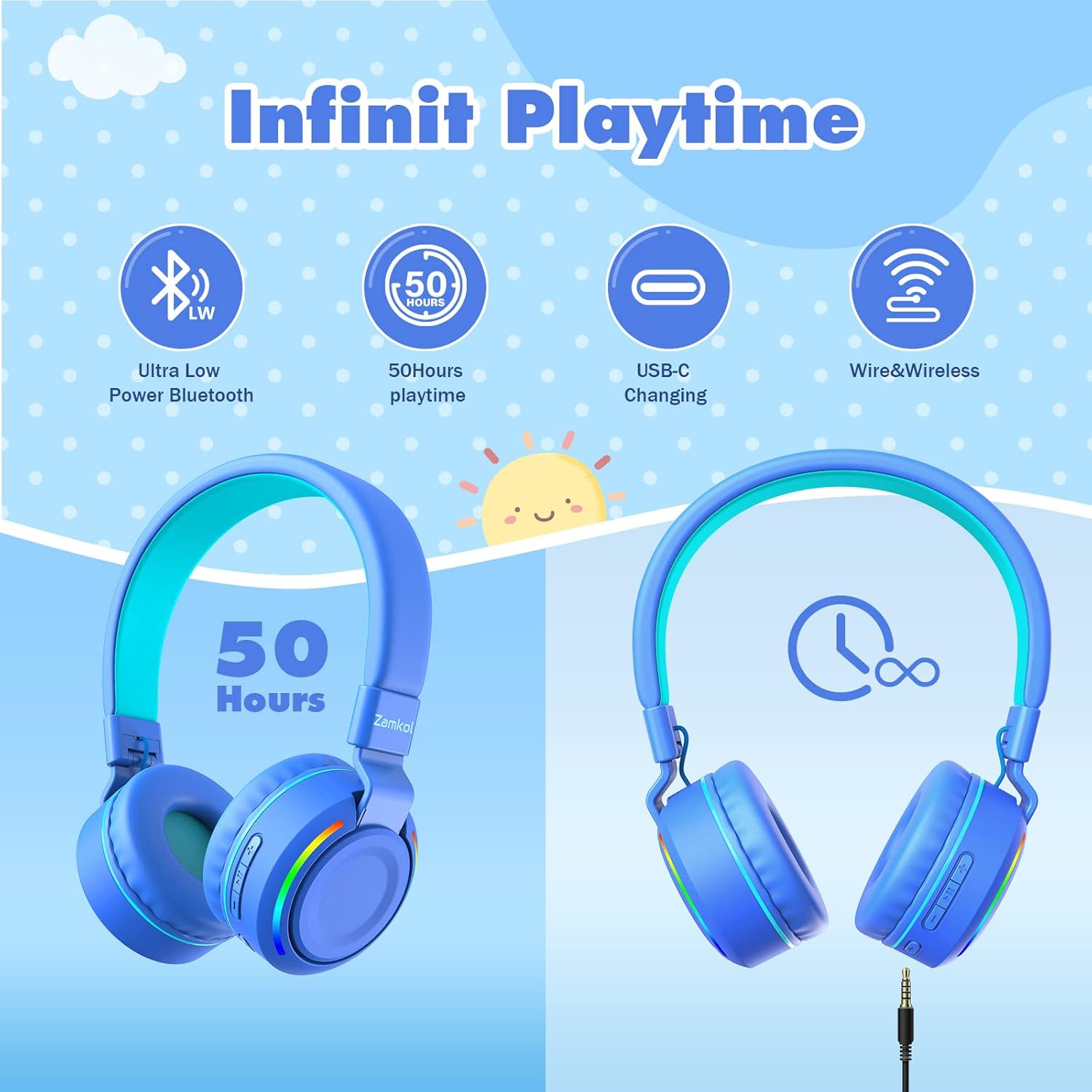
Image 4.1: Visual representation of the 50-hour playtime and USB-C charging capability.
4.2 Párování Bluetooth
To connect the headphones wirelessly to a device:
- Ujistěte se, že jsou sluchátka nabitá a vypnutá.
- Stiskněte a podržte tlačítko napájení na sluchátkách, dokud LED indikátor nezačne blikat modře a červeně, což signalizuje režim párování.
- Na svém zařízení (chytrý telefon, tablet, počítač) přejděte do nastavení Bluetooth a povolte Bluetooth.
- Hledat available devices and select "Zamkol ZH300 Pro" (or similar name) from the list.
- Po připojení bude LED indikátor na sluchátkách obvykle svítit nepřerušovaně modře nebo pomalu blikat.

Image 4.2: Depiction of Bluetooth 5.0 connectivity for stable wireless use.
4.3 Kabelové připojení
The headphones can also be used with a 3.5mm audio cable, which is useful when the battery is low or for devices without Bluetooth.
- Plug one end of the 3.5mm audio cable into the audio jack on the headphone ear cup.
- Druhý konec zapojte do 3.5mm audio výstupu vašeho zařízení.
- Sluchátka se automaticky přepnou do kabelového režimu. Funkce Bluetooth budou deaktivovány.
5. Návod k obsluze
5.1 Zapnutí/vypnutí
- Zapnutí: Stiskněte a podržte tlačítko napájení přibližně 3 sekundy, dokud se nerozsvítí LED indikátor.
- Vypnout: Stiskněte a podržte tlačítko napájení přibližně 3–5 sekund, dokud nezhasne LED indikátor.
5.2 Ovládání hlasitosti
- Zvýšit hlasitost: Stiskněte tlačítko „+“.
- Snížit hlasitost: Stiskněte tlačítko „-“.
5.3 Ovládání přehrávání
- Přehrát/pozastavit: Stiskněte jednou tlačítko Napájení.
- Další skladba: Stiskněte a podržte tlačítko „+“.
- Předchozí skladba: Stiskněte a podržte tlačítko „-“.
5.4 Funkce volání
Při připojení přes Bluetooth umožňuje vestavěný mikrofon handsfree hovory.
- Přijmout/ukončit hovor: Stiskněte jednou tlačítko Napájení.
- Odmítnout hovor: Stiskněte a podržte tlačítko Napájení po dobu 2 sekund.

Image 5.1: Highlighting the HD microphone and stereo sound for online communication.
5.5 Ovládání LED světel
The headphones feature colorful LED lights.
- Turn On/Off LED Lights: Locate the dedicated LED light button (often marked with a light bulb icon) on the ear cup and press it once to toggle the lights.

Image 5.2: Demonstrating how to activate the colorful LED lights on the headphones.
5.6 Volume Limit Switch (85dB/94dB)
To protect children's hearing, the headphones offer two volume limit settings.
- Switch Volume Limit: Press and hold the volume limit button (often integrated with other controls or a small dedicated button) for approximately 10 seconds to toggle between the 85dB and 94dB limits. A sound prompt may indicate the change.
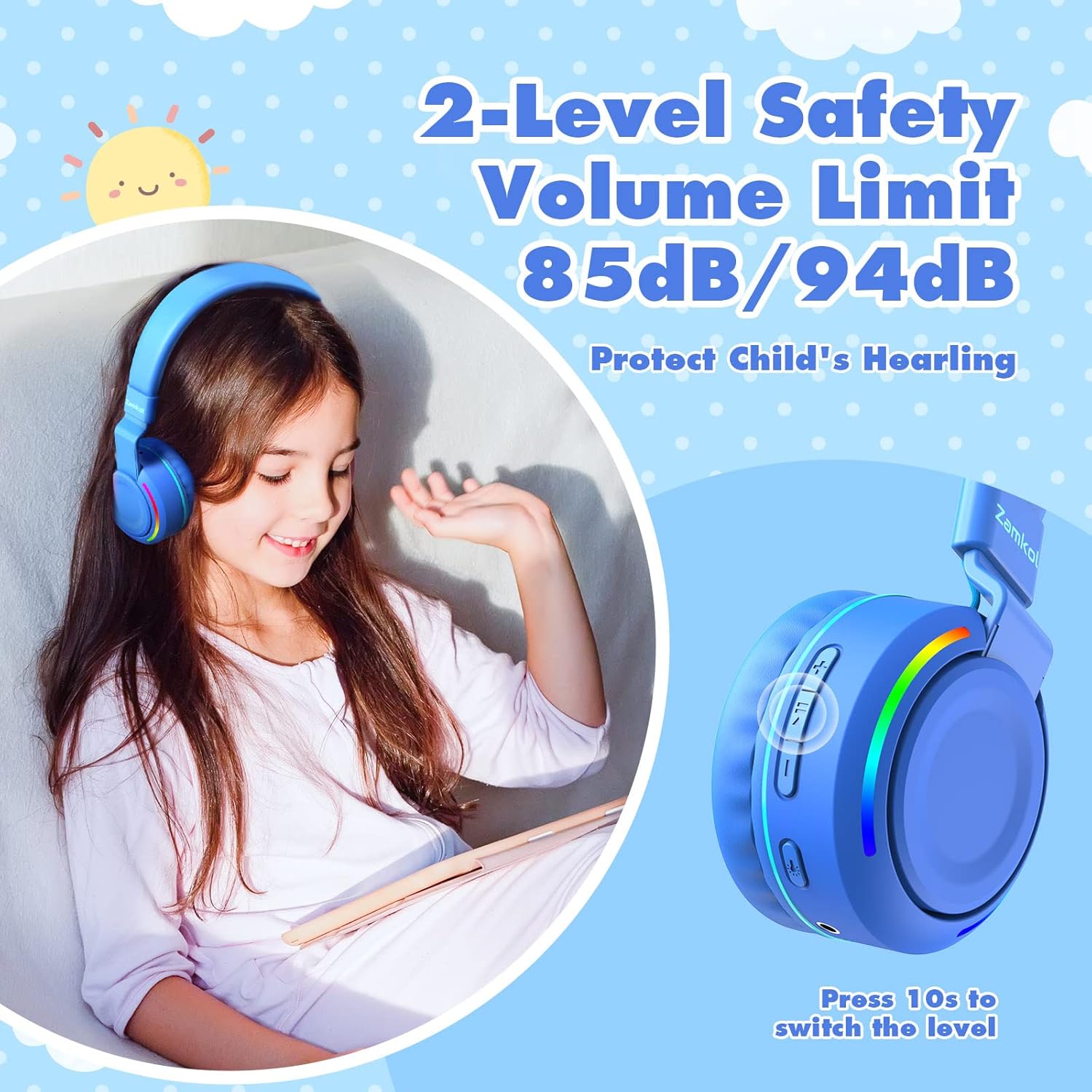
Image 5.3: Highlighting the 2-level safety volume limit feature and how to switch between 85dB and 94dB.
6. Údržba
6.1 Čištění
- Use a soft, dry cloth to wipe the headphones.
- Nepoužívejte tekuté čisticí prostředky ani abrazivní materiály.
- Udržujte nabíjecí port a audio jack bez prachu a nečistot.
6.2 Skladování
- Sluchátka skladujte na chladném a suchém místě mimo dosah přímého slunečního záření a extrémních teplot.
- Využijte skládací design pro kompaktní skladování, když se nepoužívá.

Image 6.1: The foldable design makes the headphones portable and easy to store.
7. Řešení problémů
Pokud se se sluchátky setkáte s problémy, podívejte se na následující běžné problémy a jejich řešení:
- Sluchátka se nezapínají:
Ujistěte se, že jsou sluchátka plně nabitá. Připojte je ke zdroji napájení pomocí kabelu USB-C. - Nelze spárovat přes Bluetooth:
Make sure the headphones are in pairing mode (flashing blue and red LED). Ensure Bluetooth is enabled on your device and it is within range (up to 33 feet). Try turning Bluetooth off and on again on your device. - V režimu Bluetooth žádný zvuk:
Check the volume levels on both the headphones and your connected device. Ensure the headphones are properly paired. Try disconnecting and re-pairing the headphones. - V kabelovém režimu žádný zvuk:
Ensure the 3.5mm audio cable is securely plugged into both the headphones and the audio source. Test with a different audio cable if available. - LED světla nefungují:
Press the dedicated LED light button to toggle them on/off. Ensure the headphones have sufficient battery charge.
8. Specifikace
| Název modelu | ZH300 Pro |
| Technologie připojení | Bluetooth 5.0, 3.5mm audio konektor |
| Form Factor | Na uchu |
| Limit hlasitosti | 85dB / 94dB (switchable) |
| Prázdno | Up to 50 hours (Bluetooth mode) |
| Mikrofon | Vestavěný HD mikrofon |
| Zahrnuté komponenty | Sluchátka, nabíjecí kabel USB-C, 3.5mm audio kabel |
| Materiál | Plastic, Memory-protein ear-pads |
| Barva | Modrý |
| Rozměry balení | 14.2 x 13.8 x 7.6 cm |
| Hmotnost | 260 g |
9. Bezpečnostní informace
- Always use the headphones with the volume limit feature enabled to protect children's hearing.
- Nevystavujte sluchátka extrémním teplotám, vlhkosti ani kapalinám.
- Keep small parts, such as cables, away from young children to prevent choking hazards.
- Do not attempt to disassemble or repair the headphones yourself. Contact customer support for assistance.
- Baterie a elektronické součástky zlikvidujte zodpovědně v souladu s místními předpisy.
10. Záruka a podpora
Zamkol products are designed for reliability and performance. For warranty information, please refer to the documentation included with your purchase or visit the official Zamkol website. For technical support or customer service inquiries, please contact Zamkol customer support through their official channels.