1. Úvod
The JJC Magnetic Smartphone Video Cage Rig is designed to enhance your mobile filmmaking experience. It provides a stable platform for your smartphone, allowing for smooth and steady shooting. This rig is compatible with MagSafe-enabled iPhones (12, 13, 14, 15 series, and newer models) and can be adapted for other smartphones using the included adhesive metal rings. It features multiple mounting points for accessories and supports various shooting orientations.

Obrázek 1: Přesview of the JJC Magnetic Smartphone Video Cage Rig.
2. Obsah balení
Prosím, ověřte, zda jsou v balení přítomny všechny položky:
- Smartphone Stabilizer Rig x 1
- Magnetický držák x 1
- Detachable Wireless Remote Control x 1
- CR2025 Battery x 1 (pre-installed in remote)
- Popruh na zápěstí x 1
- 3M lepicí kovový kroužek x 2
- Průhledná ochranná fólie x 2
- Vlhká čisticí utěrka x 2
- Návod k použití x 1
- Návod k obsluze polohování kovového kroužku x 1
- Výstražná karta x 1
3. Průvodce nastavením
3.1 Připojení smartphonu
The rig features a strong magnetic mount for secure attachment of your smartphone. It is compatible with MagSafe-enabled devices or cases.
- Ensure your smartphone or its case is MagSafe compatible.
- Align your smartphone with the magnetic mount on the rig until it securely snaps into place.
3.2 For Non-MagSafe Phones/Cases
If your smartphone or case is not MagSafe compatible, use the provided 3M adhesive metal rings:
- Clean the back of your phone case (or phone directly if not using a case) with the wet cleaning wipe and allow it to dry completely.
- Apply the clear protective film to the desired area on your phone case.
- Carefully peel the backing from one of the 3M adhesive metal rings.
- Center the metal ring on the back of your phone case, ensuring it does not obstruct cameras or other essential functions. Press firmly for several seconds.
- Wait for at least 24 hours for the adhesive to fully cure before attaching to the magnetic mount.
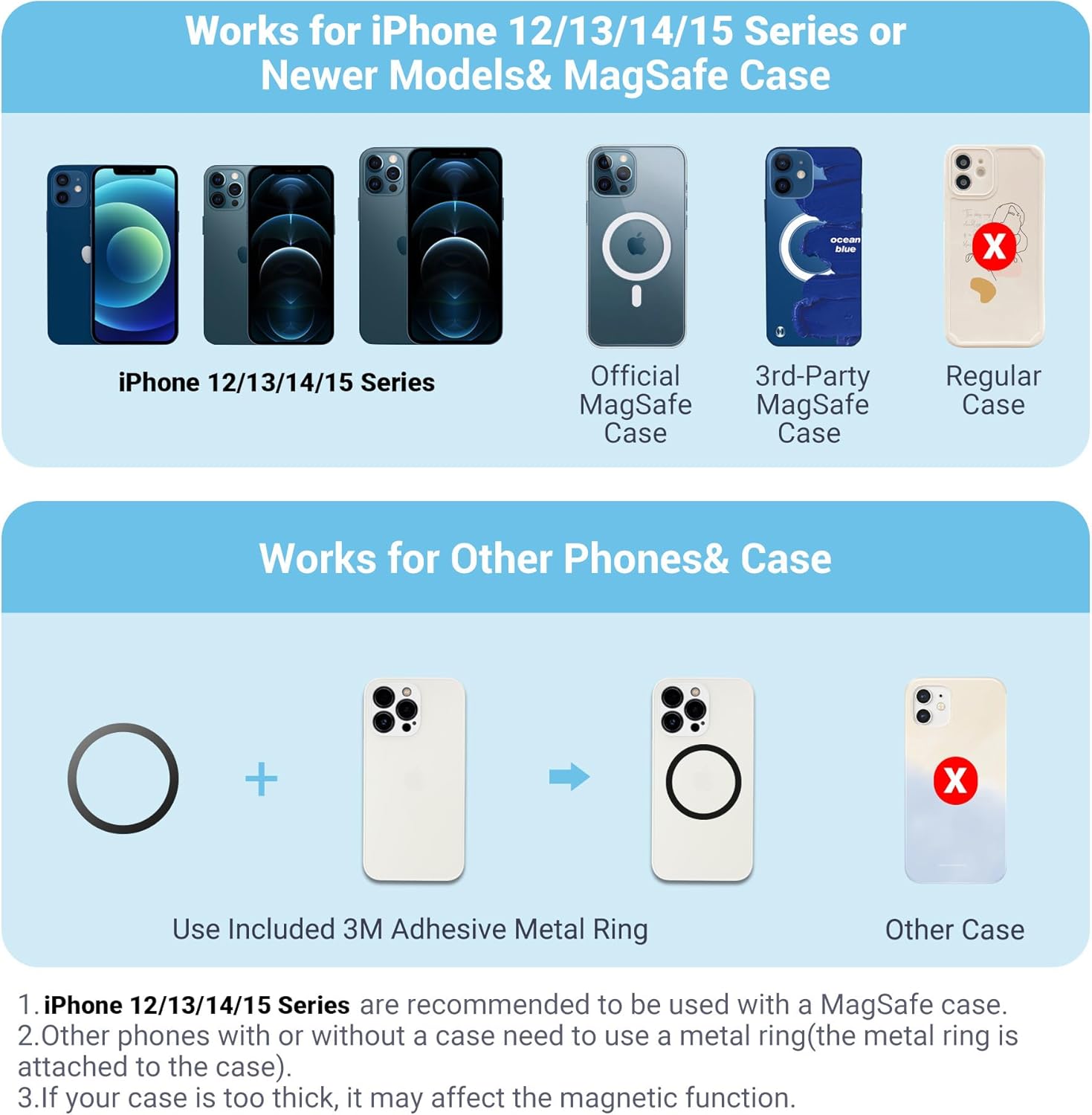
Figure 2: Smartphone compatibility and metal ring application.
3.3 Attaching Handles and Wrist Strap
The rig includes detachable handles for improved grip and stability. A wrist strap can be attached for added security.
- Slide the handles onto the sides of the rig until they click into place. They can be attached for left or right-handed use.
- Attach the wrist strap to one of the designated loops on the handles for secure handling.
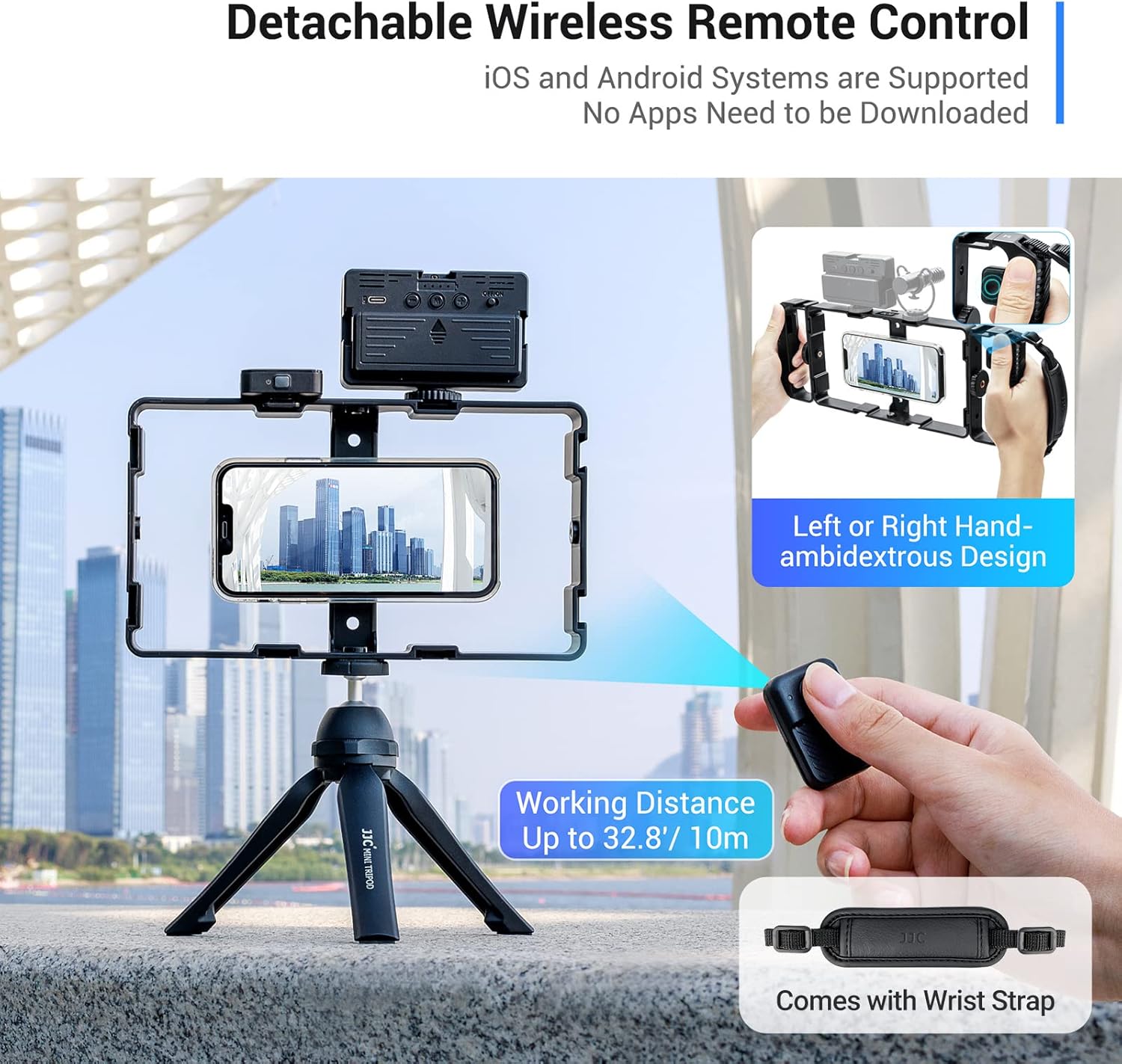
Figure 3: Detachable handles and remote control.
4. Návod k obsluze
4.1 Bezdrátové dálkové ovládání
The detachable wireless remote control allows for convenient photo and video capture without touching your phone.
- Párování: Turn on the remote control. On your smartphone, go to Bluetooth settings and pair with the device named 'JJC Remote'. No app download is required.
- Operace: Once paired, press the button on the remote to trigger your smartphone's camera shutter or start/stop video recording. The remote has a working distance of up to 32.8 feet (10 meters).
- Skladování: The remote can be inserted into the dedicated slots on either handle of the rig when not in use.
4.2 Režimy snímání
The rig supports various shooting orientations to suit your needs:
- Vertikální fotografování: Ideal for social media content and portraits.
- Horizontální snímání: Standard for cinematic video and landscape photography.
- Fotografování z ruky: Use the handles for stable, on-the-go capture.

Figure 4: Various shooting modes supported by the rig.
4.3 Montáž příslušenství
The rig is equipped with multiple cold shoe mounts and 1/4"-20 tripod socket holes for attaching external accessories.
- Držáky pro studené sáně: Six cold shoe mounts are available for attaching microphones, LED lights, and other photographic accessories simultaneously.
- 1/4"-20 Tripod Mounts: Multiple universal 1/4"-20 tripod socket holes on the side and bottom allow for mounting the rig onto tripods, monopods, sliders, and other support equipment. This enables both vertical and horizontal mounting on tripods.

Figure 5: Cold shoe and tripod mounting points.
4.4 Scénáře použití
This rig is ideal for various content creation activities:
- Vlog Shooting
- Živé vysílání
- Mobile Filmmaking
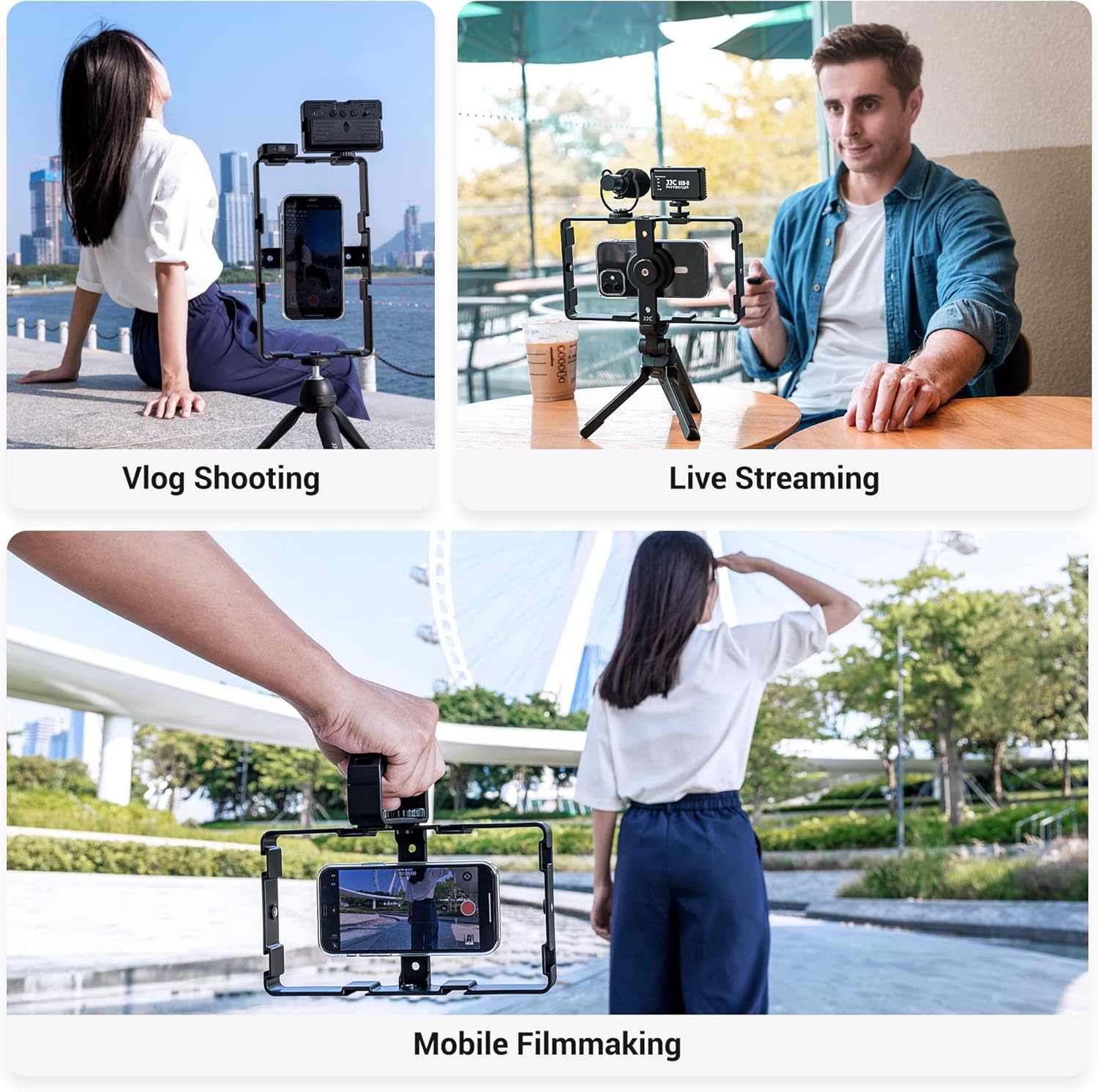
Obrázek 6: Přamples of rig usage for content creation.
4.5 Produktové videoview
Video 1: Official product video demonstrating the features and usage of the JJC Magnetic Smartphone Video Cage Rig.
5. Údržba
To ensure the longevity and optimal performance of your video cage rig, follow these maintenance guidelines:
- Čištění: Wipe the rig with a soft, dry cloth to remove dust and fingerprints. Avoid using harsh chemicals or abrasive materials.
- Skladování: Store the rig in a cool, dry place away from direct sunlight and extreme temperatures.
- Magnetický držák: Keep the magnetic mount clean and free of debris to maintain strong adhesion.
- Baterie dálkového ovládání: The wireless remote control is powered by a CR2025 battery. Replace the battery when the remote's performance diminishes.
6. Řešení problémů
If you encounter issues with your JJC Magnetic Smartphone Video Cage Rig, refer to the following common solutions:
- Smartphone not attaching securely:
- Ujistěte se, že váš telefon nebo pouzdro je kompatibilní s MagSafe.
- If using the adhesive metal ring, verify it is properly centered and has had sufficient time to cure (24 hours recommended).
- Check if your phone case is too thick, which may interfere with the magnetic connection.
- Wireless remote not pairing:
- Make sure the remote control is turned on.
- Ujistěte se, že je na vašem smartphonu povoleno Bluetooth.
- Zkontrolujte baterii v dálkovém ovladači (CR2025) a v případě potřeby ji vyměňte.
- Zkuste zrušit a znovu spárovat dálkový ovladač v nastavení Bluetooth v telefonu.
- Accessories not fitting cold shoe mounts:
- Verify that your accessory has a standard cold shoe foot.
- Ensure the accessory is inserted correctly and tightened if it has a locking mechanism.
7. Specifikace
| Značka | JJC |
| Model | B0BDFM2XF7 |
| Kompatibilní zařízení | iPhone 12/13/14/15 series & newer, MagSafe cases, Android smartphones (with included metal ring) |
| Barva | Černý |
| Hmotnost položky | 1.08 libry (cca 490 g) |
| Rozměry balení | 9.8 x 5.87 x 3.03 palce |
| Baterie | 1 Lithium Ion battery (CR2025) required for remote (included) |
| Cold Shoe Mounts | 6 |
| Držáky stativů | Multiple 1/4"-20 threaded holes |
8. Záruka a podpora
JJC products are manufactured with quality and performance in mind. For warranty information, product support, or to inquire about replacement parts, please refer to the contact information provided on the product packaging or visit the official JJC webmísto. Uschovejte si doklad o koupi pro případ záručních reklamací.