
WiZ Connected 9290032134
WiZ Connected 48FT Color Changing Outdoor String Lights User Manual
Model: 9290032134 | Brand: WiZ Connected
Introduction
This manual provides detailed instructions for the installation, operation, and maintenance of your WiZ Connected 48FT Color Changing Outdoor String Lights. Please read this manual thoroughly before use and retain it for future reference.
Product Features
- 48-Foot Length with 12 Bulbs: Provides extensive coverage for outdoor spaces.
- 16 Million Colors & Tunable White: Customize your ambiance with a vast spectrum of colors and adjustable warm to cool white light.
- Smart Control: Manage your lights via the WiZ Connected app, voice commands (Google Assistant, Amazon Alexa, HomeKit), or smart switches and sensors.
- Water and Weatherproof: Designed for outdoor use, resistant to water, UV, wind, and snow.
- Easy Setup: Connects to your existing 2.4GHz Wi-Fi network without additional hardware.
- Scheduling & Routines: Automate lighting schedules to fit your daily routine or mimic presence when away.

Image: WiZ Connected 48FT Color Changing Outdoor String Lights displaying multiple colors.
Setup Guide
1. Unboxing and Inspection
Carefully remove all components from the packaging. Ensure all 12 bulbs, the 48-foot string, and the power adapter are present and undamaged. The string lights are designed with durable, thick cabling and robust connections for outdoor use.

Image: WiZ Connected 48FT Color Changing Outdoor String Lights in packaging, highlighting features like app control, 16 million colors, tunable white, and voice control.
2. Installation
- Placement: Determine the desired location for your string lights. Ensure the power adapter can reach a suitable outdoor power outlet.
- Mounting: Use appropriate hooks or fasteners (not included) to hang the string lights securely. The lights feature convenient hanging points above each bulb.
- Connection: Connect the power adapter to the string light cable. Ensure the connection is secure and weatherproof.
- Power On: Plug the power adapter into an outdoor power outlet. The lights should illuminate in a default warm white setting.

Image: WiZ string lights installed in an outdoor patio setting.
3. App Download and Pairing
- Download the WiZ Connected App: Search for "WiZ Connected" in your smartphone's app store (iOS or Android) and download the application.
- Create an Account: Follow the in-app instructions to create a new WiZ account or log in if you already have one.
- Enable Bluetooth: Ensure Bluetooth is enabled on your smartphone for initial device discovery.
- Connect to Wi-Fi: The WiZ lights operate on a 2.4GHz Wi-Fi network. During the pairing process, ensure your smartphone is connected to your 2.4GHz Wi-Fi network.
- Add Device: In the WiZ app, tap the "+" icon to add a new device. The app will guide you through the pairing process, which typically involves detecting the lights via Bluetooth and then connecting them to your Wi-Fi network.
- Assign to a Room: Once paired, assign your string lights to a specific room within the app for organized control.
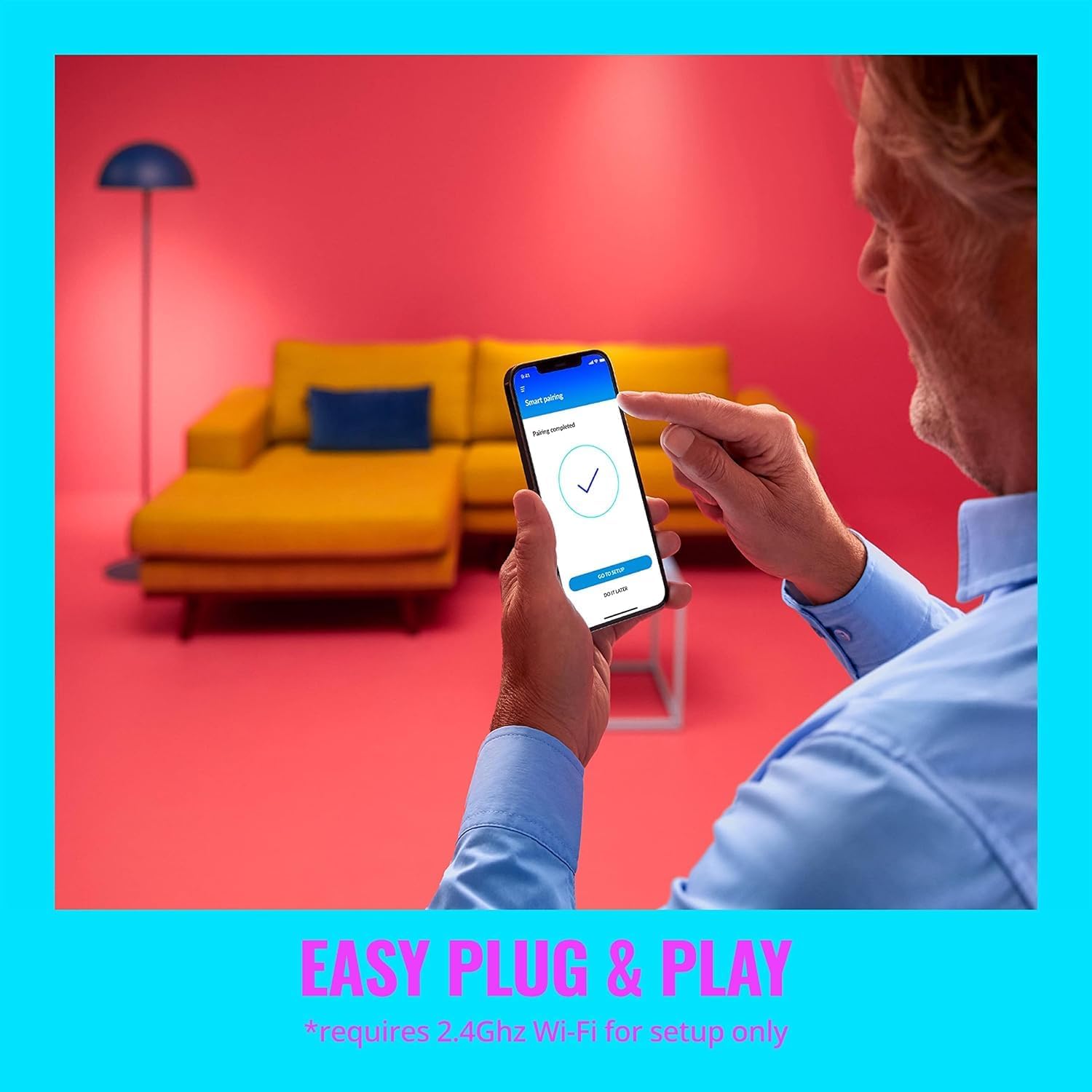
Image: A smartphone displaying the WiZ Connected app, illustrating the easy plug-and-play setup process.
Operating Instructions
1. App Control
The WiZ Connected app is your primary interface for controlling the string lights. From the app, you can:
- Change Colors: Select from 16 million colors to match any mood or occasion.
- Adjust White Light: Tune the white light from warm (2700K) to cool (5000K) temperatures.
- Dim/Brighten: Adjust the brightness level to your preference.
- Dynamic Modes: Choose from pre-set dynamic lighting effects like Party, Fireplace, Fall, Sunset, Romance, Spring, Summer, and Forest.
- Custom Scenes: Create and save your own unique lighting scenes for quick access.
- Schedules: Set daily or weekly schedules for your lights to turn on/off or change modes automatically.
- Vacation Mode: Automate your lights to mimic presence when you are away from home.

Image: WiZ string lights showcasing a vibrant display of millions of colors in an outdoor setting.

Image: WiZ string lights demonstrating the ability to tune white light from warm to cool tones.
2. Voice Control
Integrate your WiZ string lights with popular voice assistants for hands-free control:
- Amazon Alexa: "Alexa, turn on the patio lights."
- Google Assistant: "Hey Google, set the string lights to blue."
- Apple HomeKit (via Siri Shortcuts): Use custom Siri Shortcuts to control your lights.
- Matter: The lights are designed with Matter compatibility for broader smart home integration.

Image: Icons indicating compatibility with Google Home, Alexa, Siri Shortcuts, and Matter for versatile control.
3. SpaceSense™ (Motion Sensing)
Leverage the innovative SpaceSense™ feature, which uses Wi-Fi signals to detect motion and automate lighting. This allows your lights to act as motion sensors, enhancing convenience and security.

Image: A woman walking, with lights activating in response to her movement, demonstrating the SpaceSense™ motion sensing feature.
Maintenance
Your WiZ Connected Outdoor String Lights are designed for durability and minimal maintenance. The bulbs are made from Synthetic Polymer (PMMA) and the entire unit is water and weatherproof.
- Cleaning: Gently wipe the bulbs and cable with a soft, damp cloth as needed. Do not use harsh chemicals or abrasive cleaners.
- Bulb Replacement: While designed for longevity, individual bulbs are replaceable if necessary. Refer to the WiZ Connected website for compatible replacement bulbs.
- Storage: If storing the lights for an extended period, ensure they are clean and dry. Coil the string neatly to prevent tangling and damage.
Troubleshooting
Lights Not Responding:
- Check Power: Ensure the power adapter is securely plugged into a working outlet.
- Wi-Fi Connection: Verify your Wi-Fi network is active and your lights are connected to the 2.4GHz band.
- App Status: Check the WiZ Connected app to see if the lights are online and responsive.
- Restart: Unplug the power adapter for 10 seconds, then plug it back in. This can often resolve minor connectivity issues.
Difficulty Pairing:
- 2.4GHz Wi-Fi: Confirm your router is broadcasting a 2.4GHz network and your phone is connected to it during setup.
- Bluetooth: Ensure Bluetooth is enabled on your smartphone.
- Proximity: Keep your smartphone close to the lights during the pairing process.
- Reset Lights: If issues persist, you may need to factory reset the lights. Refer to the WiZ Connected app or support resources for specific reset instructions.
Specifications
| Brand: | WiZ Connected |
| Model Number: | 9290032134 |
| UPC: | 046677604363 |
| Length: | 48 Feet |
| Number of Bulbs: | 12 |
| Light Source Type: | LED |
| Power Source: | Corded Electric |
| Voltage: | 120 Volts |
| Wattage: | 12 watts |
| Connectivity Technology: | Wi-Fi (2.4GHz) |
| Special Features: | Color Changing, Energy Efficient, Waterproof, Weather Resistant |
| Material Type: | Synthetic Polymer (PMMA) |
| Included Components: | Adapter, String Lights 48FT |
Warranty & Support
Your WiZ Connected 48FT Color Changing Outdoor String Lights come with a 2-year manufacturer's warranty.
For further assistance, technical support, or to explore other WiZ Connected products, please visit the official WiZ Connected Store or consult the WiZ Connected app's help section.
Related documents9290032134


Ask a question about this manual
Ask about setup, troubleshooting, compatibility, parts, safety, or missing instructions. Manuals+ will review the question and use this page’s manual context to help answer it.