
1. Úvod
This manual provides detailed instructions for the installation, operation, and maintenance of your VEIKK VK1560 Pro Drawing Monitor. Please read this manual thoroughly before using the device to ensure proper functionality and to maximize your creative experience. The VK1560 Pro is a 15.6-inch full-laminated pen display designed for digital artists, designers, and educators, offering a high-definition display and precise pen input.
2. Obsah balení
Ověřte, zda jsou v balení přítomny všechny níže uvedené položky:
- VEIKK VK1560 Pro Drawing Monitor
- Battery-Free Stylus (Digital Pen)
- Nastavitelný stojan
- Detachable Pen Holder
- USB-C to USB-C Cable (for Android device connection)
- Napájecí adaptér
- HDMI kabel
- USB kabel
- Pen Nibs and Nib Remover
- Čisticí hadřík
- Rychlý průvodce

Image: Contents of the VEIKK VK1560 Pro package, including the monitor, stylus, stand, and various cables.
3. Průvodce nastavením
3.1 Connecting the Monitor to Your Computer
Follow these steps to connect your VK1560 Pro to your computer:
- Připojte napájení: Plug the power adapter into the monitor's power port and then into a wall outlet.
- Připojení videa: Connect one end of the HDMI cable to the monitor's HDMI port and the other end to your computer's HDMI port. If your computer does not have an HDMI port, you may need an adapter (not included).
- Připojte USB: Connect one end of the USB cable to the monitor's USB port and the other end to an available USB port on your computer. This connection enables pen input and data transfer.
- Zapnutí: Press the power button on the side of the monitor to turn it on.
- Nainstalujte ovladač: Visit the official VEIKK website to download and install the latest driver for your operating system (Windows or macOS). Ensure any previous tablet drivers are uninstalled before installing the VEIKK driver.
- Konfigurace nastavení zobrazení: After driver installation, configure your display settings (e.g., extend or duplicate display) and pen calibration through your operating system's display settings and the VEIKK driver software.

Image: Diagram illustrating how to connect the VEIKK VK1560 Pro to a computer using HDMI, USB, and power cables.
3.2 Připojení k zařízením Android
The VK1560 Pro can be connected to compatible Android devices using the included full-featured USB-C to USB-C cable. Ensure your Android device supports display output via USB-C.
- Connect one end of the USB-C to USB-C cable to the monitor's USB-C port.
- Connect the other end of the USB-C to USB-C cable to your Android device's USB-C port.
- The monitor should automatically detect and display content from your Android device.
3.3 Adjustable Stand Installation
Attach the adjustable stand to the back of the VK1560 Pro for comfortable viewing and drawing angles. The stand allows for various tilt adjustments.
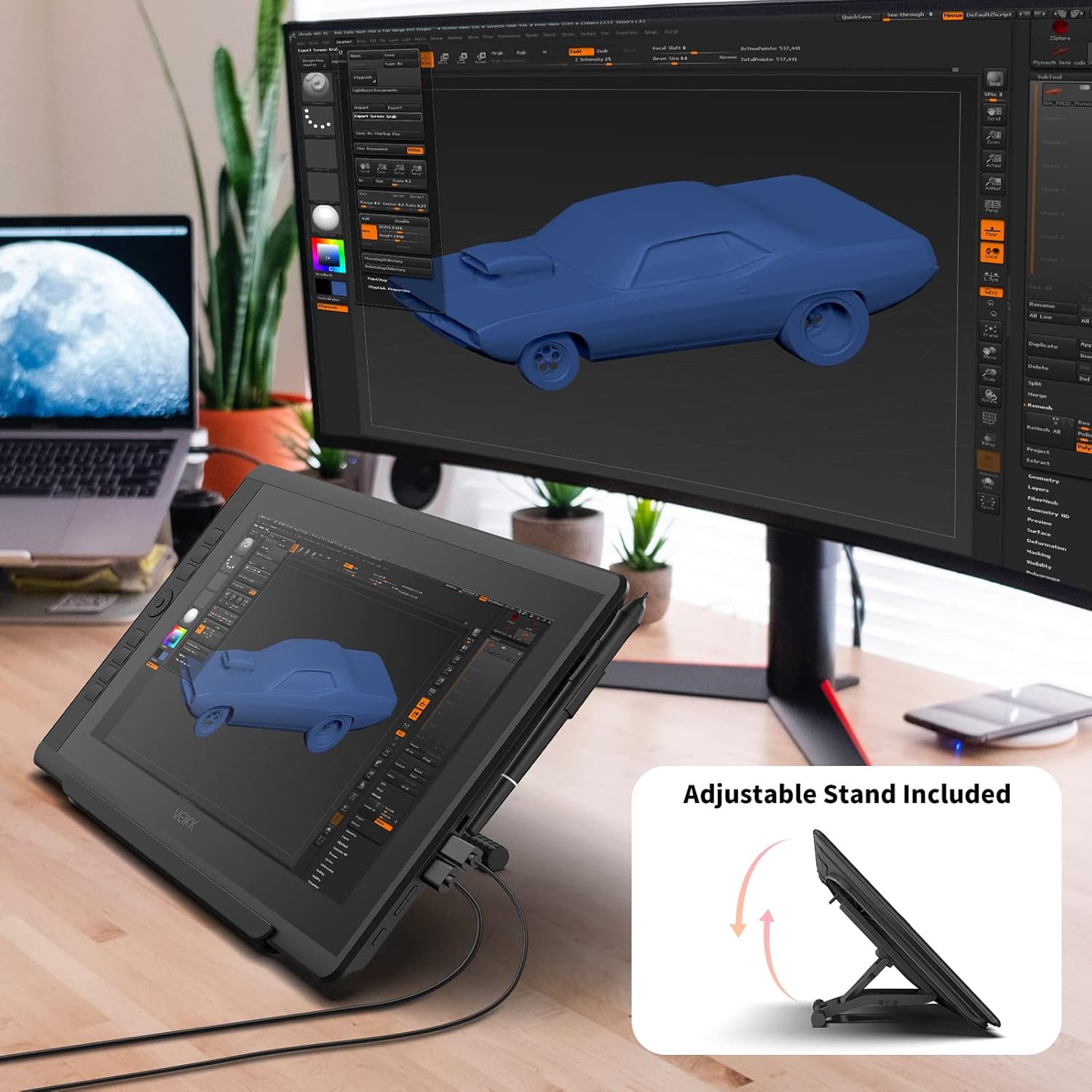
Image: The VEIKK VK1560 Pro drawing monitor shown with its adjustable stand, demonstrating various viewing úhly.
4. Provoz
4.1 Using the Battery-Free Stylus
The VK1560 Pro comes with a battery-free stylus that offers 8192 levels of pressure sensitivity and tilt support for a natural drawing experience.
- Výkres: Use the stylus directly on the monitor's screen to draw, paint, and edit.
- tlačítka: The stylus features programmable buttons. Customize their functions (e.g., right-click, eraser) through the VEIKK driver software.
- Držák na pero: Store the stylus in the detachable pen holder when not in use to prevent loss or damage.
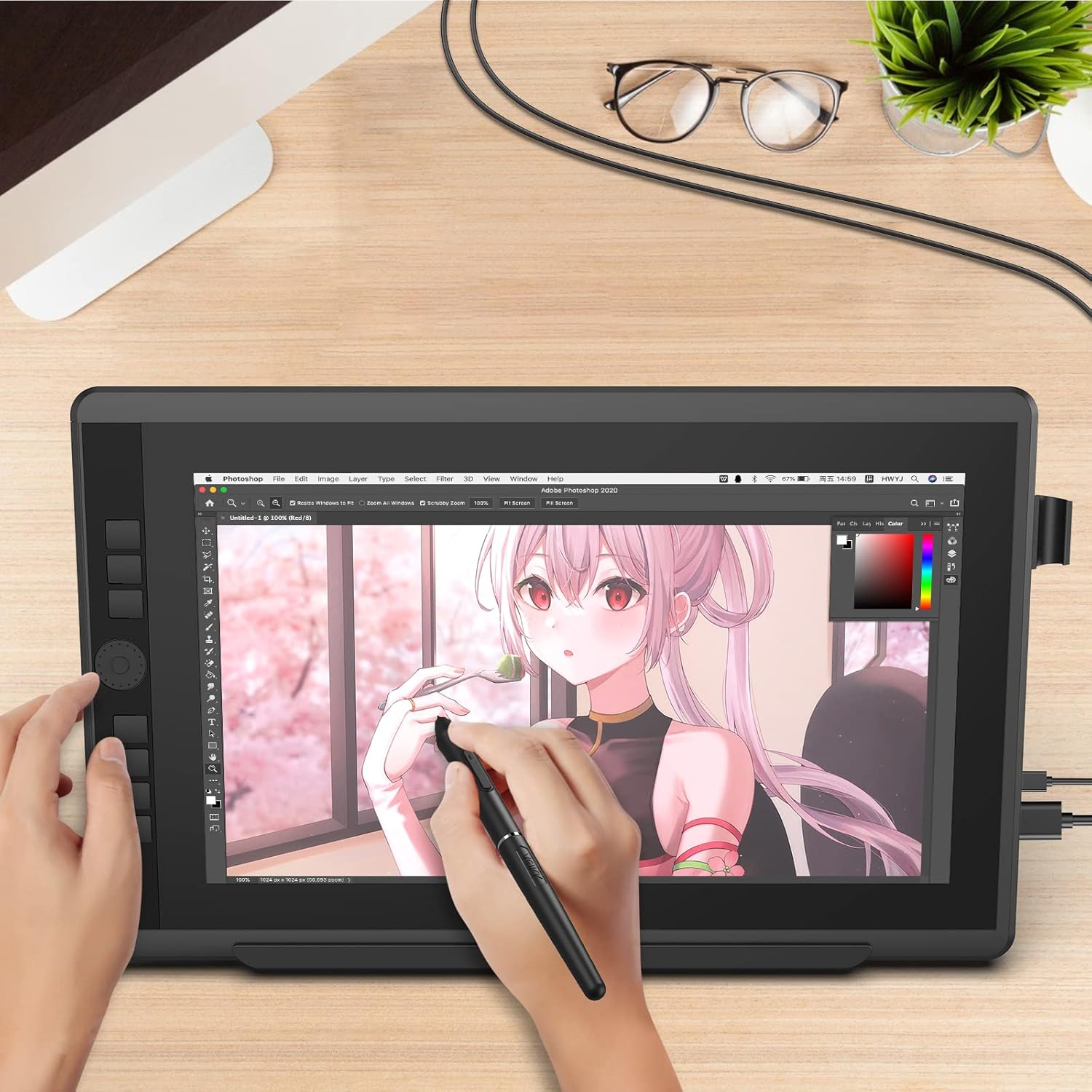
Image: A user actively drawing on the VEIKK VK1560 Pro screen using the battery-free stylus, demonstrating its use in creative applications.
4.2 Using the Quick Dial and Shortcut Keys
The VK1560 Pro features an upgraded Quick Dial and customizable shortcut keys for efficient workflow.
- Přizpůsobení: Access the VEIKK driver software to assign specific functions (e.g., zoom, brush size, undo) to the Quick Dial and shortcut keys.
- Účinnost: Utilize these features to quickly access frequently used tools and commands, reducing reliance on keyboard shortcuts.

Obrázek: Detailní záběr view of the VEIKK VK1560 Pro's Quick Dial and programmable shortcut keys, highlighting their ergonomic placement for workflow customization.
4.3 Funkce displeje
The 15.6-inch Full HD IPS display offers a vibrant visual experience:
- Rezoluce: 1920x1080 Full HD for clear and detailed visuals.
- Přesnost barev: Supports 16.7 million display colors and 92% NTSC color gamut for accurate color reproduction.
- Antireflexní: The anti-glare film reduces reflections and provides a paper-like drawing surface.
- Viewúhel: Široký 178° viewing angles ensure consistent image quality from various perspectives.

Image: The VEIKK VK1560 Pro screen showcasing its 1920x1080 FHD IPS display, 92% NTSC color gamut, and 16.7 million colors.
5. Údržba
5.1 Čištění monitoru
- Před čištěním vždy monitor vypněte a odpojte ze zásuvky.
- Use a soft, lint-free cloth (preferably the included cleaning cloth) to gently wipe the screen and body.
- Na odolné šmouhy lehceampOtřete hadřík vodou nebo čisticím roztokem vhodným pro obrazovky. Nestříkejte tekutinu přímo na obrazovku.
- Nepoužívejte agresivní chemikálie, abrazivní čisticí prostředky ani roztoky na bázi alkoholu, protože by mohly poškodit povrch obrazovky.
5.2 Výměna hrotu stylusu
Over time, the stylus nib may wear down. Replace it when it becomes too short or feels rough.
- Use the nib remover tool to gently pull out the old nib from the stylus.
- Vložte nový hrot pevně do stylusu, dokud nezacvakne na místo.
5.3 Skladování
- Monitor skladujte na chladném a suchém místě mimo dosah přímého slunečního záření a extrémních teplot.
- Protect the screen from scratches by using a soft cover or returning it to its original packaging when transporting.
6. Řešení problémů
| Problém | Možná příčina | Řešení |
|---|---|---|
| Žádné zobrazení na monitoru |
|
|
| Pen not working or no pressure sensitivity |
|
|
| Cursor offset or inaccurate |
|
|
| Quick Dial or shortcut keys not responding |
|
|
7. Specifikace
| Funkce | Detail |
|---|---|
| Značka | VEIKK |
| Číslo modelu | VK1560 Pro |
| Velikost obrazovky | 15.6 palce |
| Nativní rozlišení | 1920x1080 (Full HD) |
| Typ zobrazení | IPS LCD with Anti-Glare Film |
| Podpora barev | 16.7 Million Colors, 92% NTSC Color Gamut |
| Technologie pera | Stylus bez baterií |
| Pen Pressure Levels | 8192 |
| Podpora naklonění | Ano |
| Konektivita | USB, HDMI, USB-C |
| Kompatibilita operačního systému | Windows 7 or later, MacOS 10.12 or later, Android (via USB-C) |
| Vestavěná média | Digital Pen, Stand, Stylus |
| Barva | Černý |
| Specifická použití | Designing, Drawing, Online Education |
8. Konec produktuview Video
Video: Úředník u konceview of the VEIKK VK1560 Pro drawing tablet, showcasing its features, design, and functionality. This video demonstrates the product's components, setup, and usage in various creative tasks.
9. Záruka a podpora
The VEIKK VK1560 Pro Drawing Monitor comes with a 1-letá záruka from the date of purchase. VEIKK also provides doživotní technickou podporu pro tento produkt.
For technical assistance, driver downloads, or warranty claims, please visit the official VEIKK website or contact their customer support directly. Keep your purchase receipt as proof of purchase for warranty services.
Official VEIKK Webmísto: www.veikk.com