1. Úvod
Děkuji za nákupasing the TOSHIBA 661 L Frost Free Inverter 2-Door Refrigerator. This manual provides essential information for the safe and efficient operation, maintenance, and troubleshooting of your new appliance. Please read this manual thoroughly before using the refrigerator and keep it for future reference.
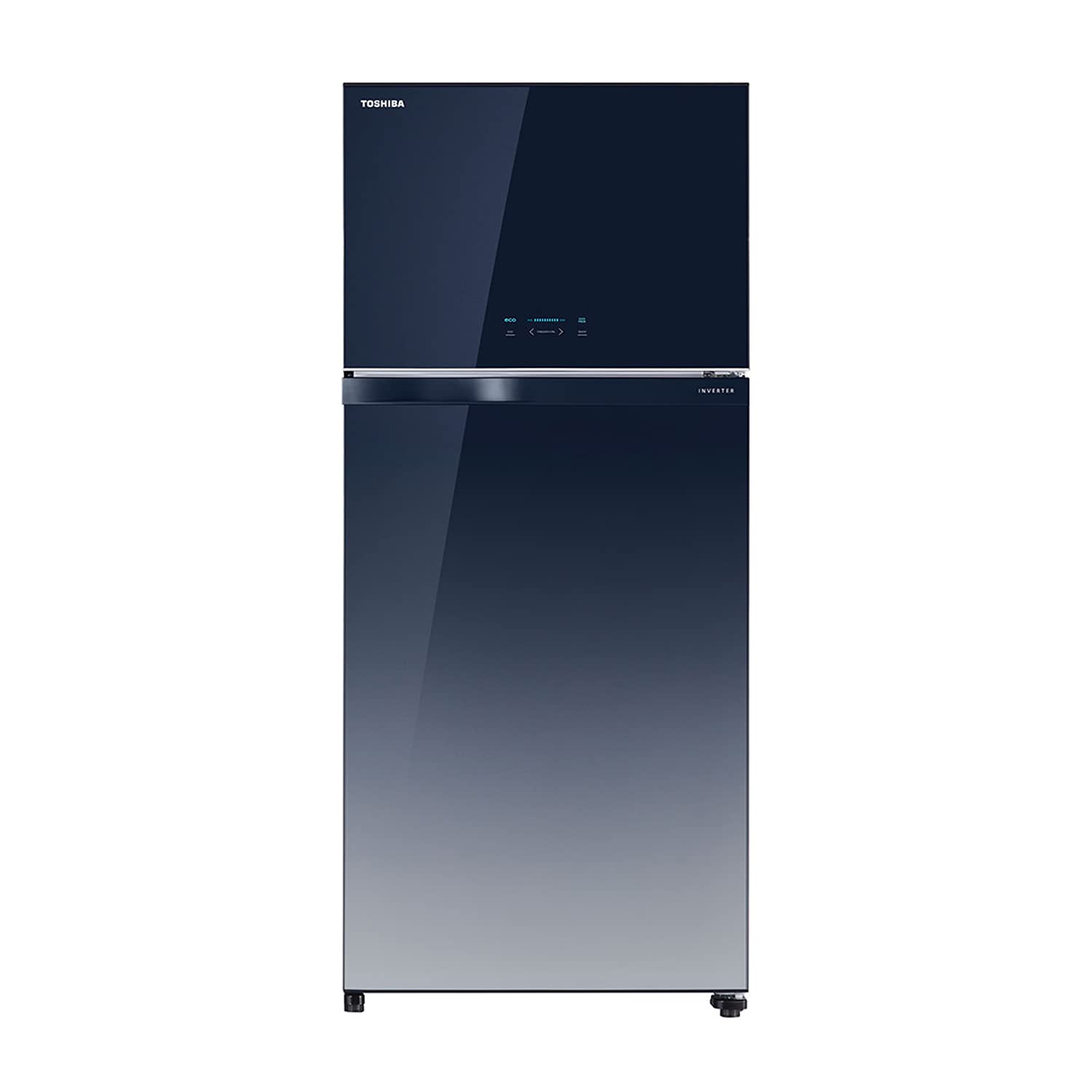
Obrázek 1.1: Přední strana view of the TOSHIBA 661 L Refrigerator.
2. Bezpečnostní informace
Pro zajištění bezpečného provozu vždy dodržujte následující bezpečnostní opatření:
- Ujistěte se, že je chladnička připojena k uzemněné zásuvce.
- Nepoškozujte chladicí okruh.
- Udržujte ventilační otvory volné.
- V prostorách pro skladování potravin nepoužívejte elektrické spotřebiče, pokud nejsou typu doporučeného výrobcem.
- Před čištěním nebo prováděním údržby spotřebič odpojte.
- Během provozu a čištění držte děti v dostatečné vzdálenosti od spotřebiče.
3. Nastavení a instalace
3.1 Vybalení
Carefully remove all packaging materials, including tape and protective films. Inspect the refrigerator for any damage incurred during transit. Retain packaging materials for potential future transport.
3.2 Umístění
Place the refrigerator on a firm, level surface away from direct sunlight, heat sources (e.g., stoves, radiators), and moisture. Ensure adequate air circulation around the appliance. Maintain the following minimum clearances:
- Rear: 10 cm (4 inches)
- Boky: 5 cm (2 palce)
- Horní: 30 cm (12 palce)

Figure 3.1: Refrigerator dimensions and recommended clearances for proper ventilation.
3.3 Elektrické připojení
Connect the refrigerator to a dedicated 230V AC, 50Hz power outlet. Do not use extension cords or multi-plugs. Allow the refrigerator to stand for at least 2-4 hours before plugging it in to allow refrigerants to settle.
3.4 Počáteční provoz
After plugging in, the refrigerator will begin cooling. It may take several hours for the internal temperature to reach the desired level. Avoid placing food inside until the refrigerator has reached its operating temperature.
4. Návod k obsluze
4.1 Elektronický dotykový ovládací panel
Your refrigerator is equipped with an intuitive electronic touch control panel located on the freezer door. This panel allows you to adjust temperature settings, activate special modes, and monitor the refrigerator's status.

Figure 4.1: Electronic Touch Control Panel for temperature and mode adjustments.
4.2 Nastavení teploty
Use the control panel to set the desired temperature for both the refrigerator and freezer compartments. Refer to the display for current settings. Recommended settings are typically 3-5°C for the refrigerator and -18°C for the freezer.
4.3 ECO režim
Activate ECO mode for energy-efficient operation. This mode optimizes cooling performance to reduce power consumption, ideal for periods of low usage or when you want to conserve energy.
4.4 Auto Ice Maker
The integrated Auto Ice Maker automatically produces ice cubes. Simply fill the water reservoir, and the system will dispense ice into the ice storage bin. Ensure the water reservoir is regularly refilled for continuous ice production.

Figure 4.2: Illustration of the Automatic Ice Maker system.
4.5 Rychlé zmrazení
Use the Quick Freeze function to rapidly lower the freezer temperature, ideal for freezing large quantities of fresh food or making ice quickly. This function will automatically deactivate after a set period or when the target temperature is reached.
5. Klíčové vlastnosti
5.1 LED Hybrid Deodorizer
The LED Hybrid Deodorizer system helps to eliminate bacteria and odors, keeping your refrigerator fresh and hygienic. It uses a combination of LED lights and a photocatalyst to break down odor molecules and inhibit bacterial growth.

Figure 5.1: How the LED Hybrid Deodorizer works to maintain freshness.
5.2 Ag+ Crisper with Wheels
The Ag+ Crisper vegetable box is designed to keep fruits and vegetables fresh for longer. It features silver ions (Ag+) for antibacterial properties and wheels for easy access and movement, even when full.
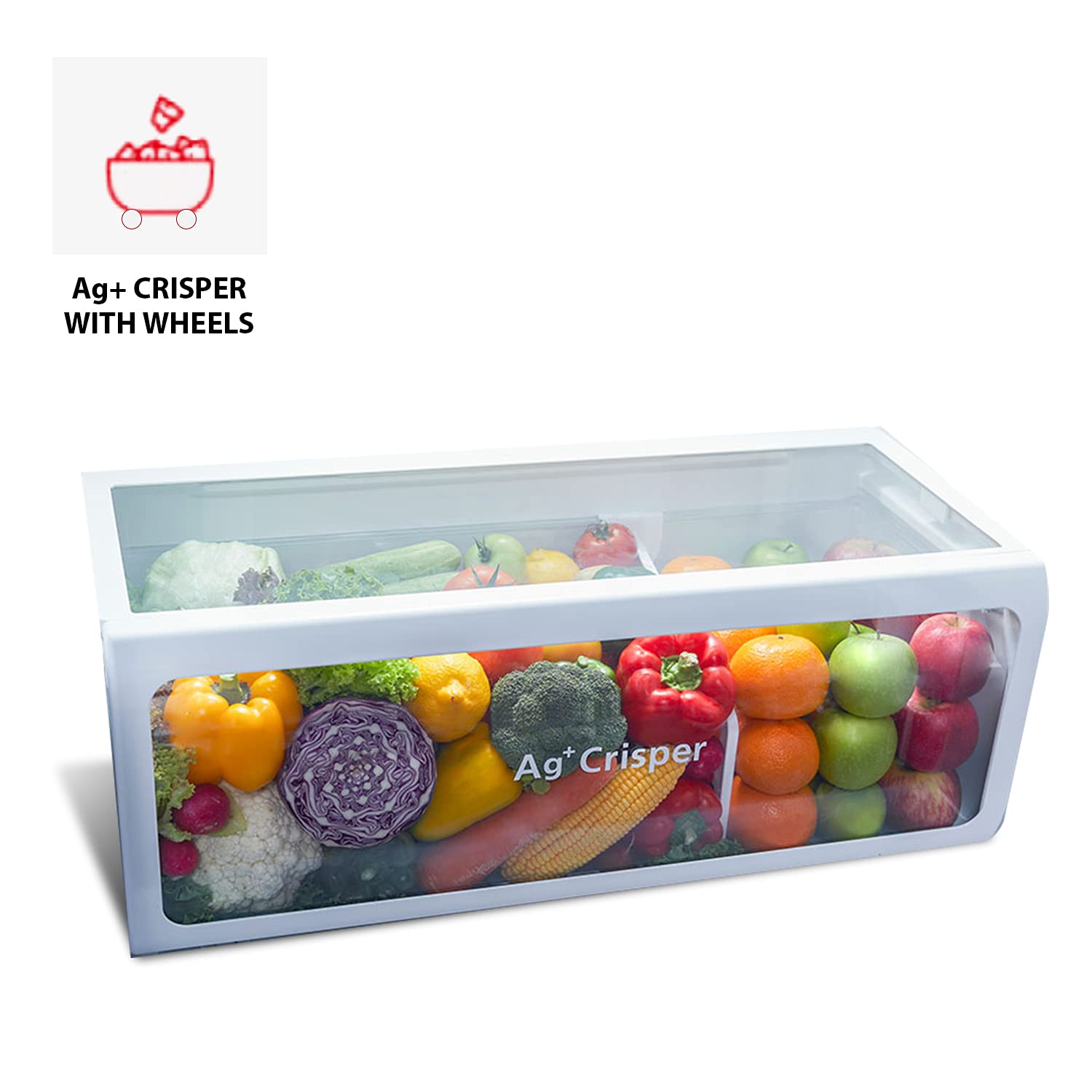
Figure 5.2: The Ag+ Crisper with wheels, designed for optimal produce storage.
5.3 Ultra Fresh Room
The Ultra Fresh Room provides a dedicated space for sensitive items, maintaining an optimal temperature and humidity level to preserve their freshness and flavor.
5.4 Real Inverter Compressor + Fan Motor
Equipped with a Real Inverter Compressor and Fan Motor, this refrigerator offers precise temperature control, reduced noise levels, and significant energy savings compared to conventional compressors. The inverter technology adjusts cooling power according to demand, leading to stable temperatures and lower electricity consumption.

Figure 5.3: Energy saving benefits of Real Inverter technology.
5.5 Adjustable Door Pocket
The door pockets are designed to be adjustable, allowing you to customize the storage space to accommodate items of various heights and sizes, providing flexible organization within the refrigerator.

Obrázek 5.4: Interiér view highlighting the adjustable door pockets for flexible storage.
6. Údržba a čištění
Regular cleaning and maintenance will ensure the longevity and optimal performance of your refrigerator.
6.1 Čištění interiéru
Před čištěním odpojte chladničku ze zásuvky. Použijte měkký hadřík.ampened with a mild detergent solution to wipe down interior surfaces, shelves, and drawers. Rinse with clean water and dry thoroughly. Do not use abrasive cleaners or solvents.
6.2 Čištění exteriéru
Vnější povrchy otřete měkkým, damp cloth. For the glass finish, use a glass cleaner if necessary, applied to the cloth first, not directly to the surface. Ensure the control panel remains dry.
6.3 Těsnění dveří
Clean the door gaskets regularly with a mild detergent and warm water to ensure a tight seal. A damaged or dirty gasket can lead to inefficient cooling.
7. Řešení problémů
Než se obrátíte na servis, prostudujte si prosím následující běžné problémy a jejich řešení:
| Problém | Možná příčina | Řešení |
|---|---|---|
| Chladnička nefunguje | Žádné napájení; napájecí kabel odpojený; jistič vypnutý. | Zkontrolujte připojení k napájení; ujistěte se, že zásuvka je funkční; resetujte jistič. |
| Teplota není dostatečně nízká | Dveře nejsou správně zavřené; nadměrné otevírání dveří; uvnitř je vloženo teplé jídlo; špatné větrání. | Check door seal; reduce door openings; allow hot food to cool before storing; ensure proper clearances. |
| Neobvyklé zvuky | Chladnička není v rovině; uvnitř vibrují předměty; běžné provozní zvuky (např. proudění chladiva). | Upravte vyrovnávací nožičky; upravte pořadí položek; očekávají se normální zvuky. |
| Voda na podlaze | Drain hose clogged; drip tray overflowing. | Clear drain hose; empty and clean drip tray. |
8. Specifikace
| Specifikace | Hodnota |
|---|---|
| Značka | TOSHIBA |
| Model | GR-AG66INA(GG) |
| Kapacita | 661 litru |
| Kapacita chladničky na čerstvé potraviny | 471 litru |
| Kapacita mrazáku | 190 litru |
| Energetická účinnost | 2 hvězdičky (dle směrnic BEE) |
| Roční spotřeba energie | 344 kilowatthodin za rok |
| Odmrazovací systém | Automatický |
| Typ police | Tvrzené sklo |
| Barva | Gradiation Blue |
| svtage | 230 voltů (AC) |
| Hmotnost položky | 87 kg |
| Rozměry (DxŠxV) | 80.3 x 73.9 x 184.8 centimetrů |
9. Záruka a podpora
9.1 Informace o záruce
This TOSHIBA refrigerator comes with a 1letá záruka na produkt a a 10letá záruka na kompresor od data nákupu. Uschovejte si prosím doklad o koupi pro případ reklamace. Záruka se vztahuje na výrobní vady za běžných podmínek používání.
9.2 Zákaznická podpora
For any queries, service requests, or technical assistance, please contact TOSHIBA customer support:
- Bezplatné číslo: 18004191111
- E-mail: toshibacare@midea.co.in
When contacting support, please have your product model number (GR-AG66INA(GG)) and purchase details ready.