
1. Konec produktuview
The ASTRO A10 Gen 2 Headset is designed to enhance your gaming experience across multiple platforms. It features custom-tuned 32mm dynamic drivers for clear audio, a flip-to-mute boom microphone for clear communication, and a durable, ergonomic design for extended comfort during long gaming sessions. The headset includes replaceable ear cushions and headband pads for longevity.

Image: Close-up of the ASTRO A10 Gen 2 Headset highlighting the custom-tuned 32mm dynamic drivers.
2. Co je v krabici
- ASTRO A10 Gaming Headset
- Removable Headphone Cable with In-line Volume Control
- PC Splitter Cable (for separate audio/mic ports on PC)

Image: The ASTRO A10 Gen 2 Headset box, indicating the included headset and cables.
3. Průvodce nastavením
3.1 Connecting to Console (PS5, PS4, Xbox Series X|S, Xbox One, Nintendo Switch)
- Connect the removable headphone cable to the 3.5mm jack on the left earcup of the headset.
- Plug the other end of the removable headphone cable into the 3.5mm port on your console controller or Nintendo Switch.
- Adjust the volume using the in-line volume control on the cable.
3.2 Připojení k PC/Mac
- Connect the removable headphone cable to the 3.5mm jack on the left earcup of the headset.
- If your PC/Mac has a single 3.5mm port for both audio and microphone, plug the other end of the removable headphone cable directly into this port.
- If your PC/Mac has separate ports for audio (green) and microphone (pink), use the included PC splitter cable. Connect the removable headphone cable to the female end of the splitter, then plug the green and pink male ends into the corresponding ports on your computer.
- Adjust the volume using the in-line volume control on the cable and your computer's audio settings.
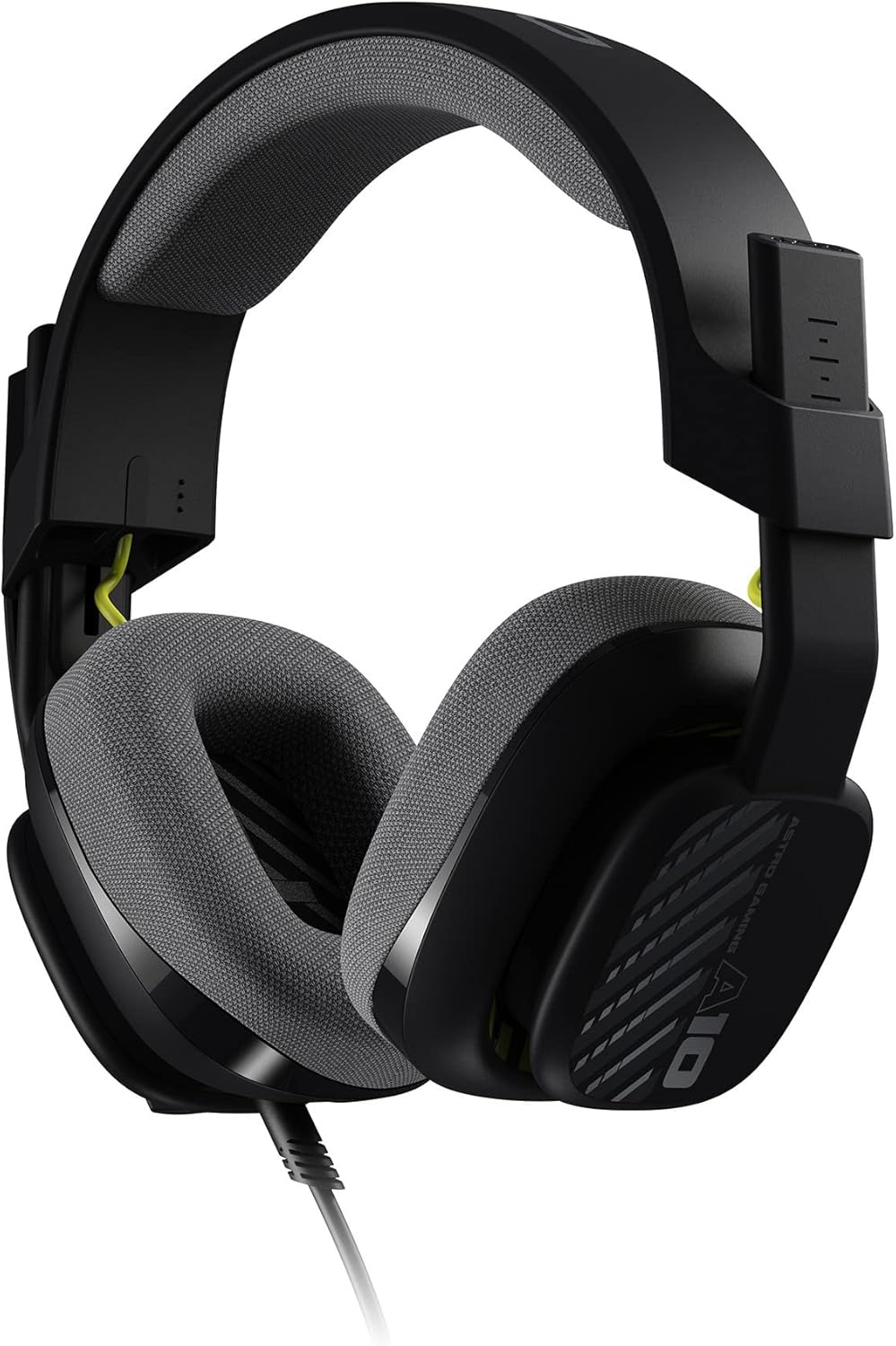
Image: The removable headphone cable with in-line volume control, ready for connection.
4. Návod k obsluze
4.1 Flip-to-Mute Microphone
The integrated boom microphone features a flip-to-mute function. To activate the microphone, lower the boom arm into the speaking position. To mute the microphone, simply flip the boom arm upwards until it clicks into the vertical position. This provides quick and convenient privacy.

Image: A user demonstrating the flip-to-mute microphone feature on the ASTRO A10 Gen 2 Headset.
4.2 Ovládání hlasitosti
Adjust the audio volume using the in-line volume control wheel located on the removable headphone cable. Slide the wheel up to increase volume and down to decrease volume.
5. Údržba
5.1 Čištění
To clean the headset, gently wipe the surfaces with a soft, damp cloth. Avoid using harsh chemicals or abrasive materials. For the ear cushions and headband pad, refer to the replacement instructions below.
5.2 Replacing Ear Cushions and Headband Pad
The ear cushions and headband pad are replaceable to ensure long-term comfort and hygiene. Gently detach the worn cushions/pad and replace them with new ones. Specific replacement parts can be purchased separately from ASTRO Gaming or authorized retailers. Ensure proper alignment when reattaching.

Image: The ASTRO A10 Gen 2 Headset with an emphasis on the replaceable ear cushions and headband pad.
6. Řešení problémů
- Žádný zvuk/nízká hlasitost: Ensure all cables are securely connected. Check the in-line volume control and your device's audio settings. Verify the correct audio output device is selected on your PC/Mac.
- Mikrofon nefunguje: Ensure the microphone boom arm is fully lowered. Check your device's microphone input settings and ensure the headset is selected as the input device. If using a PC splitter, ensure it is correctly connected to the microphone port.
- Nepohodlný střih: The headset features an adjustable headband. Gently slide the earcups up or down along the headband to find a comfortable fit. The flexible headband is designed to adapt to various head sizes.
- Problémy s kvalitou zvuku: Ensure the 3.5mm cable is fully inserted into both the headset and the device. Test the headset with another device to rule out device-specific issues.
7. Specifikace
| Značka | ASTRO hry |
| Název modelu | A10 Gen2 |
| Číslo modelu | 939-002055 |
| Technologie připojení | Drátové (3.5mm jack) |
| Umístění uší | Přes ucho (cirkumaurální) |
| Typ zvukového ovladače | Dynamický měnič (32 mm) |
| Frekvenční odezva | 20 - 20,000 Hz |
| Impedance | 32 ohmů |
| Mikrofon | Flip-to-mute boom microphone (6.0 mm unidirectional) |
| Typ ovládání | Ovládání hlasitosti na kabelu |
| Délka kabelu | 6 Feet (Detachable) |
| Hmotnost položky | 1.02 libry |
| Materiál | Fabric (ear cushions, headband pad) |
8. Kompatibilita
The ASTRO A10 Gen 2 Headset is cross-platform compatible with:
- PlayStation 5 (PS5)
- PlayStation 4 (PS4)
- Xbox Series X|S
- Xbox One
- Nintendo Switch
- PC/Mac
- VR devices
- Mobile devices (for streaming or audio)
9. Záruka a podpora
The ASTRO A10 Gen 2 Headset comes with a 1letá omezená záruka na hardware. For detailed warranty information, product support, or to purchase replacement parts, please visit the official ASTRO Gaming webnebo kontaktujte jejich zákaznický servis.
10. Oficiální produktová videa
Konec produktuview Video
Video: Oficiální produkt u konceview of the ASTRO A10 Gen 2 Headset, showcasinjeho vlastnosti a design.
ASTRO Gaming A10 Gen 2 Cross-Platform Wired Gaming Headset
Video: A detailed look at the ASTRO A10 Gen 2 Headset, highlighting its cross-platform compatibility and key functionalities.