
ZIPRO 6299209
ZIPRO Flame VM Magnetic Fitness Bike
Uživatelská příručka

Nadview of the ZIPRO Flame VM Magnetic Fitness Bike.
1. Úvod
Thank you for choosing the ZIPRO Flame VM Magnetic Fitness Bike. This manual provides essential information for the safe assembly, operation, and maintenance of your new fitness equipment. Please read this manual thoroughly before first use and keep it for future reference.
The ZIPRO Flame VM is designed to provide an effective and enjoyable indoor cycling experience, helping you achieve your fitness goals from the comfort of your home. Its magnetic resistance system ensures smooth and quiet operation, while the integrated computer and app compatibility offer advanced tracking and training options.
2. Bezpečnostní pokyny
VAROVÁNÍ: Před zahájením jakéhokoli cvičebního programu se poraďte se svým lékařem. To je zvláště důležité pro osoby starší 35 let nebo pro osoby s již existujícími zdravotními problémy.
- Always place the fitness bike on a flat, stable surface. Ensure adequate space around the bike for safe operation.
- Během používání udržujte děti a domácí zvířata mimo dosah zařízení.
- Před každým použitím zkontrolujte kolo, zda nejsou uvolněné, opotřebované nebo poškozené. Pokud je kolo poškozené, nepoužívejte ho.
- Noste vhodné sportovní oblečení a obuv. Vyhněte se volnému oblečení, které by se mohlo zachytit o pohyblivé části.
- Nepřekračujte maximální nosnost uživatele 150 kg (330 liber).
- Adjust the seat and handlebars to a comfortable and safe position before beginning your workout.
- Pokud pocítíte bolest, závratě nebo dušnost, okamžitě přestaňte cvičit a poraďte se s lékařem.
- Ensure the power adapter is correctly connected to the bike and a suitable power outlet.
3. Montážní návod
The assembly of the ZIPRO Flame VM fitness bike is designed to be straightforward. Please follow these steps carefully. It is recommended to have two people for certain assembly steps.
3.1 Vybalení a identifikace dílů
Carefully remove all components from the packaging. Lay them out and compare them with the parts list provided in the separate assembly diagram. Ensure all parts are present and undamaged.

The user manual and power adapter included with your fitness bike.
3.2 Sestava hlavního rámu
Připevněte přední a zadní stabilizátory k hlavnímu rámu pomocí dodaných šroubů a podložek. Ujistěte se, že jsou bezpečně utaženy, aby byla zajištěna stabilní základna pro kolo.
3.3 Instalace pedálu
Identify the left (L) and right (R) pedals. The left pedal screws counter-clockwise, and the right pedal screws clockwise. Ensure they are threaded correctly and tightened firmly to prevent loosening during use.

Detail of the non-slip pedals with adjustable straps for secure foot placement.
3.4 Seat and Handlebar Post Installation
Insert the seat post into the main frame and secure it with the adjustment knob. Similarly, insert the handlebar post and attach the handlebars. Ensure all connections are firm.
3.5 Console and Wiring Connection
Connect the console wires to the corresponding cables from the handlebar post. Carefully mount the console onto the handlebar post. Ensure all wires are properly routed and not pinched.
The power connection port, located at the bottom rear of the bike, for connecting the electrical cable.
4. Identifikace součásti
Familiarize yourself with the main components of your ZIPRO Flame VM fitness bike:
- Utěšit: Displays workout data, allows program selection, and connects to apps.
- Řídítka: Provide grip and include pulse sensors.
- Sedadlo: Adjustable for height and horizontal position.
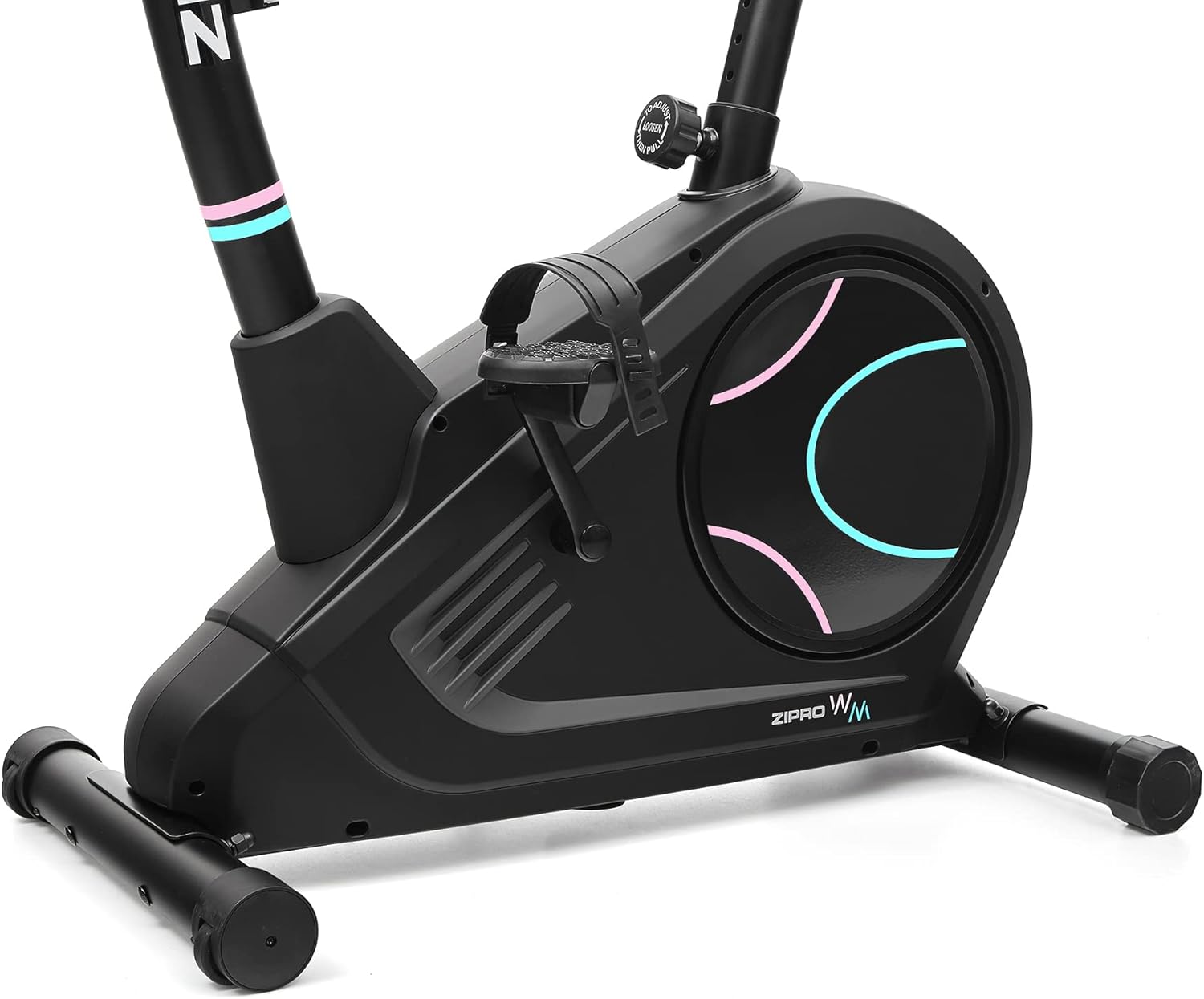
- pedály: Non-slip with adjustable straps for secure foot placement.
- Knoflík odporu: Adjusts the magnetic resistance level.
- Stabilizátory: Front and rear bases for stability, with transport wheels on the front.
- Držák na láhev s vodou: Conveniently located for hydration during workouts.

Strana view illustrating the main components of the fitness bike.

Přední strana view highlighting the console, handlebars, and main body.
5. Návod k obsluze
5.1 Powering On and Console Functions
Connect the power adapter to the bike and a wall outlet. The console will power on automatically. The easy-to-use computer with its clear screen allows you to select programs and monitor your workout progress.

The advanced computer display showing various workout metrics like time, calories, speed, and pulse.

A hand pressing a button on the console, demonstrating user interaction.

A user making adjustments on the fitness bike's console, highlighting its user-friendly interface.
5.2 Nastavení odporu
The Flame VM features 32 levels of electric-magnetic resistance. Use the UP/DOWN buttons on the console to increase or decrease the resistance level according to your workout intensity needs.
5.3 Měření pulsu
Grasp the pulse sensors on the handlebars with both hands. Your pulse will be displayed on the console. Maintaining the correct pulse rate can make your workout more effective.
5.4 Using iConsole+ Training and Kinomap Apps
The Bluetooth connectivity allows you to use popular fitness applications like iConsole+ Training and Kinomap. Place your mobile device on the integrated stand and connect via Bluetooth to enhance your training experience with virtual routes and additional programs.

The integrated stand for mobile devices, allowing you to enjoy digital content during your workout.

A smartphone securely placed on the console's media tray, ready for app integration.

A tablet positioned on the console's stand, demonstrating compatibility with larger mobile devices for an immersive workout.

A user actively exercising on the bike, with a virtual route from the Kinomap app displayed, enhancing the training experience.
5.5 Seat and Handlebar Adjustments
The adjustable seat and handlebar inclination allow you to find the safest and most comfortable position during your ride. Adjust the seat height and horizontal position using the knobs below the seat. The handlebar angle can also be adjusted for optimal comfort.

A user on the fitness bike, illustrating proper foot placement on pedals and interaction with the console.
5.6 Hydratace
Stay hydrated during your workout. The included water bottle and holder allow you to quench your thirst without interrupting your exercise session.
6. Údržba a péče
Regular maintenance will ensure the longevity and optimal performance of your ZIPRO Flame VM fitness bike.
- Čištění: Otřete kolo reklamouamp Po každém použití otřete hadříkem, abyste odstranili pot a prach. Nepoužívejte abrazivní čisticí prostředky ani rozpouštědla.
- Mazání: Magnetický odporový systém obecně nevyžaduje údržbu. Občas však zkontrolujte, zda pohyblivé části neozývají vrzání nebo neobvyklé zvuky, a v případě potřeby naneste mazivo na bázi silikonu.
- Kontrola těsnosti: Pravidelně kontrolujte všechny šrouby, matice a spoje, abyste se ujistili, že jsou bezpečně utažené. Utáhněte všechny uvolněné upevňovací prvky.
- Skladování: Kolo skladujte na suchém a chladném místě mimo dosah přímého slunečního záření a extrémních teplot.
7. Řešení problémů
If you encounter any issues with your fitness bike, refer to the following common problems and solutions:
| Problém | Možná příčina | Řešení |
|---|---|---|
| Console not turning on | Power adapter not connected; loose wiring; power outlet issue. | Ensure power adapter is securely plugged into bike and outlet. Check outlet with another device. Verify console wiring connections. |
| Žádná změna odporu | Console not communicating with resistance mechanism; mechanical issue. | Check console wiring. If problem persists, contact customer support. |
| Nepřesný odečet pulsu | Hands not firmly on sensors; dry hands; interference. | Ensure firm, consistent contact with both sensors. Lightly moisten hands if too dry. |
| Vrzání nebo skřípání | Loose parts; lack of lubrication (rare for magnetic systems); internal component issue. | Check and tighten all visible bolts. If noise persists, contact customer support. |
8. Technické specifikace
| Funkce | Specifikace |
|---|---|
| Název modelu | Plamen WM |
| Číslo modelu | 6299209 |
| Značka | ZIPRO |
| Mechanismus odporu | Magnetický |
| Úrovně odporu | 32-step Electric-Magnetic |
| Maximální hmotnost uživatele | 150 kg (přibližně 330 libry) |
| Rozměry (D x Š x V) | 118 x 49 x 140 cm (přibližně 46.5 x 19.3 x 55.1 palce) |
| Hmotnost produktu | 27.3 kg (přibližně 60.2 libry) |
| Zdroj napájení | Elektrický kabel |
| Materiál | Plastic (main material) |
| Speciální funkce | Modern computer with clear screen, pulse sensors, non-slip pedals, adjustable seat/handlebar, mobile device tray, iConsole+ and Kinomap compatibility, transport wheels. |

Detailed dimensions of the ZIPRO Flame VM fitness bike: 118 cm length, 49 cm width, 140 cm height.
9. Záruka a podpora
Your ZIPRO Flame VM Magnetic Fitness Bike is covered by a manufacturer's warranty. Please refer to the warranty card included with your purchase for specific terms and conditions.
For technical support, spare parts, or any questions not covered in this manual, please contact ZIPRO customer service. When contacting support, please have your product model number (6299209) and purchase information ready.
Thank you for choosing ZIPRO. We wish you many effective and enjoyable workouts!