
Zavedení
This manual provides detailed instructions for setting up, operating, maintaining, and troubleshooting your HP 230 Wireless Keyboard and Mouse Combo. Please read this manual thoroughly before using the product to ensure optimal performance and longevity.
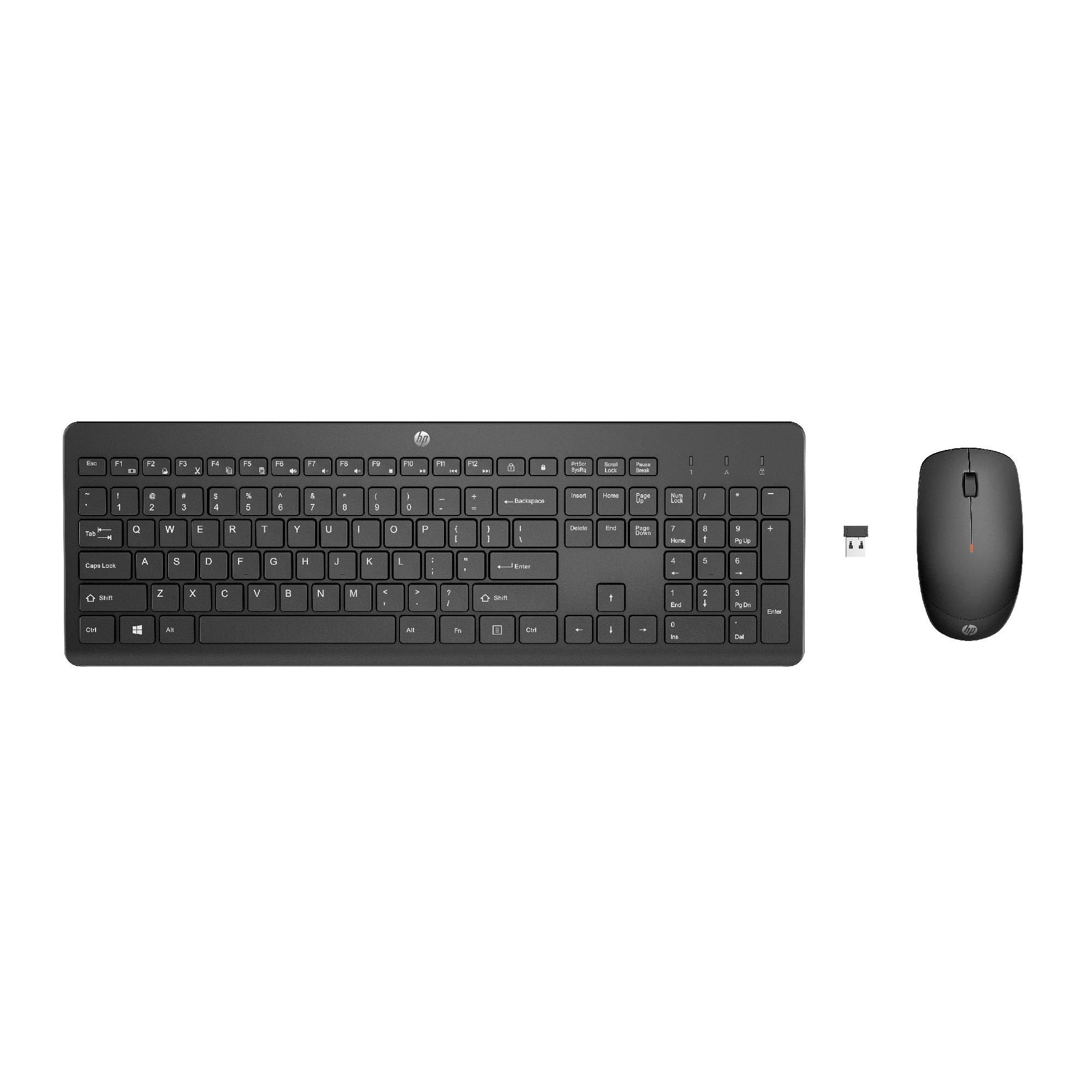
Image: The HP 230 Wireless Keyboard and Mouse Combo, showing both devices in black.
Obsah balení
Ujistěte se, že v balení jsou přítomny všechny položky:
- Bezdrátová klávesnice HP 230
- Bezdrátová myš HP 230
- USB-A Wireless Dongle (2.4 GHz)
- 2 AAA Batteries (for keyboard)
- 1 AA Battery (for mouse)
- Product Information and Warranty Card
Pokyny pro nastavení
1. Nainstalujte baterie
- Pro klávesnici: Vyhledejte přihrádku na baterie na spodní straně klávesnice. Vložte dvě baterie typu AAA a dbejte na správnou polaritu (+/-).
- Pro myš: Locate the battery compartment on the underside of the mouse. Insert one AA battery, ensuring correct polarity (+/-).
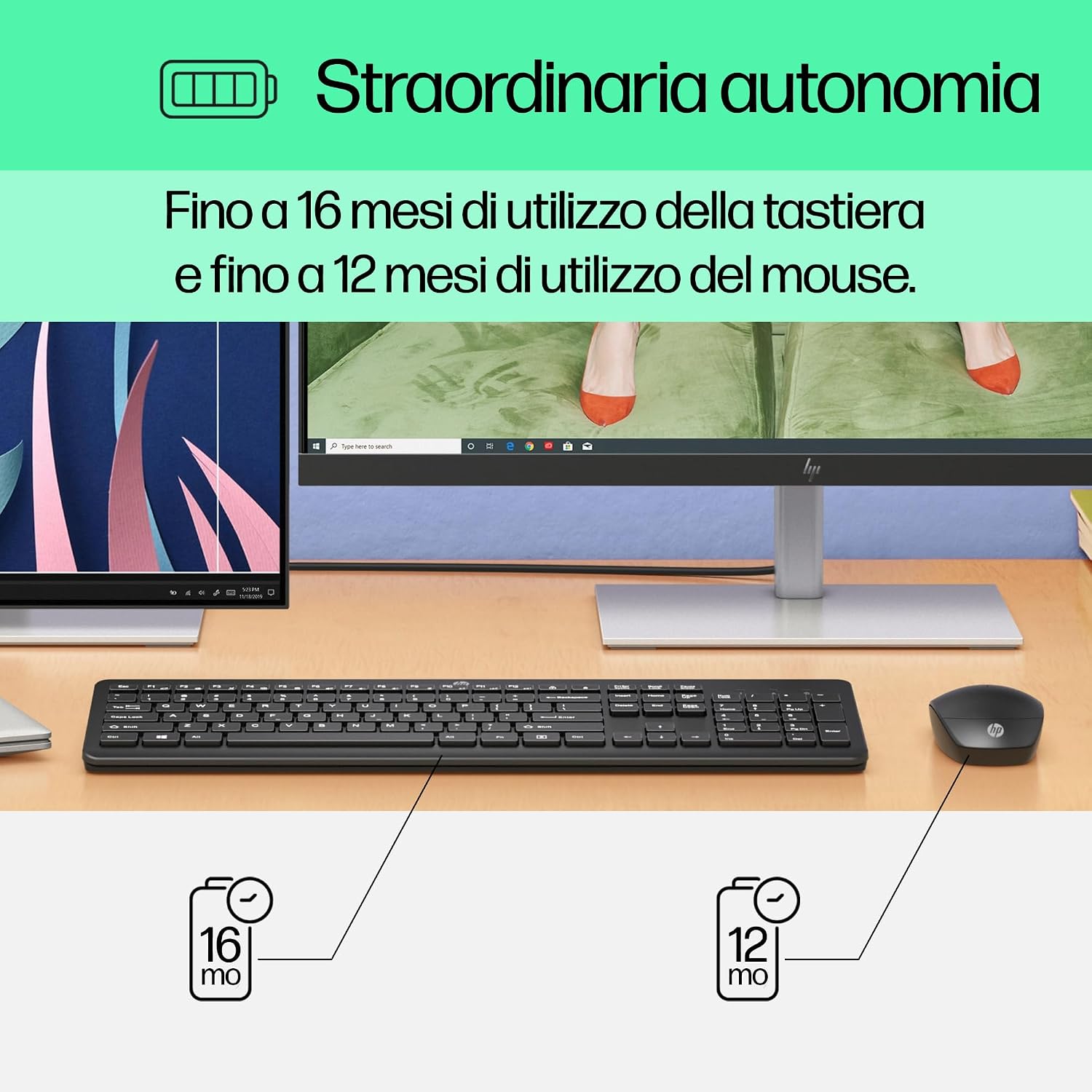
Image: Diagram illustrating battery life for the keyboard (16 months with 2 AAA) and mouse (12 months with 1 AA).
2. Connect the USB-A Wireless Dongle
- Locate the USB-A wireless dongle, typically stored in the mouse's battery compartment or included separately in the packaging.
- Insert the USB-A dongle into an available USB Type-A port on your computer (desktop, laptop, tablet, or All-in-One PC).
- Your computer should automatically detect and install the necessary drivers. This is a Plug and Play device, requiring no manual driver installation.

Image: The HP 230 wireless keyboard and mouse positioned next to a laptop, illustrating wireless connectivity.
The keyboard and mouse are pre-paired with the dongle and should be ready for use immediately after connection.
Operace
Funkce klávesnice
The HP 230 Wireless Keyboard features a full-size layout with a numeric keypad and silent chicklet keys for comfortable and quiet typing.
- Tiché psaní: The keyboard is designed for reduced noise during typing, making it suitable for quiet environments.
- Fn Key Shortcuts: Využijte Fn key in combination with the F1-F12 function keys for quick access to various functions such as volume control, home page, bookmarks, and email.
- Numerická klávesnice: A dedicated numeric keypad is included for efficient data entry.

Obrázek: Podrobný view of the HP 230 keyboard layout, highlighting function keys and silent chicklet keys, with dimensions.

Image: A close-up of the HP 230 keyboard showing the Fn keys and their associated shortcut icons, emphasizing productivity.
Funkce myši
The HP 230 Wireless Mouse is designed for precise navigation and comfortable use.
- Přesné sledování: The mouse features a 1600 DPI optical sensor for accurate and smooth cursor movement.
- Rolovací kolečko: Use the scroll wheel for easy vertical navigation through documents and web stránky.
- Left and Right Buttons: Standard left and right-click functionality for interaction with your computer.
- Oboustranný design: Suitable for both left-handed and right-handed users.

Obrázek: Shora dolů view of the HP 230 mouse, showing its ergonomic design, scroll wheel, and 1600 DPI specification, with dimensions.

Image: Graphic illustrating the precise movement of the HP 230 mouse with up to 1600 DPI tracking.
Údržba
Proper maintenance ensures the longevity and performance of your HP 230 combo.
- Čištění:
- Použijte měkký hadřík, který nepouští vlákna dampPovrchy klávesnice a myši omyjte vodou nebo jemným čisticím roztokem.
- Vyhněte se používání agresivních chemikálií, abraziv nebo rozpouštědel.
- U klávesnice použijte stlačený vzduch k odstranění prachu a nečistot z prostoru mezi klávesami.
- Výměna baterie:
- Replace batteries when performance degrades or the low battery indicator (if present) illuminates.
- Always use new, high-quality batteries of the specified type (AAA for keyboard, AA for mouse).
- Staré baterie zlikvidujte v souladu s místními předpisy.
- Skladování: Pokud zařízení delší dobu nepoužíváte, vyjměte baterie, abyste zabránili jejich vytečení. Skladujte na chladném a suchém místě.
Odstraňování problémů
If you encounter issues with your HP 230 Wireless Keyboard and Mouse Combo, try the following solutions:
| Problém | Řešení |
|---|---|
| Klávesnice nebo myš nereaguje |
|
| Zpožděné nebo přerušované připojení |
|
| Kurzor myši se pohybuje nepravidelně nebo se nepohybuje plynule |
|
Specifikace
| Funkce | Detail |
|---|---|
| Značka | HP |
| Číslo modelu | HP 230 |
| Barva | Černý |
| Technologie připojení | 2.4 GHz Radiofrequency (Wireless USB-A Dongle) |
| Rozložení klávesnice | QWERTY |
| Počet kláves (klávesnice) | 104 |
| Special Keyboard Feature | Silent Typing, Fn-key shortcuts |
| DPI myši | 1600 DPI |
| Design myši | Obouruký |
| Kompatibilní operační systémy | Windows 10, Windows 11 (also Windows 7, Windows 8) |
| Minimum OS Requirement | Windows 10 |
| Typ baterie klávesnice | 2 x AAA baterie |
| Typ baterie myši | 1 x AA baterie |
| Estimated Keyboard Battery Life | Až 16 měsíců |
| Estimated Mouse Battery Life | Až 12 měsíců |
| Doporučené použití | Computer typing and navigation |
Informace o záruce
The HP 230 Wireless Keyboard and Mouse Combo comes with a 2letá záruka na produkt from the date of purchase. Please retain your proof of purchase for warranty claims. For detailed terms and conditions, refer to the warranty card included in your package or visit the official HP support webmísto.
EU spare parts availability: 1 year.
Podpora
For further assistance, technical support, or to access updated drivers and documentation, please visit the official HP support webmísto:
You may also find helpful information and FAQs on the product's Amazon page or by contacting HP customer service directly.