
1. Důležité bezpečnostní pokyny
Please read all instructions carefully before using this projector and retain them for future reference. Improper operation may result in electric shock, fire, or other hazards.
- Zdroj napájení: Používejte pouze napájecí adaptér dodaný s projektorem. Ujistěte se, že hlasitosttage odpovídá místnímu napájení.
- Větrání: Do not block any ventilation openings. Ensure adequate airflow around the projector to prevent overheating.
- Umístění: Place the projector on a stable, flat surface. Avoid placing it in direct sunlight, near heat sources, or in environments with high humidity or dust.
- Voda a vlhkost: Do not expose the projector to rain, moisture, or immerse it in water. If liquid enters the device, disconnect power immediately and contact support.
- Čištění: Před čištěním odpojte projektor ze zásuvky. Použijte měkký, suchý hadřík. Nepoužívejte tekuté ani aerosolové čisticí prostředky.
- Servis: Nepokoušejte se tento výrobek opravovat sami. Veškerý servis svěřte kvalifikovanému servisnímu personálu. Otevření krytuasinmůže vás vystavit nebezpečnému teplutage nebo jiná nebezpečí.
- Ochrana očí: Nedívejte se přímo do objektivu projektoru, když je zapnutýamp je zapnutý, protože jasné světlo může způsobit poškození očí.
2. Obsah balení
Ověřte, zda jsou všechny níže uvedené položky součástí balení. Pokud některé položky chybí nebo jsou poškozené, kontaktujte zákaznickou podporu.
- DBPOWER T22 Portable Video Projector
- Dálkové ovládání
- HDMI kabel
- AV kabel
- Napájecí kabel
- Uživatelská příručka
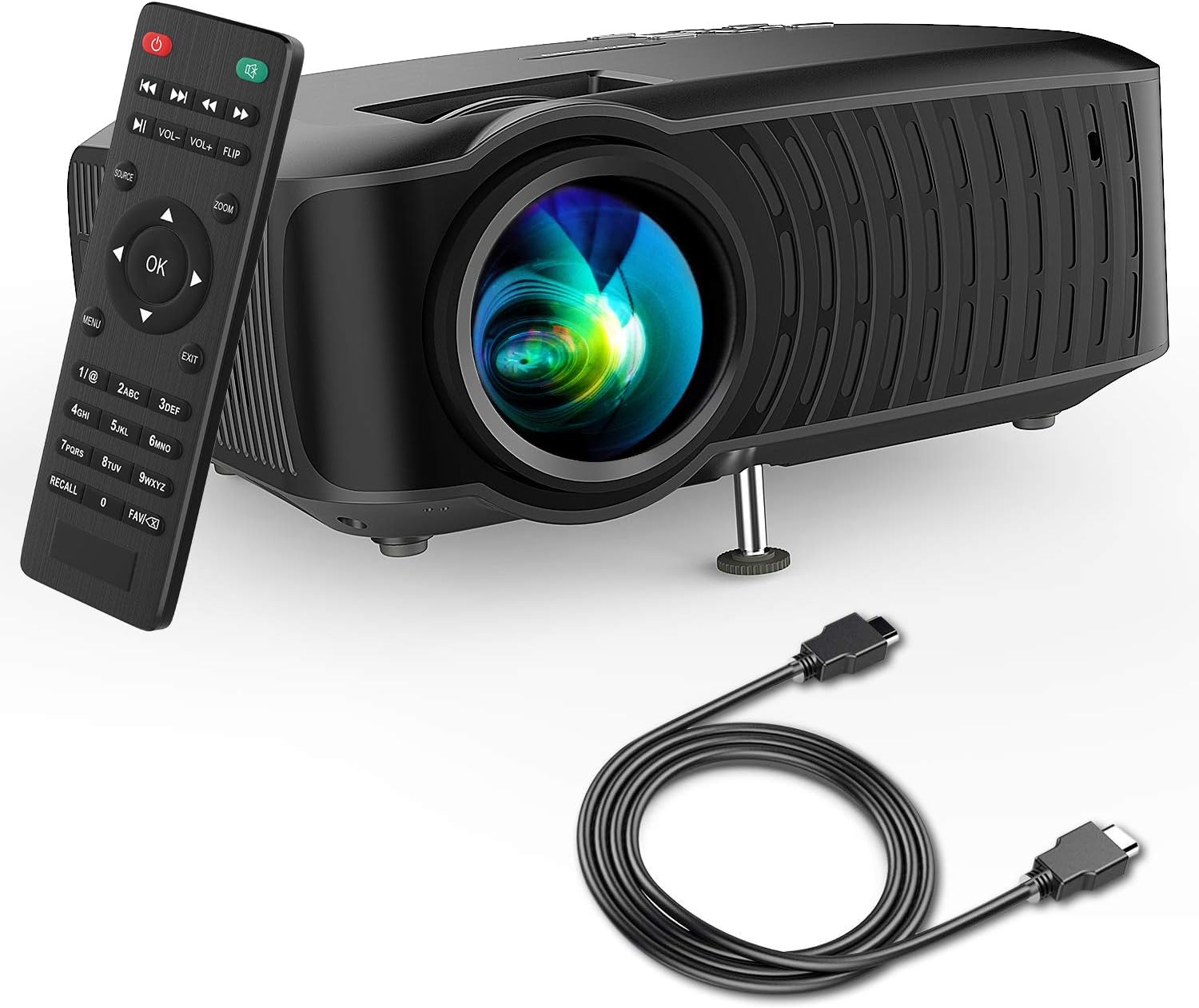
Image: The DBPOWER T22 Portable Video Projector, its remote control, and an HDMI cable, representing the typical package contents.
3. Konec produktuview
Familiarize yourself with the various parts of your DBPOWER T22 projector.
3.1 Přední a boční strana View

Obrázek: Strana view of the DBPOWER T22 projector with dimensions indicating its compact and portable design (21.8cm length, 17.2cm width, 9.16cm height).
- Projekční čočka: Vysílá obraz na obrazovku.
- Zaostřovací kroužek: Upravuje jasnost obrazu.
- Korekční kroužek lichoběžníkového zkreslení: Koriguje lichoběžníkové zkreslení obrazu.
- Větrací otvory: Pro odvod tepla. Neblokovat.
- Nastavitelná noha: Raises or lowers the front of the projector.
3.2 Zadní panel a připojení
The rear panel provides various input and output ports for connecting external devices.
- Port HDMI: Connects to devices like laptops, Blu-ray players, game consoles, and TV sticks.
- USB port: Connects to USB flash drives for media playback.
- AV port: Connects to older devices using the included AV cable.
- Slot pro SD kartu: For playing media directly from an SD card.
- Audio výstup (3.5mm jack): Připojuje se k externím reproduktorům nebo sluchátkům.
- Příkon: Připojuje se k napájecímu adaptéru.
3.3 Dálkové ovládání
The remote control allows convenient operation of the projector from a distance.
- Vypínač: Zapne/vypne projektor.
- Tlačítko zdroje: Selects input source (HDMI, AV, USB, SD).
- Navigační tlačítka (nahoru/dolů/vlevo/vpravo): Navigace v nabídkách.
- Tlačítko OK: Potvrzuje výběr.
- Tlačítko nabídky: Přístup k nastavení projektoru.
- Tlačítko Konec: Ukončí aktuální menu nebo funkci.
- Hlasitost +/-: Upravuje hlasitost reproduktoru.
- Otočné tlačítko: Rotates the projected image.
- Tlačítko přiblížení: Adjusts image zoom (digital zoom).
4. Nastavení
4.1 Zapnutí/vypnutí
- Connect the power cable to the projector's power input, then plug the other end into a power outlet.
- Press the power button on the projector or the remote control to turn it on. The indicator light will change.
- Pro vypnutí stiskněte znovu tlačítko napájení.
4.2 Adjusting Image Focus and Keystone
Achieve a clear and rectangular image by adjusting the focus and keystone correction.

Image: Diagram showing the manual keystone correction and focus rings on the side of the projector, with examples of de-focused and focused images, and trapezoidal correction.
- Soustředit: Otočte Zaostřovací kroužek until the projected image appears sharp and clear.
- Korekce lichoběžníkového zkreslení: If the image appears trapezoidal (wider at the top or bottom), rotate the Keystone Correction Ring to make the image rectangular. The projector supports ±15° manual keystone correction.
4.3 Připojení externích zařízení
The DBPOWER T22 supports multiple input sources.
- HDMI: Connect an HDMI cable from your device (e.g., laptop, game console, Amazon Fire TV Stick) to the projector's HDMI port.
- USB: Vložte USB flash disk do USB portu.
- AV: Use the provided AV cable to connect to devices with AV output.
- SD karta: Vložte SD kartu do slotu pro SD kartu.
- chytré telefony: For iOS devices, an external Lightning to HDMI adapter is required. For Android devices, an external Micro USB/Type-C to HDMI adapter is required. (Adapters not included).
5. Ovládání projektoru
5.1 Výběr vstupního zdroje
After connecting your device, you need to select the correct input source.
- Stiskněte tlačítko Zdroj button on the remote control or the projector.
- Use the navigation buttons to select the desired input source (e.g., HDMI, USB, AV, SD).
- Stiskněte OK potvrdit.
5.2 Přehrávání médií (USB/SD)
When a USB drive or SD card is inserted, the projector will display a media browser.
- Procházejte složky a files using the remote control's navigation buttons.
- Vyberte a file (e.g., video, photo, music, text) and press OK hrát.
5.3 Audio výstup
The projector features an improved built-in speaker system. For enhanced audio, you can connect external speakers.

Image: An illustration of the DBPOWER T22 projector highlighting its stereo speakers, indicating that external speakers are not always necessary for an enjoyable audio experience.
- Vestavěný reproduktor: The projector's internal speaker provides audio. Adjust volume using the VOL +/- tlačítka na dálkovém ovladači.
- External Speakers/Headphones: Connect a 3.5mm audio cable from your external audio device to the projector's Audio Out port.
5.4 Projector Settings (Menu)
Stiskněte tlačítko Menu button on the remote to access settings such as Picture Mode, Aspect Ratio, Sound Mode, and other system preferences.
6. Údržba
6.1 Čištění objektivu
Use a professional lens cleaning cloth or lens paper to clean the projector lens. Avoid touching the lens directly with your hands.

Obrázek: Explodoval view of the projector lens assembly, highlighting the tempered glass lens and the importance of a dust cover to protect it from scratches and dust.
6.2 Čištění těla projektoru
Tělo projektoru otřete měkkým, suchým hadříkem. Nepoužívejte abrazivní čisticí prostředky ani rozpouštědla.
6.3 Heat Dispersion System
The projector features an advanced cooling system to ensure stable operation and extend lamp life. Ensure ventilation ports are clear.

Obrázek: Interní view of the DBPOWER T22 projector, illustrating the advanced heat dispersion system with air flowing through cooling fins to maintain optimal operating temperature.
6.4 lamp Život
LED lamp in your DBPOWER T22 projector has an extended lifespan of over 50,000 hours, significantly reducing the need for lamp nahrazení.
7. Řešení problémů
Pokud narazíte na problémy, podívejte se na následující běžné problémy a jejich řešení.
| Problém | Možná příčina | Řešení |
|---|---|---|
| Žádný obraz nebo hláška „Žádný signál“ | Vybrán nesprávný vstupní zdroj; uvolněné připojení kabelu; zařízení není zapnuté. |
|
| Rozmazaný obraz | Není nastavené zaostření; projektor je příliš blízko/daleko od promítací plochy. |
|
| Trapezoidal image | Projektor není kolmý k promítací ploše. |
|
| Žádný zvuk nebo nízká hlasitost | Volume too low; mute enabled; external audio device issues. |
|
| Dálkové ovládání nefunguje | Dead batteries; obstruction; remote not pointed at IR receiver. |
|
8. Specifikace
Detailed technical specifications for the DBPOWER T22 Portable Video Projector.
| Funkce | Detail |
|---|---|
| Značka | DBPOWER |
| Číslo modelu | T22 |
| Jas | 120 ANSI Lumens (80% brighter than most market projectors) |
| Kontrastní poměr | 2000:1 |
| Podporované rozlišení | 1080P (Full HD) |
| Nativní rozlišení displeje | 800 x 480 |
| Typ zobrazení | LCD |
| Lamp Život | 50,000 hodin |
| Velikost projekce | 32-176 palců |
| Projekční vzdálenost | 1-5.2 metry |
| Korekce lichoběžníkového zkreslení | Manual ±15° |
| Technologie připojení | HDMI, USB, AV, SD Card |
| Vestavěný reproduktor | Yes (Improved system) |
| Rozměry produktu | 21.59 x 17.02 x 9.14 cm |
| Hmotnost položky | 1.9 kg |
| Wattage | 24 wattů |
9. Záruka a podpora
DBPOWER products are designed and manufactured to the highest quality standards. For warranty information, technical support, or customer service inquiries, please refer to the contact information provided with your purchase or visit the official DBPOWER webmísto.
Oficiální Webmísto: www.dbpower.co (Poznámka: URL may vary by region. Refer to product packaging for specific regional support details.)