
Zavedení
Welcome to the user manual for your Nokia 130 DS TA-1017 mobile phone. This guide provides essential information for setting up, operating, maintaining, and troubleshooting your device. Please read this manual carefully to ensure proper use and to maximize your phone's capabilities.
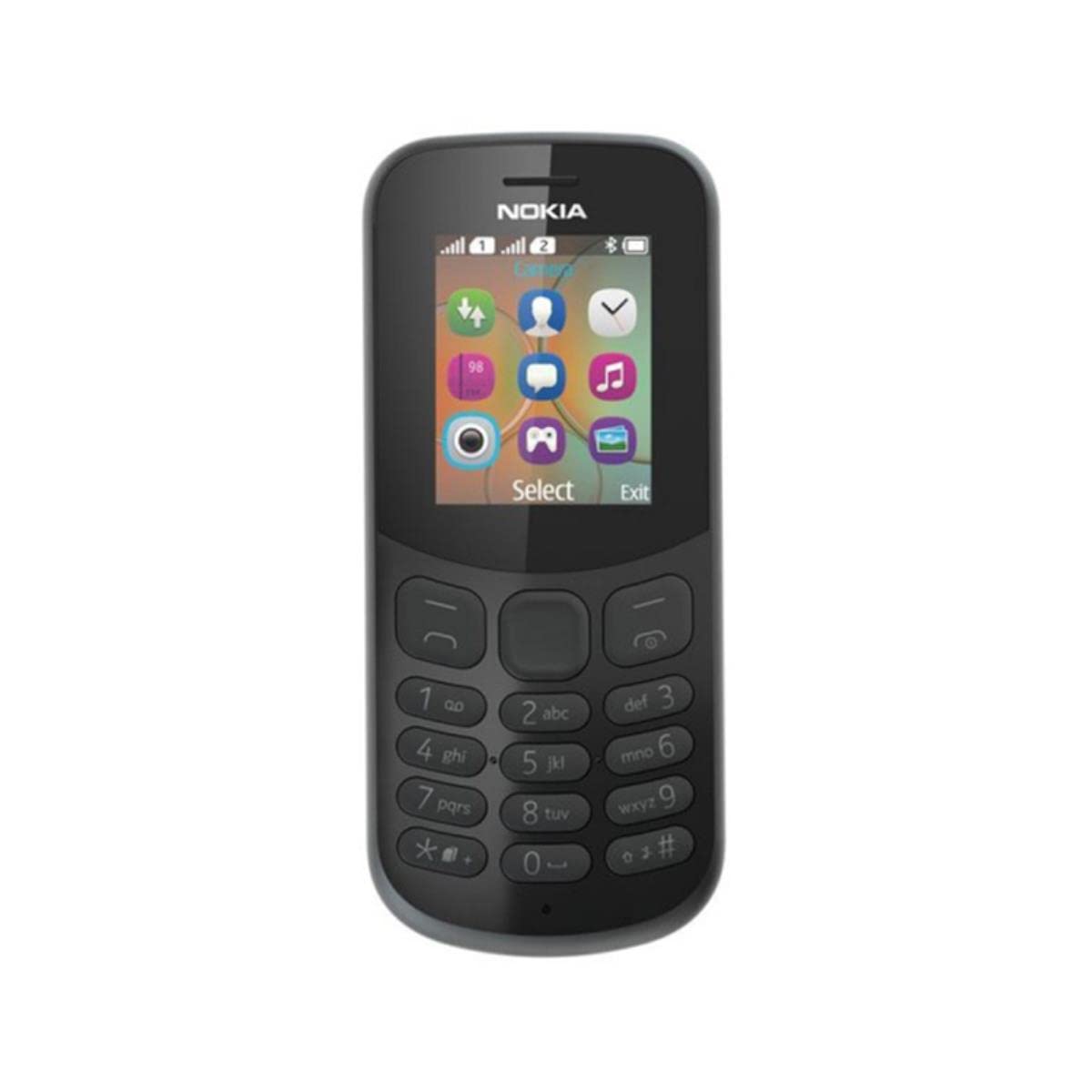
Obrázek: Zadní view of the Nokia 130 DS TA-1017 mobile phone, highlighting the camera and speaker components.
Nastavení
1. Vložení SIM karty (kart)
The Nokia 130 DS TA-1017 supports dual SIM cards. To insert a SIM card:
- Odstraňte zadní kryt telefonu.
- Pokud je vložena baterie, vyjměte ji.
- Slide the SIM card(s) into the designated slot(s) with the gold contacts facing down.
- Ujistěte se, že SIM karta (karty) jsou bezpečně na místě.
2. Vložte paměťovou kartu
To expand storage, you can insert a MicroSD card (up to 32 GB):
- Po sejmutí zadního krytu a baterie vyhledejte slot pro kartu MicroSD.
- Insert the MicroSD card into the slot with the gold contacts facing down until it clicks into place.
3. Insert and Charge Battery
The phone uses a removable 1020 mAh battery.
- Zarovnejte kontakty baterie s kontakty telefonu a jemně zatlačte baterii na místo.
- Nasaďte zadní kryt.
- Connect the charger to the phone's charging port and plug it into a power outlet. The phone will indicate charging status.
4. Zapnutí/vypnutí
To power on your phone, press and hold the power key until the phone vibrates or the screen lights up. To power off, press and hold the power key, then select 'Power off' from the options.
Obsluha telefonu
1. Základní navigace
Your Nokia 130 DS TA-1017 runs on the Nokia S30+ operating system. Use the navigation keys and the center select key to move through menus and make selections. The left and right soft keys perform functions indicated on the screen.
2. Uskutečňování a přijímání hovorů
- Chcete-li zavolat: Enter the phone number using the keypad and press the call key (green button).
- Chcete-li přijmout hovor: Press the call key when the phone rings.
- Ukončení hovoru: Press the end call key (red button).
3. Odesílání a přijímání zpráv
Navigate to the 'Messages' menu to compose and send SMS messages. You can also view received messages in your inbox.
4. Použití fotoaparátu
Your phone is equipped with a VGA camera. To use the camera, navigate to the 'Camera' application from the main menu. Use the center select key to capture photos.
5. Connecting with Bluetooth
To connect to other Bluetooth devices:
- Přejděte do nabídky „Menu“ > „Nastavení“ > „Připojení“ > „Bluetooth“.
- Zapněte Bluetooth.
- Vyberte možnost „Spárovaná zařízení“ nebo „Hledat audio devices' to find and connect to compatible devices.
6. Listening to Audio
The phone features a 3.5 mm headphone jack. Plug in compatible headphones to listen to music or radio privately.
Údržba
1. Čištění zařízení
Use a soft, lint-free cloth to clean the phone's screen and body. Avoid using harsh chemicals or abrasive materials, as these can damage the device.
2. Péče o baterie
- Nevystavujte baterii extrémním teplotám.
- Baterii nepropichujte ani nepoškozujte.
- Pokud telefon nebudete delší dobu používat, skladujte jej s částečně nabitou baterií.
3. Aktualizace softwaru
Periodically check for software updates to ensure your phone has the latest features and security enhancements. Refer to the phone's settings menu for update options.
Odstraňování problémů
Běžné problémy a řešení
- Telefon se nezapíná: Ujistěte se, že je baterie nabitá a správně vložená.
- Žádný síťový signál: Check that the SIM card is properly inserted. Move to an area with better network coverage.
- Slabá výdrž baterie: Reduce screen brightness, close unused applications, or replace an aging battery.
- Nelze uskutečňovat/přijímat hovory: Verify SIM card activation and network status.
Kontaktujte podporu
If you encounter issues that cannot be resolved using the troubleshooting steps, please contact Nokia customer support or your retailer for assistance.
Specifikace
| Funkce | Specifikace |
|---|---|
| Název modelu | 130 DS TA-1017 |
| Rozměry | 10.6 x 4.5 x 1.4 cm |
| Operační systém | Nokia S30+ |
| BERAN | 4 MB |
| Vnitřní paměť | 8 MB |
| Podpora karet MicroSD | Až 32 GB |
| Zobrazit | 1.8" TFT, 160 x 120 pixels |
| Kapacita baterie | 1020 mAh (Removable) |
| Konektivita | GSM (900/1800), Bluetooth |
| Fotoaparát | VGA (Rear) |
| Jack pro sluchátka | 3.5 mm |
| SIM sloty | Duální SIM |
| Doba hovoru | Až 22 hodin |
Záruka a podpora
For information regarding your product's warranty, please refer to the warranty card included in the product packaging or visit the official Nokia support website. Keep your proof of purchase for warranty claims. For further assistance, contact Nokia customer service.