
Zavedení
The Perixx PERIBOARD-313 is a wired, full-sized keyboard featuring an integrated touchpad and a 3-level LED backlight. Designed for convenience and efficiency, this keyboard combines typing and pointing functionalities into a single device, making it suitable for various computing environments. Its dimensions are approximately 456mm x 160mm x 30mm, with a touchpad measuring 57mm x 40mm.
This manual provides comprehensive instructions for the proper setup, operation, and maintenance of your PERIBOARD-313 keyboard to ensure optimal performance and longevity.
Obsah balení
- 1 x Perixx PERIBOARD-313 Wired USB Backlit Keyboard with Touchpad
- Uživatelská příručka (tento dokument)

Image: The Perixx PERIBOARD-313 keyboard, its USB cable, and the user manual shown next to the product packaging.
Systémové požadavky
- Operační systém: Windows 7, 8 nebo 10
- Connectivity: Available USB port
Nastavení
- Rozbalte klávesnici: Carefully remove the PERIBOARD-313 from its packaging.
- Připojení k počítači: Zapojte USB konektor klávesnice do volného USB portu na vašem počítači.
- Instalace ovladače: Klávesnice je plug-and-play. Váš operační systém automaticky detekuje a nainstaluje potřebné ovladače. Není nutná žádná instalace dalšího softwaru.
- Ověřte funkčnost: Once connected, the keyboard and touchpad should be immediately functional. Test by typing and moving the cursor.
Návod k obsluze
Rozložení klávesnice
The PERIBOARD-313 features a standard full-size US English QWERTY layout with 104 keys, including a dedicated numeric keypad and function keys.

Image: Detailed diagram illustrating the full QWERTY keyboard layout, including the numeric keypad and integrated touchpad.
Funkce touchpadu
The integrated touchpad provides precise cursor control and includes two buttons that function as left and right mouse clicks.
- Pohyb kurzoru: Slide your finger across the touchpad surface to move the cursor on the screen.
- Levé kliknutí: Press the left button below the touchpad or tap once on the touchpad surface.
- Klikněte pravým tlačítkem myši: Press the right button below the touchpad or tap with two fingers on the touchpad surface (if supported by OS settings).
- Posouvání: Use two fingers to scroll vertically on the touchpad (if supported by OS settings).
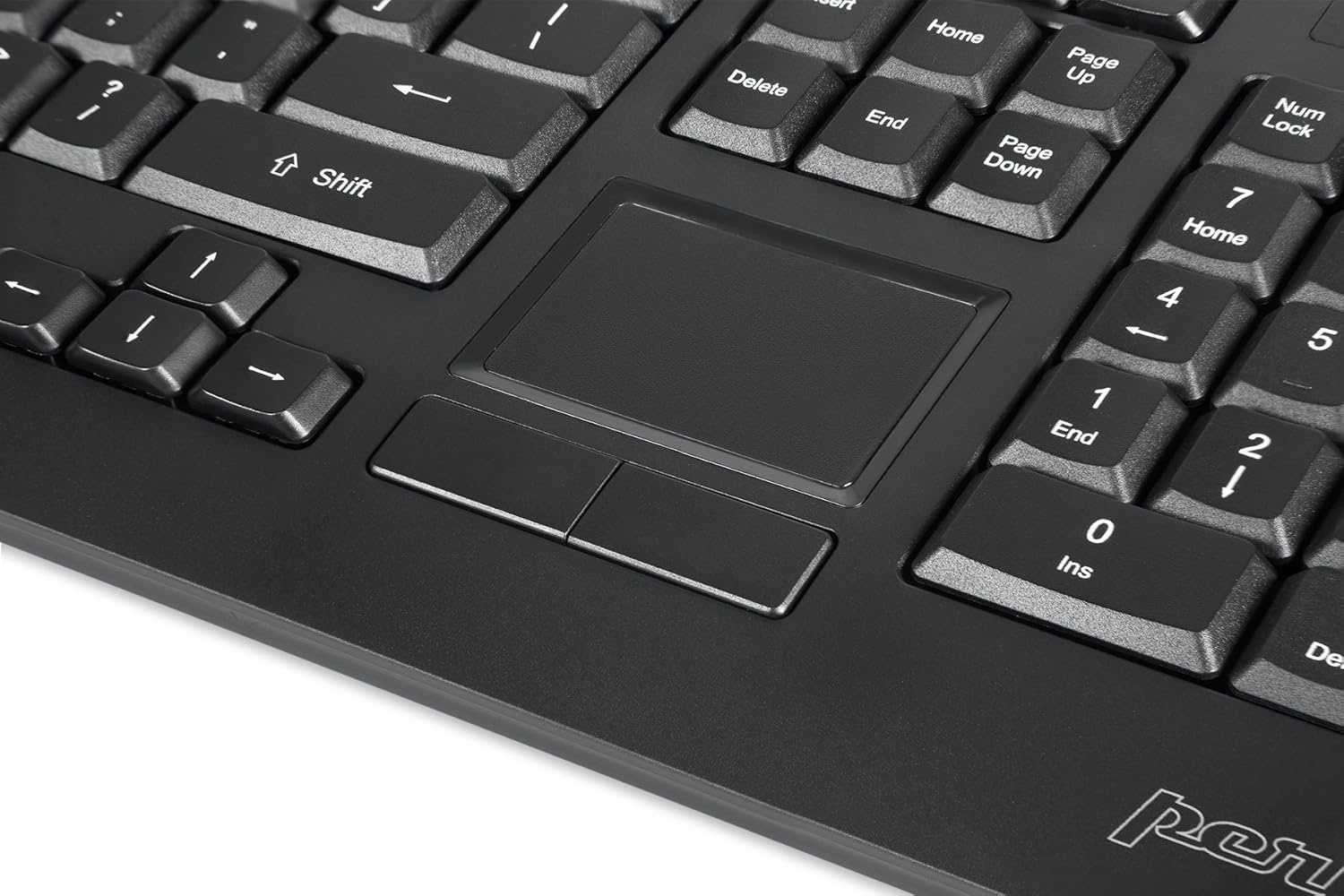
Image: A close-up of the integrated touchpad, highlighting its surface and the two dedicated click buttons.

Image: A user's hand interacting with the touchpad for cursor control.
Ovládání podsvícení
The keyboard features a white LED backlight with three adjustable brightness levels. Use the dedicated backlight control keys to adjust the illumination.
- Zapnout/vypnout podsvícení: Stiskněte tlačítko Fn + F12 kombinace kláves.
- Upravit jas: Stiskněte Fn + F11 pro procházení třemi úrovněmi jasu.
Multimediální klávesy
The PERIBOARD-313 includes 10 multimedia function keys for quick access to media controls and internet features. These functions are activated by holding the Fn key and pressing the corresponding function key (F1-F10).
- Fn+F1: Otevřete Přehrávač médií
- Fn+F2: Snížit hlasitost
- Fn+F3: Zvýšení hlasitosti
- Fn+F4: Ztlumit
- Fn+F5: Předchozí stopa
- Fn+F6: Další stopa
- Fn+F7: Přehrát/Pozastavit
- Fn+F8: Zastávka
- Fn+F9: OTEVŘENO Web Prohlížeč
- Fn+F10: Otevřít e-mailového klienta
Integrované rozbočovače USB
The keyboard features two integrated USB 2.0 hubs, allowing you to connect additional USB devices directly to the keyboard for convenience.

Image: The side of the keyboard displaying the two built-in USB 2.0 ports for connecting peripherals.
Údržba
- Čištění: Před čištěním odpojte klávesnici od počítače. Použijte měkký,amp cloth to wipe the surface. For deeper cleaning between keys, use compressed air to remove dust and debris. Avoid using harsh chemicals or abrasive cleaners.
- Skladování: Store the keyboard in a dry environment, away from extreme temperatures and direct sunlight.
- Expozice tekutin: This keyboard is not water-resistant. Avoid spilling liquids on it. If liquid exposure occurs, immediately disconnect the keyboard and allow it to dry completely before reconnecting.
Odstraňování problémů
| Problém | Možná příčina | Řešení |
|---|---|---|
| Klávesnice nereaguje | Volné USB připojení, vadný USB port, problém s ovladačem. |
|
| Touchpad nefunguje | Driver issue, touchpad disabled (unlikely for wired), physical damage. |
|
| Backlight not turning on/off or adjusting | Nesprávná kombinace kláves, konflikt softwaru. |
|
| Multimediální klávesy nefungují | Nesprávná kombinace kláves, konflikt softwaru. |
|
Specifikace
| Značka | Perixx |
| Název modelu | PERIBOARD-313 US |
| Číslo modelu | 11445 |
| Technologie připojení | USB-A (kabelové) |
| Popis klávesnice | QWERTY, Full-sized, Backlit |
| Speciální funkce | Backlit, Integrated Touchpad, USB Hubs |
| Barva | Černý |
| Keyboard Backlighting Color | Jednobarevná (bílá LED) |
| Materiál | ABS plast |
| Počet klíčů | 104 |
| Typ přepínače | Membrána |
| Rozměry touchpadu | 57 mm × 40 mm (2.24" × 1.57") |
| Rozměry klávesnice | 456 mm x 160 mm x 30 mm (17.95" x 6.30" x 1.18") |
| Hmotnost položky | 1.85 libry |
| Total USB 2.0 Ports | 2 (Integrated Hubs) |
Image: Technical drawing with key dimensions of the PERIBOARD-313 keyboard.
Záruka
The Perixx PERIBOARD-313 comes with a 1letá omezená záruka from the date of purchase. This warranty covers manufacturing defects and workmanship under normal use. It does not cover damage caused by misuse, accident, modification, or unauthorized repair. Please retain your proof of purchase for warranty claims.
Podpora
For further assistance, technical support, or warranty inquiries, please visit the official Perixx webwebu nebo kontaktujte jejich zákaznický servis. Více informací a kontaktní údaje naleznete na Obchod značky Perixx na Amazonu.


