
Zavedení
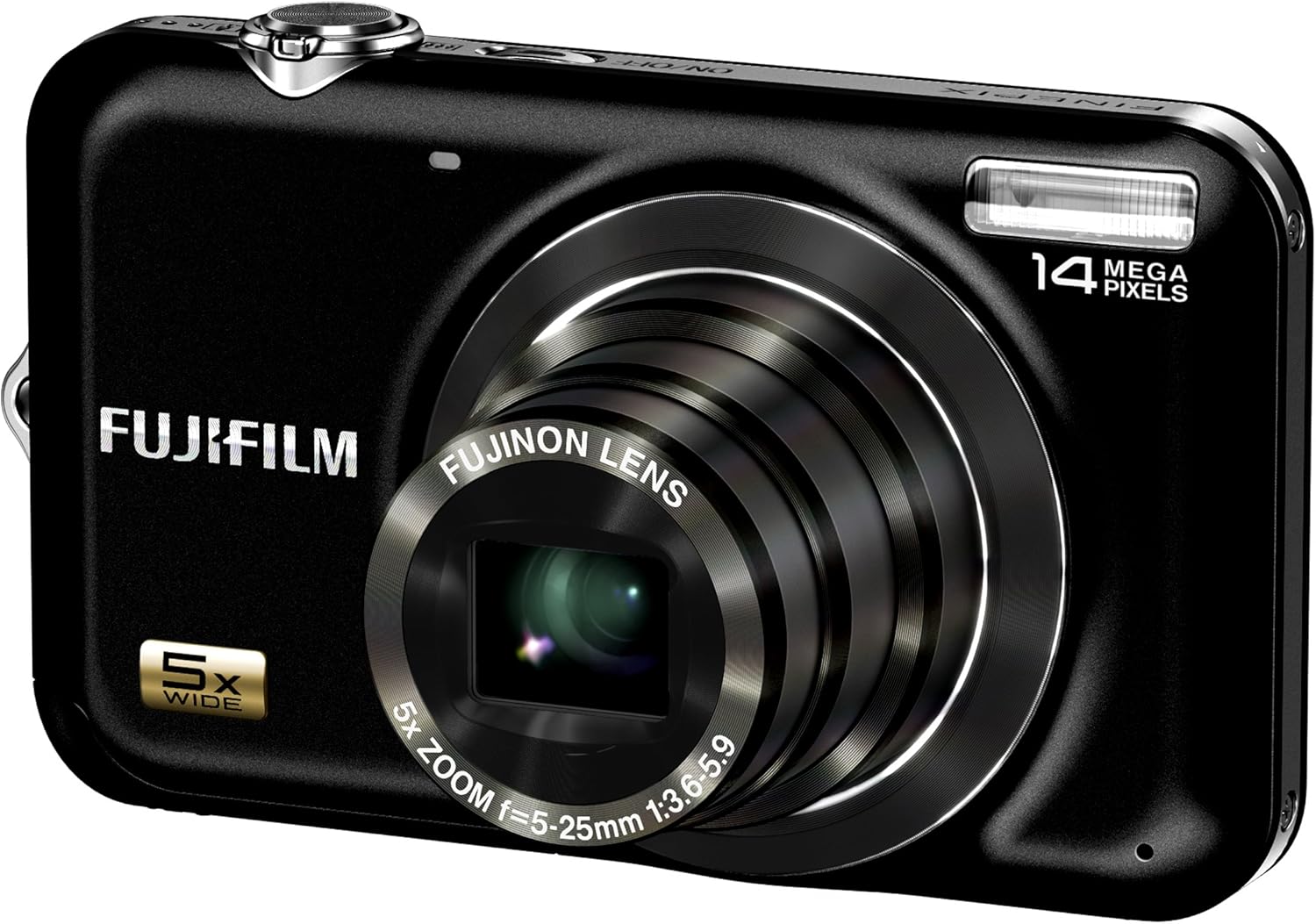
Welcome to the user manual for your Fujifilm FinePix JX250 Digital Camera. This guide provides essential information on setting up, operating, maintaining, and troubleshooting your camera to help you capture high-quality photos and videos. The FinePix JX250 features a 14-megapixel CCD sensor, a Fujinon 5x wide-angle optical zoom lens (28-140mm), and a 2.7-inch LCD, designed for ease of use and excellent image results.
Bezpečnostní informace
Please read these safety precautions carefully before using your camera to ensure safe and optimal performance.
- Do not expose the camera to water or moisture. This product is not water-resistant.
- Avoid operating the camera in extreme temperatures or high humidity.
- Use only the specified battery and charger. Incorrect use may lead to fire or explosion.
- Uchovávejte fotoaparát a příslušenství mimo dosah malých dětí.
- Nepokoušejte se kameru rozebírat ani upravovat. Servis svěřte kvalifikovanému personálu.
- Clean the lens and LCD screen gently with a soft, lint-free cloth.
Obsah balení
Ověřte, zda jsou v balení fotoaparátu přítomny všechny položky:
- Digitální fotoaparát Fujifilm FinePix JX250
- Nabíjecí lithium-iontová baterie
- Nabíječka baterií
- USB kabel
- Řemínek na ruku
- CD-ROM (Software/Manual)
- Owner's Manual (Printed)
Nastavení
1. Nabíjení baterie
Before first use, fully charge the supplied Lithium-Ion battery. Insert the battery into the charger and plug the charger into a power outlet. The indicator light will show charging status and turn off or change color when charging is complete.
2. Instalace baterie a paměťové karty
Open the battery/memory card compartment cover located on the bottom of the camera. Insert the charged battery according to the polarity indicators. Insert an SD or SDHC memory card with the label facing the back of the camera until it clicks into place.
3. Počáteční zapnutí a nastavení
Press the power button to turn on the camera. The first time you power on, you will be prompted to set the date, time, and language. Follow the on-screen instructions using the directional buttons and MENU/OK button.
Obsluha fotoaparátu
1. Základy fotografování
To take a picture, ensure the camera is in a shooting mode (e.g., SR AUTO). Frame your shot using the 2.7-inch LCD. Press the shutter button halfway down to focus, then press it fully to capture the image. The 5x optical zoom can be adjusted using the zoom lever around the shutter button.

2. Advanced Shooting Features
- Scene Recognition Auto (SR AUTO): This mode intelligently detects the scene type (e.g., portrait, landscape, macro) and automatically optimizes camera settings for the best results.
- Face Detection with Red-Eye Removal: The camera can detect up to 10 faces in a frame, optimizing focus and exposure. It also automatically corrects red-eye in captured images.
- Smile & Blink Detection: The camera can be set to automatically capture a photo when a smile is detected and will warn you if a subject blinked, allowing for re-shooting.
- Sledování automatického ostření: Ideal for moving subjects, this feature tracks the subject to maintain focus, ensuring sharp images even when the subject is in motion.
- Digitální stabilizace obrazu: Reduces blur caused by camera shake, especially in low light or at longer zoom settings.
3. Nahrávání videa
The FinePix JX250 can record HD movies in 720p resolution with sound. To start recording, switch to movie mode (if available via a dedicated button or menu option) and press the shutter button. Press it again to stop recording.
4. Přehrávání
Press the playback button (usually marked with a play icon) to view your captured photos and videos. Use the directional buttons to navigate through images. Press the zoom buttons to zoom in on photos or view více obrázků najednou.
Údržba
Čištění fotoaparátu
- Tělo fotoaparátu: Otřete měkkým, suchým hadříkem. Na odolnou špínu použijte hadřík lehceampopláchněte vodou a poté důkladně osušte.
- Čočka: K odstranění prachu použijte kartáč na objektivy a poté jemně otřete hadříkem na čištění objektivů. Nedotýkejte se objektivu prsty.
- LCD obrazovka: Use a soft, dry cloth. Do not apply pressure.
Péče o baterie
- Always use the original Fujifilm battery and charger.
- Pokud baterie nepoužíváte, skladujte je na chladném a suchém místě.
- Nevystavujte baterie extrémnímu horku ani chladu.
Skladování
When storing the camera for extended periods, remove the battery and memory card. Store the camera in a dry, well-ventilated area, preferably in a camera bag to protect it from dust and scratches.
Odstraňování problémů
Pokud narazíte na problémy s fotoaparátem, podívejte se na následující běžná řešení:
- Fotoaparát se nezapne: Ujistěte se, že je baterie plně nabitá a správně vložená.
- Nelze fotografovat: Check if a memory card is inserted and has sufficient free space. Ensure the lens cap is removed (if applicable).
- Obrázky jsou rozmazané: Check focus settings. Ensure Digital Image Stabilization is active. Hold the camera steady or use a tripod.
- Blesk se neaktivuje: Check flash mode settings. Ensure the flash is not disabled or in a mode where it won't fire (e.g., forced off).
- LCD screen is blank: Press the DISPLAY/BACK button to cycle through display options.
For more detailed troubleshooting, consult the full owner's manual on the provided CD-ROM or Fujifilm's support webmísto.
Specifikace
| Funkce | Specifikace |
|---|---|
| Název modelu | Fujifilm FinePix JX250 |
| Efektivní rozlišení | 14 MP |
| Technologie fotosenzoru | CCD |
| Optický zoom | 5x |
| Typ objektivu | Fujinon 5x wide-angle (28mm-140mm) optical zoom lens |
| Velikost obrazovky | 2.7 palce |
| Typ zobrazení | LCD |
| Stabilizace obrazu | Digitální stabilizace obrazu |
| Rozlišení videa | HD 720p |
| Podporováno File Formát | JPEG |
| Typ paměti Flash | SD, SDHC |
| Typ baterie | Lithium Ion |
| Barva | Černý |
| Hmotnost položky | 1 libry |
Záruka a podpora
Your Fujifilm FinePix JX250 Digital Camera comes with a limited manufacturer's warranty. Please refer to the warranty card included in your package for specific terms and conditions. For technical support, service, or to download the latest software and drivers, please visit the official Fujifilm support webnebo kontaktujte jejich oddělení zákaznických služeb.
Více informací a podpůrných zdrojů naleznete na adrese Obchod Fujifilm.