Introduction
World Wide Soccer'97 is a football simulation video game developed by SEGA for the Sega Saturn console. This manual provides essential information for setting up, playing, and maintaining your game, ensuring an optimal gaming experience.
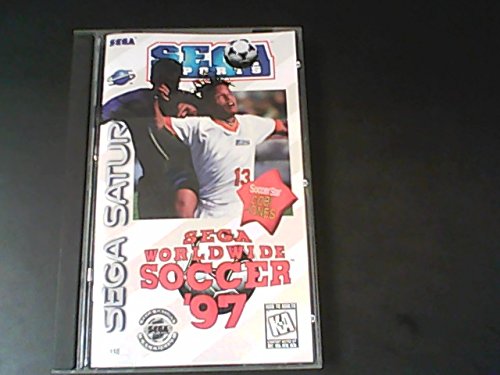
Image: The game case for World Wide Soccer '97 on Sega Saturn, featuring two soccer players in action and the game title.
Setup
- Console Connection: Ensure your Sega Saturn console is properly connected to your television and power source according to the console's own instruction manual.
- Inserting the Game Disc: Open the disc tray of your Sega Saturn console. Carefully place the World Wide Soccer'97 game disc onto the spindle with the label side facing up. Close the disc tray securely.
- Controller Setup: Connect your Sega Saturn controller(s) to the controller port(s) on the front of the console. Up to two players can participate simultaneously.
Operating (Gameplay)
- Starting the Game: Power on your Sega Saturn console. The game will load automatically. If not, navigate to the 'Start Game' option from the console's main menu.
- Main Menu Navigation: Use the directional pad (D-Pad) on your controller to navigate menu options. Press the A, B, or C button to confirm selections, and the Z button to cancel or go back.
- Basic Controls:
- D-Pad: Player Movement
- A Button: Pass / Tackle
- B Button: Shoot / Slide Tackle
- C Button: Lob Pass / Change Player
- X, Y, Z Buttons: Special Moves / Tactics (refer to in-game tutorial for specifics)
- Start Button: Pause Game / Access In-Game Menu
- Game Modes: Explore various game modes such as Exhibition Match, League, Cup, and Training. Select your preferred mode from the main menu.
- Saving Progress: World Wide Soccer'97 may utilize the Sega Saturn's internal memory or a backup memory cartridge for saving game progress, league standings, or custom settings. Follow on-screen prompts to save your data.
Maintenance
- Disc Care: Handle the game disc by its edges. Avoid touching the reflective surface. Keep the disc clean and free from scratches. Store it in its original case when not in use.
- Console Care: Keep your Sega Saturn console in a clean, dust-free environment. Avoid exposing it to extreme temperatures or direct sunlight.
Troubleshooting
- Game Not Loading: Ensure the disc is clean and correctly inserted. Check that the console is powered on and connected to the TV. If issues persist, try another game disc to verify console functionality.
- Controller Not Responding: Verify the controller is securely plugged into the console. Test with another controller if available.
- Graphics or Sound Issues: Check all AV cable connections between the console and the television. Ensure the TV is set to the correct input channel.
Specifications
| Feature | Detail |
|---|---|
| UPC | 010086811124 |
| Compatible Console | SEGA Saturn |
| ASIN | B00004SW19 |
| Language | English |
| Rated | Everyone |
| Item Weight | 8 ounces |
| Manufacturer | Sega of America, Inc. |
| Date First Available | January 1, 2000 |
Warranty and Support
For warranty information and technical support regarding World Wide Soccer'97 or your Sega Saturn console, please refer to the documentation included with your original purchase. You may also visit the official SEGA website for further assistance and product information.
Visit the SEGA Store for more products and information.


