📘 RFLink manuals • Free online PDFs
RFLink logo

RFLink Manuals & User Guides

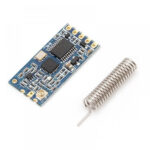
RFLink wireless UART and I/O modules help connect development boards, sensors and switches without long cables, enabling remote data transfer and device control.

Tip: include the full model number printed on your RFLink label for the best match.

About RFLink manuals on Manuals.plus

Browse RFLink manuals for wireless UART transmission and I/O switch modules, including RFLINK-UART, RFLINK-IO and RFLINK-Mix.

Find guidance on pin connections, power requirements, root and device setup, UART settings and Arduino or Raspberry Pi integration. Select the guide matching your exact model and board label before wiring or configuration.

RFLink manuals

Selected manuals from manuals+ curated for this brand.

RFLINK-Mix Wireless UART to UART Module User Manual

July 8, 2022
Mix Wireless UART to UART Module User Manual  directory Module appearance and dimension ........................................ 11 Module characteristics ............................................................... 22 Pin definition ............................................................................. 2 22 How to use ................................................................................... 434 RF…

Rflink WIWI5GOUKI Device User Manual

March 23, 2022
WIWI5GOUKI Operation Manual Product Name: WIWI5GOUKI Trade name: NICT Model name: RM-92NCT Manufacturer: RFLink Corp. Product description This product provides synchronized signals when used in pair. Units are synchronized through…

RFLink support FAQ

Common questions about manuals, registration, and support for this brand.

  • Which RFLink manual should I use?

    Match the model name and board label to the manual, such as RFLINK-UART, RFLINK-IO or RFLINK-Mix. Root and device boards may look alike, so check their labels before connecting them.

  • Can RFLink modules work with Arduino or Raspberry Pi?

    The UART module guides include Arduino and Raspberry Pi examples. Follow the model-specific pin connections, power requirements and UART settings.

  • How many devices can connect to one root module?

    The listed UART, I/O and Mix guides describe support for up to four devices per root. Device selection differs by model, so follow the relevant setup instructions.

  • What should I check if a wireless UART link is not working?

    Check power, ground and CEB connections against the manual, then verify TX/RX wiring, baud rate, group labels and device selection. Use the model-specific latch or command-mode procedure where required.

  • Where can I find RFLink warranty or registration information?

    No verified warranty or registration page is available in the supplied information. Check the documentation included with your product or ask the seller for the applicable terms and support contact.