
Introducció
This manual provides essential information for the safe and efficient use of your Google Pixel 9 Pro 5G smartphone. Please read these instructions carefully before operating your device.
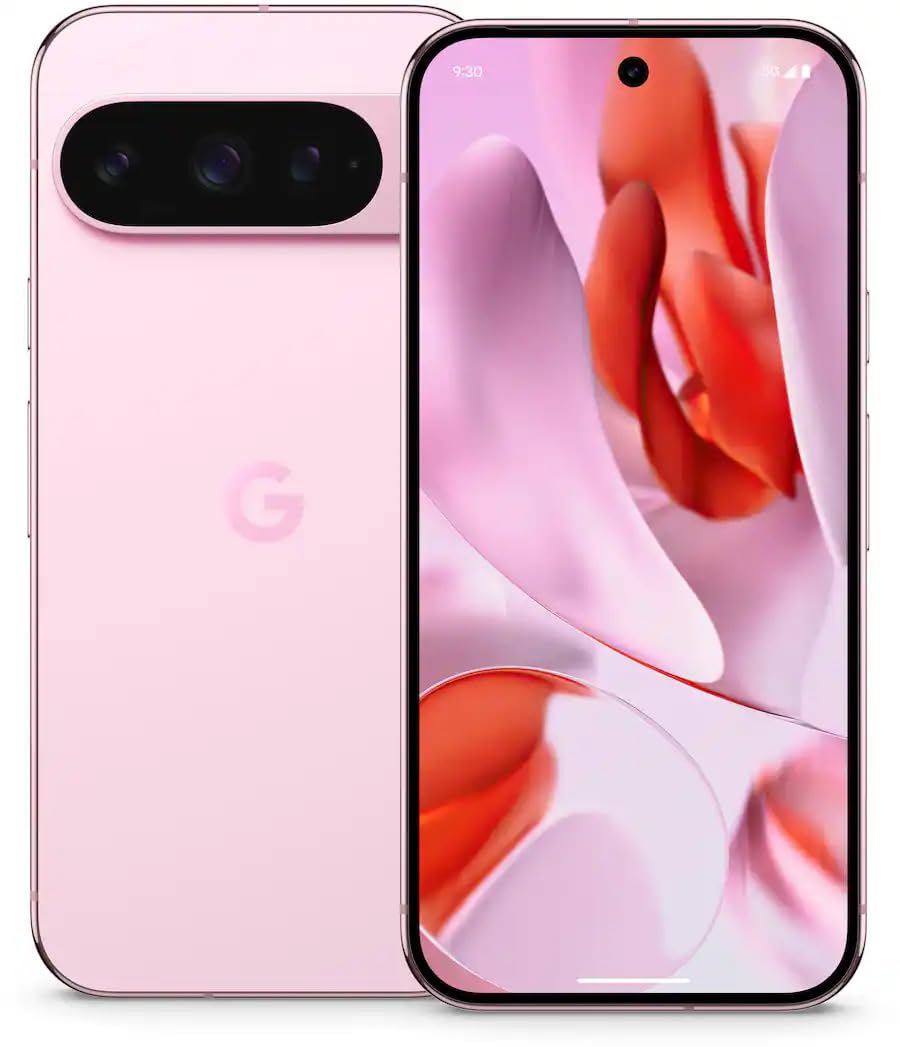
Figura 1: Frontal view of the Google Pixel 9 Pro 5G.
Què hi ha a la caixa
Verifiqueu que tots els elements estiguin presents a l'embalatge:
- Google Pixel 9 Pro Smartphone
- USB-C to USB-C Cable (1m, USB 2.0)
- Eina d'expulsió de la safata SIM
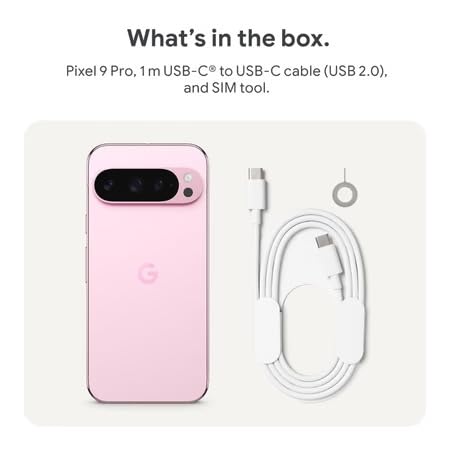
Figure 2: Included items in the Pixel 9 Pro packaging.
Configuració
1. Inserció de la targeta SIM
- Locate the SIM tray on the side of your Pixel 9 Pro.
- Introduïu l'eina d'expulsió de la targeta SIM proporcionada al forat petit de la safata de la targeta SIM i premeu suaument fins que la safata surti.
- Col·loca la targeta Nano-SIM a la safata amb els contactes daurats cap avall. Assegura't que estigui correctament col·locada.
- Carefully push the SIM tray back into the device until it is flush.
2. Càrrega inicial
Abans del primer ús, es recomana carregar completament el dispositiu.
- Connecta el cable USB-C al port de càrrega de la part inferior del telèfon.
- Connect the other end of the cable to a compatible USB power adapter (sold separately) and plug it into a power outlet.
- La icona de la bateria a la pantalla indicarà l'estat de càrrega.
3. Encès / apagat
- Per encendre: Press and hold the Power button (located on the right side) until the Google logo appears on the screen.
- Per apagar: Mantingueu premut el botó d'engegada i, a continuació, toqueu "Apagar" a la pantalla.
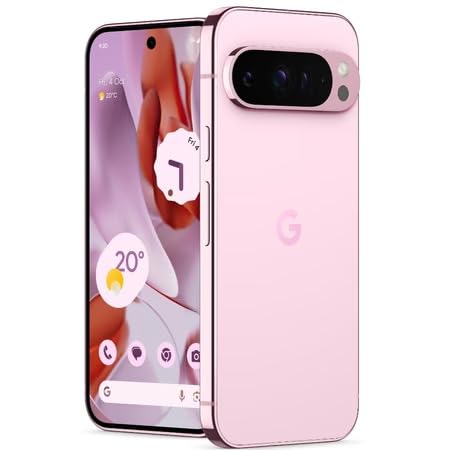
Figure 3: Power and volume buttons on the side of the device.
4. Assistent de configuració inicial
Upon powering on for the first time, follow the on-screen instructions to:
- Seleccioneu el vostre idioma i regió.
- Connecteu-vos a una xarxa Wi-Fi.
- Inicia la sessió amb el teu compte de Google o crea'n un de nou.
- Set up security features such as fingerprint unlock, face unlock, PIN, pattern, or password.
- Transferir dades des d'un dispositiu antic (opcional).
Instruccions de funcionament
Navegació bàsica
- Gestos de la pantalla tàctil: Interact with the device using taps, swipes, pinches (for zoom), and long presses.
- Pantalla d'inici: Access your applications, widgets, and customize your layout.
- Notificacions: Feu lliscar el dit cap avall des de la part superior de la pantalla fins a view notificacions.
- Configuració ràpida: Swipe down twice from the top of the screen to access quick settings toggles (Wi-Fi, Bluetooth, etc.).
Funcionament de la càmera
The Pixel 9 Pro features a powerful triple rear camera system.
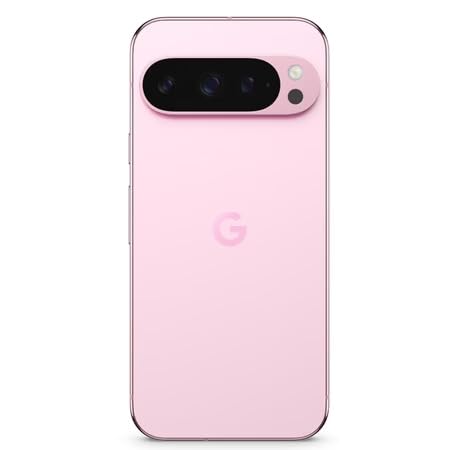
Figure 4: Rear camera system of the Pixel 9 Pro.
- Obrint la càmera: Tap the Camera app icon on your home screen or lock screen.
- Canvi de lents: Tap the icons on the viewfinder to switch between wide, ultrawide, and 5x telephoto lenses.
- Modes de tir: Select from various modes such as Night Sight for low-light conditions, Astrofotografia for capturing stars, Macro for close-up shots, Exposició llarga for creative effects, and Retrat for depth-of-field effects.
- Super Res Zoom: Pinch the screen to digitally zoom up to 30x. For video, Super Res Zoom supports up to 20x.
- Pro Controls: Access advanced camera settings like shutter speed and manual focus for greater creative control.
Gestió de la bateria
- Comprovació del nivell de bateria: View el percentatge de la bateriatage in the status bar or in Settings > Battery.
- Extreme Battery Saver: Enable this mode in Settings > Battery > Extreme Battery Saver to significantly extend battery life.
- Càrrega: Use the provided USB-C cable and a compatible power adapter for optimal charging speed.
Característiques de seguretat
Your Pixel 9 Pro incorporates multiple hardware security layers to protect your data.
- Desbloqueig de les empremtes digitals: Register your fingerprints in Settings > Security & privacy > Device unlock.
- Desbloqueig facial: Set up facial recognition for convenient unlocking.
- PIN/Patró/Contrasenya: Always set a strong screen lock method.
- Actualitzacions de programari: Regularly install system updates to ensure your device has the latest security patches.
Sensor de temperatura
The Pixel 9 Pro includes a thermometer for measuring temperature.
- Open the dedicated Thermometer app.
- Follow the on-screen instructions to measure body temperature or the temperature of objects.
- Temperature data can be saved and tracked within the Fitbit application.
Manteniment
Neteja del teu dispositiu
- Use a soft, lint-free cloth to clean the screen and body of your phone.
- Avoid using abrasive materials, harsh chemicals, or aerosol sprays.
- Do not submerge the device in water, despite its water-resistant rating.
Actualitzacions de programari
Google regularly releases software updates to improve performance, add features, and enhance security.
- To check for updates, go to Settings > System > System update.
- Ensure your device is connected to Wi-Fi and has sufficient battery charge before installing updates.
Cura Física
The Pixel 9 Pro is built with Corning Gorilla Glass Victus 2 and is water-resistant, offering durability against everyday drops and spills.
- While durable, avoid excessive impacts or drops to prevent damage.
- Consider using a screen protector and a protective case for additional safeguarding.
Resolució de problemes
El dispositiu no respon
If your phone becomes unresponsive, perform a force restart:
- Premeu i manteniu premut el botó d'engegada durant aproximadament 10-15 segons fins que el dispositiu es reiniciï.
Les aplicacions es bloquegen o es bloquegen
- Tanca l'aplicació problemàtica i torna-la a obrir.
- Clear the app's cache: Go to Settings > Apps > See all apps > [App Name] > Storage & cache > Clear cache.
- Assegureu-vos que l'aplicació estigui actualitzada a la seva darrera versió des de Google Play Store.
- Reinicieu el telèfon.
Network Connectivity Issues (Wi-Fi/Cellular)
- Toggle Wi-Fi or cellular data off and then back on.
- Reinicieu el telèfon.
- Verifiqueu que la targeta SIM estigui inserida correctament.
- Reset network settings: Go to Settings > System > Reset options > Reset Wi-Fi, mobile & Bluetooth.
La bateria s'esgota ràpidament
- Comproveu l'ús de la bateria a Configuració > Bateria per identificar les aplicacions que consumeixen energia.
- Redueix la brillantor de la pantalla i el temps d'espera de la pantalla.
- Disable unnecessary features like GPS, Bluetooth, and Wi-Fi when not in use.
- Enable Extreme Battery Saver mode.
Restabliment de fàbrica (últim recurs)
Warning: A factory reset will erase all data from your phone. Back up all important data before proceeding.
- Ves a Configuració > Sistema > Opcions de restabliment > Esborra totes les dades (restabliment de fàbrica).
- Confirm your decision when prompted.
Especificacions
| Característica | Detall |
|---|---|
| Marca | |
| Model | Pixel 9 Pro |
| Sistema operatiu | Android 15 |
| Processador | Google Tensor G4 (3.1 GHz) |
| RAM | 16 GB |
| Emmagatzematge intern | 256 GB |
| Mostra | 6.3 Inches LTPO OLED (Actua), 1280 x 2856 Pixels, 120 Hz Refresh Rate |
| Càmera posterior | 50 MP wide + 48 MP ultrawide (Macro) + 48 MP 5x telephoto |
| Càmera frontal | 42 MP |
| Capacitat de la bateria | 4700 milionsamp Hours (up to 24 hours average life) |
| Connectivitat | 5G, Wi-Fi 7, Bluetooth 5.3, NFC, UWB, USB-C |
| Targeta SIM | Single Nano SIM |
| Resistència a l'aigua | Resistent a l'aigua |
| Dimensions | 8 x 72 x 153 mil·límetres |
| Pes | 198 grams |
Garantia i Suport
Informació de la garantia
Your Google Pixel 9 Pro 5G comes with a 1 anys de garantia del fabricant des de la data de compra. Aquesta garantia cobreix els defectes de fabricació en condicions d'ús normal. Si us plau, conserveu el comprovant de compra per a reclamacions de garantia.
Atenció al client
For technical assistance, warranty claims, or other support inquiries, please contact Google customer service:
- Fabricant: Google LLC, 1600 Amphiteatre Parkway, Mountain View, CA 94043, EUA
- Phone Support (India): +91 7718892303
- Contacte de l'importador (Índia): Nexora Axis Private Limited (+91 7718892303)
For the most up-to-date support information, please visit the official Google Pixel support weblloc.