
Introducció
Thank you for choosing the ApeWeghr KC01 Rechargeable Coffee Scale with Timer. This high-precision digital scale is designed for accurate weighing of coffee beans, grounds, and water, essential for both espresso and pour-over brewing methods. Its compact design, dual timer modes, and long battery life make it a versatile tool for any coffee enthusiast.
Què hi ha a la caixa
- Escala digital
- USB Type-C Charging Cable (for internal rechargeable battery)
- Manual d'usuari
Producte acabatview
The ApeWeghr KC01 coffee scale features a compact design with a clear digital display and intuitive controls. It is equipped with a silicone pad for stability and heat resistance.

Imatge: The ApeWeghr KC01 coffee scale showing its compact dimensions: 4.3 inches (11 cm) in width, 4.1 inches (10.5 cm) in depth, and 0.67 inches (1.7 cm) in height. This image highlights its ultra-mini and pro-precision design, suitable for fitting under espresso machines.
Components clau:

Imatge: Primer pla view of the ApeWeghr KC01 coffee scale's display and controls. Key indicators are numbered: (1) Timing Area, (2) Weighing Area, (3) Manual Mode Indicator, (4) Automatic Mode Indicator, (5) Sound Indicator, (6) Weight Unit Indicator. A cup of coffee beans is placed on the weighing platform.
- Timing Area: Displays the elapsed time during brewing.
- Weighing Area: Shows the current weight measurement.
- Manual Mode Indicator: Lights up when the manual timer mode is active.
- Automatic Mode Indicator: Lights up when the auto-start timer mode is active.
- Indicador de so: Indicates if sound alerts are enabled.
- Indicador d'unitat de pes: Shows the currently selected unit of measurement (e.g., grams, ounces).
- Botó M: Botó de selecció de mode/unitat.
- Botó d'encesa/tara: Power on/off and tare function.
- Botó del temporitzador: Start/stop timer, switch timer modes.
Configuració
Càrrega de la bàscula:
Before first use, fully charge the scale. Connect the provided USB Type-C charging cable to the scale's charging port (located on the side) and to a standard USB power adapter (not included). The battery indicator on the display will show charging status. A full charge can last up to 90-100 days depending on usage.
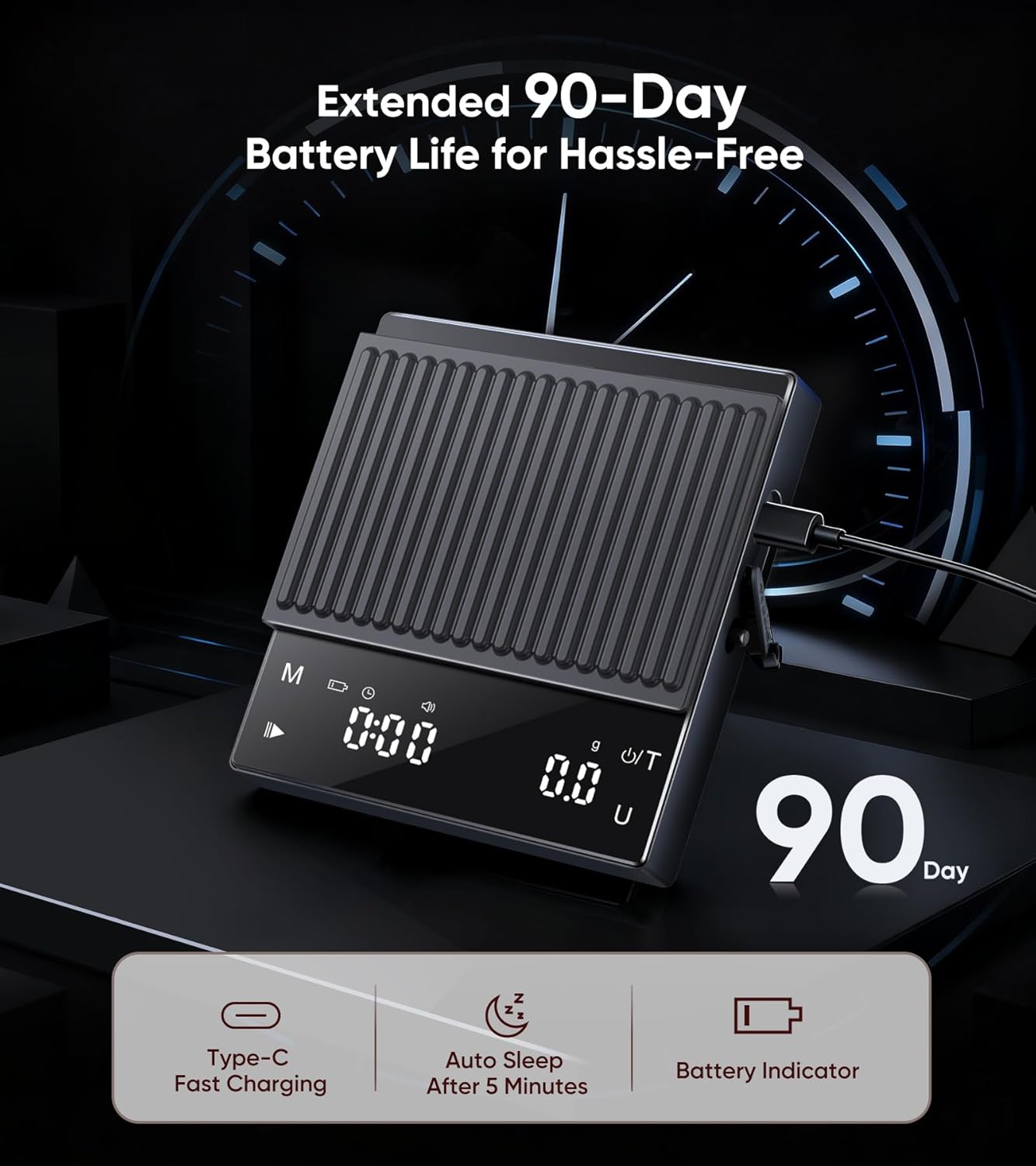
Imatge: The ApeWeghr KC01 coffee scale connected to a USB-C charging cable, illustrating its extended 90-day battery life. Icons indicate Type-C Fast Charging, Auto Sleep after 5 minutes, and a Battery Indicator.
Placing the Silicone Pad:
Place the included silicone pad on the weighing platform. This pad provides anti-slip grip, heat resistance, and protects the scale surface from scratches and spills.

Imatge: A hand peeling back the non-slip and heat-resistant silicone mat from the ApeWeghr KC01 coffee scale. Icons below highlight its features: Anti-Slip Grip, Heat Resistant, Scratch Protection, and Easy to Clean.
Instruccions de funcionament
Encès/apagat:
- Per encendre, premeu el botó Potència/Tara botó.
- Per apagar-lo, manteniu premut el botó Potència/Tara button for 3 seconds. The scale will also automatically shut off after 5 minutes of inactivity to conserve battery.
Conversió d'unitat:
- Premeu el botó M button to cycle through available units: grams (g) and ounces (oz). The selected unit will be indicated on the display.
Funció de tara:
- Col·loqueu un recipient buit a la plataforma de pesatge.
- Premeu el botó Potència/Tara button briefly to zero out the weight of the container. The display will show "0".
- You can now add ingredients, and only their weight will be measured.
Pesatge:
- Assegureu-vos que la bàscula estigui en una superfície plana i estable.
- Power on the scale and select your desired unit.
- If using a container, perform the tare function.
- Place the item(s) to be weighed on the center of the weighing platform. The weight will be displayed.

Imatge: The ApeWeghr KC01 coffee scale displaying a precise weight measurement of 0.1 oz (or 0.3g) with a pour-over coffee setup. This image emphasizes its ultra-precision weighing capability, with a capacity of 0.3g to 2000g and accuracy of 0.1g.
Modes de temporitzador:
The scale offers two timer modes: Manual and Auto-Start.

Imatge: Dos examples of the ApeWeghr KC01 coffee scale in use, demonstrating its dual timer modes. The top image shows the manual timer being started, while the bottom image shows the auto timer function during an espresso shot, where the timer starts automatically when liquid is detected.
- Canvi de modes: Premeu el botó Temporitzador button to cycle between Manual Timer, Auto-Start Timer, and Timer Off. The corresponding indicator (Manual Mode Indicator or Automatic Mode Indicator) will light up.
- Manual Timer:
- Select Manual Timer mode.
- Premeu el botó Temporitzador botó per iniciar el temporitzador.
- Premeu el botó Temporitzador premeu el botó de nou per posar en pausa/reprendre.
- Manteniu premut el botó Temporitzador botó per reiniciar el temporitzador a zero.
- Auto-Start Timer:
- Select Auto-Start Timer mode.
- Place your brewing vessel (e.g., espresso cup, pour-over dripper) on the scale and tare it to zero.
- Begin pouring water/coffee. The timer will automatically start when it detects a change in weight (i.e., when liquid touches the coffee).
- The timer will automatically stop when the weight stabilizes or after a period of inactivity.
- Manteniu premut el botó Temporitzador botó per reiniciar el temporitzador a zero.
Manteniment
Neteja:
- Netegeu la superfície de la bàscula amb un drap suau iamp tela.
- The silicone pad can be removed and washed with mild soap and water. Ensure it is completely dry before placing it back on the scale.
- No submergiu la bàscula en aigua ni utilitzeu productes de neteja abrasius.
Emmagatzematge:
- Guardeu la bàscula en un lloc fresc i sec.
- Eviteu col·locar objectes pesats a la bàscula quan no la feu servir.
Resolució de problemes
| Problema | Causa possible | Solució |
|---|---|---|
| L'escala no s'encén. | Bateria baixa o sense energia. | Charge the scale using the USB Type-C cable. |
| Lectures inexactes. |
|
|
| Timer not starting automatically. |
|
|
| La pantalla mostra "Err". | Overload or unstable reading. | Remove items from the scale immediately. Ensure the scale is on a stable surface. |
Especificacions
| Característica | Detall |
|---|---|
| Marca | ApeWeghr |
| Número de model | KC01 |
| Color | Negre |
| Capacitat de pes màxim | 2000g (2kg) / 11 Pounds |
| Exactitud de lectura | 0.1g / 0.1 Ounces (from 0.3g) |
| Tipus de visualització | Pantalla digital LCD |
| Tipus de material | Acer inoxidable (plataforma), ABS (cos) |
| Font d'alimentació | Recarregable (USB tipus C) |
| Durada de la bateria | Up to 90-100 days on a single charge |
| Característiques especials | Integrated Timer (Manual & Auto-Start), Tare Function, Unit Conversion, Auto-Off, Silicone Pad |
| Dimensions | Aprox. 4.3 x 4.1 x 0.67 polzades (11 x 10.5 x 1.7 cm) |
Garantia i Suport
For warranty information and customer support, please refer to the contact details provided with your purchase documentation or visit the official ApeWeghr weblloc. Conserveu el rebut de compra per a reclamacions de garantia.
Nota: The product is eligible for a 10-day replacement policy as per Amazon's terms. For extended warranty options, please check with your retailer.