
1. Introducció
Thank you for choosing the Mivi DuoPods Maxx True Wireless Stereo (TWS) Earbuds. This manual provides essential information for setting up, operating, and maintaining your earbuds to ensure optimal performance and longevity. Please read this manual thoroughly before use.
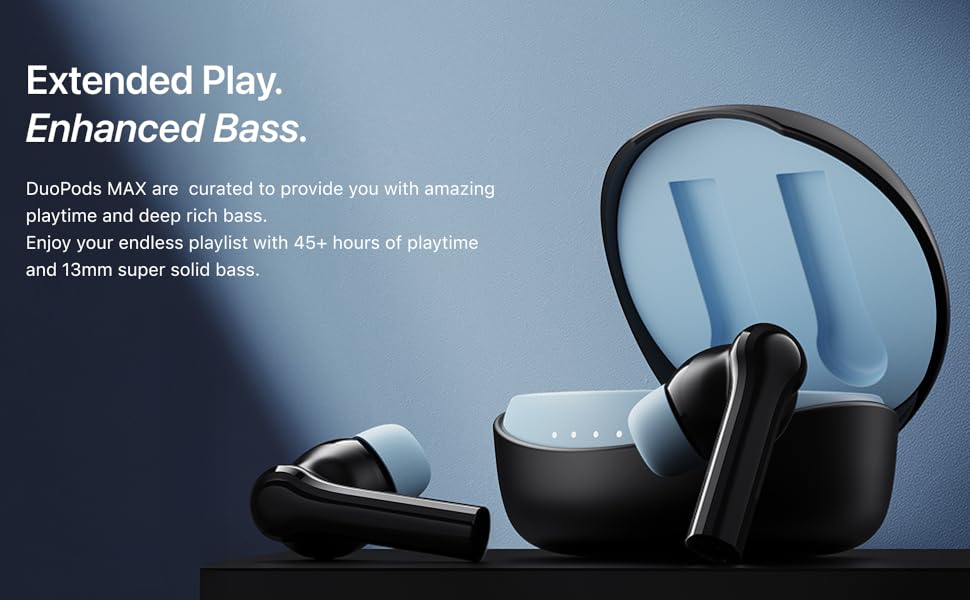
The Mivi DuoPods Maxx are designed for an immersive audio experience, featuring 13mm bass drivers, AI-ENC for clear calls, a dedicated gaming mode, and extended playtime.
2. Què hi ha a la caixa
- Mivi DuoPods Maxx TWS Earbuds (Left and Right)
- Estoig de càrrega
- Cable de càrrega USB tipus C
- Múltiples mides de puntes per a les orelles (petites, mitjanes, grans)
- Manual d'instruccions
This video demonstrates the unboxing of the Mivi DuoPods Maxx, showing the earbuds, charging case, USB Type-C cable, and additional ear tips. It also illustrates how to correctly place the earbuds into the charging case.
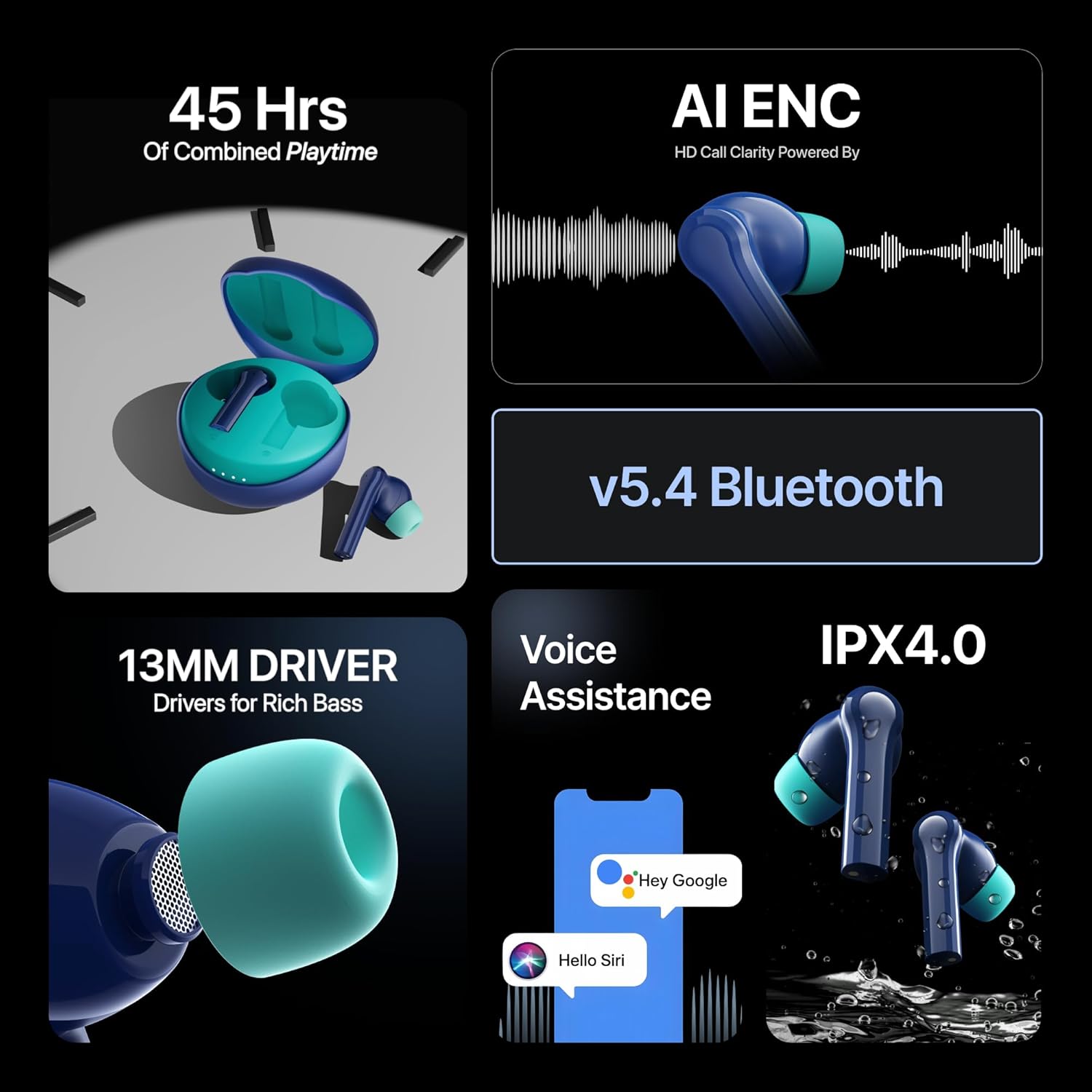
Image showing the Mivi DuoPods Maxx TWS earbuds and their charging case.
3. Configuració
3.1 Càrrec inicial
Before first use, fully charge your Mivi DuoPods Maxx. Place both earbuds into the charging case and connect the Type-C cable to a power source. The indicator lights on the case will show the charging status.
3.2 Vinculació amb un dispositiu
- Assegureu-vos que els auriculars estiguin a l'estoig de càrrega i que la tapa de l'estoig estigui oberta.
- Al dispositiu (telèfon intel·ligent, tauleta, ordinador portàtil), activeu el Bluetooth.
- Cerca dispositius Bluetooth disponibles.
- Select "Mivi DuoPods Maxx" from the list.
- Once connected, the earbuds will indicate successful pairing (e.g., a voice prompt or LED indicator change).
The earbuds will automatically connect to the last paired device when removed from the case, if Bluetooth is enabled on the device.
4. Instruccions de funcionament
4.1 Controls tàctils
The Mivi DuoPods Maxx feature intuitive touch controls on each earbud. Specific functions may vary slightly by device or application.
| Acció | Funció |
|---|---|
| Toc únic (esquerra/dreta) | Reproduir/Pausar música, Respondre/Finalitzar trucada |
| Doble toc (dreta) | Pista següent |
| Doble toc (esquerra) | Pista anterior |
| Toc tres vegades (dreta) | Activa el mode de joc |
| Premda llarga (esquerra/dreta) | Activa l'assistent de veu (Siri/Assistent de Google) |
| Premda llarga (2 segons durant la trucada) | Rebutja la trucada |
Acabatview of Mivi DuoPods Maxx features, including voice assistance activation.
4.2 Mode de joc
Activate Gaming Mode by triple tapping the right earbud. This mode reduces audio latency, providing a more synchronized audio-visual experience for gaming. Triple tap again to exit Gaming Mode.
4.3 AI-ENC Call Clarity
The DuoPods Maxx are equipped with Dual Mic AI-ENC (Environmental Noise Cancellation) technology. This feature enhances call clarity by minimizing background noise, ensuring your voice is heard clearly during conversations.

Illustration of AI-ENC technology for high-definition call clarity.
5. Càrrega
The Mivi DuoPods Maxx offer extended battery life and swift charging capabilities.
- Temps total de reproducció: Fins a 50 hores amb l'estoig de càrrega.
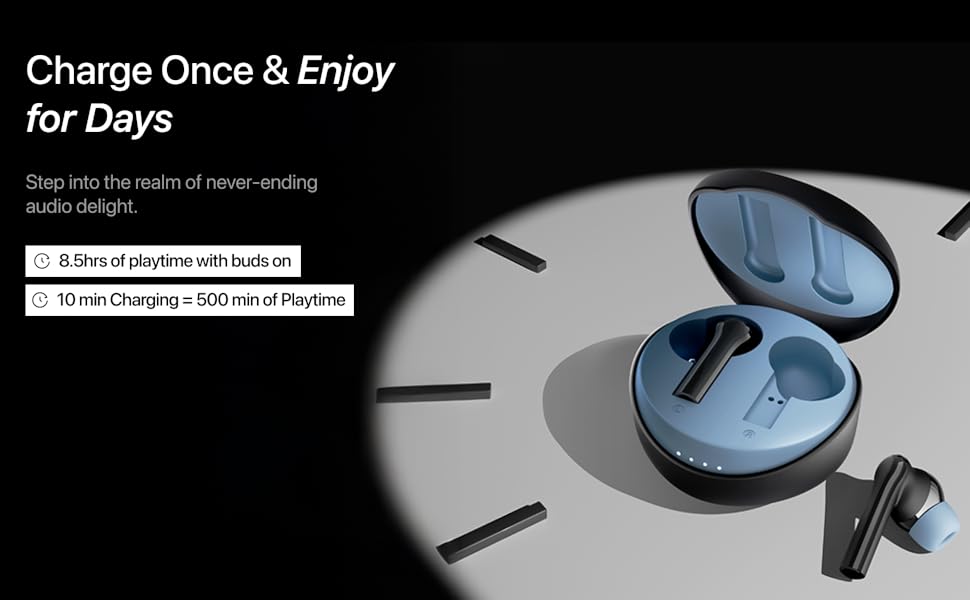
- Temps de reproducció de l'auricular: Approximately 8.5 hours of non-stop music on a single charge.
- Swift Charge: 10 minutes of charging provides approximately 500 minutes of playtime via the Type-C port.
To charge the case, connect the provided USB Type-C cable to the charging port on the case and a compatible power adapter.
Visual representation of 50 hours of combined playtime and fast charging capabilities.
6. Manteniment
6.1 Neteja
Regularly clean your earbuds and charging case to maintain optimal performance and hygiene. Use a soft, dry, lint-free cloth. Do not use abrasive cleaners or solvents. Remove ear tips and clean them separately with mild soap and water if necessary, ensuring they are completely dry before reattaching.
6.2 Emmagatzematge
When not in use, store the earbuds in their charging case to protect them from dust and damage. Store the case in a cool, dry place, away from direct sunlight and extreme temperatures.
6.3 Resistència a l'aigua
The Mivi DuoPods Maxx feature an IPX4.0 rating, making them resistant to splashes of water from any direction. This means they are suitable for workouts and light rain. However, they are not designed for swimming or submersion in water. Avoid exposing them to excessive moisture.

Image illustrating the IPX4.0 water resistance of the Mivi DuoPods Maxx earbuds.
7. Solució De Problemes
If you encounter issues with your Mivi DuoPods Maxx, refer to the following common solutions:
- Sense so/Volum baix: Check device volume, earbud volume, and ensure earbuds are properly seated in your ears. Re-pair the earbuds with your device.
- Els auriculars no s'aparellen: Ensure both earbuds are charged. Place them back in the case, close the lid, wait a few seconds, then open the lid and try pairing again. Ensure Bluetooth is enabled on your device and no other devices are connected.
- Un auricular no funciona: Place both earbuds in the charging case, close the lid, and then open it again. Check if both earbuds light up. If not, ensure the non-working earbud is clean and making proper contact with the charging pins.
- Problemes de càrrega: Ensure the charging cable is securely connected to both the case and the power source. Try a different charging cable or power adapter. Clean the charging contacts on both the earbuds and the case.
- Qualitat de trucada baixa: Ensure the earbuds are clean and positioned correctly. Check for strong Bluetooth signal. AI-ENC helps, but extreme noise environments may still affect clarity.
If the issue persists, try resetting the earbuds (refer to the Mivi support website for specific reset instructions for your model) or contact customer support.
8. Especificacions
| Característica | Detall |
|---|---|
| Número de model | TEWS012 |
| Versió Bluetooth | 5.3 |
| Interval Bluetooth | 10 metres |
| Tipus de controlador d'àudio | Controlador dinàmic de 13 mm |
| Durada de la bateria (auriculars) | Fins a 8.5 hores |
| Durada de la bateria (total amb funda) | Fins a 50 hores |
| Port de càrrega | USB tipus C |
| Càrrega ràpida | 10 minuts de càrrega = 500 minuts de reproducció |
| Claritat de trucades | Dual Mic AI-ENC |
| Resistència a l'aigua | IPX4.0 |
| Mètode de control | Toca |
| Pes | 44 grams |
| País d'origen | Índia |
9. Garantia i Suport
9.1 Informació de la garantia
The Mivi DuoPods Maxx TWS Earbuds come with a 1 anys de garantia del fabricant des de la data de compra. Aquesta garantia cobreix els defectes de fabricació. Si us plau, conserveu el rebut de compra com a comprovant de compra.
La garantia no cobreix els danys causats per mal ús, accidents, modificacions no autoritzades o desgast normal.
9.2 Atenció al client
For any queries, technical assistance, or warranty claims, please contact Mivi customer support through their official weblloc web o la informació de contacte que s'inclou amb l'embalatge del producte.
Manufacturer Contact Information: Mivi, Plot No, 29, Rd Number 76, Jubilee Hills, Hyderabad, Telangana 500033.