
1. Introducció
Thank you for choosing the Cillso H97 Wireless Earbuds. This manual provides detailed instructions on how to set up, operate, and maintain your earbuds to ensure optimal performance and longevity. Please read this manual carefully before using the product.

Image: The Cillso H97 Wireless Earbuds in their charging case, displaying the LED battery indicator.
2. Què hi ha a la caixa
En desempaquetar, assegureu-vos que hi hagi tots els elements que s'enumeren a continuació:
- Cillso H97 Wireless Earbuds (L/R)
- Estoig de càrrega
- Cable de càrrega USB-C
- Manual d'usuari (Aquest document)

Image: A visual representation of the items included in the product packaging: earbuds, user manual, charging case, and USB-C charging cable.
3. Producte acabatview
The Cillso H97 Wireless Earbuds are designed for comfort and high-quality audio. Key features include:
- Tecnologia Bluetooth 5.4: Provides a stable connection, longer transmission range, lower power consumption, and reduced latency.
- Immersive Hi-Fi Stereo Sound: Equipped with 13mm dynamic drivers for deep bass, clear mids, and crisp highs.
- ENC Noise Cancelling Microphones: Four built-in microphones enhance call clarity by reducing background noise.
- Durada de la bateria ampliada: Up to 8 hours of playback per charge, with a total of 40 hours using the charging case.
- Pantalla digital LED: The charging case features an independent LED display to show battery levels for both the case and individual earbuds.
- Classificació impermeable IPX7: Protects against sweat, rain, and splashes, making them suitable for various activities.
- Controls tàctils sensibles: Manage playback, calls, and voice assistants with simple taps.
- Ergonomic and Lightweight Design: Each earbud weighs 3.5 grams, and the case weighs 32 grams, ensuring comfortable wear and portability.
3.1 Components i indicadors
Familiarize yourself with the main components and indicators:
- Auriculars: Left (L) and Right (R) earbuds with touch control areas and earbud lights.
- Estoig de càrrega: Houses and charges the earbuds, features a USB-C charging port and an LED digital display.
- Pantalla digital LED: Shows the charging case's battery percentage and individual earbud charging status (L/R battery bars).

Imatge: Un cop mésview of the Cillso H97 Wireless Earbuds highlighting key features like Bluetooth 5.4, clear calls, Hi-Fi sound, comfort, IPX7 waterproof, 40H playtime, USB-C charging, and LED display.

Image: The earbuds and charging case with their dimensions and weight, illustrating their compact and lightweight design.
4. Configuració
4.1 Càrrega inicial
Abans del primer ús, carregueu completament els auriculars i l'estoig de càrrega.
- Col·loqueu els dos auriculars a la caixa de càrrega.
- Connect the USB-C charging cable to the charging port on the case and a standard 5V/1A or 5V/2A USB power adapter.
- The LED display on the case will show the charging progress. A full charge for the case takes approximately 1.5 hours.
- The earbud battery indicators on the LED display will show charging status for each earbud.
Note: Please use a standard 5V/1A or 5V/2A charger. Using non-standard chargers may cause charging issues or damage.
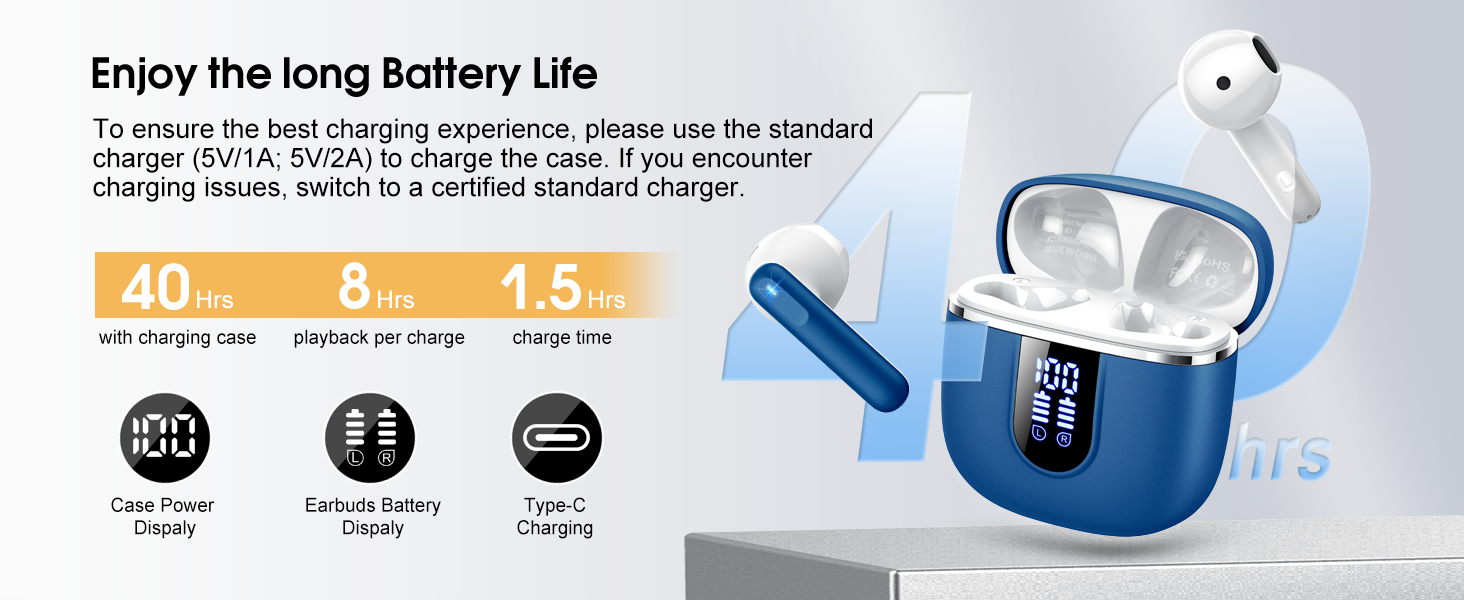
Image: Details on battery life (40 hours with case, 8 hours per charge) and charging time (1.5 hours), along with the LED display for battery status.
4.2 Vinculació Bluetooth
The earbuds feature a Hall sensor for automatic pairing.
- Primera parella: Obre l'estoig de càrrega. Els auriculars s'encendran automàticament i entraran en mode d'emparellament.
- Al dispositiu (telèfon intel·ligent, tauleta, ordinador portàtil), activeu el Bluetooth i cerqueu els dispositius disponibles.
- Select "H97" from the list of devices to connect. Once connected, you will hear a confirmation tone.
- Reconnexió automàtica: After the initial pairing, the earbuds will automatically connect to the last paired device when the charging case is opened (within 15 meters).
- Mode auricular únic: You can use either the left or right earbud independently. Simply take one earbud out of the case, and it will connect. If you take out the other earbud, they will automatically switch to binaural mode. To use a single earbud, place the other back into the charging case.

Image: An illustration explaining how to use the earbuds in single earbud mode or binaural (stereo) mode, and how they automatically switch.
5. Instruccions de funcionament
5.1 Controls tàctils
The Cillso H97 earbuds feature sensitive touch controls on each earbud. The functions are as follows:
| Acció | Funció |
|---|---|
| Double Tap (L/R) | Reproducció/pausa de música |
| One Tap (L/R) | Respondre/Finalitzar la trucada |
| Long Press 2s (L/R) | Rebutja la trucada |
| Long Tap 2s (R) | Següent Cançó |
| Long Tap 2s (L) | Cançó anterior |
| One Tap (R) | Puja el volum |
| One Tap (L) | Baixa el volum |
| Triple Toc (R) | Activa l'Assistent de veu |

Image: A diagram illustrating the various touch control gestures for managing music playback, calls, and voice assistant functions.
5.2 Com posar-se els auriculars
Per a una qualitat de so i una comoditat òptimes, assegureu-vos que els auriculars estiguin correctament col·locats a les orelles.
- Identifica els auriculars esquerre (E) i dret (R).
- Introduïu suaument cada auricular al canal auditiu.
- Adjust the angle until it feels secure and comfortable. The ergonomic design is intended to fit the contours of most ear canals.

Image: Diagrams showing the ergonomic design and recommended angles for wearing the earbuds for a secure and comfortable fit.
5.3 Compatibilitat àmplia
The Cillso H97 Wireless Earbuds are compatible with a broad range of Bluetooth-enabled devices.
- Sistemes operatius: Android 4.4+ i iOS 8.0+
- Versió Bluetooth: Bluetooth 4.0 o posterior
- Dispositius: Smartphones (iPhone, Samsung Galaxy, Huawei, Xiaomi, etc.), tablets, and laptops.

Image: Icons representing compatibility with phones, tablets, laptops, and desktops, showing the earbuds connected to a smartphone.
6. Manteniment i cura
6.1 Neteja
- Netegeu regularment els auriculars i l'estoig de càrrega amb un drap suau, sec i sense borrissol.
- No utilitzeu netejadors abrasius, alcohol ni esprais químics.
- Assegureu-vos que els contactes de càrrega dels auriculars i de la funda estiguin nets i secs per a una càrrega correcta.
6.2 Emmagatzematge
- Quan no els utilitzeu, guardeu els auriculars a la seva funda de càrrega per protegir-los i mantenir-los carregats.
- Emmagatzemar en un lloc fresc i sec, allunyat de temperatures extremes i de la llum solar directa.
6.3 Resistència a l'aigua (IPX7)
The earbuds are rated IPX7 waterproof, meaning they can withstand immersion in water up to 1 meter for 30 minutes. This protects them from sweat, rain, and splashes.
- No submergiu la funda de càrrega intencionadament, ja que no és impermeable.
- Assegureu-vos que els auriculars estiguin completament secs abans de tornar-los a col·locar a l'estoig de càrrega per evitar danys als contactes de càrrega.
- Avoid using the earbuds in saunas, steam rooms, or during diving.

Image: An earbud with water splashing on it, illustrating its IPX7 waterproof capability.
6.4 Protecció contra sobreintensitat (OCP)
The charging case is equipped with Over Current Protection technology to prevent issues such as overheating, melting, or fire caused by prolonged high current from an external power source. When the current exceeds the power limit, the power source will immediately cut off output to protect the circuitry and device.
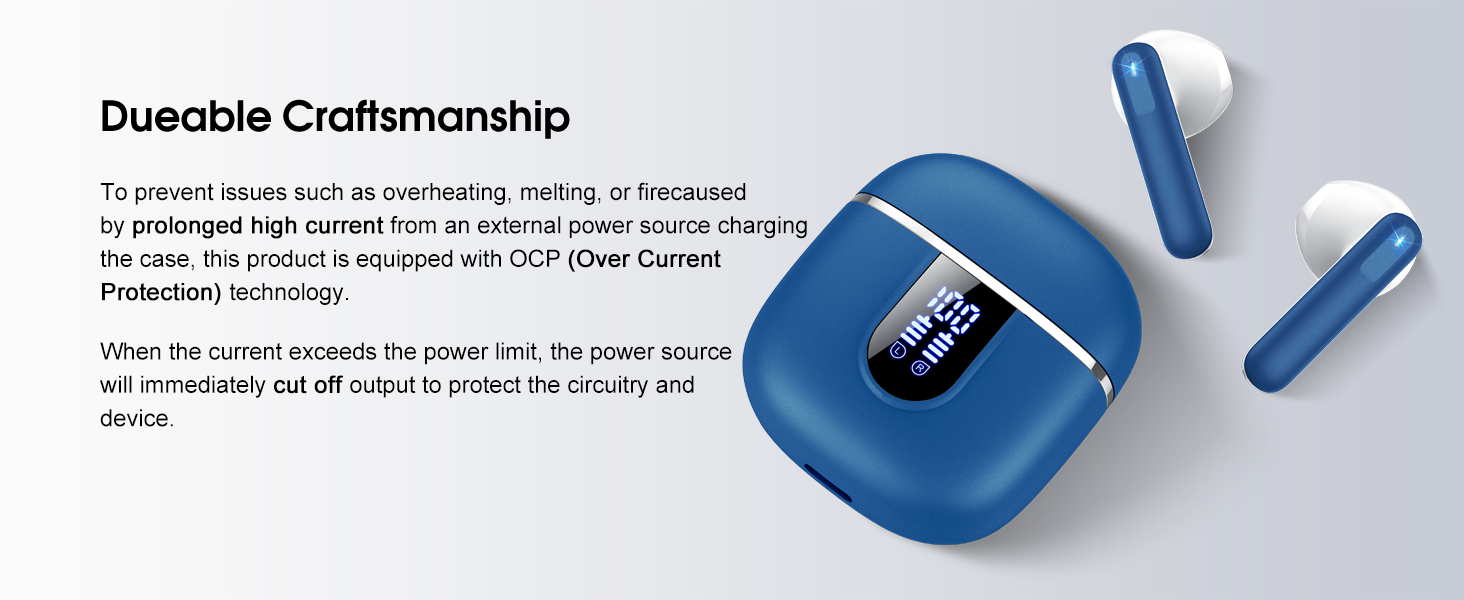
Image: The charging case and earbuds, highlighting the durable craftsmanship and Over Current Protection (OCP) technology.
7. Solució De Problemes
If you encounter any issues with your Cillso H97 Wireless Earbuds, please refer to the following common problems and solutions:
- No Sound / Disconnection:
- Assegureu-vos que els auriculars estiguin carregats.
- Check if Bluetooth is enabled on your device and if "H97" is selected.
- Move closer to your device to ensure you are within the 15-meter Bluetooth range.
- Prova de desvincular i tornar a vincular els auriculars amb el dispositiu.
- Els auriculars no es carreguen:
- Assegureu-vos que la caixa de càrrega estigui carregada.
- Check that the earbuds are correctly seated in the charging case and the charging contacts are clean.
- Verify the USB-C cable and power adapter are working correctly and meet the 5V/1A or 5V/2A standard.
- Només funciona un auricular:
- Torneu a col·locar els dos auriculars a l'estoig de càrrega, tanqueu la tapa, espereu uns segons i, a continuació, obriu la tapa i traieu-los junts.
- Assegureu-vos que els dos auriculars estiguin carregats.
- If the issue persists, try resetting the earbuds (refer to the full user manual if a specific reset procedure is available, otherwise, unpair and re-pair).
- Els controls tàctils no responen:
- Assegureu-vos que els dits estiguin nets i secs.
- Prova de reiniciar els auriculars col·locant-los a l'estoig i traient-los.
Si aquests passos no resolen el problema, poseu-vos en contacte amb l'atenció al client.
8. Especificacions
| Característica | Detall |
|---|---|
| Nom del model | H97 |
| Marca | Cillso |
| Tecnologia de connectivitat | Sense fil (Bluetooth) |
| Versió Bluetooth | 5.4 |
| Interval Bluetooth | 15 metres |
| Mida del controlador d'àudio | 13mm (from description, spec says 14.2mm, using 13mm as it's consistent with marketing) |
| Resposta de freqüència | 20Hz - 20kHz (from description) |
| Sensibilitat | 110 dB |
| Impedància | 32 ohms |
| Durada de la bateria dels auriculars | Fins a 8 hores |
| Temps total de reproducció (amb estoig) | Fins a 40 hores |
| Temps de càrrega (cas) | Aprox. 1.5 hores |
| Port de càrrega | USB-C |
| Classificació de resistència a l'aigua | IPX7 (auriculars) |
| Pes de l'auricular | 3.5 grams (cada una) |
| Pes de la caixa de càrrega | 32 grams |
| Dispositius compatibles | iOS 9.0+/Android 5.0+ with Bluetooth 4.0+ |
| Mètode de control | Toca |
9. Garantia i Suport
Cillso products are designed for reliability and performance. For warranty information and customer support, please refer to the warranty card included in your product packaging or visit the official Cillso weblloc.
If you have any questions or require assistance, please do not hesitate to contact our customer service team.