
1. Introducció
The TobenONE USB-C Docking Station (Model: XYY-PD100CL) is a versatile 16-in-1 solution designed to expand the connectivity of your USB-C enabled laptop. It provides comprehensive port expansion, multi-monitor support, high-speed data transfer, and power delivery, enhancing productivity for both professionals and students.

Image: The TobenONE USB-C Docking Station, showcasing its compact design alongside a laptop and the included 100W GaN III charger.
2. Característiques clau
- Compatibilitat universal: Seamlessly works with Windows 10+ and Chromebook devices featuring USB-C DisplayPort Alt Mode, Thunderbolt 4/3, and USB4. Compatible with HP, Dell, and Lenovo laptops. (Note: Not recommended for Mac users.)
- Connectivitat 16 en 1: Offers extensive port options including dual HDMI, one DisplayPort, multiple USB-C and USB-A ports, 2.5Gbps Ethernet, 100W Power Delivery, and SD/TF card slots.
- Blazing-Fast Data Transfer: Equipped with 10Gbps USB-C and USB-A ports, enabling data transfers up to 20 times faster than traditional USB 2.0.
- 2.5Gbps Ethernet: Provides stable and high-speed internet connectivity, ideal for video calls, streaming, and large file descàrregues
- Càrrega PD de 100 W: Features a robust 100W GaN power supply to keep your laptop charged during intensive work sessions, eliminating the need for a separate charger.
- Visuals impressionants: Supports up to 4K@60Hz resolution for dual or triple monitor setups. A single display can achieve 8K@30Hz or 4K@120Hz for razor-sharp clarity.
- Sleek Cooling Stand Design: Ergonomically designed to elevate your laptop, promoting better airflow and heat dissipation.
3. Contingut del paquet
Si us plau, verifiqueu que tots els elements siguin presents al vostre paquet:
- TobenONE USB-C Docking Station (Model: XYY-PD100CL)
- Adaptador de potència de 100W
- 60CM (1.96 Feet) USB-C Cable

Image: The package includes the UDS041W Laptop Dock Stand, a 100W Power Adapter, and a 60CM USB-C Cable.
4. Guia de configuració
Follow these steps to set up your TobenONE USB-C Docking Station:
- Connectar l'alimentació: Plug the 100W power adapter into the DC-IN port on the docking station, then connect the adapter to a wall outlet.
- Connectar-se al portàtil: Use the provided 60CM USB-C cable to connect the "HOST" USB-C port on the docking station to your laptop's USB-C port. Ensure your laptop supports USB-C DisplayPort Alt Mode, Thunderbolt 4/3, or USB4.
- Connecta les pantalles:
- For single display: Connect your monitor to either HDMI 1, HDMI 2, or DisplayPort.
- For dual or triple displays: Connect your monitors to the available HDMI 1, HDMI 2, and DisplayPort outputs.

Image: A laptop connected to two external 4K monitors, demonstrating a dual display setup for enhanced productivity.
- Connecteu els perifèrics: Plug your USB devices (keyboard, mouse, external drives, etc.) into the available USB 3.0, USB 3.2 (10Gbps), or USB-C (10Gbps) ports.

Imatge: Una imatge detallada view of the docking station's rear and side ports, including Ethernet, HDMI, DisplayPort, various USB types, SD/MicroSD slots, audio, and power button.

Image: An external hard drive connected to one of the 10Gbps USB ports, highlighting the high-speed data transfer capabilities.
- Connecta Ethernet: For a stable wired internet connection, plug an Ethernet cable into the 2.5Gbps Ethernet port on the docking station.
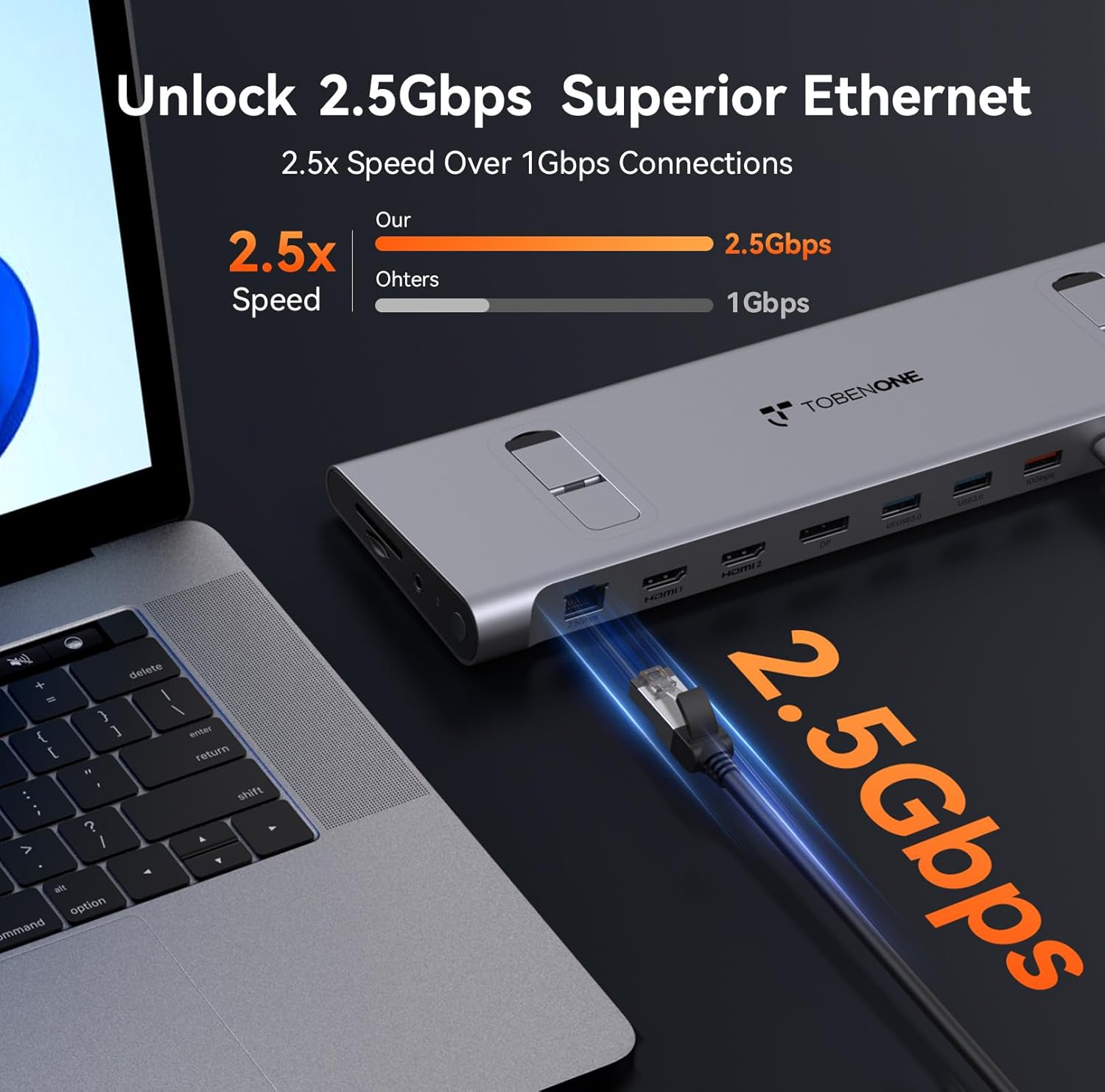
Image: An Ethernet cable connected to the 2.5Gbps Ethernet port on the docking station, ensuring a fast and reliable network connection.
- Inserir targetes SD/TF: If needed, insert your SD or MicroSD cards into the dedicated slots on the side of the docking station.
- Connexió d'àudio: Connect headphones or speakers to the 3.5mm audio port for audio output.
- Encès: Press the power button on the side of the docking station to turn it on.
5. Instruccions de funcionament
Display Configuration (Windows/Chromebook)
The docking station supports various display configurations. Your laptop's capabilities (e.g., Thunderbolt 4/DP 1.4 with DSC vs. DP 1.2) will determine the maximum resolution and refresh rates.
| Interfície estàndard | Thunderbolt 4/DP 1.4 (support DSC) | DP 1.2 | ||||
|---|---|---|---|---|---|---|
| HDMI 1 | HDMI 2 | DP | HDMI 1 | HDMI 2 | DP | |
| Pantalla única | 8K@30Hz | 8K@30Hz | 8K@30Hz | 4K@30Hz | 4K@30Hz | 4K@30Hz |
| 4K@60Hz | 4K@60Hz | 4K@60Hz | 1080P @ 60Hz | 1080P @ 60Hz | 1080P @ 60Hz | |
| Pantalla dual | 4K@60Hz | 1080P @ 60Hz | ||||
| 4K@60Hz | 4K@60Hz | 1080P @ 60Hz | 1080P @ 60Hz | |||
| Visualització triple | 4K@60Hz | 1080P @ 60Hz | ||||
Table: This table outlines the supported display resolutions and refresh rates for single, dual, and triple monitor setups, depending on your laptop's DisplayPort interface standard.
Laptop Placement and Cooling
The docking station is designed to function as a sleek cooling stand. Place your laptop directly on top of the docking station, aligning it with the integrated supports. This ergonomic design helps improve airflow and prevent overheating during extended use.

Image: A laptop positioned on the docking station, illustrating how the design facilitates airflow for efficient cooling.
6. Manteniment
- Keep the docking station clean by wiping it with a soft, dry cloth. Avoid using abrasive cleaners or solvents.
- Assegureu-vos una ventilació adequada al voltant del dispositiu per evitar el sobreescalfament.
- Store the docking station in a cool, dry place when not in use.
- Handle cables and connectors carefully to prevent damage.
7. Solució De Problemes
Problemes comuns i solucions:
- Sense sortida de pantalla:
- Ensure the docking station is powered on and properly connected to your laptop's USB-C port.
- Verify that your laptop's USB-C port supports DisplayPort Alt Mode, Thunderbolt 3/4, or USB4.
- Comproveu que tots els cables de la pantalla (HDMI, DisplayPort) estiguin connectats correctament.
- Try updating your laptop's graphics drivers.
- Confirm your laptop supports Display Stream Compression (DSC) for higher resolutions (e.g., 8K@30Hz or 4K@120Hz single display).
- Sense subministrament d'alimentació al portàtil:
- Ensure the 100W power adapter is securely connected to the docking station and a working power outlet.
- Verify the USB-C cable connecting the dock to your laptop is capable of power delivery.
- Dispositius USB no reconeguts:
- Torneu a connectar el dispositiu USB a un port diferent de l'estació d'acoblament.
- Assegureu-vos que l'estació d'acoblament estigui engegada.
- Try connecting the device directly to your laptop to confirm it functions independently.
- Problemes de connexió Ethernet:
- Comproveu la connexió del cable Ethernet tant a l'estació d'acoblament com al vostre encaminador/mòdem.
- Verifiqueu la configuració de xarxa al vostre ordinador portàtil.
8. Especificacions
| Atribut | Detall |
|---|---|
| Número de model | XYY-PD100CL |
| Dimensions del producte | 11.81 cm de llargada x 3.14 cm d'amplada x 0.86 cm d'alçada |
| Pes de l'article | 2.27 lliures |
| Ports USB totals | 6 (including 10Gbps USB-A and USB-C) |
| Ports HDMI totals | 2 |
| DisplayPort | 1 |
| Port Ethernet | 2.5 Gbps |
| Lliurament d'energia | 100W (Input), 87W (Output) |
| Lector de targetes | Ranures SD/TF |
| Port d'àudio | Àudio de 3.5 mm |
| Dispositius compatibles | Supports full-featured USB-C, USB4, and Thunderbolt 3 / Thunderbolt 4 systems running Windows 10 / 11 & ChromeOS 100 or newer (e.g., HP ProBook/EliteBook/Spectre x360, Dell XPS/Latitude, Lenovo ThinkPad/IdeaPad/Yoga, Microsoft Surface Pro/Go/Book/Laptop, LG Gram). |
9. Garantia i Suport
TobenONE is committed to providing professional office connectivity solutions. For any questions, technical support, or warranty inquiries regarding your docking station, please refer to the official TobenONE weblloc web o contacteu directament amb el servei d'atenció al client. Conserveu el rebut de compra per a reclamacions de garantia.
Visit the official TobenONE Store: TobenONE Amazon Store