1. Introducció
Thank you for choosing the ZOMFOM 4K Pocket Body Camera. This compact and versatile device is designed for capturing high-quality video and audio in various environments, from outdoor sports and travel to law enforcement and personal documentation. Featuring 4K resolution, image stabilization, a 270-degree rotating lens, and an external microphone, it offers a comprehensive recording solution. This manual provides detailed instructions to help you get started and make the most of your camera.

Image: ZOMFOM 4K Pocket Cam banner, highlighting the product name and its purpose as a handheld vlog camera.
2. Què hi ha a la caixa
Si us plau, comproveu el contingut del paquet per assegurar-vos que hi hagi tots els elements:
- ZOMFOM Mini 4K Pocket Body Camera
- Micròfon extern
- Clip and Adapter Mounts
- Corda
- Targeta de memòria de 64 GB
- Cable d'alimentació tipus C
- Manual d'usuari (aquest document)

Image: The ZOMFOM 4K Pocket Body Camera shown with its included accessories: an external microphone and a 64GB memory card.
3. Producte acabatview
3.1 Característiques clau
- Resolució de vídeo 4K: Supports real 4K/60fps, 4K/30fps, and 2.7K/30fps video recording.
- Estabilització d'imatge: Built-in electronic anti-shake function for clear, stable footage.
- Micròfon extern: Lavalier microphone included for crystal clear audio recording.
- 270-Degree Rotating Lens: Manually rotate the lens horizontally to quickly switch shooting perspectives.
- Connectivitat Wi-Fi: Wireless transfer and download videos to your phone via the "XDV PRO" app.
- Compacte i portàtil: Mini size with comfortable hand grip, ideal for on-the-go use.
- Llarga vida útil de la bateria: Rechargeable battery provides approximately 1.5-2 hours of recording.

Image: An infographic detailing the key features of the ZOMFOM 4K Mini Pocket Camera, including 4K resolution, SONY sensor, 1.33" display, image stabilization, Wi-Fi, external microphone, Max 256GB support, and 270-degree rotation.
3.2 Components de la càmera
Familiaritzeu-vos amb els components físics de la càmera:
- Lent: The primary camera lens, capable of 270-degree rotation.
- Pantalla de visualització: 1.33-inch HD display for live view i la reproducció.
- Botó d'encesa: Encén/apaga la càmera.
- Botó de gravació: Starts and stops video recording or takes photos.
- Botó de mode: Canvia entre els modes de captura de vídeo, foto i altres.
- Entrada de micròfon: Port for connecting the external lavalier microphone.
- Port de tipus C: Per a càrrega i transferència de dades.
- Ranura per a targeta MicroSD: Insert the 64GB memory card here.
- Clip posterior: Per fixar la càmera a la roba o a l'equipament.
4. Configuració
4.1 Càrrega de la bateria
Before first use, fully charge the camera's built-in battery.
- Connect the provided Type-C power cable to the camera's Type-C port.
- Connecteu l'altre extrem del cable a un adaptador de corrent USB (no inclòs) o al port USB d'un ordinador.
- El llum indicador de càrrega s'il·luminarà. S'apagarà o canviarà de color un cop estigui completament carregat.
- A full charge typically takes 1.5-2 hours. The camera supports recording while charging.
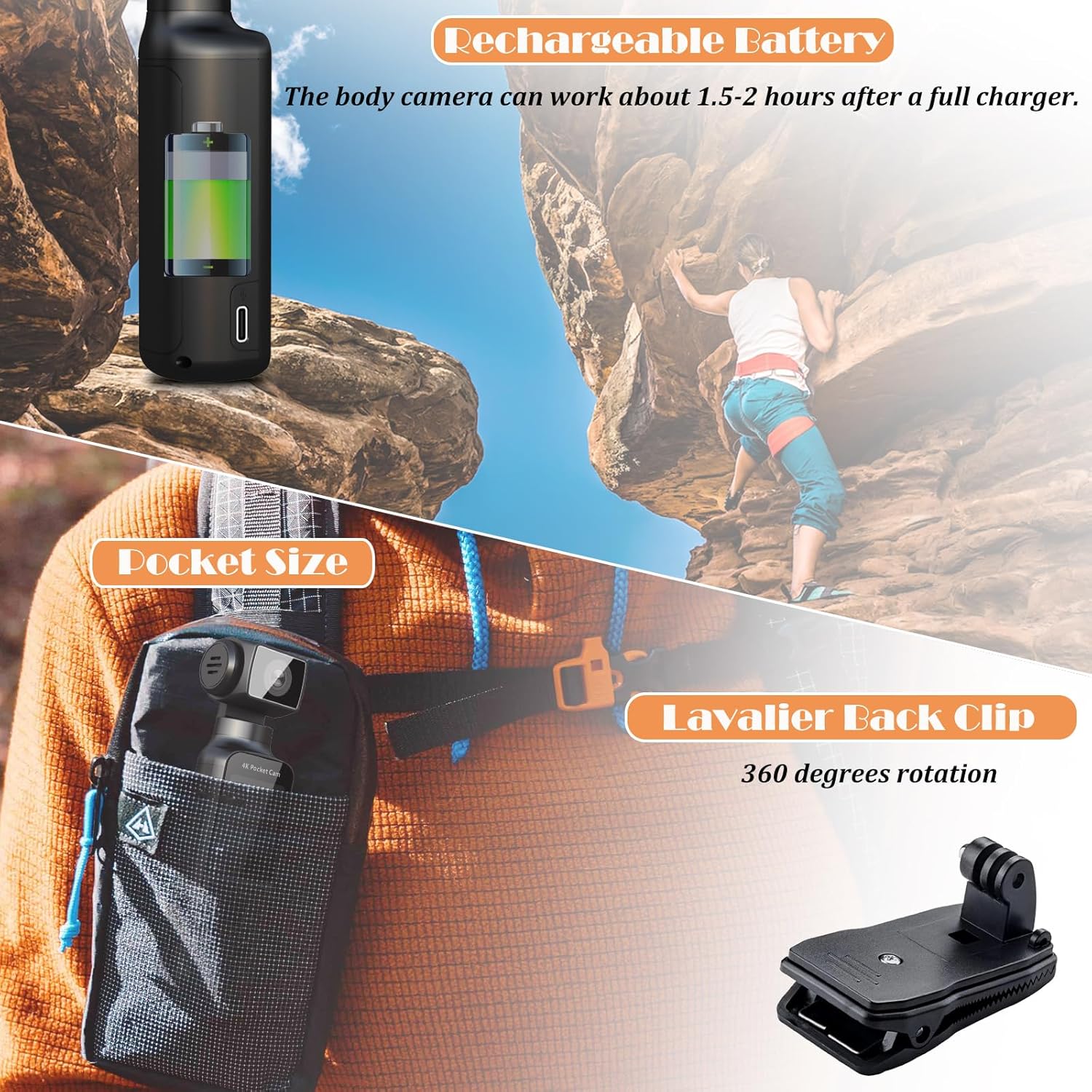
Image: Illustrates the rechargeable battery feature of the body camera, indicating it can work for 1.5-2 hours after a full charge. Also shows the pocket size and a lavalier back clip with 360-degree rotation.
4.2 Inserció de la targeta de memòria
The camera requires a MicroSD card for storing recordings. A 64GB card is included.
- Localitza la ranura per a targetes MicroSD a la càmera.
- Insert the 64GB memory card into the slot with the gold contacts facing the correct direction (refer to the diagram on the camera or in the quick start guide).
- Gently push the card until it clicks into place. To remove, push again until it springs out.
- It is recommended to format the memory card via the camera's settings menu before first use to ensure compatibility and optimal performance.
4.3 Attaching the External Microphone
For enhanced audio quality, connect the external lavalier microphone.
- Locate the microphone input port on the camera.
- Plug the external lavalier microphone's connector firmly into the microphone input port.
- Clip the microphone to your clothing, close to your mouth, for optimal sound capture.

Image: The ZOMFOM 4K Pocket Body Camera is shown alongside its lavalier external microphone, emphasizing its ability to record crystal clear sound for various occasions like outdoor riding, vlogging, and interviews.
5. Instruccions de funcionament
5.1 Engegada/apagada
- To power on: Press and hold the Power button until the screen illuminates.
- To power off: Press and hold the Power button until the screen turns off.
5.2 Navegació pels menús
Use the physical buttons (e.g., Mode, Up/Down, OK) to navigate through the camera's menu options on the 1.33-inch display. Refer to the on-screen prompts for specific button functions in different modes.
5.3 Enregistrament de vídeo
The camera supports various video resolutions and frame rates.
- Turn on the camera. Ensure it is in video recording mode (indicated by an icon on the screen). If not, press the Mode button to switch.
- To start recording: Press the Record button once. A red indicator or timer on the screen will show that recording is in progress.
- To stop recording: Press the Record button again. The indicator will disappear, and the file es salvarà.
- To change resolution: Access the video settings menu to select desired resolution (e.g., 4K/60fps, 4K/30fps, 2.7K/30fps, 1080P/60fps, 1080P/30fps, 720P/120fps).
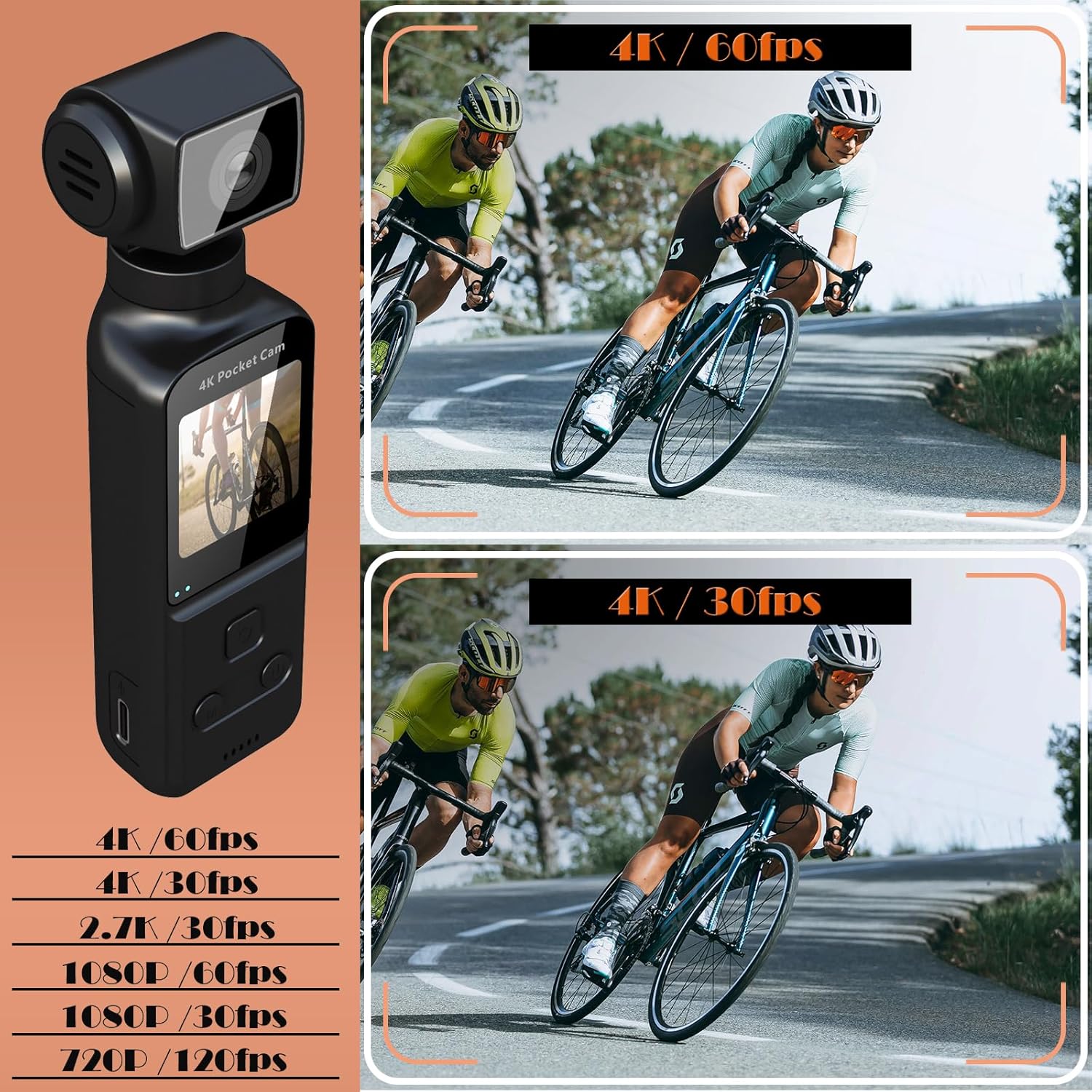
Image: Displays the ZOMFOM 4K Pocket Body Camera and lists available video resolutions: 4K/60fps, 4K/30fps, 2.7K/30fps, 1080P/60fps, 1080P/30fps, and 720P/120fps.
5.4 Captura de fotos
Captura imatges fixes d'alta resolució.
- Turn on the camera and switch to photo mode using the Mode button.
- To take a photo: Press the Record button once. The screen may briefly flash, indicating a photo has been taken.
- The camera supports continuous photo taking and timed photo taking, configurable in the settings.
5.5 Estabilització de la imatge
The camera features electronic image stabilization (EIS) to reduce blur and shakiness in your footage.
- To enable/disable EIS: Navigate to the camera settings menu and locate the "Image Stabilization" option. Toggle it On or Off as desired.
- EIS is particularly useful when recording during movement, such as cycling or walking.

Image: A side-by-side comparison demonstrating the effect of image stabilization, showing a clear, stable image with stabilization enabled versus a blurry image without it, featuring a cyclist.
5.6 270-Degree Lens Rotation
The unique rotating lens allows for flexible shooting angles.
- To rotate the lens: Manually grasp the lens housing and gently rotate it horizontally up to 270 degrees to adjust your field of view.
- This feature is useful for quickly changing perspectives without repositioning the entire camera.

Image: Illustrates the Wi-Fi connectivity feature, allowing wireless video transfer to a phone, and the 270-degree lens rotation for switching viewpunts.
5.7 Connectivitat Wi-Fi i ús d'aplicacions
Connect your camera to a smartphone for easy file transfer and sharing.
- Download the "XDV PRO" app from your smartphone's app store (available for iOS and Android).
- On the camera, enable Wi-Fi (usually found in the settings menu or via a dedicated Wi-Fi button/icon). The camera will broadcast a Wi-Fi hotspot.
- On your smartphone, go to Wi-Fi settings and connect to the camera's Wi-Fi network (SSID and password will be displayed on the camera screen).
- Open the "XDV PRO" app. You can now view viu footage, browse recorded videos/photos, download them to your phone, and share them on social media.
5.8 Advanced Recording Modes
The camera offers several specialized recording functions:
- Enregistrament en bucle: Automatically overwrites the oldest video when the memory card is full, ensuring continuous recording.
- càmera lenta: Captures video at a higher frame rate for smooth slow-motion playback, ideal for detailed action analysis.
- Time-lapse: Records images at set intervals and combines them into a sped-up video, perfect for capturing long-term events like weather changes or plant growth.

Image: Illustrates the camera's loop recording, slow motion, and time-lapse features with corresponding visual examples.
6. Manteniment
- Neteja: Feu servir un drap suau i sec per netejar el cos de la càmera. Per a l'objectiu, feu servir un drap i una solució especials per a la neteja d'objectius. Eviteu materials abrasius o productes químics agressius.
- Emmagatzematge: Guardeu la càmera en un lloc fresc i sec, allunyat de la llum solar directa i de temperatures extremes.
- Cura de la bateria: For long-term storage, charge the battery to about 50% to prolong its lifespan. Avoid fully discharging the battery frequently.
- Actualitzacions de firmware: Check the ZOMFOM official weblloc web periòdicament per a les actualitzacions de firmware disponibles per garantir un rendiment òptim i noves funcions.
7. Solució De Problemes
| Problema | Causa possible | Solució |
|---|---|---|
| La càmera no s'encén. | Low battery; faulty battery; power button issue. | Charge the battery fully. If issue persists, contact support. |
| No es poden gravar vídeos/fer fotos. | No memory card; memory card full; memory card error. | Insert a memory card. Delete old files or replace card. Format the card. |
| Poor video/audio quality. | Lens dirty; low light; EIS off; external mic not connected/faulty. | Clean the lens. Ensure adequate lighting. Enable EIS. Check external microphone connection. |
| Problemes de connexió Wi-Fi. | Incorrect password; app issue; camera Wi-Fi off. | Verify Wi-Fi password. Restart app/phone/camera. Ensure camera Wi-Fi is enabled. |
| La càmera es bloqueja o deixa de respondre. | Software glitch; memory card issue. | Press and hold the Power button to force a restart. Remove and reinsert memory card. |
8. Especificacions
| Característica | Detall |
|---|---|
| Marca | ZOMFOM |
| Número de model | POCKETCAM |
| Resolució de captura de vídeo | 4K, 2.7K (4K/60fps, 4K/30fps, 2.7K/30fps, 1080P/60fps, 1080P/30fps, 720P/120fps) |
| Tecnologia del sensor fotogràfic | CMOS (SONY IMX Starlight Lens) |
| Apertura màxima | 1.8 f |
| Mida de la pantalla | 1.33 polzades |
| Tipus de memòria flash | Micro SDXC (up to 256GB supported, 64GB included) |
| Tecnologia de connectivitat | Wi-Fi |
| Durada de la bateria | Approx. 1.5-2 hours (recording) |
| Pes de l'article | 8.4 unces |
| Dimensions | 6.93 x 4.45 x 2.24 polzades (paquet) |
| Característiques especials | Lightweight, Microphone Input, Anti-Shake (EIS), 270° Rotation |
9. Garantia i Suport
For warranty information, technical support, or service inquiries, please refer to the warranty card included in your product packaging or visit the official ZOMFOM weblloc web. Conserveu el rebut de compra com a comprovant de compra per a reclamacions de garantia.
Recursos en línia:
- ZOMFOM Official Store: https://www.amazon.com/stores/ZOMFOM/page/47207B98-37CD-445D-A056-1B3CAE9A57C9