
Introducció
Thank you for choosing the HP 14-inch Laptop. This manual provides essential information for setting up, operating, maintaining, and troubleshooting your new device. Please read this guide thoroughly to ensure optimal performance and longevity of your laptop.
The HP 14-inch Laptop is designed for everyday computing tasks, offering a balance of portability and functionality. It features an Intel Celeron N4120 processor, 8GB of RAM, and 256GB of storage, running on Windows 11 Home in S Mode.
Què hi ha a la caixa
Verifiqueu que tots els elements siguin presents al paquet:
- HP 14-inch Laptop
- Adaptador de corrent alterna
- 128GB Storage Card
- Coixinet de ratolí
- Cable HDMI
- Cable USB
- Auriculars sense fil
- Ratolí sense fil

Image: The HP 14-inch Laptop shown with its 5-in-1 value pack bundle, including wireless earbuds, mouse pad, HDMI cable, USB cable, and wireless mouse.
Configuració
1. Engegada inicial
- Desempaquetar el portàtil: Traieu amb cura el portàtil i tots els accessoris de l'embalatge.
- Connectar l'alimentació: Plug the AC power adapter into the laptop's AC smart pin port and then into a wall outlet. It is recommended to fully charge the battery before first use.
- Encès: Obriu la tapa del portàtil i premeu el botó d'engegada, que normalment es troba a la plataforma del teclat.
2. Windows 11 S Mode Setup
Follow the on-screen prompts to complete the initial Windows 11 Home S Mode setup. This includes selecting your region, keyboard layout, connecting to a Wi-Fi network, and setting up your Microsoft account.
3. Connexió d'accessoris
- Ratolí sense fils: Insert the USB receiver for the wireless mouse into an available USB Type-A port on the laptop. The mouse should connect automatically.
- Auriculars sense fil: Refer to the earphones' specific instructions for pairing via Bluetooth. On your laptop, go to Configuració > Bluetooth i dispositius emparellar.
- 128GB Storage Card: Insert the storage card into the multi-format media card reader slot.
- Cable HDMI: Connect one end of the HDMI cable to the laptop's HDMI port and the other end to an external display (monitor or TV).
4. Activating Microsoft Office 365
Your laptop includes a 1-year subscription to Microsoft Office 365. To activate:
- Open any Office application (e.g., Word, Excel) from the Start Menu.
- Follow the on-screen prompts to sign in with your Microsoft account and activate your subscription.
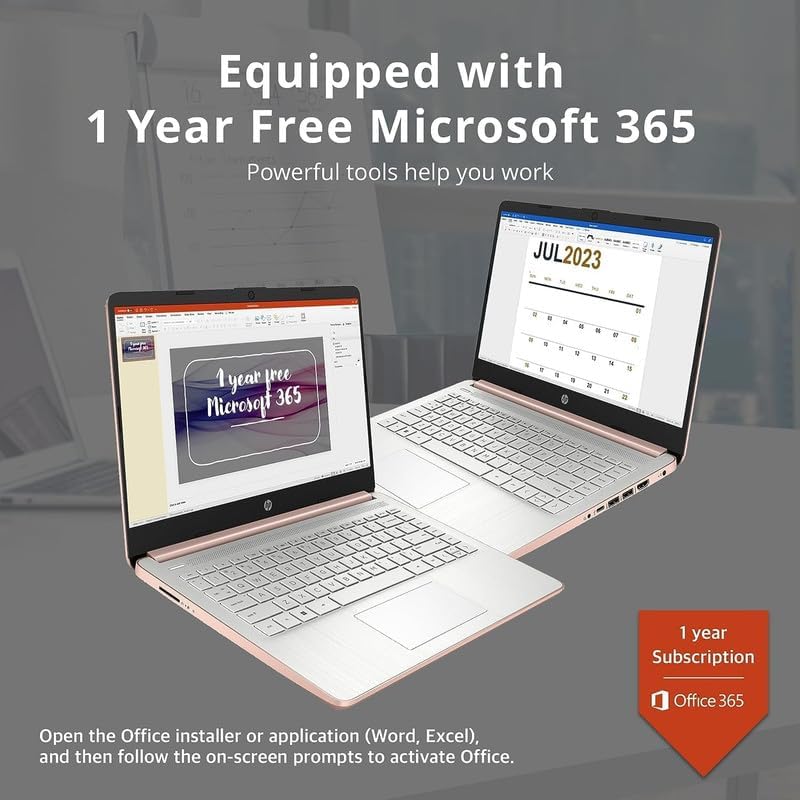
Image: Two HP laptops illustrating the activation process for the included 1-year Microsoft 365 subscription.
Funcionament del portàtil
1. Windows 11 Home en mode S
Windows 11 Home in S Mode is a streamlined version of Windows configured for security and performance. It exclusively uses apps from the Microsoft Store and requires Microsoft Edge for safe browsing. You can switch out of S Mode if you need to install apps from outside the Microsoft Store, but this action is irreversible.
2. Ús de ports i connectivitat
Your HP 14-inch Laptop is equipped with various ports for connectivity:
- USB Type-C (1): Per a la transferència de dades i la connexió de dispositius compatibles.
- USB Type-A (2): For connecting standard USB devices like external drives, keyboards, or mice.
- HDMI 1.4b (1): Per connectar a pantalles externes.
- Headphone/Microphone Combo Jack (1): For audio output to headphones or input from a microphone.
- Multi-format Media Card Reader (1): For reading SD cards and other compatible memory cards.
- AC Smart Pin (1): Per connectar l'adaptador de corrent.

Image: A detailed diagram highlighting the multi-port configuration on the HP 14-inch laptop, including SD Card Reader, Headphone Jack, USB Type-A, USB Type-C, HDMI, and AC Smart Pin.
3. Wi-Fi and Bluetooth
To connect to Wi-Fi or Bluetooth devices:
- Feu clic a Xarxa icon on the taskbar (bottom right).
- Select the desired Wi-Fi network and enter the password, or turn on Bluetooth and pair with your device.
4. Utilitzant el Weblleva
The HP True Vision 720p HD camera is integrated for video calls and conferencing. Access it through applications like Camera, Microsoft Teams, or Zoom.

Image: The HP 14-inch laptop demonstrating its remote work capabilities, featuring HP Fast Charge, HP True Vision 720p HD camera, and HD audio with stereo speakers.
5. Gestió de la bateria
The laptop offers up to 11.5 hours of battery life. To optimize battery performance:
- Ajusteu la brillantor de la pantalla.
- Tanca les aplicacions que no fas servir.
- Utilize Windows power saving modes.
- The laptop supports HP Fast Charge, allowing it to charge from 0% to 50% in approximately 45 minutes.
Manteniment
1. Neteja del teu ordinador portàtil
- Pantalla: Utilitzeu un drap suau i sense pelusa dampNetegeu amb aigua o un netejador de pantalles. No ruixeu líquid directament sobre la pantalla.
- Teclat i xassís: Feu servir un drap suau i sec. Per a la brutícia persistent, feu servir un drap lleugerament sec.amp es pot fer servir un drap, assegurant-se que no entri líquid a les obertures.
- Ports: Feu servir aire comprimit per treure suaument la pols dels ports.
2. Actualitzacions de programari
Comproveu i instal·leu regularment si hi ha actualitzacions de Windows per assegurar-vos que el vostre sistema tingui els pegats de seguretat i les millores de rendiment més recents. Aneu a Configuració > Actualització de Windows.
3. Gestió de l'emmagatzematge
Periòdicament review i eliminar innecessaris files to free up storage space on your 256GB drive (128GB eMMC + 128GB Storage Card). Utilize the included 128GB storage card for additional file emmagatzematge.
4. Cura de la bateria
- Eviteu temperatures extremes.
- Do not leave the laptop plugged in constantly after it is fully charged for extended periods.
- For long-term storage, charge the battery to about 50% and store the laptop in a cool, dry place.
Resolució de problemes
This section addresses common issues you might encounter with your HP 14-inch Laptop.
| Problema | Possible solució |
|---|---|
| El portàtil no s'encén | Ensure the AC adapter is securely connected to both the laptop and a working power outlet. Try a different outlet. If the battery is completely drained, it may take a few minutes to respond after plugging in. |
| La pantalla està en blanc o negra | Check if the laptop is powered on. Adjust screen brightness. If an external monitor is connected, ensure it is properly configured (press Tecla Windows + P to cycle display modes). |
| Problemes de connexió Wi-Fi | Ensure Wi-Fi is enabled in Windows settings. Restart your router and modem. Forget the network and reconnect. Update Wi-Fi drivers if necessary. |
| El dispositiu Bluetooth no està vinculat | Assegureu-vos que el Bluetooth estigui habilitat tant al portàtil com al dispositiu. Col·loqueu els dispositius a prop l'un de l'altre. Traieu i torneu a afegir el dispositiu a la configuració del Bluetooth. |
| Laptop performance is slow/lagging | Close unnecessary applications. Check for background processes in Task Manager. Ensure Windows is up to date. Consider running a disk cleanup. If running in S Mode, ensure all apps are from the Microsoft Store. |
| L'àudio no funciona | Check volume levels. Ensure correct playback device is selected. Update audio drivers. Test with headphones. |
Especificacions
Detailed technical specifications for the HP 14-inch Laptop:
| Característica | Detall |
|---|---|
| Marca | HP |
| Nom del model | Newest HP 14 Inch Laptop |
| Processador | Intel Celeron N4120 (Quad-Core, 1.1 GHz base, up to 2.6 GHz burst) |
| Gràfics | Intel UHD Graphics 600 (integrat) |
| Sistema operatiu | Windows 11 Home en mode S |
| Memòria (RAM) | 8 GB DDR4 SDRAM |
| Emmagatzematge | 256 GB (128GB eMMC + 128GB Storage Card) |
| Mostra | 14.0-inch diagonal, HD (1366 x 768), micro-edge, BrightView, 220 nits, 45% NTSC |
| Connectivitat | Realtek 802.11b/g/n/ac (2x2) Wi-Fi, Bluetooth |
| Ports | 1x SuperSpeed USB Type-C (5Gbps), 2x SuperSpeed USB Type-A (5Gbps), 1x HDMI 1.4b, 1x Headphone/microphone combo, 1x AC smart pin, Multi-format media card reader |
| Weblleva | Càmera HD HP True Vision 720p amb micròfons digitals de doble matriu integrats |
| Àudio | Altaveus duals |
| Teclat | US English, Non-Backlit |
| Bateria | 3-cell, 41 Wh Lithium-Ion Prismatic Battery |
| Durada de la bateria | Fins a 11.5 hores (reproducció de vídeo) |
| Dimensions (L x A x A) | 12.76 x 8.86 x 0.71 polzades |
| Pes | 3.24 lliures |
| Color | Or rosa |

Image: The sleek design of the HP 14-inch laptop, highlighting its thin profile and overall dimensions.

Image: A visual representation of the Intel Celeron N4120 processor, detailing its 4 cores, 4 threads, 2.6GHz Max Turbo Frequency, Intel UHD Graphics 600, and 4MB Smart Cache.

Image: The HP 14-inch laptop displayed in a scenic outdoor setting, emphasizing its core components: Intel Celeron N4020 processor, Intel UHD Graphics 600, and Windows 11 Home in S mode.
Informació de la garantia
Your HP 14-inch Laptop comes with a limited manufacturer's warranty. For specific terms and conditions, please refer to the warranty documentation included with your product or visit the official HP support weblloc web. Conserveu el comprovant de compra per a reclamacions de garantia.
Suport
For further assistance, technical support, or to download updated drivers and manuals, please visit the official HP support weblloc:
You can also find contact information for HP customer service on their weblloc.