
MOOER GE150
MOOER GE150 Multi Effects Pedal and AIR P05 Wireless System User Manual
Model: GE150 | Brand: MOOER
Introducció
The MOOER GE150 is a portable multi-effects pedal designed for electric, acoustic, and bass guitars, offering a wide range of tones and features. It integrates 151 effects, 55 amplifier models, a looper, drum machine, and an expression pedal. This manual also covers the included AIR P05 2.4 GHz wireless system, providing high-quality, low-latency audio transmission for enhanced performance flexibility.
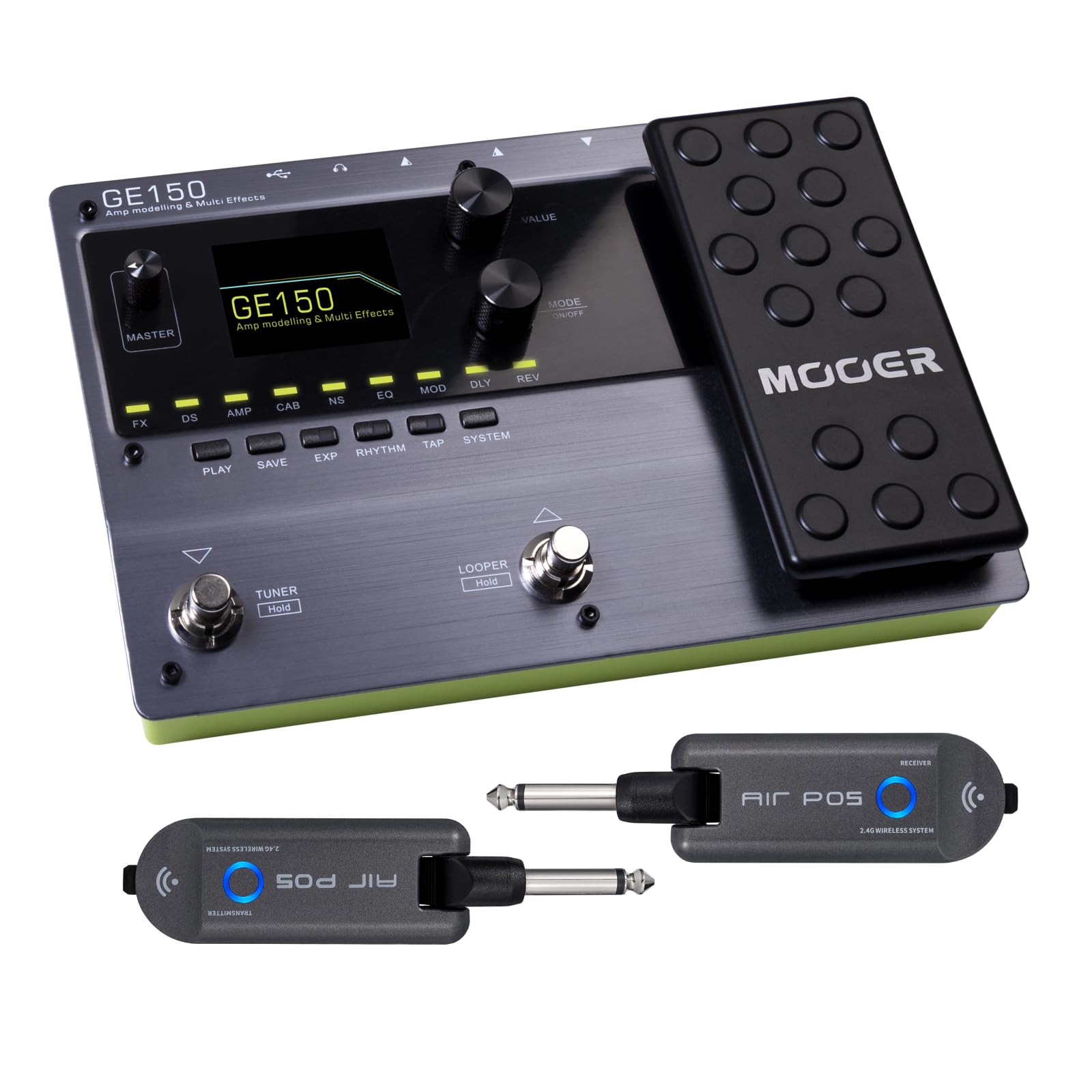
Davant view of the MOOER GE150 Multi Effects Pedal, showing the display, control knobs, footswitches, and expression pedal.
Configuració
GE150 Pedal Connection
- Connexió d'alimentació: Connect the included DC 9V 300mA power adapter to the GE150's power input.
- Entrada d'instrument: Connect your guitar to the GE150's 1/4" mono input jack.
- Sortida d'àudio: Connect the GE150's 1/4" mono output jacks (L/R) to your amplifier, mesclador o interfície d'àudio.
- Auriculars: For silent practice, connect headphones to the 1/8" stereo headphone jack.
- Entrada AUX: Use the 1/8" stereo AUX IN to connect external audio sources like an MP3 player for jamming.
- Connexió USB: Connect the GE150 to a computer via the USB port for firmware updates, software editing, or USB audio recording.

The GE150 connected in a home studio setup, demonstrating connections to a laptop and headphones.

lateral view of the GE150 showing input, output, and power connections.
AIR P05 Wireless System Setup
- Càrrec: Ensure both the transmitter and receiver units are fully charged using the included USB cable. The built-in 400mAh rechargeable battery provides up to 8 hours of operation.
- Connecteu el transmissor: Plug the AIR P05 transmitter into your guitar's output jack.
- Connecta el receptor: Plug the AIR P05 receiver into the GE150's input jack or directly into your ampmés viu.
- Maridatge: The units should automatically pair. If not, press the pairing button on both units to establish a connection.
- Seleccioneu el canal: The AIR P05 offers 4 selectable channels. Press the channel button to cycle through available channels and find the optimal one for interference-free performance.
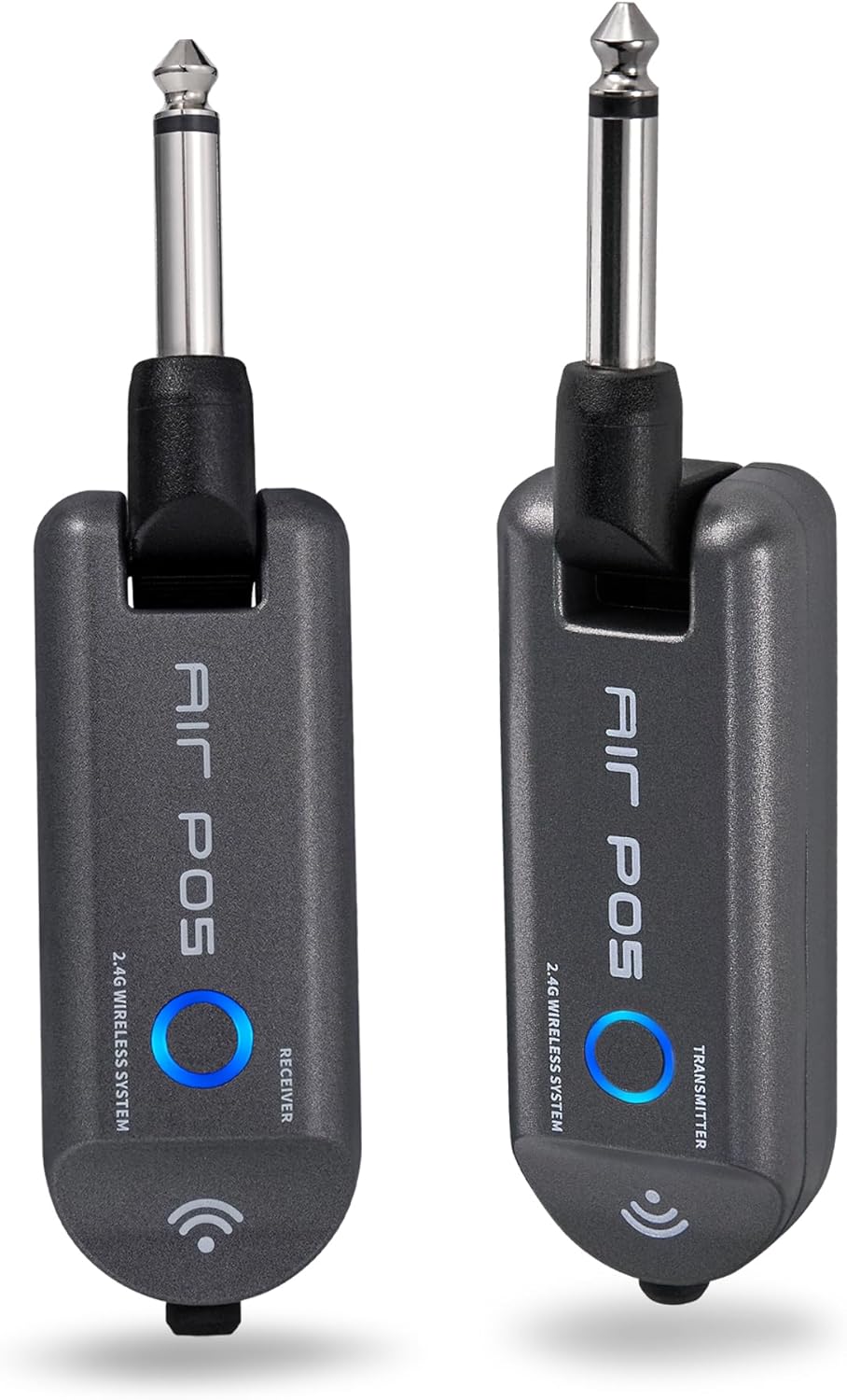
The MOOER AIR P05 wireless system, showing the transmitter and receiver units.

The AIR P05 wireless system highlighting its 4 selectable channels for optimal signal.

Diagram illustrating the wireless connection from guitar to pedal and amplifier using the AIR P05 system.
Instruccions de funcionament
GE150 Multi-Effects Pedal
- Encès/apagat: Manteniu premut el botó d'encesa per encendre o apagar la unitat.
- Navegació: Use the main display and control knobs to navigate through menus and adjust parameters.
- Efectes: The GE150 features 151 different effects. Use the dedicated FX, DS, AMP, CAB, NS, EQ, MOD, DLY, REV buttons to access and edit effect blocks.
- AMP Models: Access 55 high-quality AMP models utilizing MNRS technology. These models simulate the dynamics and feel of real tube ampaixecadors.
- IR Files: The pedal supports 26 user slots for loading third-party Impulse Response (IR) files, allowing for custom cabinet simulations.
- Pedal d'expressió: Utilize the built-in expression pedal to control various effects parameters or volume levels in real-time.
- Looper: The 80-second looper allows for recording and overdubbing phrases. Activate it using the dedicated footswitch.
- Drum Rhythms & Metronome: Access 40 types of drum rhythms and 10 metronome settings for practice or songwriting.
- Sintonitzador: Engage the built-in tuner by holding the designated footswitch.
- Desant els valors predefinits: After adjusting effects and settings, save your custom tones to user presets for quick recall.

The GE150 display showing a selected preset and the active effect modules.
AIR P05 Wireless System
- Mode de repòs automàtic: The AIR P05 features an automatic sleep mode to conserve battery life when not in use. It will reactivate upon detecting signal.
- 2.4GHz ISM Technology: The system uses 2.4GHz ISM worldwide technology for low-distortion and low-signal-loss audio transmission.
- Compatibilitat: The wireless system is suitable for electric guitar, bass guitar, acoustic guitar, and other instruments with a 1/4" output.

The AIR P05 wireless system demonstrating its plug-and-play functionality with various instruments and a multi-effects pedal.
Manteniment
- Neteja: Use a soft, dry cloth to clean the pedal and wireless units. Avoid abrasive cleaners or solvents.
- Emmagatzematge: Guardeu el dispositiu en un lloc fresc i sec, allunyat de la llum solar directa i de temperatures extremes.
- Battery Care (AIR P05): For optimal battery life, avoid fully discharging the AIR P05 units frequently. Recharge regularly.
- Actualitzacions de firmware: Periodically check the MOOER official website for firmware updates to ensure optimal performance and access new features.
Resolució de problemes
- Sense sortida de so:
-
- Check all cable connections (instrument, output, power).
- Ensure the GE150 is powered on and not in bypass mode.
- Verify volume levels on the GE150, your amplifier, and instrument.
- For the AIR P05, ensure both transmitter and receiver are charged, paired, and on the same channel.
- Wireless Signal Interference:
-
- Change the channel on the AIR P05 wireless system to avoid interference from other 2.4GHz devices.
- Ensure there are no large metal objects or other wireless transmitters directly between the AIR P05 units.
- El pedal no respon:
-
- Desconnecteu i torneu a connectar la font d'alimentació.
- Perform a factory reset if necessary (refer to the full manual for specific instructions).
Especificacions
| Marca | MOOER |
| Nom del model | GE150 |
| Efectes de sortida d'àudio | Distortion, Delay, Chorus, Reverb, Modulation, Preamp, Pitch-Shifting, Overdrive, Flanger, Multi-Effect |
| Tipus de controls | Footswitch, Expression Pedal |
| Font d'alimentació | Battery Powered (AIR P05), DC 9V 300mA (GE150) |
| Interfície del maquinari | HP-HSC, USB |
| Format del senyal | Analògic |
| Tipus de connector | USB, 1/4" Mono Jack, 1/8" Stereo Jack |
| Components inclosos | AIR P05 Wireless System |
| SampTarifa ling | 44.1 kHz |
| Sampling Precisió | 24 bits |
| Interval dinàmic | 98 dB |
| IR Format | WAV |
| IR SampTarifa ling | 44.1K |
| IR Sampling Precisió | 24 bits |
| IR SampLing Points | 512 |
| Dimensions | 230 X 155.99 X 32.8 mm |
| Pes | 1 kg |

Detailed specifications for the MOOER GE150 and AIR P05 wireless system.
Informació de la garantia
MOOER products typically come with a manufacturer's warranty. Please refer to the warranty card included with your product or visit the official MOOER weblloc web per obtenir informació detallada sobre els termes i condicions de la garantia específics per a la vostra regió i data de compra. Conserveu el comprovant de compra per a reclamacions de garantia.
Suport
For further assistance, technical support, or to download the latest firmware and software, please visit the official MOOER weblloc:
You may also contact MOOER customer service through the contact information provided on their weblloc.
Ask a question about this manual
Ask about setup, troubleshooting, compatibility, parts, safety, or missing instructions. Manuals+ will review the question and use this page’s manual context to help answer it.