
1. Introducció
Gràcies per la compraasing the Timex TW14 Alarm Clock with Wireless Charger. This compact device combines a digital alarm clock with a convenient 15W wireless charging pad, suitable for various smartphones and earbuds. This manual provides essential information for setting up, operating, and maintaining your new alarm clock.
2. Contingut del paquet
Si us plau, assegureu-vos que tots els elements estiguin presents al paquet:
- Timex TW14 Alarm Clock with Wireless Charger
- Cable d'alimentació USB-A a USB-C
- Manual d'usuari (aquest document)
Nota: A 18W QC3.0 adapter and 2 AAA batteries for backup are no inclòs i s'han de comprar per separat.
3. Producte acabatview
Familiarize yourself with the components and controls of your Timex TW14 alarm clock.

Imatge 3.1: A dalt view of the Timex TW14 alarm clock, highlighting the control buttons and the wireless charging pad. The display shows "10:09". A USB power cable is also shown.
Panell frontal:
- Pantalla LED: Shows time, alarm status, and PM indicator.
Tauler superior:
- Coixinet de càrrega sense fil: Per carregar dispositius compatibles.
- "M" Button: Mode/Set button for time and alarm settings, also functions as snooze.
- "-" Button: Decrease value, navigate backward, also functions as snooze.
- "+" Button: Increase value, navigate forward, also functions as snooze.
Panell posterior:
- Entrada d'alimentació USB-C: Es connecta al cable d'alimentació.
Panell inferior:
- Compartiment de la bateria: For 2 AAA backup batteries.
4. Configuració
4.1 Connexió d'alimentació
- Connect the supplied USB-A to USB-C power cable to the USB-C input port on the rear of the alarm clock.
- Connect the USB-A end of the cable to a compatible 18W QC3.0 USB power adapter (not included).
- Plug the power adapter into a standard wall outlet. The clock display will illuminate.
4.2 Instal·lació de la bateria de reserva
The battery backup system maintains time and alarm settings during a temporary power outage. It does not power the clock display or wireless charging function.
- Localitzeu el compartiment de la bateria a la part inferior de la unitat.
- Obriu la tapa del compartiment de la bateria.
- Insert 2 new AAA batteries (not included), observing the correct polarity (+ and -) as indicated inside the compartment.
- Tanqueu bé la tapa del compartiment de la bateria.
5. Instruccions de funcionament
5.1 Configuració de l'hora
- Manteniu premut el botó M fins que els dígits de les hores comencin a parpellejar.
- Utilitza el - or + buttons to adjust the hour. Pay attention to the PM indicator if using 12-hour format.
- Premeu el botó M de nou per confirmar l'hora i els dígits dels minuts parpellejaran.
- Utilitza el - or + botons per ajustar els minuts.
- Premeu el botó M button once more to confirm the minutes and exit time setting mode.
5.2 Configuració de l'alarma
- Premeu el botó M button once (do not hold) to enter alarm setting mode. The alarm time will be displayed, and the alarm icon will flash.
- Manteniu premut el botó M fins que els dígits de l'hora de l'alarma comencin a parpellejar.
- Utilitza el - or + botons per ajustar l'hora de l'alarma.
- Premeu el botó M button again to confirm the alarm hour, and the alarm minute digits will flash.
- Utilitza el - or + botons per ajustar els minuts de l'alarma.
- Premeu el botó M button once more to confirm the alarm minutes and exit alarm setting mode. The alarm icon will remain lit, indicating the alarm is active.
- Per activar/desactivar l'alarma, premeu el botó M button briefly when the current time is displayed. The alarm icon will appear or disappear.
5.3 Funció de repetició
When the alarm sounds, press any of the M, -, o + buttons to activate the snooze function. The alarm will temporarily stop and sound again after approximately 9 minutes.
To turn off the alarm completely, allow the alarm to ring for its full duration or turn off the alarm via the M button when not ringing.
5.4 Regulador d'intensitat de la pantalla
To adjust the brightness of the LED display, repeatedly press the M button (when not in setting mode) to cycle through High, Low, and Off brightness levels.
5.5 Càrrega sense fil
The Timex TW14 features a 15W wireless charging pad compatible with Qi-enabled devices such as iPhone, Android smartphones, and AirPods.

Imatge 5.1: An iPhone placed on the wireless charging pad of the Timex TW14 alarm clock, indicating active charging.
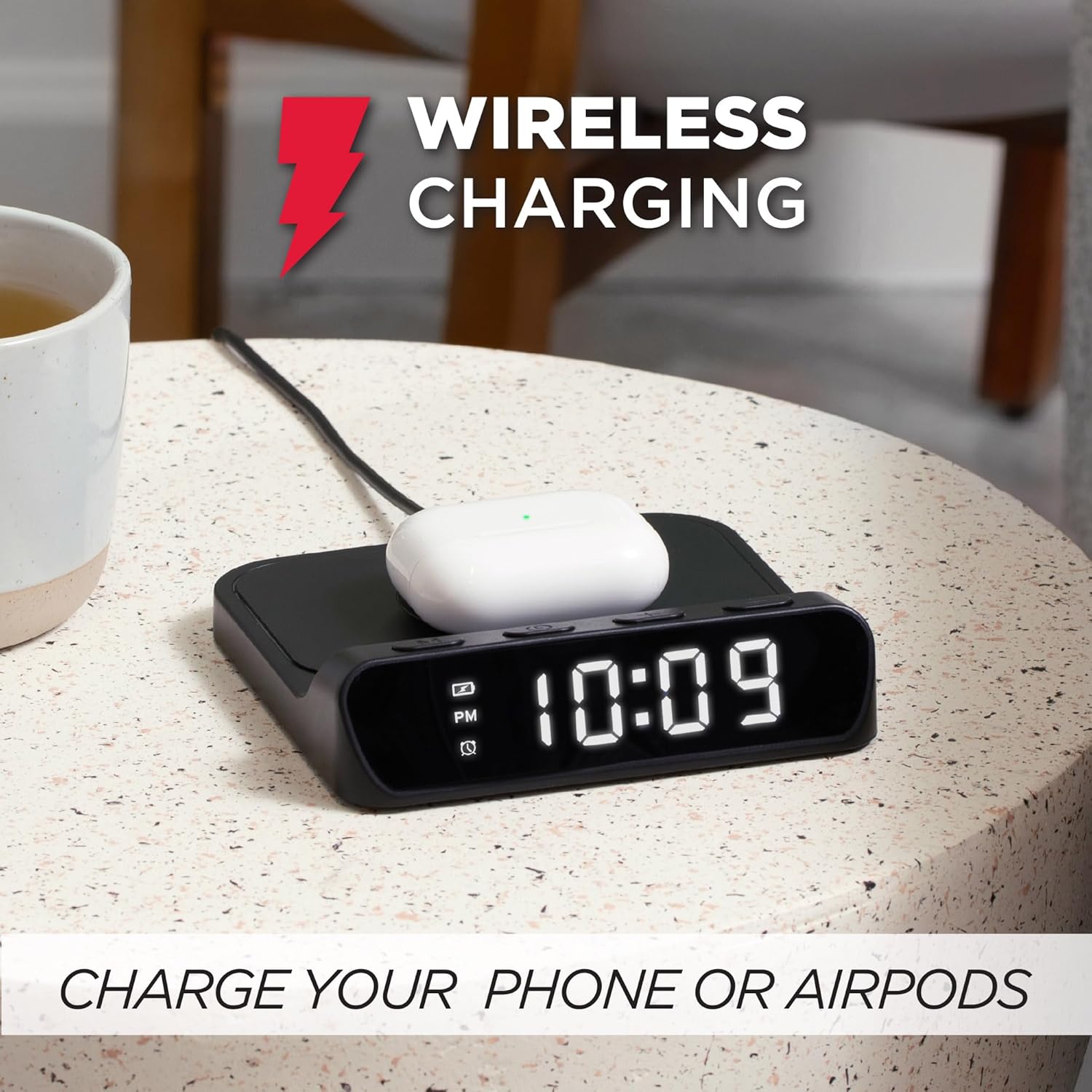
Imatge 5.2: AirPods case placed on the wireless charging pad of the Timex TW14 alarm clock, indicating active charging.
- Place your Qi-enabled device (e.g., smartphone, AirPods case) directly onto the center of the wireless charging pad on the top of the alarm clock.
- Ensure the device is properly aligned with the charging coil. A charging indicator (if available on your device) will confirm charging has begun.
- If charging does not start, slightly reposition your device on the pad.
Consideracions importants:
- For optimal charging performance, use an 18W QC3.0 power adapter.
- Thick phone cases or cases containing metal may interfere with wireless charging. Remove such cases if charging issues occur.
- Charging speed may vary depending on the device, its battery level, and environmental factors.
6. Manteniment
6.1 Neteja
To clean the unit, gently wipe the surfaces with a soft, dry cloth. Do not use liquid cleaners, abrasive materials, or chemical sprays, as these may damage the finish or internal components.
6.2 Substitució de la bateria
Replace the 2 AAA backup batteries annually or if you notice settings are not retained during power outages. Always use new batteries and dispose of old batteries responsibly.
7. Solució De Problemes
If you experience issues with your Timex TW14 alarm clock, please refer to the following common problems and solutions:
| Problema | Causa possible | Solució |
|---|---|---|
| La pantalla del rellotge està apagada o no funciona. | No power, loose connection, or display dimmer set to "Off". | Ensure the USB-C power cable is securely connected to the clock and a functional power adapter. Check if the adapter is plugged into a live outlet. Press the M button to cycle through display brightness settings (High/Low/Off). |
| La càrrega sense fil no funciona. | Device not Qi-compatible, improper alignment, phone case interference, insufficient power adapter. | Verify your device supports Qi wireless charging. Reposition the device on the center of the charging pad. Remove thick or metallic phone cases. Ensure you are using an 18W QC3.0 power adapter. |
| La càrrega sense fil és lenta. | Power adapter not powerful enough, device alignment, background apps on device. | Use an 18W QC3.0 power adapter for optimal speed. Ensure perfect alignment of the device on the charging pad. Close unnecessary apps on your device. |
| Alarm settings are lost after power outage. | Les bateries de reserva estan gastades o no estan instal·lades. | Install 2 new AAA batteries in the battery compartment, ensuring correct polarity. Replace old batteries if necessary. |
| Dificultat per configurar l'hora/alarma. | Seqüència incorrecta de prémer els botons. | Refer to sections 5.1 and 5.2 for detailed instructions on setting the time and alarm. Ensure you press and hold the M button at the correct steps. |
8. Especificacions
| Marca | Timex |
| Número de model | TW14 |
| Color | Negre |
| Tipus de visualització | Digital LED (0.8" white) |
| Característiques especials | Alarm, 15W Wireless Charging, Display Dimmer, Battery Backup |
| Dimensions del producte | 5" (Width) x 5" (Depth) x 1.2" (Height) |
| Font d'alimentació | USB-A to USB-C power cable (included), requires 18W QC3.0 adapter (not included) |
| Còpia de seguretat de la bateria | 2 piles AAA (no incloses) |
| Material del marc | Plàstic |
| Pes de l'article | 0.2 quilograms (7 unces) |

Imatge 8.1: Timex TW14 alarm clock with its dimensions (5"W x 5"D x 1.2"H) clearly indicated.
9. Garantia i Suport
Timex products are manufactured to high quality standards. For information regarding warranty coverage, technical support, or customer service, please refer to the warranty card included with your purchase or visit the official Timex weblloc web. Si us plau, conserveu el comprovant de compra per a reclamacions de garantia.