
NinjaABXY B09XM557BR
User Manual: Xbox Controller Charger with Rechargeable Batteries
Model: B09XM557BR | Brand: NinjaABXY
1. Introducció
This manual provides essential information for the safe and efficient use of your Xbox Controller Charger with Rechargeable Batteries. This product is designed to provide a reliable and convenient power solution for your Xbox controllers, ensuring extended gaming sessions without interruption.
The charger and battery kit are compatible with a wide range of Xbox controllers, including Xbox One, Xbox One S, Xbox One X, Xbox One Elite, Xbox Series S, and Xbox Series X. It features multiple charging input options and intelligent protection mechanisms to safeguard your devices.

Figure 1: The Xbox Controller Charger with three 2550mAh rechargeable batteries and a USB cable. The charging station has two slots for batteries and LED indicators.

Figure 2: This image illustrates the broad compatibility of the rechargeable battery packs with various Xbox controller models, including Xbox One, Xbox One S, Xbox Series X|S, and Xbox One Elite.
2. Què s'inclou
Si us plau, comproveu el contingut del paquet per assegurar-vos que hi hagi tots els elements:
- 3 x 2550 mAh Rechargeable Battery Packs for Xbox Controller
- 1 x Dual Charging Base
- 1 x cable de càrrega tipus C
- 1 x Manual d'usuari (aquest document)
3. Especificacions
| Característica | Detall |
|---|---|
| Capacitat de la bateria | 2550 mAh per battery |
| Cicles de recàrrega | Més de 2000 vegades |
| Temps de càrrega | Aproximadament 2.5 hores per a la càrrega completa |
| Temps de reproducció per càrrega | Fins a 25 hores |
| Entrada Voltage | 5 Volts |
| Potència de sortida | 18 watts |
| Ports de càrrega | USB, Micro USB, Type-C |
| Compatibilitat | Xbox One, Xbox One S, Xbox One X, Xbox One Elite, Xbox Series S, Xbox Series X controllers |
| Dimensions (paquet) | 14.71 x 12.19 x 3.4 cm |
| Pes (paquet) | 290 grams |

Figure 3: This graphic highlights the large capacity of the 2550mAh batteries, indicating a 2.5-hour charge time for approximately 25 hours of use.
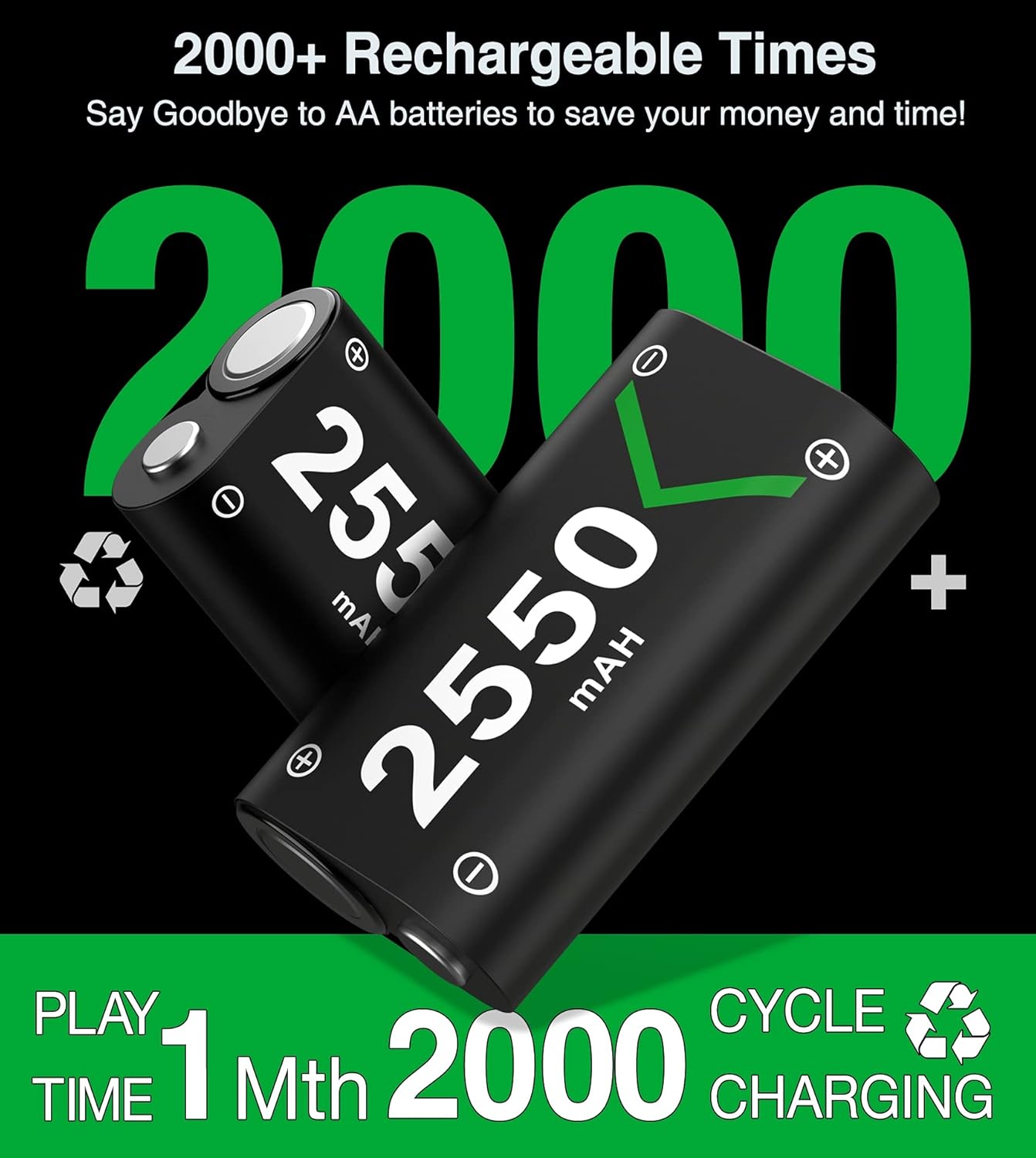
Figure 4: This image emphasizes the durability of the batteries, stating they can be recharged over 2000 times, offering long-term value.
4. Instruccions de configuració
Follow these steps to set up your Xbox Controller Charger and batteries:
- Desempaquetar el contingut: Carefully remove all items from the packaging and ensure nothing is missing.
- Connecteu l'estació de càrrega:
Connect the provided Type-C charging cable to the charging station. The station offers multiple input options for convenience:
- Standard USB port (Type-A)
- Port micro USB
- Port tipus C
Plug the other end of the cable into a compatible USB power source (e.g., Xbox console, USB wall adapter, PC USB port).

Figure 5: The charging station provides three optional charging input methods: standard USB, Type-C, and Micro USB, offering flexibility for power connection.
- Insert Batteries into Controllers: Open the battery compartment of your Xbox controller. Insert one of the 2550 mAh rechargeable battery packs, ensuring correct polarity. Close the battery compartment cover.
- Place Batteries in Charging Station: If the batteries are not in a controller or need charging, place them into the designated charging slots on the dual charging base. Ensure they are seated correctly.
5. Instruccions de funcionament
5.1 Procés de càrrega
The charging station features clear LED indicators to show the charging status of each battery:
- Llum vermella: Indica que la bateria s'està carregant actualment.
- Llum verda: Indica que la bateria està completament carregada.
- Gray Light: Indicates auto shutoff or no battery detected.
A full charge typically takes about 2.5 hours. Once fully charged, the LED will turn green, and the smart charging protection will prevent overcharging.

Figure 6: The charging station's LED indicators clearly show the charging status: red for charging, green for fully charged, and gray for auto shutoff.
5.2 Ús de la bateria
Each fully charged 2550 mAh battery pack provides up to 25 hours of continuous playtime, depending on controller usage and game intensity. With three battery packs included, you can always have a charged spare ready for uninterrupted gaming.
6. Manteniment
6.1 Neteja
- Always disconnect the charging station from the power source before cleaning.
- Use a soft, dry cloth to wipe the charging station and battery packs.
- Do not use liquid cleaners, aerosols, or abrasive materials, as these may damage the product.
6.2 Emmagatzematge
- Store the charger and batteries in a cool, dry place away from direct sunlight and extreme temperatures.
- Avoid storing batteries in a completely discharged state for extended periods, as this can reduce their lifespan. Charge them periodically if not in use.
6.3 Cura de la bateria
- Do not disassemble, puncture, or modify the battery packs.
- Avoid exposing batteries to water or fire.
- Dispose of old or damaged batteries according to local regulations.
7. Solució De Problemes
If you encounter any issues with your charger or batteries, please refer to the following common problems and solutions:
| Problema | Possible causa/solució |
|---|---|
| Battery not charging (LED is off or gray) |
|
| Battery LED remains red after extended charging |
|
| Short battery life after full charge |
|
| Controller not recognizing battery |
|

Figure 7: The internal circuitry of the charging station includes multiple safety protections such as over-heated, over-voltage, i protecció contra curtcircuits per garantir una càrrega segura.
8. Informació de la garantia
This product is covered by a standard manufacturer's warranty. Please refer to the packaging or the manufacturer's official weblloc web per conèixer els termes i condicions específics de la garantia, incloent-hi els detalls de la durada i la cobertura. Conserveu el comprovant de compra per a les reclamacions de garantia.
9. Atenció al client
For technical assistance, troubleshooting beyond this manual, or warranty inquiries, please contact the manufacturer, NinjaABXY, through their official customer support channels. You may also contact the retailer from whom you purchased the product for assistance.
Please have your product model number (B09XM557BR) and purchase date ready when contacting support.
Ask a question about this manual
Ask about setup, troubleshooting, compatibility, parts, safety, or missing instructions. Manuals+ will review the question and use this page’s manual context to help answer it.