
VENZ R4040-V2
VENZ Indoor Camera R4040-V2 User Manual
Model: R4040-V2 | Brand: VENZ
Producte acabatview
The VENZ Indoor Camera R4040-V2 is a 1080P HD home security camera designed for indoor use. It features 360° pan-tilt-zoom (PTZ) capabilities, two-way audio, motion detection, and night vision, making it suitable for monitoring babies, pets, or general home security.
Característiques clau
- Resolució HD 1080P: Provides clear and smooth video.
- 360° PTZ Functionality: Offers 360° horizontal rotation and 104° vertical view per a una cobertura integral.
- Àudio bidireccional: Micròfon i altaveu integrats per a la comunicació.
- Detecció i seguiment de moviment: Sends instant alerts and tracks detected movement.
- Visió nocturna: IR LEDs provide clear vision up to 28 feet in low light.
- Múltiples opcions d'emmagatzematge: Supports cloud storage and up to 128GB Micro SD card (not included).
- Compatibilitat de control de veu: Works with Echo Show/Spot/Fire TV and Google Nest Hub/Chromecast.
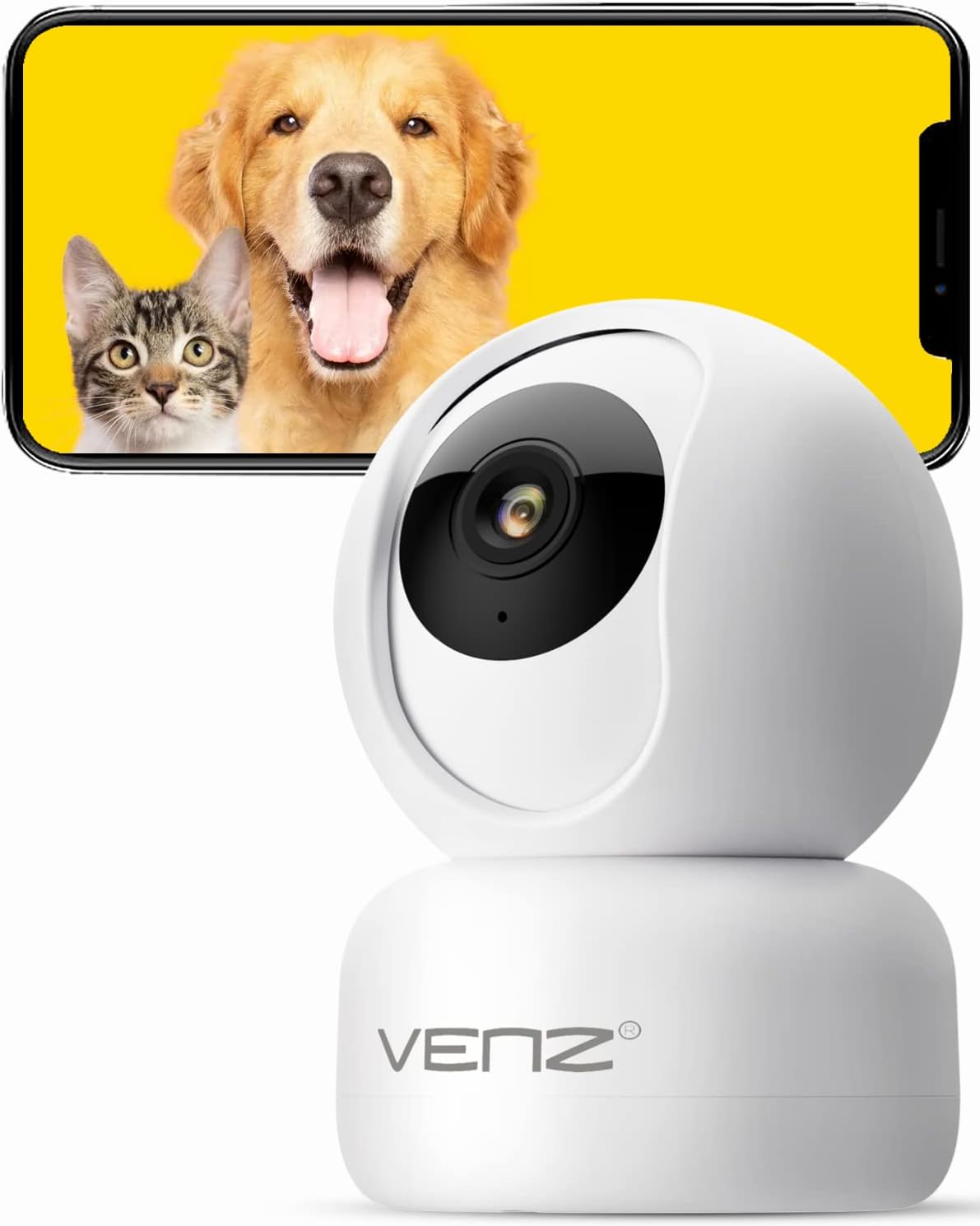
Image: The VENZ Indoor Camera R4040-V2, a white dome-shaped camera, shown next to a smartphone displaying live feed of a dog and a cat, illustrating its use for pet monitoring.
Què hi ha a la caixa
Verifiqueu que tots els components siguin presents abans de continuar amb la instal·lació.
- Càmera PTZ intel·ligent x 1
- Cable USB x 1
- Manual d'usuari x 1
- Suport de muntatge x 1
- Adaptador x 1
- Bossa de cargol x 1
- Adhesiu perforat x 1
- Restableix el pin x 1
Guia de configuració
1. Encendre la càmera
- Connect the provided USB cable to the camera's power port.
- Plug the USB cable into the adapter.
- Plug the adapter into a standard electrical outlet (DC 5V).
- Wait for the camera's indicator light to flash, indicating it is ready for setup.
2. Instal·lació de l'aplicació i creació de compte
The VENZ Indoor Camera operates via the Woox Home App.
- Download the "Woox Home" app from the Google Play Store or Apple App Store.
- Open the app and register for a new account if you don't have one, or log in with existing credentials.

Image: The Woox Home App logo, indicating compatibility with Amazon Alexa and Google Assistant, and showing the app interface on a smartphone and a smart display.
3. Afegir la càmera a l'aplicació
- In the Woox Home app, tap the "+" icon to add a new device.
- Select "Camera" or "Security Camera" from the device list.
- Follow the on-screen instructions to connect the camera to your 2.4GHz Wi-Fi network. Ensure your Wi-Fi password is correct.
- The app will display a QR code. Position your camera to scan this QR code from your phone screen. Hold the phone approximately 6-8 inches (15-20 cm) from the camera lens.
- Once the camera successfully scans the QR code, it will emit a confirmation sound. Tap "I heard a prompt" in the app.
- The camera will then connect to your Wi-Fi network. Once connected, you can name your camera and begin using it.

Image: A hand holding a smartphone displaying a QR code, with the VENZ Indoor Camera positioned to scan it, illustrating the quick setup process.
4. Muntatge de la càmera (opcional)
The camera can be placed on a flat surface or mounted to a wall or ceiling using the included bracket.
- Choose a suitable location for mounting, ensuring it has a clear view i està dins de l'abast del Wi-Fi.
- Use the punched sticker to mark the drilling positions on the wall/ceiling.
- Perfora forats i insereix els ancoratges de paret.
- Attach the mounting bracket to the wall/ceiling using the provided screws.
- Secure the camera onto the mounting bracket by twisting it into place.
Funcionament de la càmera
Viu View i control PTZ
- Open the Woox Home app and select your camera from the device list.
- Apareixerà el canal de vídeo en directe.
- Use the on-screen joystick or directional arrows to pan (rotate horizontally 360°) and tilt (rotate vertically 104°) the camera lens.
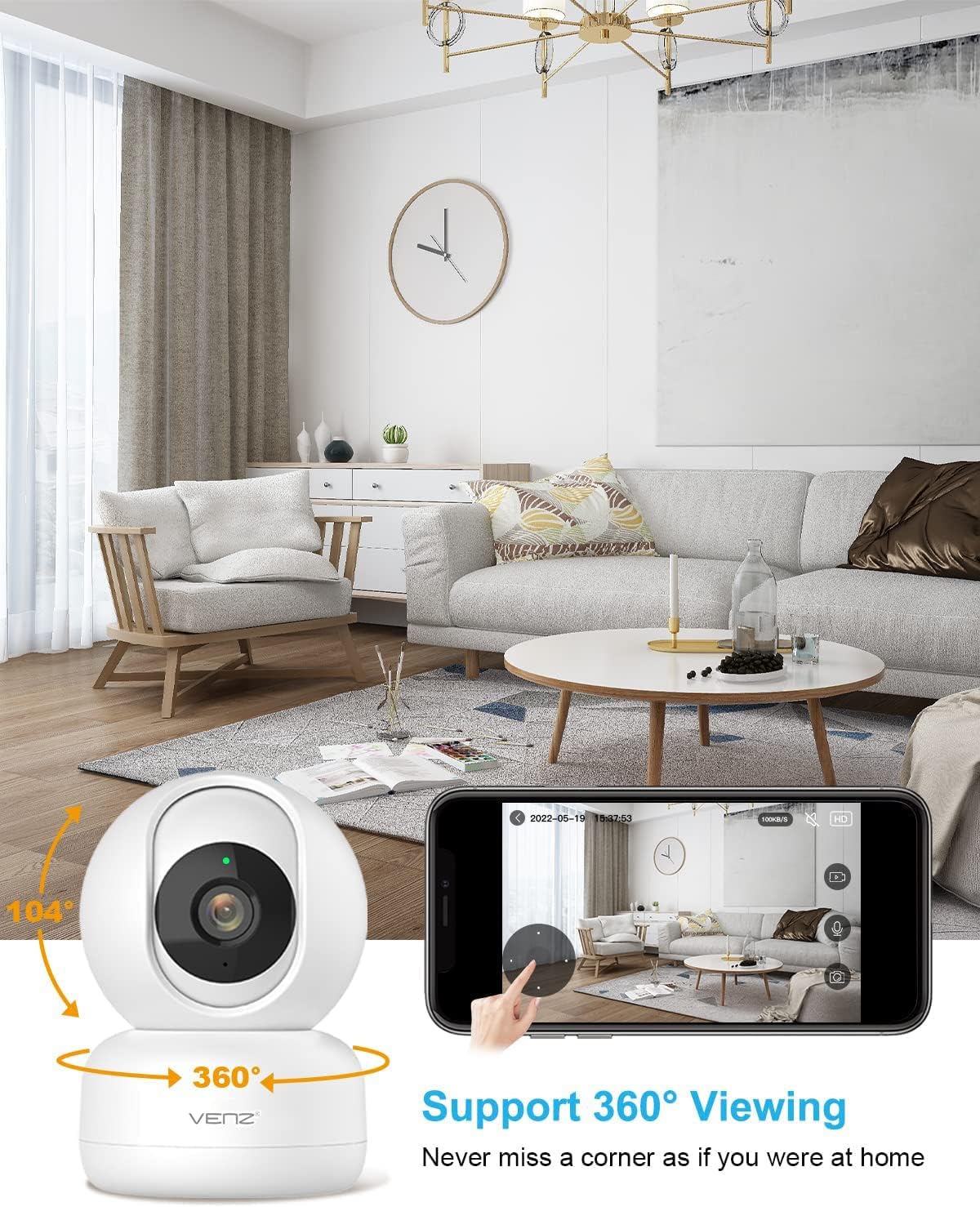
Image: The VENZ Indoor Camera with arrows indicating its 360-degree horizontal rotation and 104-degree vertical tilt capabilities, alongside a smartphone displaying the live view interfície.
Àudio bidireccional
- Mentre està en directe view, toca la icona del micròfon a l'aplicació per parlar a través de la càmera.
- Toca la icona de l'altaveu per escoltar l'àudio de l'entorn de la càmera.

Image: Illustrations showing a woman speaking into her phone and a child interacting with a dog near the camera, demonstrating the two-way audio communication feature.
Detecció i seguiment de moviment
- Navigate to the camera settings within the Woox Home app.
- Enable "Motion Detection" to receive instant alerts on your phone when movement is detected.
- Activate "Motion Tracking" for the camera to automatically follow and keep the detected subject within its field of view.
- Adjust sensitivity levels and set activity areas as needed.

Image: A child and an adult entering a room, with the camera's motion tracking feature highlighted by red boxes, and a smartphone displaying a "Motion Tracking Detection" notification from the Woox Home app.

Image: Two cats in a living room, with one jumping and the other sitting, demonstrating the camera's motion tracking capability by highlighting the subjects with yellow crosses, and a smartphone showing real-time motion detection notifications.
Visió nocturna
- La càmera canvia automàticament al mode de visió nocturna en condicions de poca llum.
- Infrared LEDs provide clear black-and-white video up to 28 feet (8.5 meters).
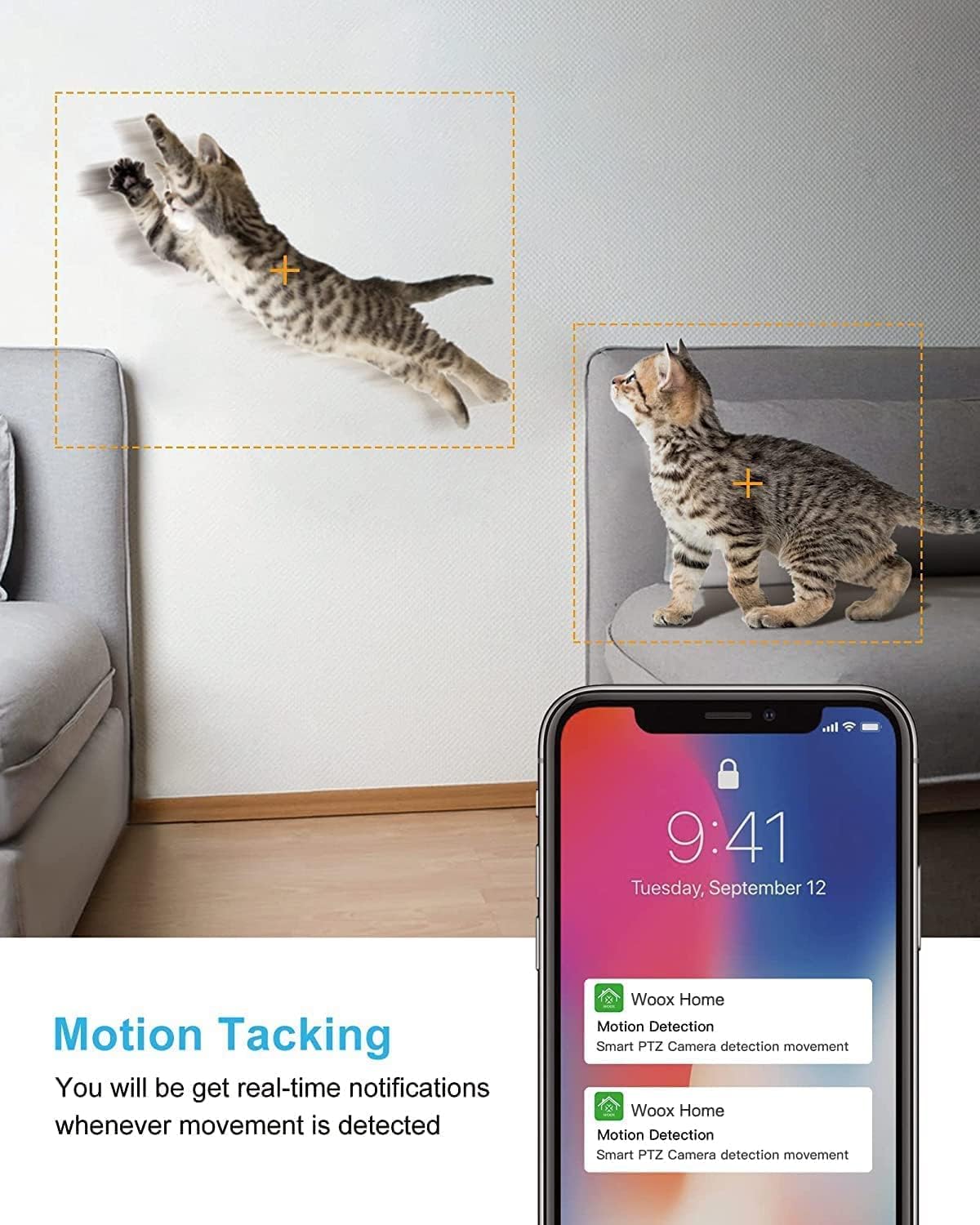
Image: A split image showing a baby sleeping in a crib in a dark room (top, black and white) and a woman viewing a clear image on her phone in bed (bottom), illustrating the camera's clear night vision capability.
Emmagatzematge i reproducció
- Targeta micro SD: Insert a Micro SD card (up to 128GB, not included) into the camera's slot for local storage of recordings.
- Emmagatzematge al núvol: Subscribe to the optional cloud storage service via the Woox Home app for secure, encrypted data storage.
- Accés gravat footage through the "Playback" or "History" section in the app.

Image: The VENZ Indoor Camera with an arrow pointing to its Micro SD card slot and a cloud icon with a shield, illustrating both local (Micro SD) and cloud storage options for recording and playback.
Multi-User and Multi-Device Access
- Share camera access with family members through the Woox Home app.
- L'aplicació és compatible viewing multiple Wi-Fi cameras simultaneously (up to 4 live videos on one screen).
Manteniment
- Neteja: Feu servir un drap suau i sec per netejar la lent i el cos de la càmera. Eviteu productes de neteja o dissolvents abrasius.
- Actualitzacions de firmware: Regularly check for and install firmware updates through the Woox Home app to ensure optimal performance and security.
- Estabilitat de la xarxa: Ensure your Wi-Fi network is stable and strong to prevent connection issues and maintain continuous monitoring.
- Gestió de la targeta SD: If using a Micro SD card, periodically check its storage capacity and format it if necessary to prevent data corruption.
Resolució de problemes
| Problema | Causa possible | Solució |
|---|---|---|
| Càmera fora de línia/No es pot connectar a la Wi-Fi |
|
|
| Poor video quality/Lagging feed |
|
|
| La detecció de moviment no funciona |
|
|
| No audio/Poor two-way audio |
|
|
| La targeta SD no grava |
|
|
Especificacions
| Característica | Detall |
|---|---|
| Número de model | R4040-V2 |
| Ús interior/exterior | Interior |
| Resolució de captura de vídeo | 1080p |
| Camp de View | 360 graus (panoràmica), 104 graus (inclinació) |
| Gamma de visió nocturna | 28 peus (8.5 metres) |
| Protocol de connectivitat | Wi-Fi (només 2.4 GHz) |
| Font d'alimentació | Elèctric amb cable (DC 5V) |
| Tipus de controlador | Assistent de Google, Amazon Alexa |
| Opcions d'emmagatzematge | Cloud Storage, Micro SD Card (up to 128GB) |
| Dimensions (L x A x A) | 2.91 x 2.91 x 4.21 polzades |
| Pes de l'article | 13.1 unces |
| Material | PVC |
| UPC | 751004742501 |
Garantia i Suport
Informació de la garantia
Els detalls específics de la garantia normalment es proporcionen amb la documentació de compra o al fullet oficial del fabricant. website. Please refer to the warranty card included in your product packaging for the most accurate and up-to-date information regarding coverage and duration.
Atenció al client
For technical assistance, troubleshooting, or any inquiries regarding your VENZ Indoor Camera, please visit the official VENZ website or contact their customer support team. You can often find contact information (email, phone, or support portal) on the product packaging or the brand's online presence.
Visit the official VENZ Store for more information and support: VENZ Store on Amazon
Ask a question about this manual
Ask about setup, troubleshooting, compatibility, parts, safety, or missing instructions. Manuals+ will review the question and use this page’s manual context to help answer it.