
Logitech Z606
Logitech Z606 5.1 Surround Sound Speaker System User Manual
Model: Z606
Introducció
This manual provides comprehensive instructions for the setup, operation, maintenance, and troubleshooting of your Logitech Z606 5.1 Surround Sound Speaker System. Please read this manual carefully before using your speaker system to ensure optimal performance and longevity.
Contingut del paquet
Verifiqueu que tots els components siguin presents al vostre paquet:
- Subwoofer with integrated control panel
- Five satellite speakers (Front Left, Front Right, Center, Rear Left, Rear Right)
- Comandament a distància
- Speaker cables (including extra-long cables for rear satellites)
- Cable d'alimentació
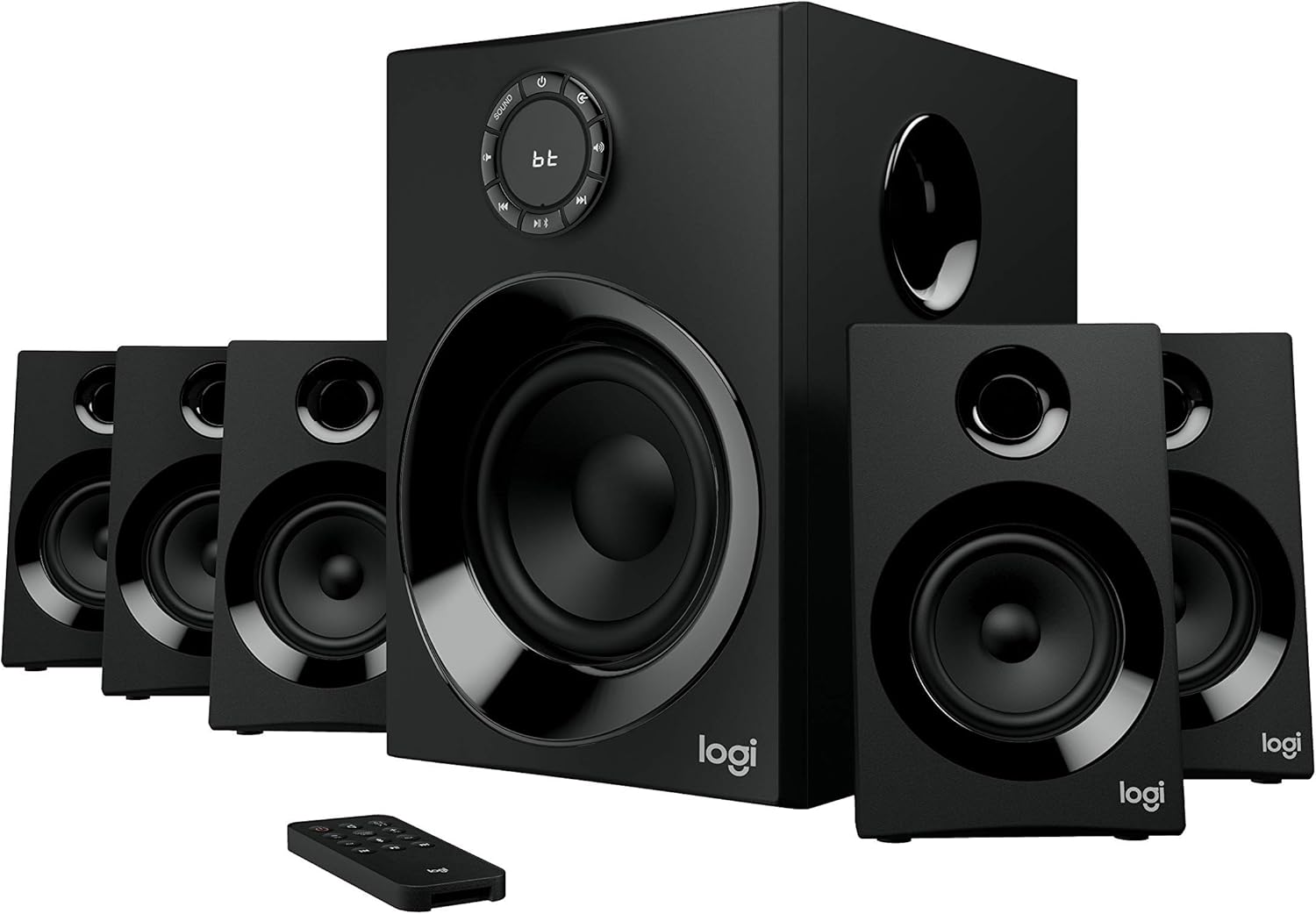
Image: The Logitech Z606 5.1 Surround Sound Speaker System, showing the central subwoofer, five satellite speakers, and the remote control. This illustrates the complete system.
Configuració
1. Col·locació d'altaveus
Proper speaker placement is crucial for optimal 5.1 surround sound experience. Refer to the diagram below for recommended placement.
- Altaveus frontals esquerre i dret: Place these speakers equidistant from your listening position, typically on either side of your display.
- Ponent del centre: Position the center speaker directly in front of your listening position, usually above or below your display.
- Altaveus posteriors esquerre i dret: Place these speakers behind your listening position, slightly to the sides. The Z606 includes extra-long 20-foot (6.2 meter) cables for flexible placement.
- subwoofer: The subwoofer can be placed anywhere in the room, but often performs best when positioned in a corner or near a wall to enhance bass response.

Image: A diagram illustrating the recommended placement of the 5.1 speaker system components (subwoofer, front, center, and rear satellites) around a listening area, with cable lengths indicated for optimal setup.
2. Connexió dels altaveus
Connect each satellite speaker to the corresponding output on the rear of the subwoofer. Ensure the positive (+) and negative (-) terminals on the speaker match those on the subwoofer.

Image: The rear panel of the Logitech Z606 subwoofer, showing the various input ports (RCA, 3.5mm, Bluetooth indicator) and speaker output terminals for connecting the five satellite speakers.
3. Connexió de fonts d'àudio
El Z606 ofereix múltiples opcions de connectivitat:
- Bluetooth: For wireless connection, activate Bluetooth on your device and pair with "Logitech Z606".
- Conector d'àudio de 3.5 mm: Connect devices like smartphones, tablets, or computers using a 3.5mm audio cable to the AUX input.
- Cables RCA: Use RCA cables to connect to TVs, Blu-ray/DVD players, or gaming consoles.
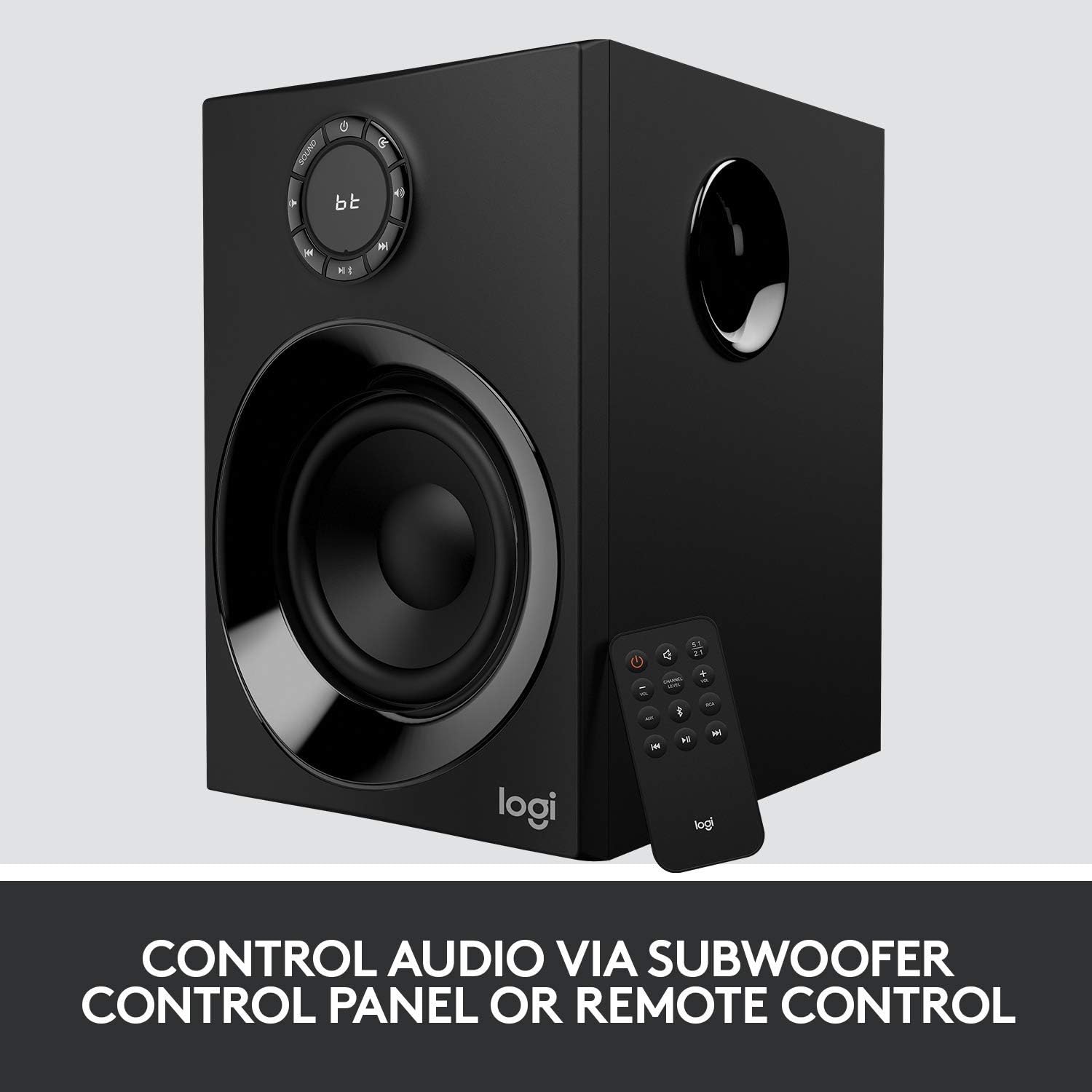
Image: The Logitech Z606 subwoofer alongside its remote control, highlighting the various control options available for audio playback and system settings.
Instruccions de funcionament
Encès/Apagat
Use the power button on the subwoofer's control panel or the remote control to turn the system on or off.
Control de volum
Adjust the master volume using the large dial on the subwoofer or the volume buttons on the remote control.
Selecció d'entrada
Press the "Source" button on the subwoofer or remote to cycle through available audio inputs (Bluetooth, AUX, RCA).
Speaker Level Adjustment
The Z606 allows independent control over the volume of the front, rear, and center speakers, as well as the subwoofer. Use the remote control or the subwoofer's control panel to adjust these levels to your preference for balanced surround sound.

Imatge: Un primer pla view of the Logitech Z606 subwoofer's control panel, featuring the main volume dial, input selection buttons, and indicators for Bluetooth connectivity.
Manteniment
- Neteja: Feu servir un drap suau i sec per netejar les superfícies dels altaveus. Eviteu productes de neteja o dissolvents abrasius.
- Ventilació: Ensure the subwoofer and speakers have adequate ventilation to prevent overheating. Do not block any vents.
- Gestió de cables: Keep cables tidy and untangled to prevent damage and ensure clear audio signals.
- Emmagatzematge: If storing the system for an extended period, disconnect it from power and store in a cool, dry place.
Resolució de problemes
| Problema | Causa possible | Solució |
|---|---|---|
| No hi ha so dels altaveus |
|
|
| So distorsionat o de mala qualitat |
|
|
| Problemes de vinculació de Bluetooth |
|
|
Especificacions
- Nom del model: Z606
- Tipus d'altaveu: 5.1 Sistema de so envoltant
- Potència màxima total: 160 watts
- Potència RMS total: 80 watts
- Controlador de subwoofer: 5.25 polzades
- Resposta de freqüència: 50 Hz - 120 kHz
- Connectivitat: Bluetooth 4.2, 3.5mm Audio Jack, RCA
- Cable Length (Rear Satellites): 20 peus (6.2 metres)
- Dimensions (subwoofer): 33.3P x 41.4A x 29.8H centímetres
- Pes: 0.01 unces
- Color: Negre
- Fabricant: Logitech

Imatge: Un cop mésview of the Logitech Z606 5.1 Surround Sound Speaker System, emphasizing its 160 Watts of power and 5.1 surround sound capability.
Informació de la garantia
This Logitech Z606 speaker system comes with a Garantia limitada provided by the manufacturer, Logitech. For specific details regarding warranty coverage, duration, and claims process, please refer to the warranty card included with your product or visit the official Logitech support weblloc web. Conserveu el comprovant de compra per validar la garantia.
Suport
Per obtenir més ajuda, assistència tècnica o per accedir a recursos addicionals, visiteu el lloc web d'assistència oficial de Logitech. website or contact their customer service. You can find contact information and FAQs on their weblloc.
Logitech Official Weblloc: www.logitech.com/support