
Introducció
This manual provides detailed instructions for the safe and efficient use of your Maxcom MM426 Dual SIM Mobile Phone. Designed for simplicity and ease of use, this GSM mobile phone features a 1.8-inch color display, Dual SIM capability, Bluetooth connectivity, and an essential SOS function for emergencies. Please read this manual thoroughly before operating your device.
Contingut del paquet
Assegureu-vos que tots els elements següents estiguin presents al paquet del producte:
- Maxcom MM426 Mobile Phone
- Bateria (ió de liti)
- Carregador
- Cable USB
- Base de càrrega
- Manual d'usuari
- Targeta de garantia
Per telèfonview
Familiarize yourself with the key components of your Maxcom MM426 mobile phone.
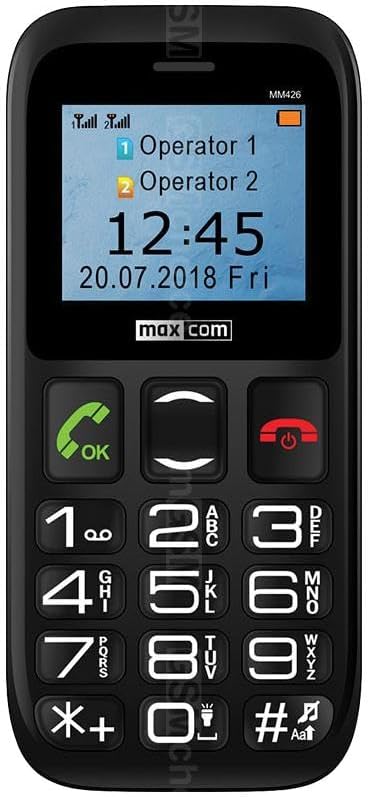
Imatge: Davant view of the Maxcom MM426 mobile phone, showing its 1.8-inch color display and large, easy-to-read keypad with clearly marked buttons for calls, navigation, and numbers.
- Visualització: 1.8-inch color LCD screen for clear visibility of menus, contacts, and messages.
- Teclat: Botons tàctils grans per facilitar la marcació i la navegació.
- Botons de trucada/finalització: Botons dedicats per iniciar i finalitzar trucades.
- Tecles de navegació: For moving through menus and options.
- Botó SOS: Located on the back for emergency calls (see Special Features section).
- Presa d'auriculars de 3.5 mm: Per connectar auriculars.
Configuració
1. Instal·lació de la bateria
- Traieu amb cura la tapa posterior del telèfon.
- Insert the Lithium-ion battery into the battery compartment, ensuring the gold contacts align with the phone's terminals.
- Torneu a col·locar la coberta posterior fins que sentiu un clic i que quedi ben fixada al seu lloc.
2. SIM Card Installation (Dual SIM)
The Maxcom MM426 supports two SIM cards, allowing you to manage two different numbers simultaneously.
- With the battery removed, locate the SIM card slots.
- Insert your SIM cards into the designated slots (SIM1 and SIM2) with the gold contacts facing down and the cut corner aligned as shown in the diagram (refer to the physical manual for diagram).
- Ensure the SIM cards are fully seated.
3. Instal·lació de la targeta MicroSD (opcional)
To expand storage for photos, music, or other files, you can install a MicroSD card (up to 32 GB, sold separately).
- Locate the MicroSD card slot, usually near the SIM card slots.
- Insert the MicroSD card into the slot until it clicks into place.
4. Carregant el telèfon
Before first use, fully charge the phone's battery. Charging takes approximately 3 hours.
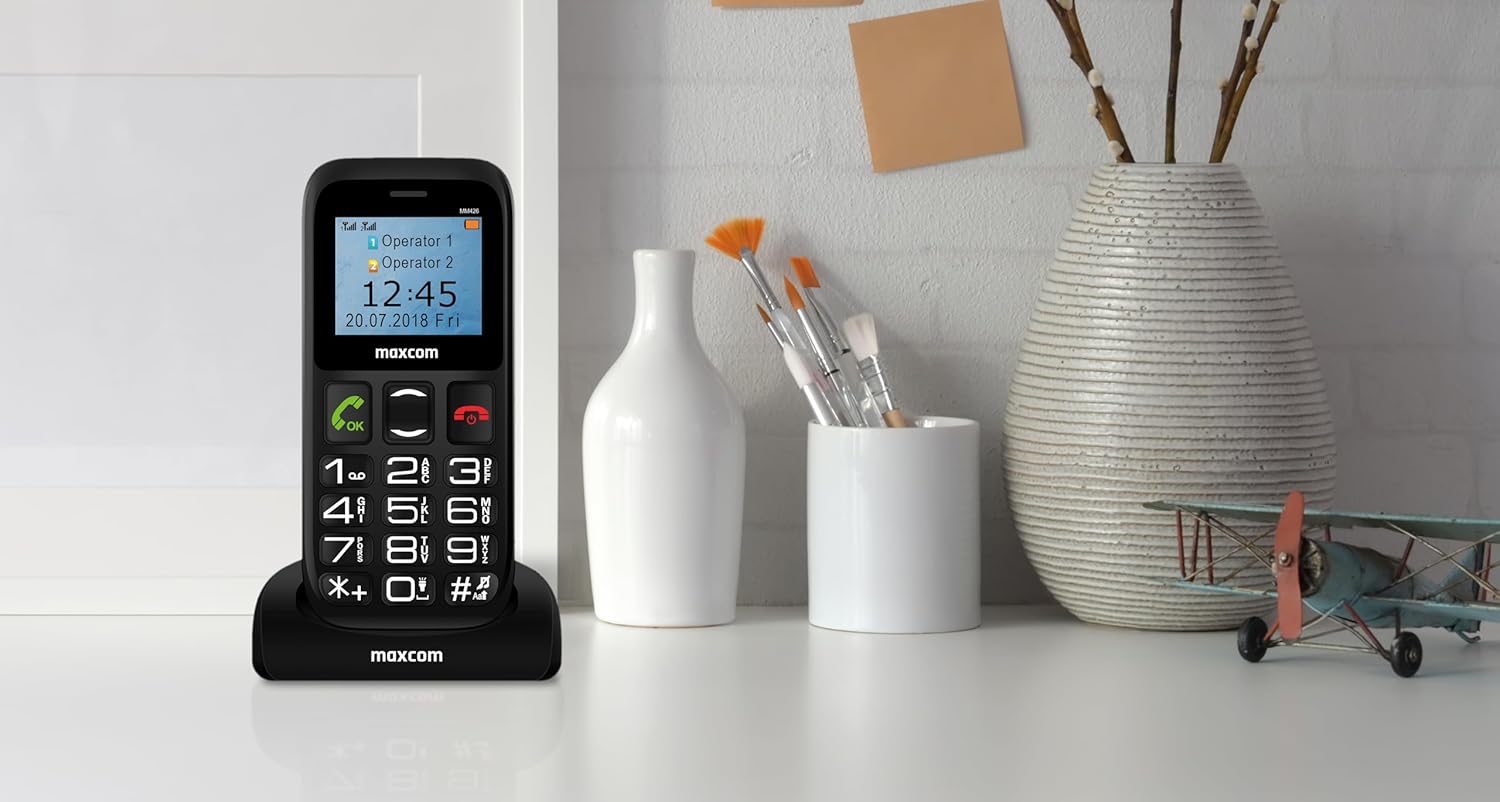
Imatge: The Maxcom MM426 mobile phone placed in its dedicated charging cradle, ready for charging. The phone's screen displays network and time information.
- Connect the USB cable to the charger and plug the charger into a power outlet.
- Place the phone into the charging cradle, ensuring it is properly seated. The charging indicator on the phone's screen should activate.
- Alternativament, podeu connectar el cable USB directament al port de càrrega del telèfon.
- Un cop estigui completament carregat, desconnecteu el carregador.
Funcionament bàsic
1. Encendre/apagar
- Per encendre: Manteniu premut el botó Finalitzar trucada/Engegar botó (botó vermell) fins que la pantalla s'il·lumini.
- Per apagar: Manteniu premut el botó Finalitzar trucada/Engegar button until the power-off options appear, then select "Power off".
2. Realització de trucades
- Introduïu el número de telèfon amb el teclat.
- Premeu el botó Truca button (green button) to initiate the call.
- Per finalitzar la trucada, premeu el botó Finalitzar la trucada botó.
- To call from contacts, navigate to the "Contacts" menu, select a contact, and press the Truca botó.
3. Recepció de trucades
- When a call comes in, the phone will ring and display the caller's information.
- Premeu el botó Truca button (green button) to answer.
- Premeu el botó Finalitzar la trucada button (red button) to reject or end the call.
4. Sending SMS Messages
- Go to the "Messages" menu.
- Select "Write message" or "New SMS".
- Enter your message using the keypad. Press the # key to switch input modes (e.g., ABC, abc, 123).
- Introduïu el número de telèfon del destinatari o seleccioneu-lo dels contactes.
- Seleccioneu "Envia".
5. Ajust de volum
During a call or when navigating menus, use the dedicated volume keys (if present) or the navigation keys to adjust the volume. You can also adjust ringtone and media volumes in the "Settings" menu.
Característiques especials
1. Funció SOS
The SOS button provides a quick way to contact pre-set emergency numbers in critical situations.

Imatge: posterior view of the Maxcom MM426 mobile phone, highlighting the prominent orange SOS button designed for quick access in emergencies.
- Setting up SOS Numbers: Vés a Settings > SOS Settings to add up to five emergency contact numbers.
- Ús de la funció SOS: En cas d'emergència, premeu i manteniu premut el botó Botó SOS on the back of the phone for a few seconds. The phone will automatically call and send an emergency SMS to the pre-set numbers in sequence until one is answered.
2. Connectivitat Bluetooth
Connect your phone to other Bluetooth-enabled devices like headsets or car kits.
- Vés a Configuració > Bluetooth.
- Turn Bluetooth On.
- Selecciona "Cerca devices" or "Pair new device".
- Trieu el dispositiu que vulgueu de la llista i seguiu les instruccions que apareixen a la pantalla per emparellar-lo.
3. Ràdio FM
Enjoy listening to your favorite radio stations.
- Plug in a 3.5mm headset (acts as an antenna).
- Go to the "FM Radio" application from the main menu.
- Feu servir les tecles de navegació per cercar emissores o sintonitzar-les manualment.
4. Reproductor de MP3
Reprodueix àudio MP3 files'emmagatzema a la targeta MicroSD.
- Ensure an MicroSD card with MP3 files'insereix s.
- Go to the "Music" or "MP3 Player" application from the main menu.
- Browse and select your desired audio files per jugar.
Manteniment
1. Neteja del telèfon
- Use a soft, dry cloth to wipe the phone's surface.
- Avoid using liquid cleaners, aerosols, or harsh chemicals, as these can damage the device.
- The phone is not water-resistant; keep it away from liquids.
2. Cura de la bateria
- No exposeu la bateria a temperatures extremes.
- Use only the original charger and battery provided with the phone.
- Si no feu servir el telèfon durant un període prolongat, carregueu la bateria al 50% aproximadament abans de guardar-lo.
Resolució de problemes
If you encounter problems with your phone, refer to the following common issues and solutions:
| Problema | Possible solució |
|---|---|
| El telèfon no s'encén. | Assegureu-vos que la bateria estigui correctament instal·lada i completament carregada. Intenteu carregar el telèfon durant almenys 30 minuts. |
| No es poden fer ni rebre trucades. | Check if SIM cards are properly inserted. Ensure you have network signal. Contact your mobile operator if the issue persists. |
| Sense senyal de xarxa. | Move to an open area. Check network settings in the phone menu. Restart the phone. |
| La bateria s'esgota ràpidament. | Reduce screen brightness. Close unused applications. Limit background data usage (if applicable). Ensure the battery is not old or damaged. |
| No sento la persona que truca / La persona que truca no em sent. | Check volume settings. Ensure microphone and speaker are not blocked. Test with another call. |
If these solutions do not resolve your issue, please contact Maxcom customer support.
Especificacions
| Model | MM426 |
| Marca | Maxcom |
| Dimensions | 12 x 0.8 x 0.8 cm |
| Pes | 72 g |
| Mostra | 1.8-inch LCD, 240 x 320 resolution |
| RAM | 4 MB |
| Model de CPU | Còrtex |
| Tecnologia cel·lular | 2G (GSM) |
| Ranures per a targetes SIM | Doble SIM |
| Connectivitat | Bluetooth |
| Memòria ampliable | MicroSD fins a 32 GB |
| Tipus de bateria | Ió de liti |
| Capacitat de la bateria | 600 mAh |
| Temps de conversa | Fins a 3 hores |
| Temps de càrrega | Aprox. 3 hores |
| Càmera | 3 MP (Rear) |
| Característiques especials | SOS button, FM Radio, MP3 Player, Keypad input |
| Resistència a l'aigua | No resistent a l'aigua |
Garantia i Suport
Your Maxcom MM426 mobile phone comes with a warranty. Please refer to the included Warranty Card for details on coverage and terms. For technical assistance, troubleshooting beyond this manual, or warranty claims, please contact Maxcom customer support. Keep your purchase receipt and warranty card handy.
You can find more information and support on the official Maxcom weblloc web o visitant el Maxcom Store on Amazon.