
1. Producte acabatview
The Grandstream GXP1630 is a powerful Gigabit IP phone designed for small businesses. This Linux-based, 3-line IP Phone model includes 8 BLF keys and 4-way conferencing. It features a 132x64 backlit LCD screen for clear display, dual HD audio, multi-language support, integrated Power over Ethernet (PoE), and 3 XML programmable soft keys. The GXP1630 incorporates state-of-the-art security encryption technology (SRTP and TLS) and supports various automated provisioning options for easy mass deployment.
Característiques principals:
- 3 SIP accounts, 3 line keys, 4-way conferencing
- 3 XML programmable context-sensitive soft keys
- Àudio HD a l'altaveu i al telèfon
- Up to 1000 contacts, call history up to 200 records
- Dual-switched Gigabit ports, integrated PoE
- 8 dual-colored BLF/speed dial keys
- EHS support for Plantronics headsets
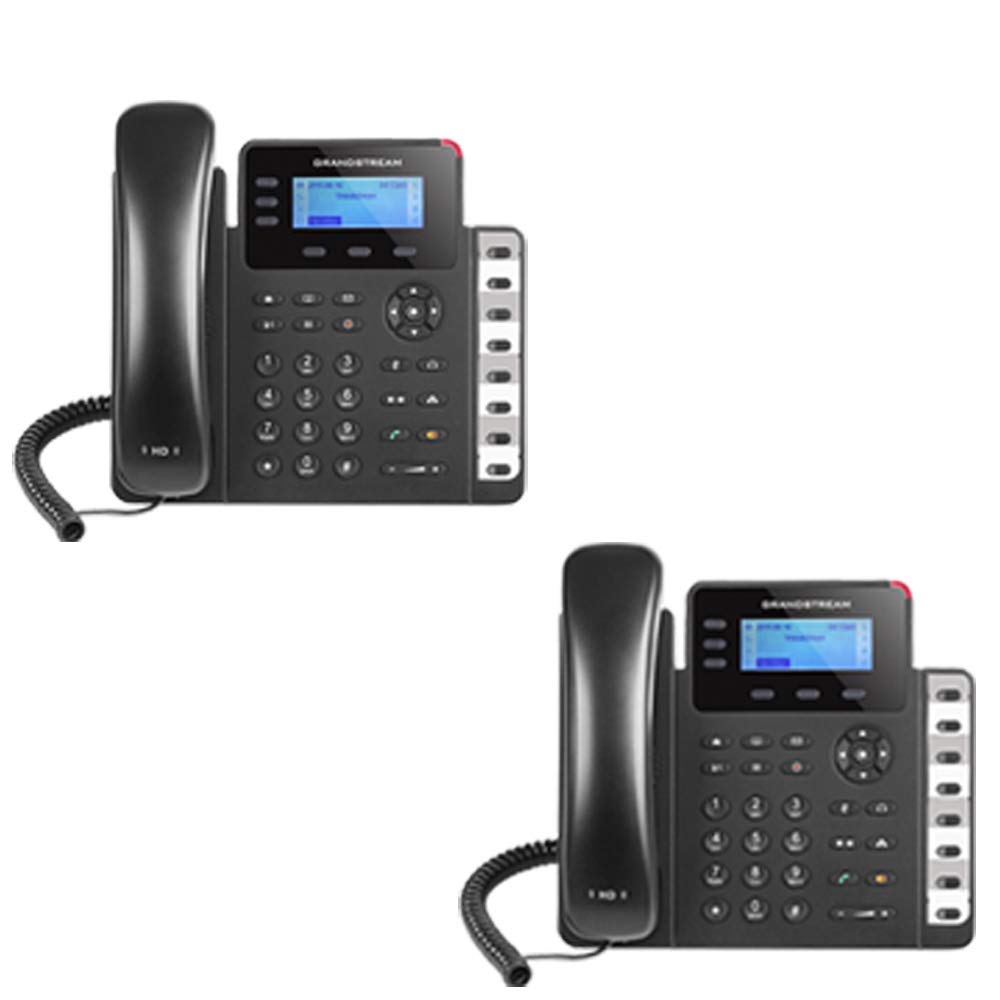
Figure 1: Grandstream GXP1630 Gigabit IP Phone
2. Configuració i instal·lació
2.1 Contingut del paquet
Assegureu-vos que tots els components estiguin presents:
- Unitat de telèfon IP Grandstream GXP1630
- Auricular i cable en espiral
- Cable Ethernet
- Adaptador d'alimentació (si no utilitza PoE)
- Suport de telèfon
2.2 Connexió del telèfon
- Connect the coiled cord to the handset and the handset port on the phone base.
- Connect the Ethernet cable from your network switch (with PoE) or router to the LAN port on the phone. If not using PoE, connect the power adapter to the phone and a power outlet.
- Optionally, connect a headset to the headset port.
- Attach the phone stand to the base unit.
2.3 Engegada inicial i aprovisionament
Once connected, the phone will power on and begin the boot-up sequence. The LCD screen will display status information. The GXP1630 supports automated provisioning options, including zero-configuration with Grandstream’s UCM series IP PBXs, encrypted XML files, and TR-069, to facilitate easy mass deployment and configuration.
3. Funcionament del telèfon
3.1 Using the Headset or Speaker
- To turn the speaker on or off during a call, press the Altaveu botó.
- To use a connected headset, press the Auriculars botó.
Vídeo 1: Acabatview of using headset and speaker functions on Grandstream GXP1600 series IP phones.
3.2 Fer una trucada
Hi ha tres maneres principals d'iniciar una trucada:
- Auricular/Telèfon: Aixequeu el telèfon o premeu Auriculars botó.
- Altaveu: Premeu el botó Altaveu botó.
- Selecció de la tecla de línia: Press an available line key.
Once you hear a dial tone (the corresponding line key will turn green), enter the phone number using the keypad. Then, press the Enviar botó o el # key to place the call. To use a different SIP account, simply press a different line key before dialing.
3.3 Redialing a Number
Per tornar a marcar l'últim número al qual s'ha trucat:
- Aixequeu el telèfon o premeu Altaveu botó.
- Premeu el botó Enviar botó o el Reposició soft key displayed on the phone screen.
The phone will redial using the same SIP account as the previous call.
3.4 Respondre a una trucada
When an incoming call rings:
- Trucada entrant única: Aixequeu el microtelèfon, premeu la tecla Altaveu o premeu la tecla de línia parpellejant corresponent.
- Trucades entrants múltiples (trucada en espera): If you are on an active call and another call comes in, you will hear a call waiting tone. The new incoming call's line key will flash red. Press the flashing red line key to answer the new call. Your current call will be placed on hold. You can toggle between calls by pressing the line key corresponding to each call.
3.5 Finalització d'una trucada
Per finalitzar una trucada activa:
- Pengeu l'auricular.
- Premeu el botó Finalitzar la trucada soft key on the phone screen.
3.6 Hold and Resume a Call
- Per posar una trucada activa en espera, premeu el botó Aguanta button. The line key will typically flash.
- Per reprendre una trucada que s'havia posat en espera, premeu la tecla de línia corresponent que parpelleja.
3.7 Volume Adjustment and Mute
- When the phone is idle, use the Volum botó per ajustar el volum del timbre.
- Durant una trucada activa, premeu Volum button to adjust the call volume for the handset, headset, or speaker.
- To mute or unmute your microphone during a call, press the Silenciar botó.
4. Manteniment
To ensure optimal performance and longevity of your Grandstream GXP1630 IP Phone, consider the following maintenance tips:
- Neteja: Feu servir un drap suau i sec per netejar la superfície del telèfon. Eviteu productes de neteja o dissolvents abrasius.
- Actualitzacions de firmware: Regularly check for and apply firmware updates provided by Grandstream. Keeping the firmware up to date can improve performance, add new features, and address security vulnerabilities.
- Condicions ambientals: Operate the phone within recommended temperature and humidity ranges to prevent damage.
5. Solució De Problemes
If you encounter issues with your GXP1630 IP Phone, try the following basic troubleshooting steps:
- Sense to de marcatge/No es poden fer trucades: Check all cable connections (Ethernet, handset, power). Ensure the phone is properly registered with your SIP server.
- Sense energia: Verify the power adapter is securely connected to both the phone and a working power outlet, or that your network switch is providing Power over Ethernet (PoE).
- Mala qualitat d'àudio: Check network connectivity. Ensure the handset/headset cord is properly connected. Adjust the call volume using the volume buttons.
- El telèfon no respon: As with any electronic device, occasional reboots can resolve minor issues. Disconnect the power for a few seconds and then reconnect it.
- Problemes de visualització: If the screen is blank or frozen, try rebooting the phone.
For more advanced issues, consult your IT administrator or Grandstream's official support resources.
6. Especificacions
| Característica | Descripció |
|---|---|
| Comptes SIP | 3 |
| Tecles de línia | 3 |
| Conferència | 4 vies |
| Tecles BLF/Marcatge ràpid | 8 de dos colors |
| Àudio | Àudio HD a l'altaveu i al telèfon |
| Interfície de xarxa | Ports Gigabit de doble commutació |
| PoE | Integrated Power over Ethernet |
| Mostra | LCD retroil·luminada de 132x64 |
| Dimensions | 8 x 12 x 6 polzades |
| Pes | 6 lliures |
| Color | Negre |
| Material | Plàstic |
| Dispositius compatibles | Grandstream IP phones, Plantronics headsets with EHS feature, devices supporting TR-069 and XML config files |
7. Garantia i Suport
7.1 Garantia del fabricant
The Grandstream GXP1630 IP Phone comes with a 1 anys de garantia del fabricantSi us plau, conserveu el comprovant de compra per a reclamacions de garantia.
7.2 Suport tècnic
For technical assistance, product registration, or to access additional resources, please visit the official Grandstream website or contact your product vendor. Support resources often include FAQs, knowledge bases, and community forums.