
Uvod
This manual provides instructions for the Garmin Venu 4 GPS Smartwatch. It covers device setup, operation, maintenance, and troubleshooting. The Venu 4 is designed to assist users in monitoring health and fitness metrics through its advanced features and bright display.

Image: Garmin Venu 4 Smartwatch in Slate with a black silicone band, displaying time and health metrics.
Šta je u kutiji
Provjerite da li su sve stavke prisutne u paketu:
- Garmin Venu 4 Smartwatch (45mm)
- Kabl za punjenje/data
- Dokumentacija (Vodič za brzi početak, Sigurnosne informacije)
Setup
1. Punjenje uređaja
Before initial use, fully charge your Venu 4 smartwatch. Connect the charging/data cable to the charging port on the back of the watch and plug the other end into a USB power source.
- Potpuno punjenje obično traje otprilike 2 sata.
- Ekran sata će prikazivati status punjenja.
2. Uparivanje sa vašim pametnim telefonom
To access all features and synchronize data, pair your Venu 4 with the Garmin Connect app on your smartphone.
- Preuzmite Garmin Connect aplikaciju iz trgovine aplikacija na vašem pametnom telefonu.
- Omogućite Bluetooth na svom pametnom telefonu.
- Otvorite aplikaciju Garmin Connect i slijedite upute na ekranu da biste kreirali račun ili se prijavili.
- Select "Add Device" within the app and choose your Venu 4 from the list of available devices.
- Slijedite upute za uparivanje na satu i pametnom telefonu kako biste dovršili povezivanje.
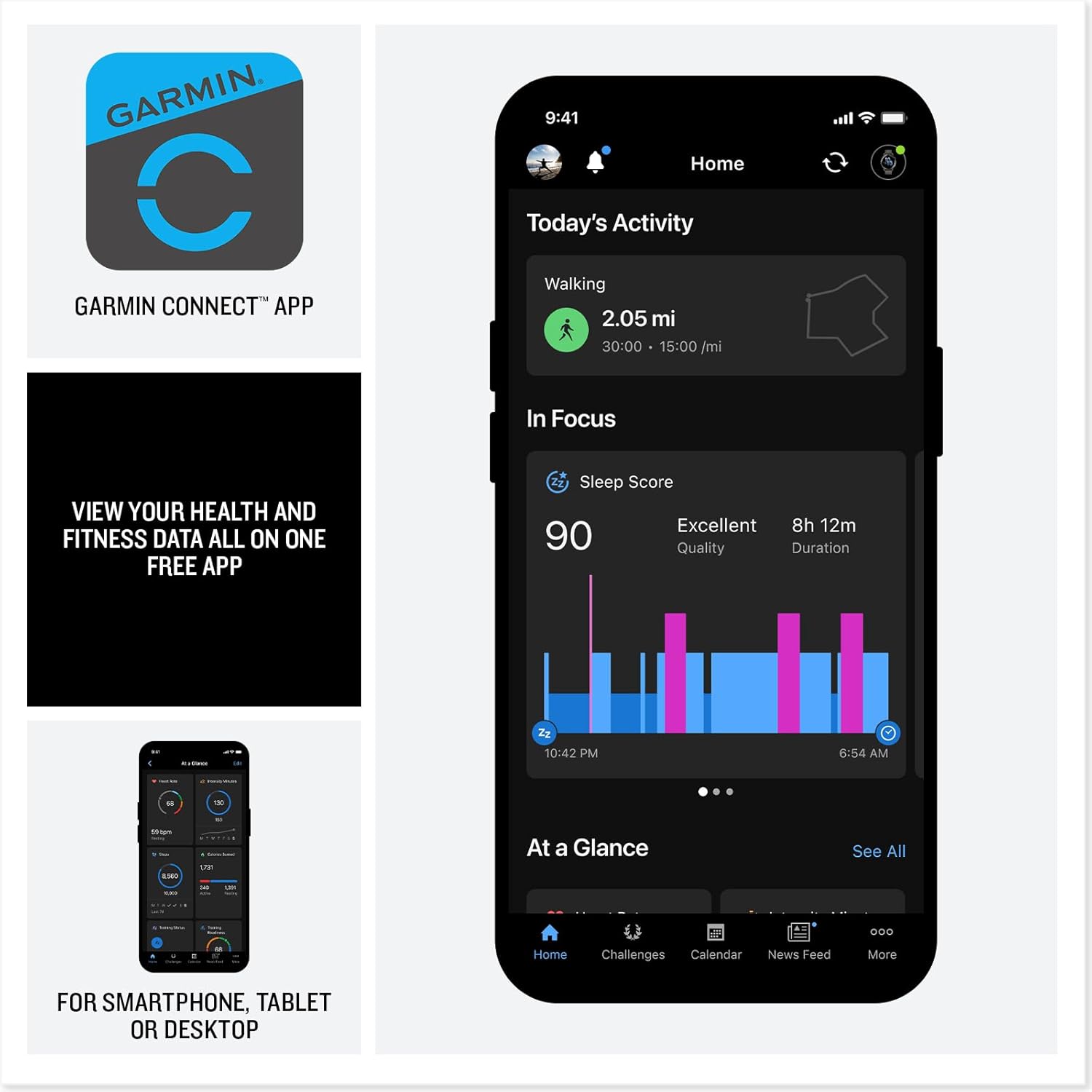
Image: A smartphone displaying the Garmin Connect app interface, showing activity and sleep data.
Uputstvo za upotrebu
Prikaz i navigacija
The Venu 4 features a bright, colorful AMOLED display. Navigate through menus and features using touch gestures and the physical buttons on the watch.
- Touchscreen: Prevucite prema gore, dolje, lijevo ili desno do view widgets, notifications, and controls. Tap to select items.
- Dugmad: Specific button functions are detailed in the device's on-screen help and the Garmin Connect app.
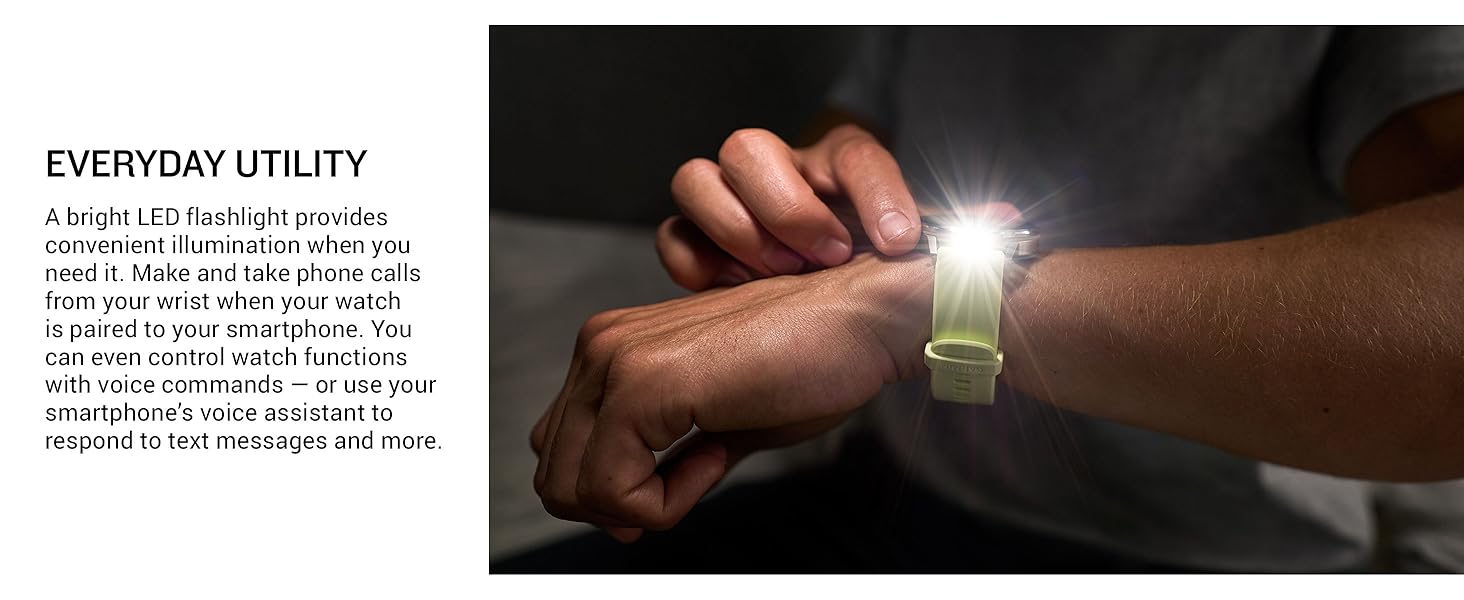
Image: Close-up of the Garmin Venu 4's vibrant display, highlighting its clarity and color.
Funkcije praćenja zdravlja
The Venu 4 provides comprehensive health tracking capabilities:
- Otkucaji srca na zapešću: Neprestano prati vaš otkucaj srca.
- Body Battery™ Energy Monitoring: Tracks your body's energy levels to help identify optimal times for activity and rest.
- Sleep Tracking and Coaching: Provides a sleep score, personalized coaching, and insights into sleep stages and circadian rhythm alignment.
- Praćenje stresa: Prati nivo stresa tokom cijelog dana.
- Puls Ox: Measures blood oxygen saturation (not available in all countries).
- Zdravstveni status: Identifies changes in key health metrics (heart rate, HRV, skin temperature) that may indicate increased body stress.
- Lifestyle Logging: Allows logging of behaviors like caffeine and alcohol intake to observe their impact on health.
- EKG aplikacija: Records heart rhythm and checks for signs of atrial fibrillation (AFib) for users 22 years or older (not available in all regions).
Note: Device data presented is intended to be a close estimation of metrics tracked and is not a medical device. Consult a healthcare professional for medical concerns.
Praćenje kondicije i aktivnosti
Engage in various activities with the Venu 4's extensive fitness features:
- Ugrađene sportske aplikacije: Over 80 preloaded apps for activities such as walking, running, cycling, HIIT, swimming, strength training, mobility, and mixed sessions. Includes specific support for active wheelchair users.
- Predložene dnevne vježbe: Receive personalized workout recommendations based on your fitness and recovery data.
- Garmin trener: Access adaptive training plans for running, cycling, strength, and general fitness.
- Karakteristike napredne obuke: Understand workout benefit, recovery time, training readiness, and training status for optimized performance.
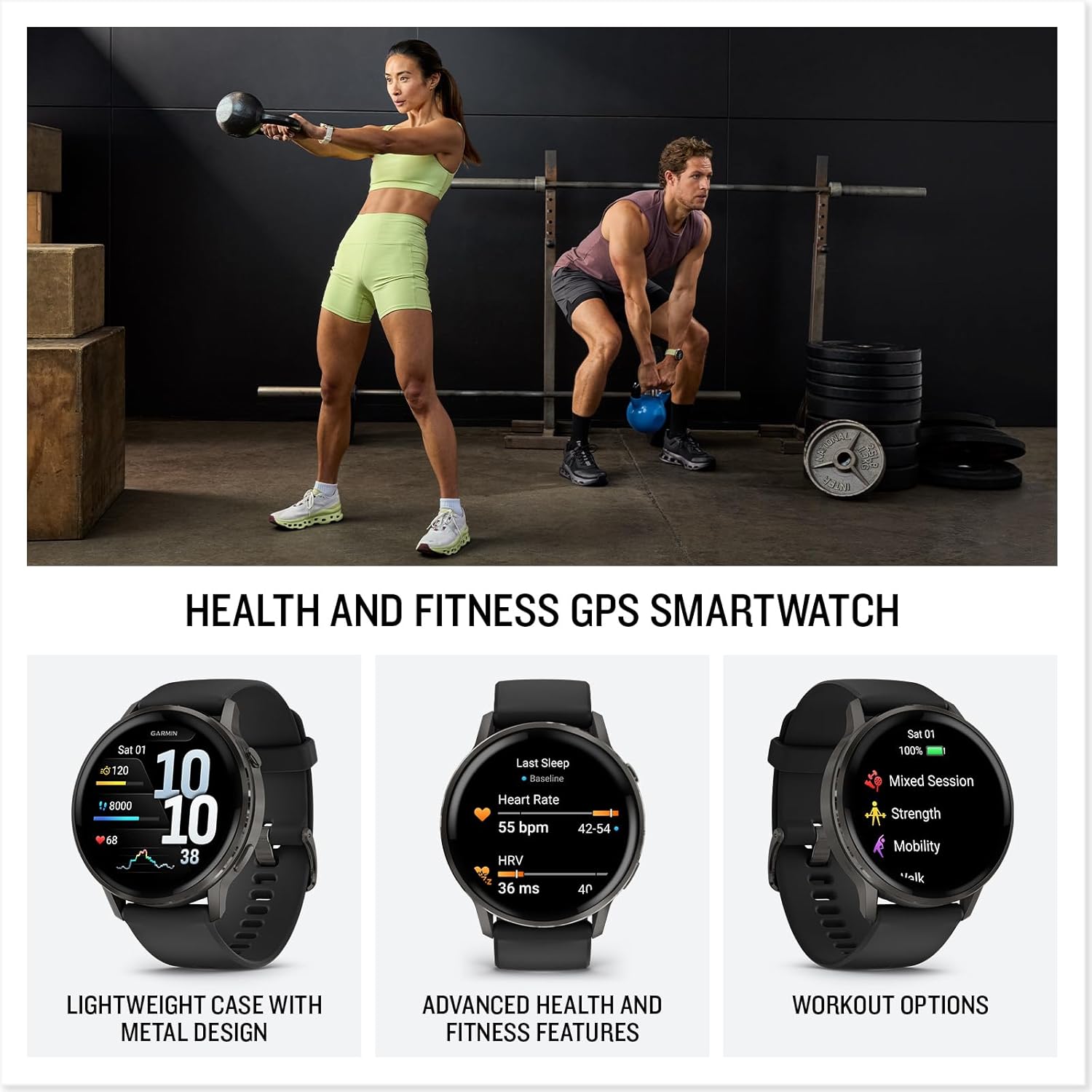
Image: Two people engaged in fitness activities, one lifting a kettlebell and the other in a plank position, both wearing smartwatches.
Smart Features
- Calls and Texting: Make and receive calls directly from your wrist when paired with a compatible smartphone. Respond to texts via voice or directly from the smartwatch (Android users).
- Ugrađena lampa: A bright LED flashlight provides convenient illumination.
- Beskontaktna plaćanja Garmin Pay™: Make secure payments directly from your watch with participating providers.
- Connect IQ™ Store: Customize your watch with watch faces, data fields, and apps.
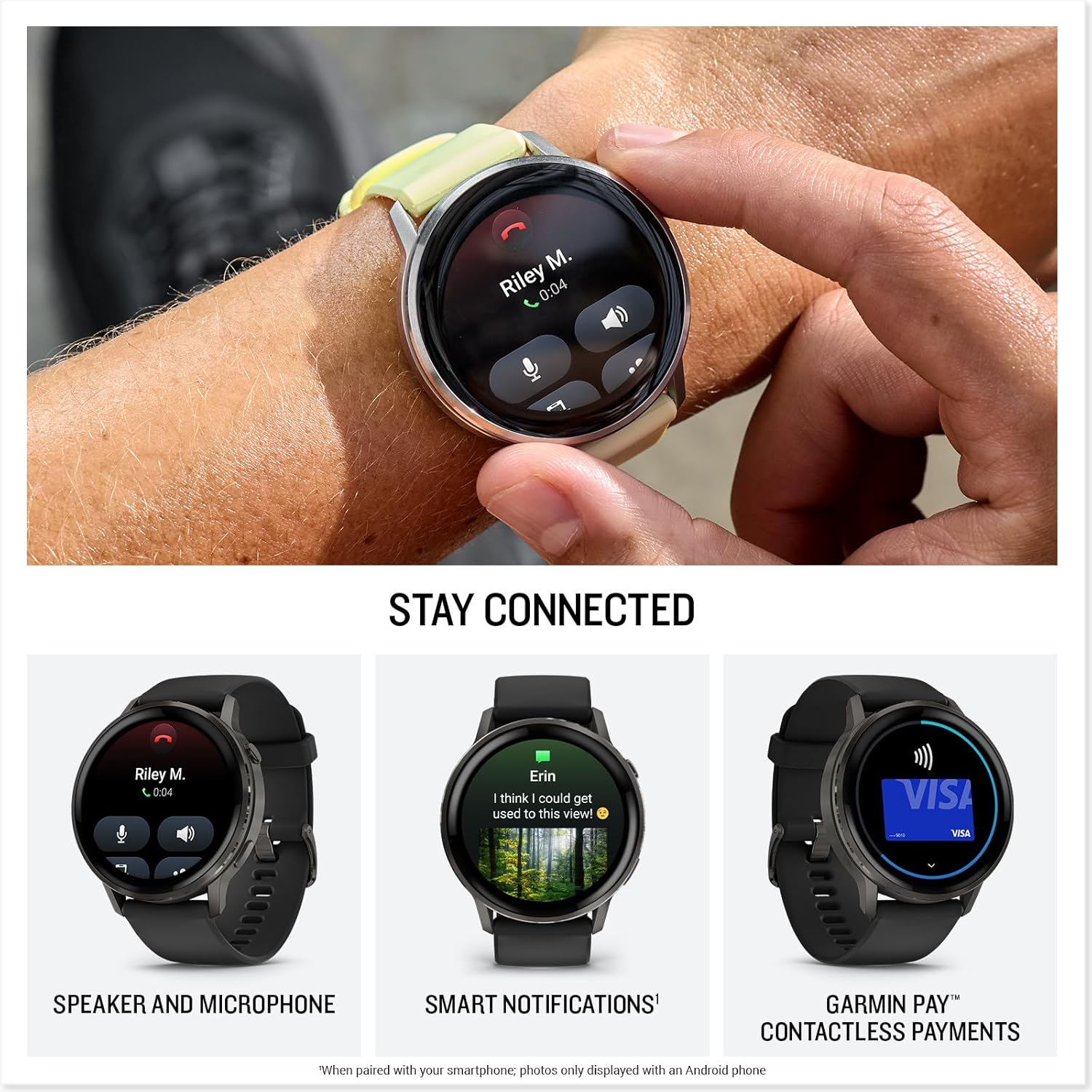
Image: A close-up of the Garmin Venu 4 on a wrist, showing an incoming call notification on its screen.

Image: A person's wrist wearing the Garmin Venu 4, with the watch's built-in LED flashlight emitting a bright beam.
Održavanje
Čišćenje uređaja
Regular cleaning helps maintain the device's functionality and appearance.
- Wipe the watch and band with a soft, damp, krpa koja ne ostavlja dlačice.
- For stubborn dirt, use a mild soap solution and rinse thoroughly with water.
- Prije punjenja ili duže upotrebe provjerite je li uređaj potpuno suh.
- Avoid harsh chemicals, abrasive cleaners, or solvents that could damage the watch components.
Ažuriranja softvera
Garmin periodically releases software updates to improve performance, add features, and fix bugs. Connect your Venu 4 to the Garmin Connect app to receive and install updates automatically.
Battery Care
Da biste maksimalno povećali vijek trajanja i performanse baterije:
- Izbjegavajte izlaganje uređaja ekstremnim temperaturama.
- Redovno punite uređaj, ali izbjegavajte da ga ostavljate potpuno ispražnjenog duži period.
- Koristite samo priloženi kabl za punjenje.
Rješavanje problema
Uređaj se ne uključuje
- Provjerite je li uređaj potpuno napunjen. Spojite ga na kabel za punjenje i izvor napajanja najmanje 30 minuta.
- Press and hold the power button for 15 seconds to attempt a force restart.
Problemi s povezivanjem (Bluetooth)
- Ensure Bluetooth is enabled on your smartphone and the Venu 4.
- Confirm the watch is within range of your smartphone (typically 10 meters or 33 feet).
- Restart both your smartphone and the Venu 4.
- If issues persist, unpair the device from your smartphone's Bluetooth settings and re-pair it through the Garmin Connect app.
Netačna očitavanja podataka
- Pazite da sat čvrsto prianja uz vaš zglob, iznad kosti ručnog zgloba.
- Očistite optički senzor otkucaja srca na stražnjoj strani sata.
- For GPS activities, ensure you have a clear view neba.
- Remember that all smartwatch data is intended as an estimation and not for medical diagnosis.
Specifikacije
| Feature | Detalj |
|---|---|
| Broj modela | 010-03014-00 |
| Brand | Garmin |
| Dimenzije (paket) | 3.7 x 3.54 x 3.23 inča |
| Težina artikla | 1.3 unce |
| Veličina ekrana | 1.4 inča (AMOLED) |
| Kapacitet memorije | 8 GB |
| Operativni sistem | Garmin operativni sistem |
| Posebne karakteristike | Activity Tracker, Alarm Clock, Contactless Payments, GPS, Multisport Tracker, Built-in Flashlight |
| Kapacitet baterije | 302 Milliamp Sati |
| Trajanje baterije (način rada pametnog sata) | Do 12 dana |
| Tehnologija povezivanja | Bluetooth |
| GPS | Ugrađen GPS |
| Oblik | Okrugli |
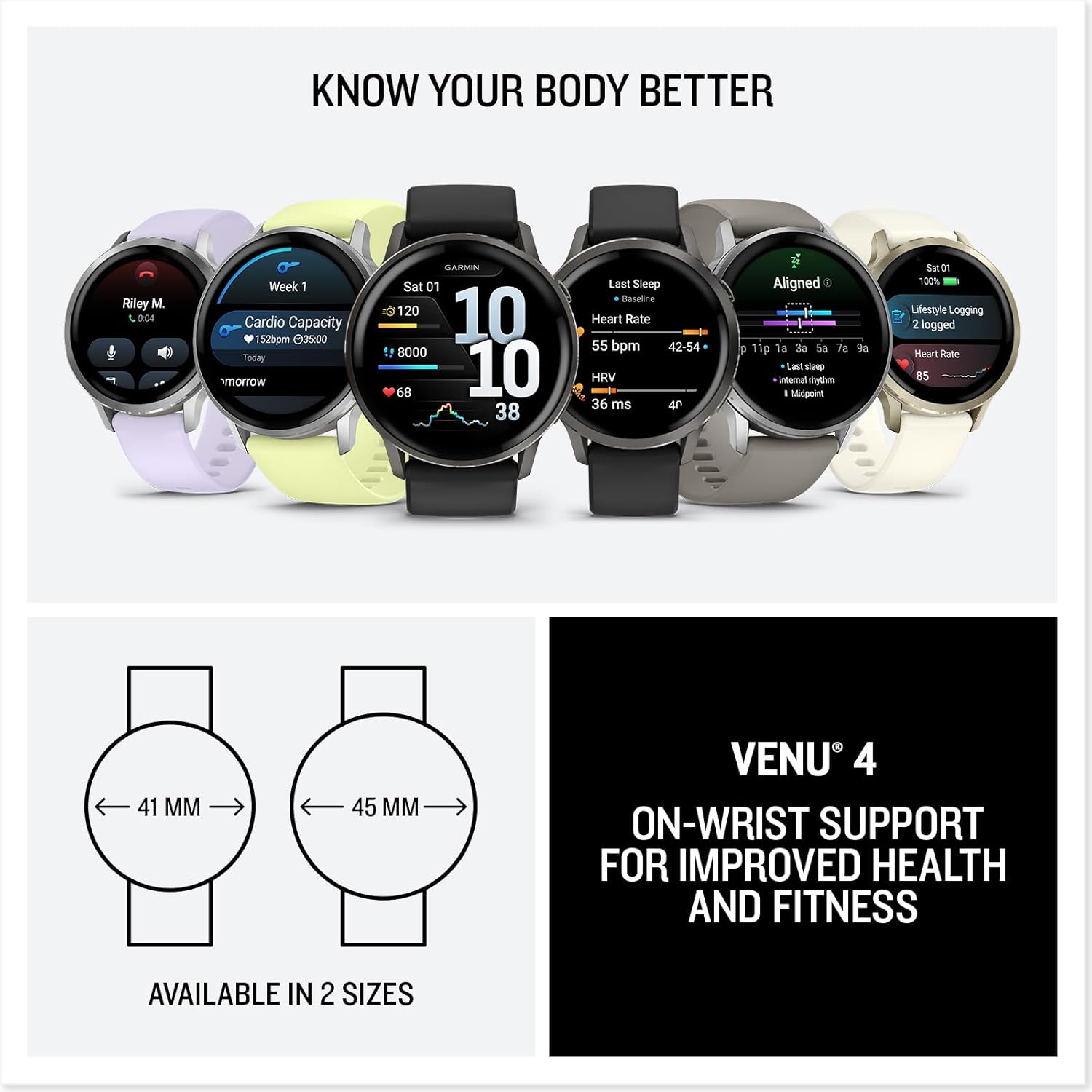
Image: Diagram illustrating the two available sizes for the Garmin Venu 4: 41mm and 45mm.
Garancija i podrška
Informacije o garanciji
Garmin products are typically covered by a limited warranty. For detailed warranty terms and conditions, please refer to the official Garmin website or the warranty documentation included with your product. Warranty periods may vary by region and product type.
Korisnička podrška
Za dodatnu pomoć, tehničku podršku ili view frequently asked questions, please visit the official Garmin support webstranica:
You can also find helpful resources and community forums through the Garmin Connect app.
Note: No video content was available in the provided product data for embedding in this manual. Please refer to the official Garmin website for product videos and tutorials.