
1. Uvod
The Govee Star Projector Lights H6095 is an advanced lighting device designed to create immersive cosmic environments. It features a 7-zone colorful nebula effect, offering extensive customization options for color, brightness, speed, and motion. This projector is compatible with Matter, Alexa, and Google Assistant for convenient smart control. With a large coverage area of up to 540ft², it transforms any room into a dynamic starry sky. Additionally, it includes over 50 scene modes and 18 white noise options to enhance relaxation and sleep.
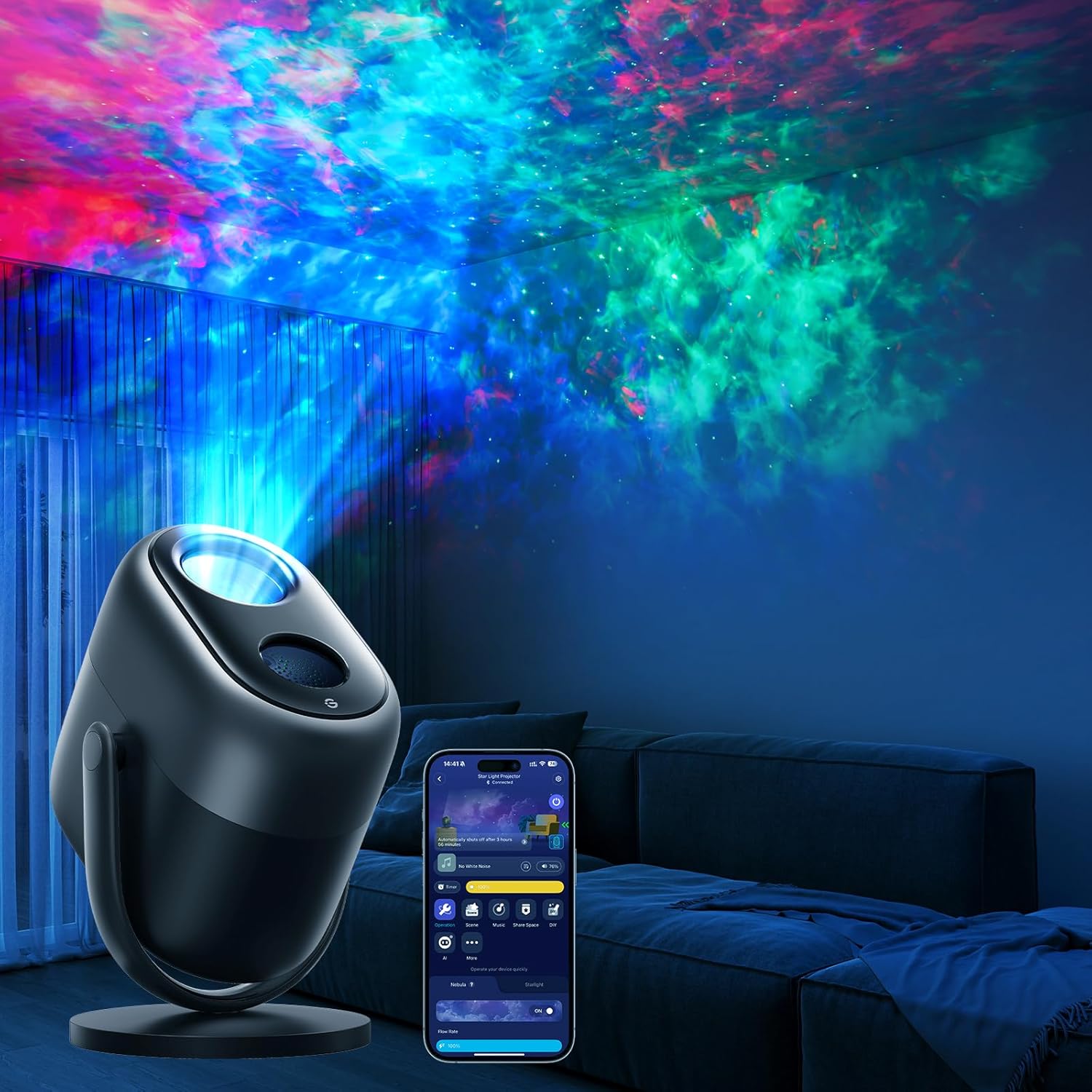
Image 1.1: The Govee Star Projector Lights H6095 in operation, displaying its vibrant nebula and star effects.
2. Šta se nalazi u kutiji
Molimo Vas da prilikom raspakivanja provjerite da li su sve komponente prisutne:
- Star Light projektor
- Matter Guide
- Adapter za napajanje
- USB kabel
- Korisnički priručnik (ovaj dokument)

Image 2.1: All items included in the Govee Star Projector Lights H6095 package.
3. Proizvod je gotovview
3.1 Ključne karakteristike
- 7-Zone Stardust with Dynamic Lighting: Customizable star light zones for vivid, layered stardust effects.
- Full DIY Control via Smart Command: Adjust color, brightness, speed, and motion for each zone through the Govee Home app.
- Kompatibilnost pametnog doma: Works with Matter, Alexa, and Google Assistant for hands-free voice control.
- Veliko područje pokrivenosti: Projects up to 540ft² with specialized field of view sočiva.
- 50+ Scene Modes: Pre-set lighting scenes for various moods and occasions.
- 18 Soothing White Noise Options: Integrated soundscapes for relaxation and sleep assistance.
- Tajmer za isključivanje: Automated shut-off and dimming features for uninterrupted rest.
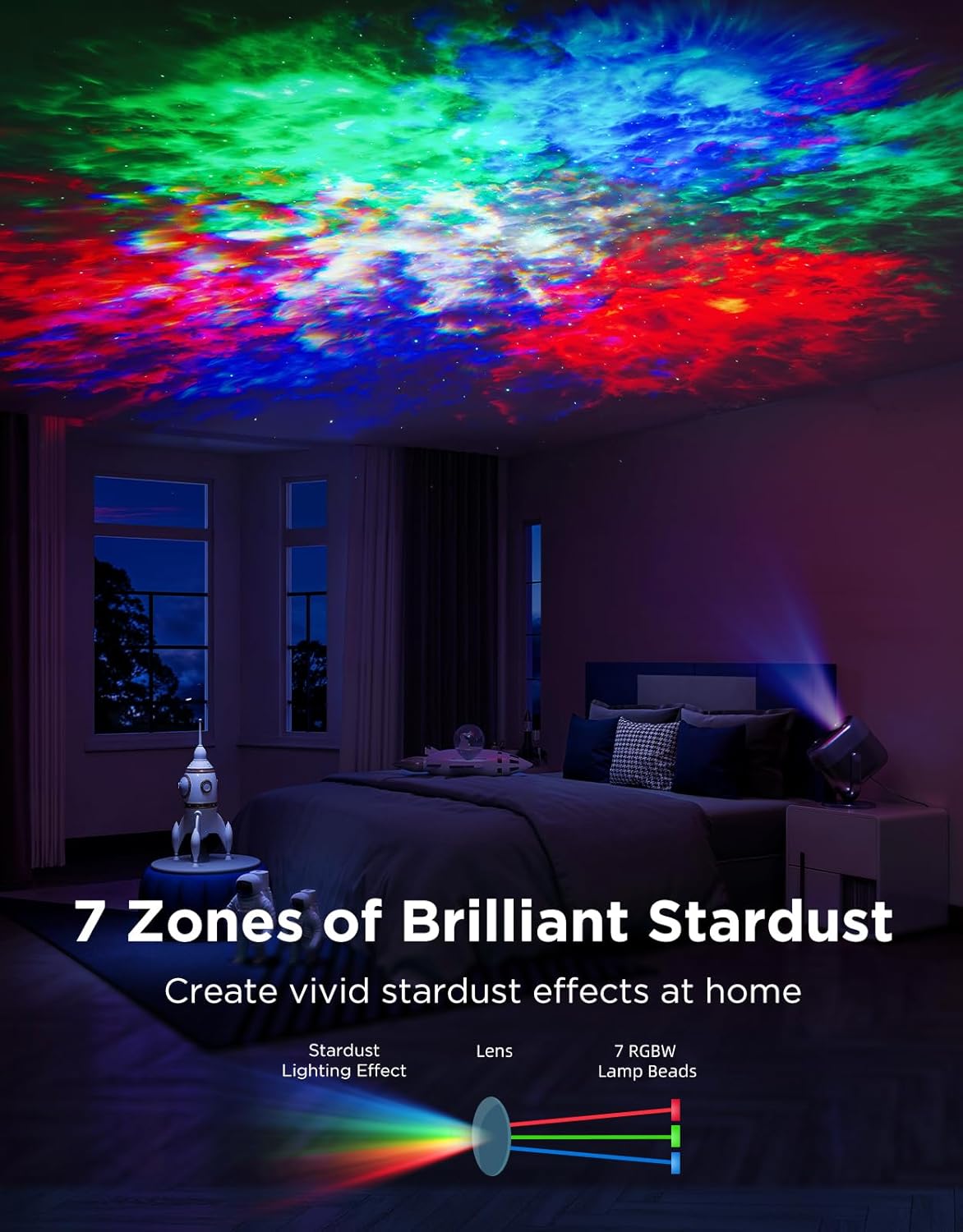
Image 3.1: Visual representation of the 7-zone stardust projection mechanism.

Image 3.2: The projector's extensive coverage area demonstrated in a room setting.
4. Podešavanje
4.1 Priključak za napajanje
- Connect the USB cable to the projector's power input port.
- Plug the USB cable into the provided power adapter.
- Insert the power adapter into a standard electrical outlet (AC 120V).
- The projector will power on automatically.
4.2 Govee Home App Installation
- Preuzmite aplikaciju Govee Home iz App Store (iOS uređaji) ili Google Play (Android uređaji).
- Registrujte se ili prijavite na svoj Govee račun.
4.3 Uparivanje uređaja
- Open the Govee Home app and tap the '+' icon in the top right corner.
- Traži 'H6095' or select the Star Projector from the device list.
- Follow the on-screen instructions to complete the pairing process. Ensure your phone's Bluetooth and Wi-Fi are enabled.
4.4 Smart Home Integration (Matter, Alexa, Google Assistant)
Refer to the included Matter Guide for detailed instructions on integrating your projector with Matter-compatible smart home systems. For Alexa and Google Assistant, follow the pairing instructions within the Govee Home app or your respective smart home assistant app.
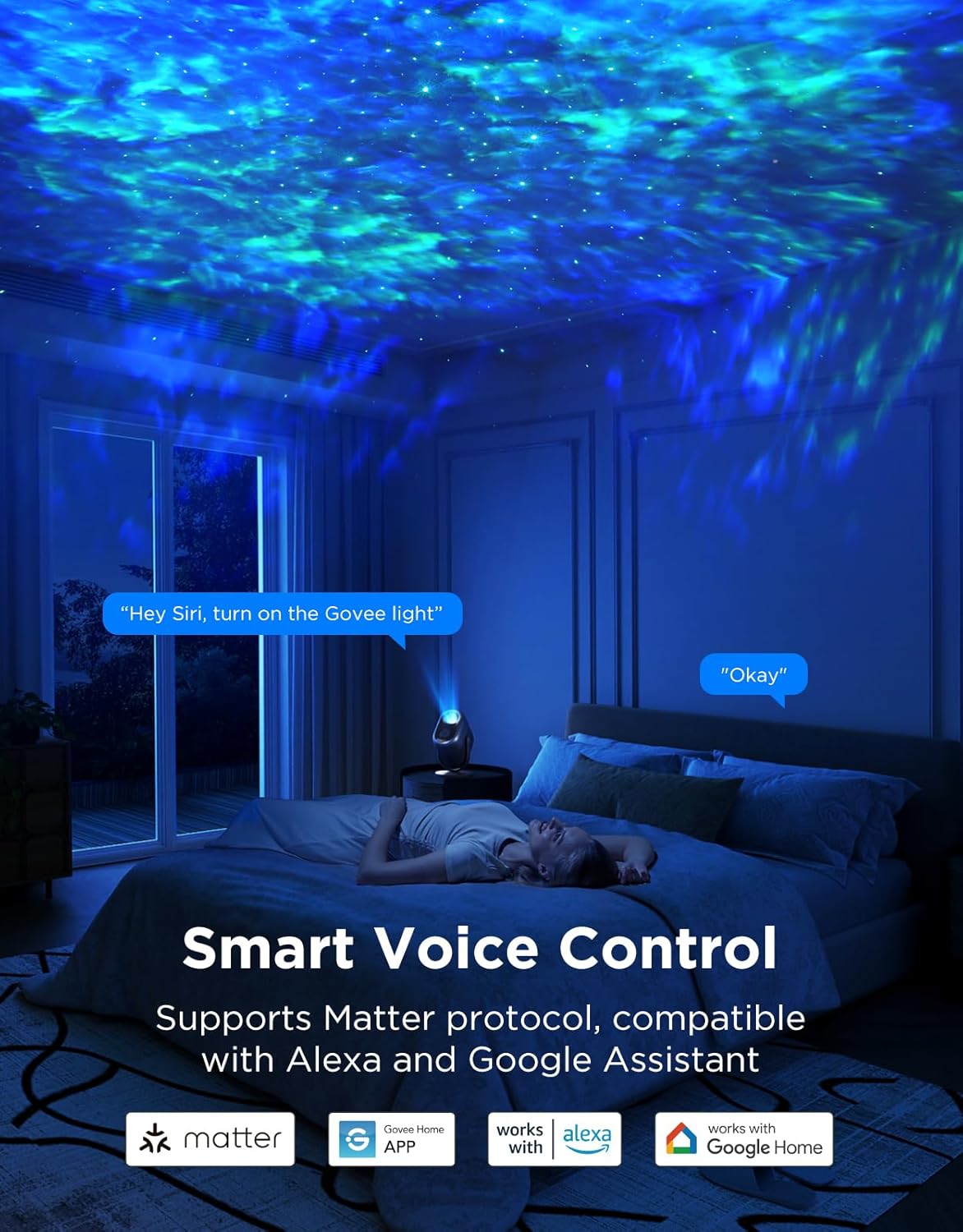
Image 4.1: The Govee Star Projector Lights H6095 supports smart voice control.
5. Uputstvo za upotrebu
5.1 Fizičke kontrole
The projector features physical buttons for basic control:
- Dugme za napajanje: Press to turn the projector on or off.
- Dugme za način rada: Cycle through pre-set lighting modes.
- Dugmad za osvjetljenje: Adjust the overall brightness of the projection.
- Dugmad za jačinu zvuka: Control the volume of white noise or connected audio.
5.2 Govee Home App Control
The Govee Home app provides comprehensive control over the projector's features:
- Prilagodba boja: Select from a wide spectrum of colors for the nebula effect.
- Podešavanje svjetline: Fine-tune the intensity of both stars and nebula.
- Motion and Speed: Adjust the movement and speed of the nebula and star patterns.
- DIY način rada: Create and save your own unique lighting effects for each of the 7 zones.
- Režimi scene: Access over 50 pre-programmed scenes for various atmospheres.
- bijeli šum: Choose from 18 different white noise options to aid relaxation or sleep.
- Tajmer za isključivanje: Set a timer for the projector to automatically dim and turn off.

Image 5.1: The Govee Home app interface for DIY color customization.

Slika 5.2: Primjeramples of the 50+ scene modes available.

Image 5.3: The projector offers 18 white noise options for sleep assistance.
6. Održavanje
6.1 Čišćenje
- Ensure the projector is unplugged before cleaning.
- Koristite meku, suvu krpu da obrišete spoljašnjost uređaja.
- For the lens, use a lens cleaning cloth to gently remove dust or smudges. Avoid abrasive materials or harsh chemicals.
6.2 Skladištenje
- Projektor čuvajte na hladnom i suhom mjestu, dalje od direktne sunčeve svjetlosti i ekstremnih temperatura.
- Držite ga podalje od vlage i korozivnih tvari.
7. Otkrivanje problema
| Problem | Mogući uzrok | Rješenje |
|---|---|---|
| Projector does not power on. | Nema napajanja ili neispravan priključak. | Ensure the power adapter is securely plugged into both the projector and a working electrical outlet. Try a different outlet. |
| Nije moguće povezati se s aplikacijom Govee Home. | Bluetooth/Wi-Fi off, incorrect pairing steps, or device too far. | Ensure Bluetooth and Wi-Fi are enabled on your phone. Place the projector closer to your phone. Restart the app and try pairing again. |
| Projekcija je slaba ili nejasna. | High ambient light, dirty lens, or brightness setting too low. | Operate in a darker environment. Clean the projector lens. Increase brightness via the app or physical buttons. |
| Glasovna kontrola ne radi. | Incorrect smart home integration or poor network connection. | Verify the projector is correctly linked to Alexa/Google Assistant via the Govee Home app. Ensure a stable Wi-Fi connection. |
8. Specifikacije
| Atribut | Detalj |
|---|---|
| Broj modela | H6095 |
| Brand | Govee |
| Boja | Crna |
| Materijal | akrilonitril butadien stiren (ABS) |
| Vrsta izvora svjetlosti | LED |
| Izvor napajanja | Corded Electric |
| Voltage | 120 volti (AC) |
| Wattage | 10 vati |
| Dimenzije proizvoda | 6.18 cm D x 5.51 cm Š x 8.93 cm V |
| Težina artikla | 3.83 funte |
| UPC | 810172721203 |
9. Sigurnosne informacije
- Do not look directly into the projector's light source for extended periods, as it may cause eye strain.
- Držite uređaj dalje od vode, vlage i zapaljivih materijala.
- Do not attempt to disassemble or modify the projector. This will void the warranty and may cause damage or injury.
- Koristite samo priloženi adapter za napajanje i USB kabel.
- Osigurajte odgovarajuću ventilaciju oko projektora kako biste spriječili pregrijavanje.
- Ovaj uređaj nije igračka. Čuvati izvan dohvata djece.
10. Garancija i podrška
Govee products come with a limited warranty. For specific warranty details, registration, and technical support, please visit the official Govee website or contact Govee customer service. You can typically find contact information and support resources at www.govee.com.