
Uvod
Thank you for choosing the AWEI T28 Wireless Earbuds. This manual provides detailed instructions for setting up, operating, and maintaining your earbuds to ensure optimal performance and longevity. Please read this manual thoroughly before using the product.
Sadržaj paketa
Provjerite da li se sve stavke nalaze u vašem paketu:
- Wireless Bluetooth Headset (Left and Right Earbuds)
- Wireless Bluetooth Headset Charging Case
- USB-C kabl za punjenje
- Upute za upotrebu (Ovaj priručnik)
Product Overview
The AWEI T28 Wireless Earbuds are designed for a comfortable in-ear fit, offering high-fidelity audio and clear call performance. They feature Bluetooth 5.3 technology for stable connectivity and touch controls for easy operation.

Slika 1: AWEI T28 Wireless Earbuds and Charging Case. This image displays the white earbuds resting inside their open charging case, highlighting their compact and sleek design.

Slika 2: Earbuds and Charging Case. The image shows the earbuds removed from the charging case, which is open, illustrating the product's design and indicating its readiness for use or charging.
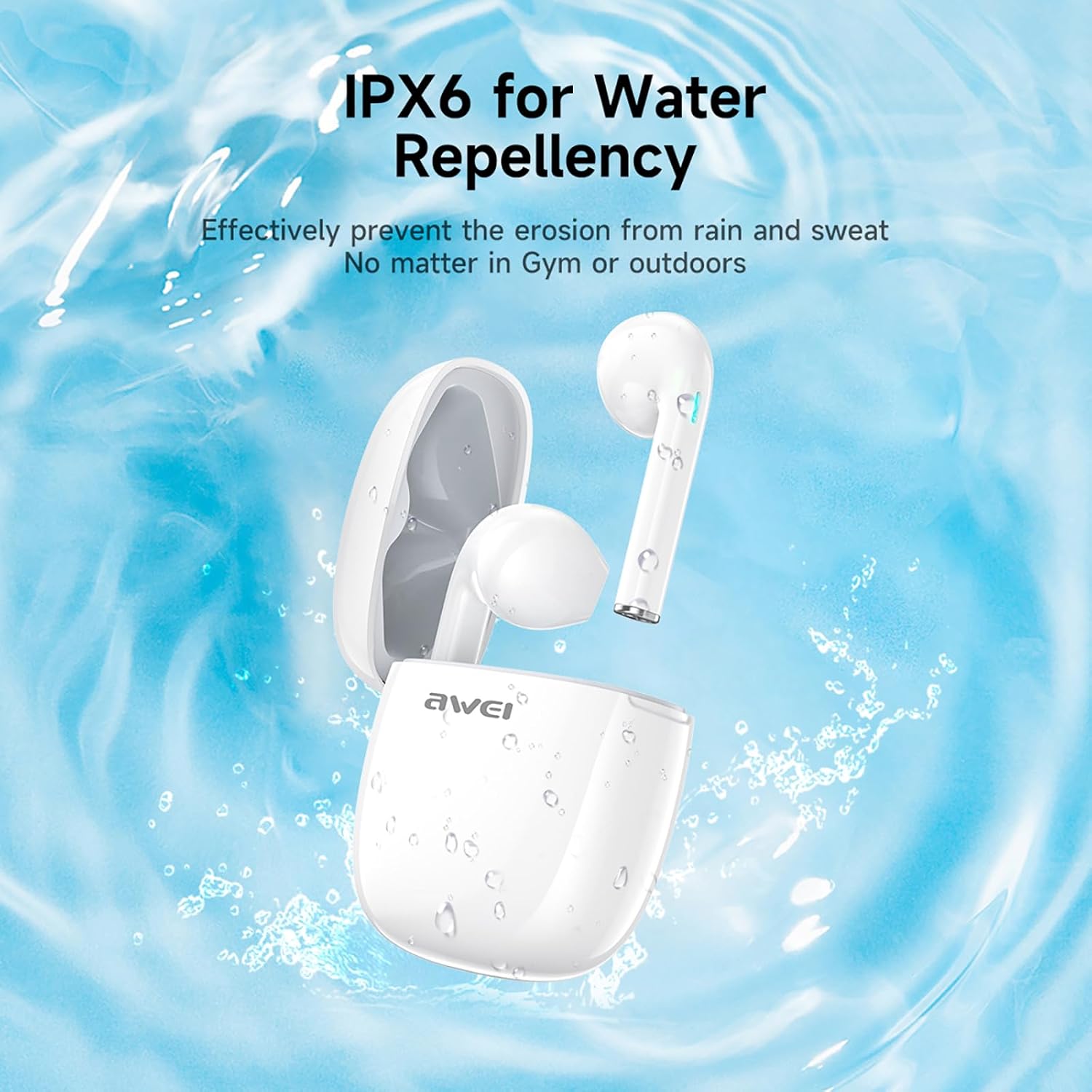
Slika 3: IPX6 Water Repellency. This image depicts the earbuds and charging case with water splashes, visually representing their IPX6 waterproof rating, suitable for use during exercise or in light rain.
Setup
1. Punjenje slušalica i kutijice
- Početna naplata: Prije prve upotrebe, potpuno napunite slušalice i kućište za punjenje.
- Punjenje kućišta: Connect the provided USB-C charging cable to the charging port on the case and to a USB power source. The charging time for the case is approximately 1.5 hours.
- Punjenje slušalica: Place the earbuds into the charging case. They will automatically begin charging. The earbuds provide approximately 7 hours of continuous use per charge. The charging case extends total playback time to 35 hours in dual-ear mode, or up to 70 hours in single-ear mode by alternating earbuds.
- Indikatori baterije: Refer to the LED indicators on the case and earbuds for charging status.
2. Uparivanje sa uređajem
- Uključeno: Otvorite kutijicu za punjenje. Slušalice će se automatski uključiti i ući u način rada za uparivanje.
- Aktivirajte Bluetooth: Na pametnom telefonu, tabletu ili drugom uređaju s omogućenom Bluetooth vezom, idite na postavke Bluetootha i uključite Bluetooth.
- Odaberite uređaj: Look for "AWEI T28" in the list of available devices and select it to connect.
- Potvrda: Once connected, you will hear an audio prompt from the earbuds, and the device's Bluetooth settings will show "AWEI T28" as connected.
- Automatsko ponovno povezivanje: After the initial pairing, the earbuds will automatically connect to the last paired device when removed from the charging case, provided Bluetooth is enabled on the device.
Uputstvo za upotrebu
Dodirnite Kontrole
The AWEI T28 earbuds feature smart touch controls on each earbud for convenient management of audio playback and calls.
- Pusti/pauza: Jednim dodirom na bilo koju slušalicu.
- Sljedeća pjesma: Dvaput dodirnite desnu slušalicu.
- Prethodna pjesma: Dvaput dodirnite lijevu slušalicu.
- Povećavanje glasnoće: Triput dodirnite desnu slušalicu.
- Smanjivanje jačine zvuka: Triput dodirnite lijevu slušalicu.
- Odgovori/Završi poziv: Jednokratno dodirnite bilo koju slušalicu tokom dolaznog poziva.
- odbiti poziv: Pritisnite i držite bilo koju slušalicu 2 sekunde tokom dolaznog poziva.
- Aktivirajte glasovnog asistenta: Press and hold either earbud for 3 seconds (functionality may vary by device).
Monaural and Binaural Mode
The earbuds support both monaural (single earbud) and binaural (both earbuds) modes. You can seamlessly switch between modes:
- Binauralni način rada: Remove both earbuds from the charging case. They will automatically connect to each other and then to your device.
- Monauralni način rada: Remove only one earbud from the charging case. It will connect to your device independently. You can place the other earbud back in the case or keep it off.
- Prebacivanje: If using one earbud, simply remove the other from the case to automatically switch to binaural mode. If using both, place one back in the case to switch to monaural mode.
Održavanje
Proper maintenance ensures the longevity and performance of your AWEI T28 Wireless Earbuds.
- čišćenje: Redovno čistite slušalice i kućište za punjenje mekom, suhom krpom koja ne ostavlja dlačice. Nemojte koristiti abrazivna sredstva za čišćenje ili rastvarače.
- Savjeti za uši: If applicable, gently remove ear tips and clean them with mild soap and water, then dry thoroughly before reattaching.
- Kontakti za punjenje: Provjerite da su kontakti za punjenje i na slušalicama i unutar kućišta čisti i bez prljavštine kako biste održali pravilno punjenje.
- Otpornost na vodu: The earbuds are IPX6 waterproof, meaning they are resistant to strong jets of water. However, they are not designed for swimming or submersion. Ensure they are dry before placing them back in the charging case.
- Skladištenje: Kada se ne koriste, slušalice čuvajte u kutijici za punjenje kako biste ih zaštitili od prašine i oštećenja. Čuvajte ih na hladnom i suhom mjestu, dalje od ekstremnih temperatura.
Rješavanje problema
If you encounter issues with your AWEI T28 Wireless Earbuds, refer to the following common solutions:
- Slušalice se ne uparuju s uređajem:
- Provjerite jesu li obje slušalice potpuno napunjene.
- Isključite Bluetooth na uređaju, a zatim ga ponovo uključite.
- Forget "AWEI T28" from your device's Bluetooth list and attempt to pair again.
- Ensure the earbuds are in pairing mode (usually indicated by flashing LED lights).
- Pokušajte upariti s drugim uređajem kako biste isključili probleme specifične za uređaj.
- Samo jedna slušalica radi:
- Place both earbuds back into the charging case, close the lid, wait a few seconds, then open the lid and remove both earbuds simultaneously.
- Uvjerite se da su obje slušalice napunjene.
- Check if the earbuds are connected in monaural mode. If so, try re-pairing both earbuds.
- Slušalice se ne pune:
- Uvjerite se da je kućište za punjenje napunjeno.
- Check that the charging contacts on the earbuds and inside the case are clean and free of obstructions.
- Provjerite da li su slušalice pravilno postavljene u kućište za punjenje.
- Pokušajte koristiti drugi USB-C kabel ili adapter za napajanje.
- Niska jačina zvuka ili loš kvalitet zvuka:
- Podesite jačinu zvuka i na uređaju i na slušalicama.
- Provjerite da li su vam slušalice pravilno postavljene u ušima radi dobrog prianjanja.
- Očistite ušni vosak ili ostatke iz mlaznica slušalica.
- Try playing different audio sources to determine if the issue is with the earbuds or the audio file.
- Veza se često prekida:
- Ensure there are no significant obstacles (walls, large electronic devices) between the earbuds and your connected device.
- Keep the earbuds within the 10-meter Bluetooth range of your device.
- Izbjegavajte okruženja s jakim Wi-Fi ili drugim bežičnim smetnjama.
Specifikacije
| Model | T28 |
| Brand | Awei |
| Tehnologija povezivanja | Bežično (Bluetooth 5.3) |
| Postavljanje uha | U uhu |
| Tip kontrole | Touch Control |
| Nivo vodootpornosti | IPX6 vodootporan |
| Prosječno trajanje baterije (slušalice) | 7 sata |
| Ukupno vrijeme reprodukcije s kućištem za punjenje | Up to 35 Hours (Dual-ear), 70 Hours (Single-ear) |
| Vrijeme punjenja (futrola) | 1.5 sata |
| Materijal | Silikon |
| Težina artikla | 150 g |
| Kompatibilni uređaji | Smartphones, Computers, TVs |
Garancija i podrška
For warranty information and customer support, please refer to the documentation provided with your purchase or contact the retailer where you purchased the AWEI T28 Wireless Earbuds. Keep your proof of purchase for any warranty claims.
For further assistance, you may also visit the official Awei webweb-mjesto ili direktno kontaktirajte njihovu korisničku službu.